1. Киришүү
This manual provides detailed instructions for the operation and maintenance of your ZAQE Clip MP3 Player X20. Please read this manual thoroughly before using the device to ensure proper function and to maximize your user experience. Keep this manual for future reference.
2. Кутуда эмне бар
Upon opening your ZAQE Clip MP3 Player X20 package, please verify that all the following items are included:
- ZAQE Clip MP3 Player X20
- USB заряддоо кабели
- Зымдуу наушниктер
- Колдонуучунун Колдонмосу (бул документ)
Эгерде кандайдыр бир нерселер жок болсо же бузулса, кардарларды колдоо менен байланышыңыз.

Image: Contents of the ZAQE Clip MP3 Player X20 package, including the player, charging cable, earphones, and user manual.
3. Продукт бүтүп калдыview
3.1 Түзмөктүн жайгашуусу
The ZAQE Clip MP3 Player X20 features a compact design with intuitive controls and a secure clip for portability.
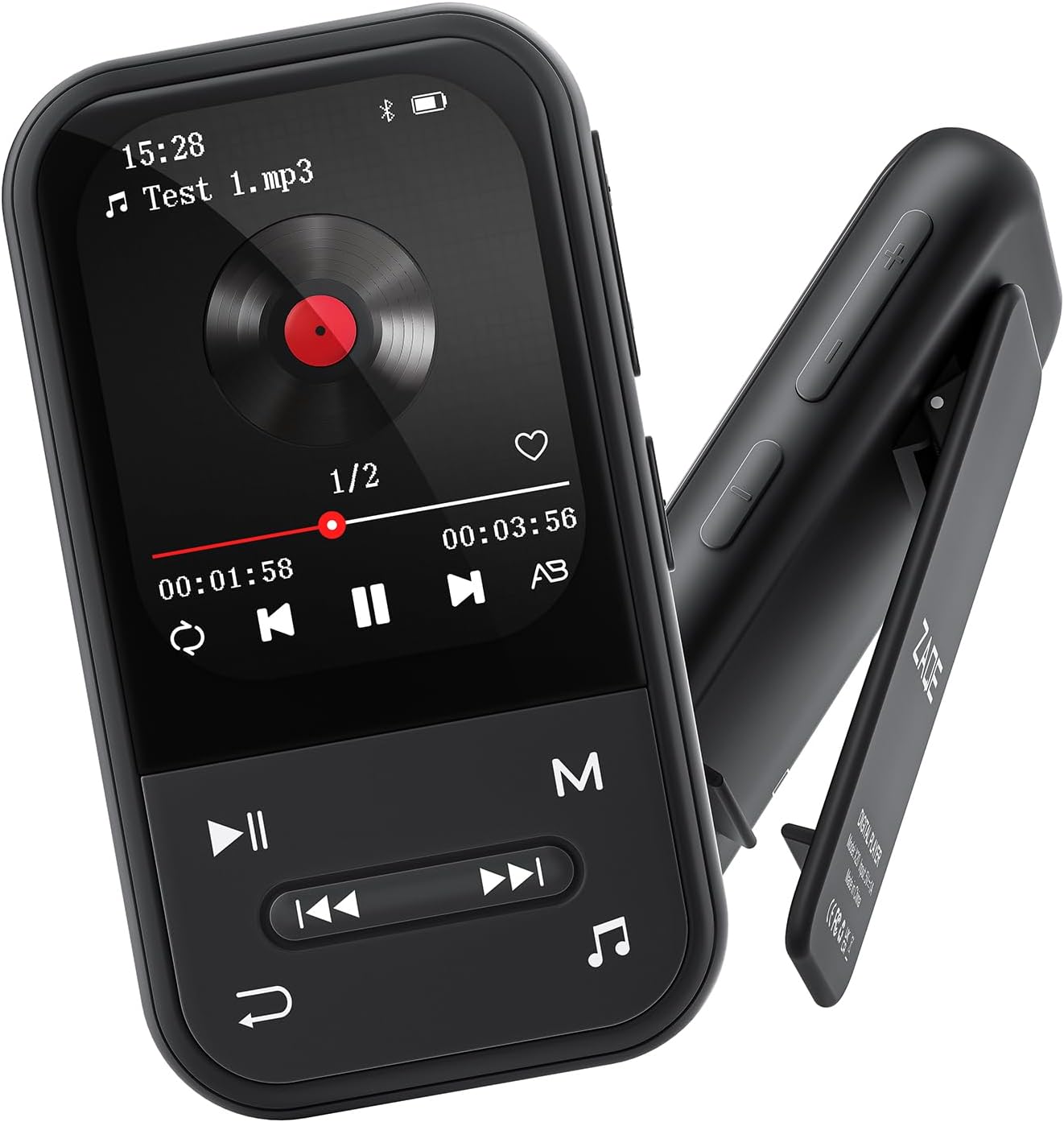
Сүрөт: алдыңкы жана каптал view of the ZAQE Clip MP3 Player X20, highlighting its compact design and rear clip.
3.2 Дисплей интерфейси
The device features a 2.0-inch TFT color display with a user-friendly interface for easy navigation through its various functions.
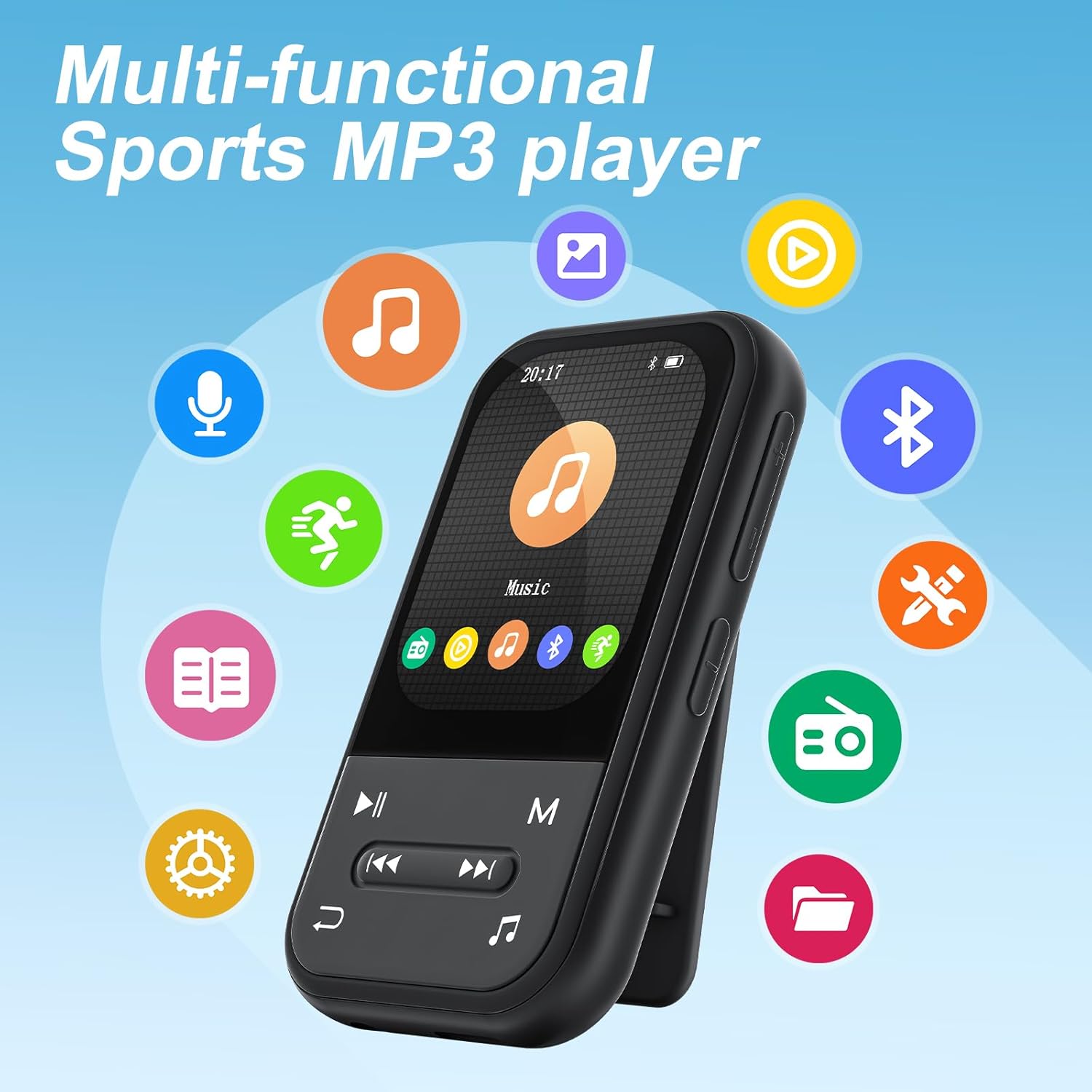
Image: The ZAQE Clip MP3 Player X20 displaying its main interface, surrounded by icons representing its various functions such as music, video, Bluetooth, FM radio, and pedometer.
4. Баштоо
4.1 Аппаратты заряддоо
Before first use, fully charge the MP3 player. Connect the provided USB charging cable to the device's charging port and to a USB power adapter (not included) or a computer's USB port. The battery indicator on the screen will show charging status.
4.2 Күйгүзүү/өчүрүү
- Күйгүзүү үчүн: Экран жарык болгонго чейин Кубат баскычын басып, кармап туруңуз.
- Өчүрүү үчүн: Өчүрүү буйругу чыкканга чейин Кубат баскычын басып, кармап туруңуз, андан кийин ырастаңыз.
4.3 File Transfer
Музыканы, видеолорду же башкаларды өткөрүү үчүн fileMP3 ойноткучуңузга:
- MP3 ойноткучту USB кабели аркылуу компьютериңизге туташтырыңыз.
- Түзмөк компьютериңизде алынуучу диск катары көрсөтүлөт.
- Каалаганыңызды сүйрөп барып таштаңыз files into the appropriate folders on the MP3 player (e.g., 'Music' for audio fileс).
- USB кабелин ажыратуудан мурун, түзмөктү компьютериңизден коопсуз сууруп алыңыз.

Image: The ZAQE Clip MP3 Player X20 supports 128GB internal storage and expandable memory.
4.4 MicroSD картасын салуу
The ZAQE Clip MP3 Player X20 supports expandable storage up to 128GB via a MicroSD card (not included). Locate the MicroSD card slot on the device and gently insert the card until it clicks into place. Ensure the card is inserted in the correct orientation.
5. Иштөө нускамалары
5.1 Негизги навигация
Use the physical buttons on the device to navigate through menus and select options. The central button typically acts as 'Enter' or 'Confirm', while directional buttons allow movement. The 'Back' button returns to the previous screen.
5.2 Музыканы ойнотуу
From the main menu, select the 'Music' icon to access your audio library. You can browse by artist, album, genre, or all songs. During playback, controls for play/pause, skip track, and volume adjustment are available.
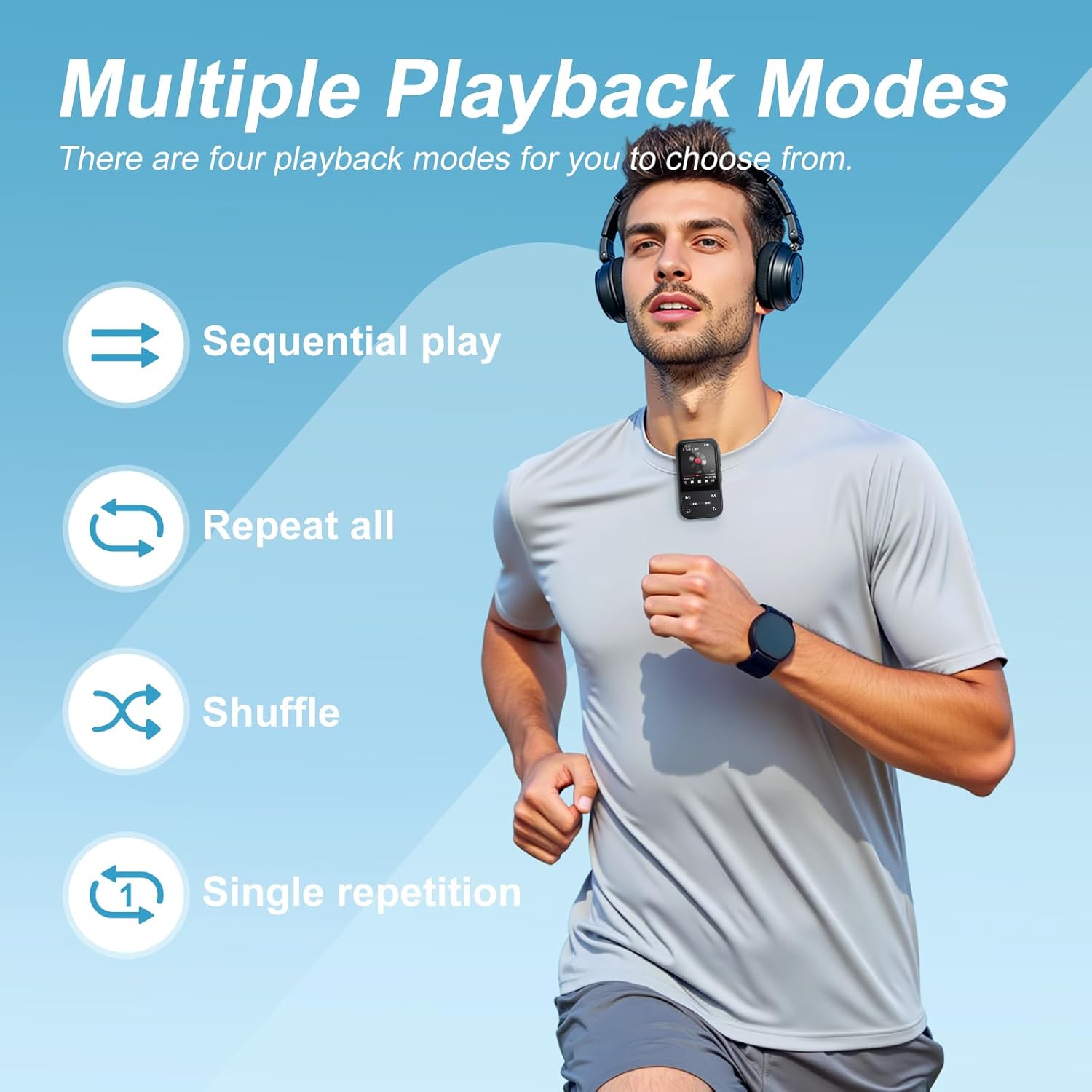
Image: The ZAQE Clip MP3 Player X20 offers multiple playback modes for music.

Image: Quick access to the music interface on the ZAQE Clip MP3 Player X20.
5.3 Bluetooth байланышы
Түзмөктө зымсыз аудио агымы үчүн Bluetooth 5.3 бар.
- Navigate to the 'Bluetooth' menu from the main screen.
- Turn on Bluetooth and select 'Издөө devices'.
- Bluetooth гарнитураңыз же динамигиңиз жупташтыруу режиминде экенин текшериңиз.
- Жупташтыруу үчүн тизмеден түзмөгүңүздү тандаңыз.
Эскертүү: This device cannot pair with smartphones or tablets.
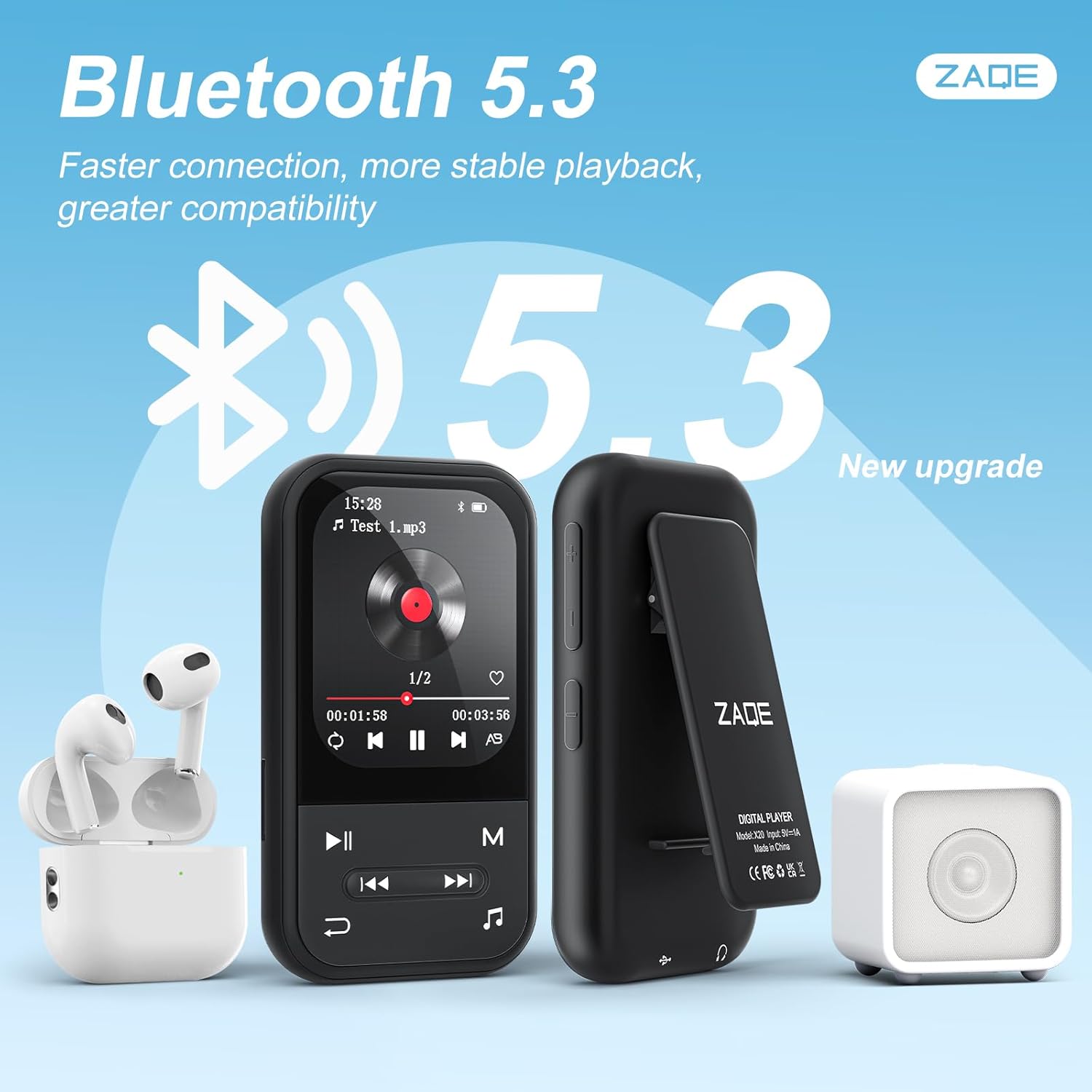
Image: ZAQE Clip MP3 Player X20 connected to Bluetooth headphones and speaker.
5.4 FM радиосу
To use the FM Radio function, plug in the wired earphones (included) as they act as the antenna. Navigate to the 'FM Radio' icon, then scan for available stations.
5.5 Диктофон
Select the 'Voice Recorder' icon to access the recording function. You can start, pause, and save recordings. Recorded files are typically saved in WAV or MP3 format.
5.6 Педометр функциясы
The built-in pedometer tracks your steps. Access this feature via the 'Pedometer' icon. Ensure the device is securely clipped to your clothing for accurate tracking.

Image: The ZAQE Clip MP3 Player X20 is ideal for sports and activities.
5.7 Электрондук китеп окугуч
The device supports e-book reading. Transfer compatible text files to the 'E-Book' folder on the player. Select the 'E-Book' icon to browse and read your files.
5.8 Кошумча куралдар
The ZAQE Clip MP3 Player X20 includes several useful tools:
- Ойготкуч саат: Эстеткичтер же ойготуу чалуулары үчүн ойготкучтарды коюңуз.
- Календар: View the current date and manage simple schedules.
- Секундомер: Use for timing activities or workouts.
6. Техникалык тейлөө
- Аппаратты кургак кармаңыз. Нымдуулук электрондук тетиктерге зыян келтириши мүмкүн.
- Clean the screen and body with a soft, dry cloth. Avoid abrasive cleaners.
- Ашыкча температурадан сактаныңыз.
- Аппаратты кулатпаңыз же катуу таасирлерге дуушар кылбаңыз.
- Дайыма камдык көчүрмөнү сактоо маанилүү fileмаалыматтарды жоготууга жол бербөө үчүн.
7. Кыйынчылыктарды
| Көйгөй | Мүмкүн себеп | Чечим |
|---|---|---|
| Түзмөк күйбөйт. | Батарея аз. | Аппаратты жок эле дегенде 30 мүнөткө кубаттаңыз. |
| Которуу мүмкүн эмес files. | Туура эмес USB туташуусу же драйвер көйгөйү. | USB кабелинин бекем туташтырылганын текшериңиз. Башка USB портун же компьютерди колдонуп көрүңүз. |
| Bluetooth түзмөгү жупташкан жок. | Түзмөк жупташтыруу режиминде эмес же өтө алыс. | Ensure your Bluetooth device is in pairing mode and within range. Restart both devices. |
| No sound from FM Radio. | Earphones not connected or not functioning as antenna. | Ensure wired earphones are properly plugged in. They serve as the antenna. |
| MicroSD картасы таанылган жок. | Card improperly inserted or incompatible format. | Reinsert the card. Ensure it is formatted to FAT32 or exFAT. |
8. Техникалык шарттар
| Бренд | ZAQE |
| Модел | X20 (Clip Player) |
| Эстутум сактоо сыйымдуулугу | 128 GB (Internal) + Expandable via Micro SDHC |
| Screen Size | 2.0 дюйм |
| Дисплей технологиясы | TFT |
| Bluetooth версиясы | 5.3 |
| Колдоого алынган аудио форматтары | MP3, OGG, APE, FLAC, WAV, AAC, ACELP |
| Батареянын иштөө мөөнөтү | Up to 40 Hours (audio playback) |
| Элемент Салмагы | 1 грамм (0.035 унция) |
| Пакеттин өлчөмдөрү | 4.72 x 4.69 x 0.94 дюйм |
9. Кепилдик жана колдоо
ZAQE products are designed for reliability and performance. For warranty information, technical support, or customer service inquiries, please refer to the contact details provided on the product packaging or visit the official ZAQE webсайт.
Кепилдик дооматтары үчүн сатып алганыңыздын далилин сактап коюңуз.


