1. Киришүү
This manual provides detailed instructions for the proper use and maintenance of your LIGE Smart Watch FV6-B2. Please read this manual thoroughly before using the device to ensure optimal performance and longevity.
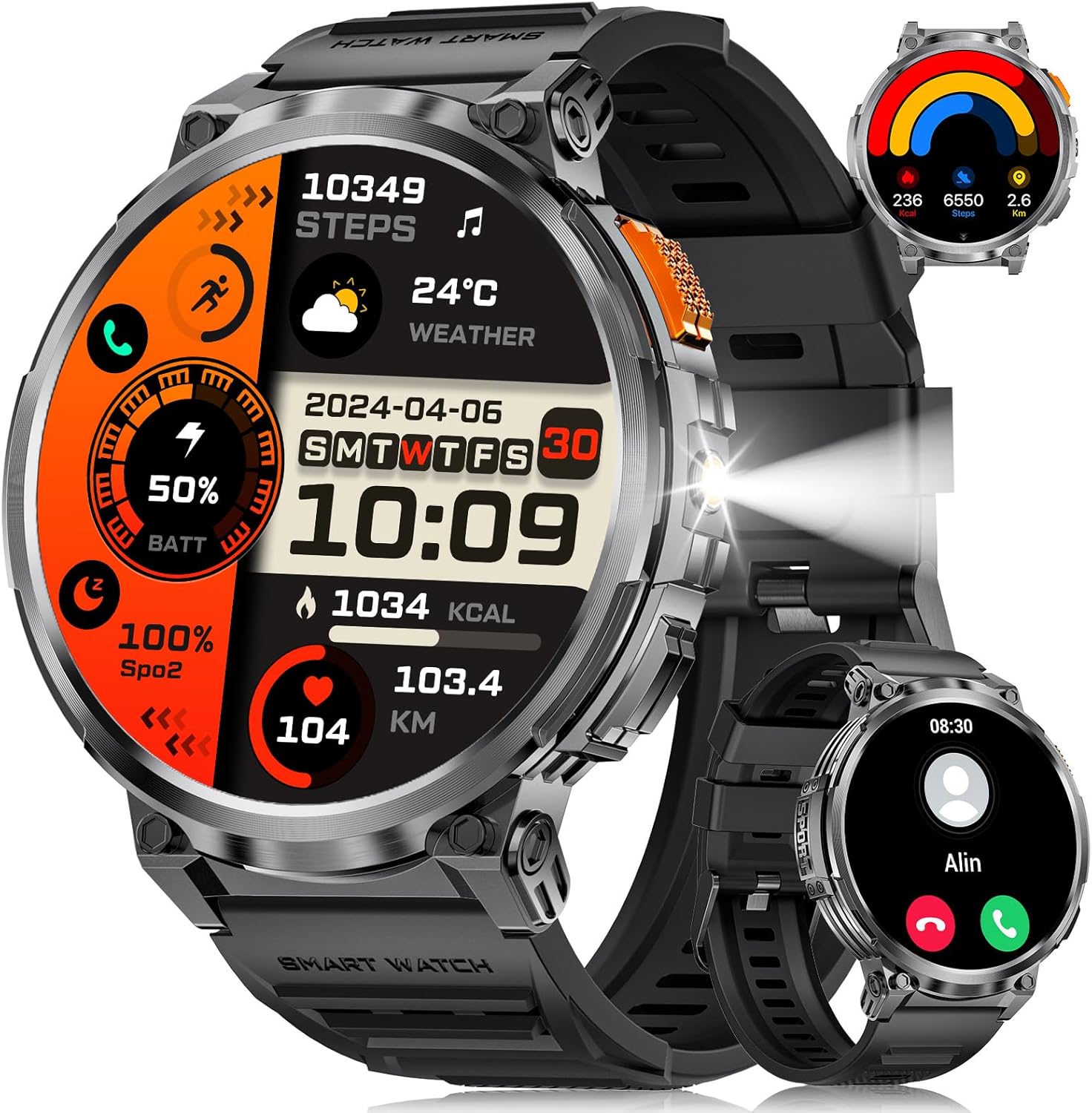
Сүрөт 1.1: LIGE Smart Watch FV6-B2 displaying various health and activity metrics.
2. Пакеттин мазмуну
Пакетте бардык буюмдар бар экенин текшериңиз:
- 1 x LIGE Smart Watch FV6-B2
- 1 x Watch Strap (pre-installed or separate)
- 1 x заряддоо кабели
- Accessories and Extension Tools (for strap adjustment, if applicable)
- 1 х Колдонуучунун колдонмосу (бул документ)
3. Орнотуу колдонмосу
3.1 Алгачкы заряддоо
Before first use, fully charge your smartwatch. Connect the provided charging cable to the watch and a compatible USB power source. A full charge typically takes approximately 2.5 hours. The watch features a 730mAh battery, providing extended usage time.

Сүрөт 3.1: Smartwatch connected to its charging cable, highlighting the 730mAh battery.
3.2 Колдонмону орнотуу жана жупташтыруу
To unlock the full functionality of your LIGE Smart Watch FV6-B2, download and install the companion application on your smartphone. The watch is compatible with Android 4.4 and iOS 8.0 or above. Refer to the quick start guide or packaging for the specific app name and QR code.
- Scan the QR code provided in the watch packaging or search for the app in your smartphone's app store.
- Тиркемени смартфонуңузга орнотуңуз.
- Каттоо эсебин түзүү же кирүү үчүн колдонмону ачып, экрандагы нускамаларды аткарыңыз.
- Смартфонуңузда Bluetooth'ду иштетиңиз.
- Within the app, search for your LIGE Smart Watch FV6-B2 and initiate the pairing process.
- Смартфонуңузда да, акылдуу саатыңызда да жупташтыруу өтүнүчүн ырастаңыз.
For visual guidance, a connection video may be available. Check the product page or manufacturer's webкөбүрөөк маалымат алуу үчүн сайт.
4. Иштөө нускамалары
4.1 Интерфейсте навигация
The LIGE Smart Watch FV6-B2 features a 1.85-inch HD display with a 360x360 resolution and a highly responsive touch interface. Navigate through menus and functions with simple swipes and taps.
- Өйдө/ылдый сүрүү: Scroll through notifications or menu options.
- Солго/Оңго сүрүү: Тез виджеттерге же ар кандай саат беттерине кириңиз.
- таптаңыз: Бир нерсени тандаңыз же колдонмону ачыңыз.
- Каптал баскычы: Typically used to return to the home screen, power on/off, or access the app list.

Сүрөт 4.1: Деталдаштырылган view of the 1.85-inch HD display.
4.2 Bluetooth чалуулары жана эскертмелери
Once paired with your smartphone, the watch supports Bluetooth calling and displays notifications.
- Чалууларды жасоо/жооп берүү: Use the built-in microphone and speaker to handle calls directly from your wrist. Access the dial keypad or call records on the watch.
- Билдирүү эскертмелери: Receive alerts for incoming messages from various applications (e.g., SMS, social media).

Сүрөт 4.2: Bluetooth calling and notification features on the smartwatch.
4.3 Ден соолуктун мониторинги
The watch utilizes advanced biosensor technology for continuous health tracking.
- Жүрөктүн кагышын көзөмөлдөө: Күн бою жүрөктүн кагышын өлчөйт.
- Кан басымынын мониторинги: Кан басымынын көрсөткүчтөрүн берет.
- Уйкунун мониторинги: Tracks your sleep patterns, including deep and light sleep stages. View detailed sleep reports in the companion app.

Сүрөт 4.3: Sleep monitoring interface on the smartwatch.
4.4 Спорт режимдери жана активдүүлүккө көз салуу
The watch supports over 120 sports modes to track your physical activities.
- Built-in Modes: Access over 20 pre-installed exercise modes.
- Ыңгайлаштырылган режимдер: Add over 100 additional sports modes via the app (e.g., running, badminton, baseball).
- Көзөмөл көрсөткүчтөрү: Records training history, speed, rhythm, heart rate, and steps to help plan and improve exercise efficiency.

Сүрөт 4.4: Бүттүview of multiple sports tracking modes.
4.5 Кошумча функциялар
The LIGE Smart Watch FV6-B2 includes several utility features:
- Аба ырайы
- Үн жардамчысы
- Ойготкуч саат
- Секундомер
- Педометр
- Music Control Playback
- Сүрөт көзөмөлү
- Ичүүчү сууну эскертүү
- Multi-language Switching
- Аялдардын ден соолугун көзөмөлдөө
- Жарыктыкты жөндөө
- "Тынчымды алба" режими
- Сырсөз коюу
- Raise Hand to Turn On Screen
- Built-in Flashlight (range up to 20m)

Сүрөт 4.5: Multifunctional interface showing various features.
Over 200 watch desktop faces can be downloaded and switched. You can also customize the watch face with your favorite pictures.
5. Техникалык тейлөө
5.1 Сууга туруктуулук
The LIGE Smart Watch FV6-B2 has an IP68 waterproof rating. This means it is protected against dust ingress and can withstand immersion in water up to 1.5 meters for up to 30 minutes. It is suitable for use in rainy conditions, during sweating, or while showering. However, it is not recommended for diving or high-pressure water activities.

Сүрөт 5.1: Smartwatch demonstrating its IP68 waterproof capability.
5.2 Тазалоо жана кам көрүү
- Саатты жана боону жумшак менен дайыма тазалап, гamp кездеме.
- Катуу химиялык заттарды, абразивдүү тазалоочу каражаттарды же эриткичтерди колдонуудан алыс болуңуз, анткени алар сааттын сырткы көрүнүшүнө жана пломбаларына зыян келтириши мүмкүн.
- Коррозияны болтурбоо үчүн заряддоодон мурун заряддоо контакттары таза жана кургак экенин текшериңиз.
- Колдонулбаган убакта саатты салкын, кургак жерде сактаңыз.
6. Кыйынчылыктарды
6.1 Watch Will Not Turn On
- Берилген кабель аркылуу саатты кеминде 10 мүнөткө заряддаңыз.
- If it still does not turn on, press and hold the side button for 10 seconds to force a restart.
- If the issue persists, charge the watch fully for 2.5 hours.
- If the watch still does not power on after these steps, contact customer support.
6.2 Watch Stopped Working Suddenly
- Restart the watch by pressing and holding the side button for 10 seconds.
- Сааттын жетиштүү заряддалганын текшериңиз.
- If the problem continues, consider resetting the watch via the settings menu: Орнотуулар > Система > Баштапкы абалга келтирүү. Note that a reset will erase all data on the watch.
- Эгер көйгөй чечилбесе, кардарларды колдоо менен байланышыңыз.
6.3 Байланыш маселелери (Bluetooth)
- Смартфонуңузда да, акылдуу саатыңызда да Bluetooth күйгүзүлгөнүн текшериңиз.
- Make sure the watch is within the Bluetooth range of your smartphone (typically 10 meters or 33 feet).
- Смартфонуңузду да, акылдуу саатыңызды да өчүрүп күйгүзүңүз.
- Unpair and re-pair the watch through the companion app.
- Check if the companion app is running in the background and has necessary permissions.
7. Техникалык шарттар
| Өзгөчөлүк | Деталь |
|---|---|
| Модель номери | FV6-B2 |
| Дисплей өлчөмү | 1.85 дюйм |
| Display Resolution | 360x360 пиксел |
| Батарея сыйымдуулугу | 730 мАч (литий полимери) |
| Заряддоо убактысы | Болжол менен 2.5 саат |
| Типтүү колдонуу Батареянын иштөө мөөнөтү | 15+ күн |
| Күтүү режиминдеги батареянын иштөө мөөнөтү | 50+ күн |
| Сууга туруктуулук рейтинги | IP68 |
| Байланыш | Bluetooth |
| Шайкеш OS | Android 4.4 жана андан жогору, iOS 8.0 жана андан жогору |
| Операция системасы | AsteroidOS |
| Эстутум сактоо сыйымдуулугу | 128 MB |
| Элемент Салмагы | 8.8 унция |
| Пакеттин өлчөмдөрү | 8.07 x 3.78 x 0.87 дюйм |
8. Кепилдик жана колдоо
8.1 Кепилдик маалыматы
Specific warranty details are not provided in the available product information. Please refer to the warranty card included in your product packaging or contact the manufacturer directly for comprehensive warranty terms and conditions.
8.2 Кардарларды колдоо
Should you encounter any issues or have questions regarding your LIGE Smart Watch FV6-B2, please contact our customer support team. We aim to respond to all inquiries within 24 hours.
For support, please visit the official LIGE webсайтка же продуктунун таңгагында көрсөтүлгөн байланыш маалыматына кайрылыңыз.
9. Расмий продукт Videos
No official product videos from the seller were found in the provided data for this model. Please check the product's online listing or the manufacturer's webбардык жеткиликтүү видео ресурстар үчүн сайт.


