1. Киришүү
Сатып алганыңыз үчүн рахматasing the GOBOULT Bassbox X20 Bluetooth Speaker. This manual provides essential information for setting up, operating, and maintaining your device. Please read it carefully before use to ensure optimal performance and longevity.

Сүрөт 1.1: Алдыңкы view of the GOBOULT Bassbox X20 Bluetooth Speaker.
2. Пакеттин мазмуну
Ensure all items are present in the package. If any item is missing or damaged, please contact customer support.
- GOBOULT Bassbox X20 Soundbar
- Колдонуучунун Колдонмосу (бул документ)
- Кепилдик картасы
- Заряддоо кабели (Type-C)
Note: The product features integrated bass drivers, referred to as 'Subwoofer' in some listings, which are part of the main soundbar unit.
3. Продукт бүтүп калдыview
3.1 Негизги өзгөчөлүктөрү
- 20W Bass Boosted Sound: Delivers clear and dynamic audio with enhanced bass.
- Кош динамикалык драйверлер: Provides balanced sound across all frequencies.
- 6 саатка чейин ойноо убактысы: Extended battery life for continuous audio playback.
- Bluetooth 5.4 технологиясы: Ensures stable and fast wireless connectivity.
- Multi-Connectivity Options: Supports Bluetooth, AUX, TF Card, and USB input.
- Портативдик дизайн: Жеңил ташуу үчүн компакт жана жеңил.
- Чыныгы зымсыз стерео (TWS) функциясы: Connect two Bassbox X20 speakers for a stereo experience.
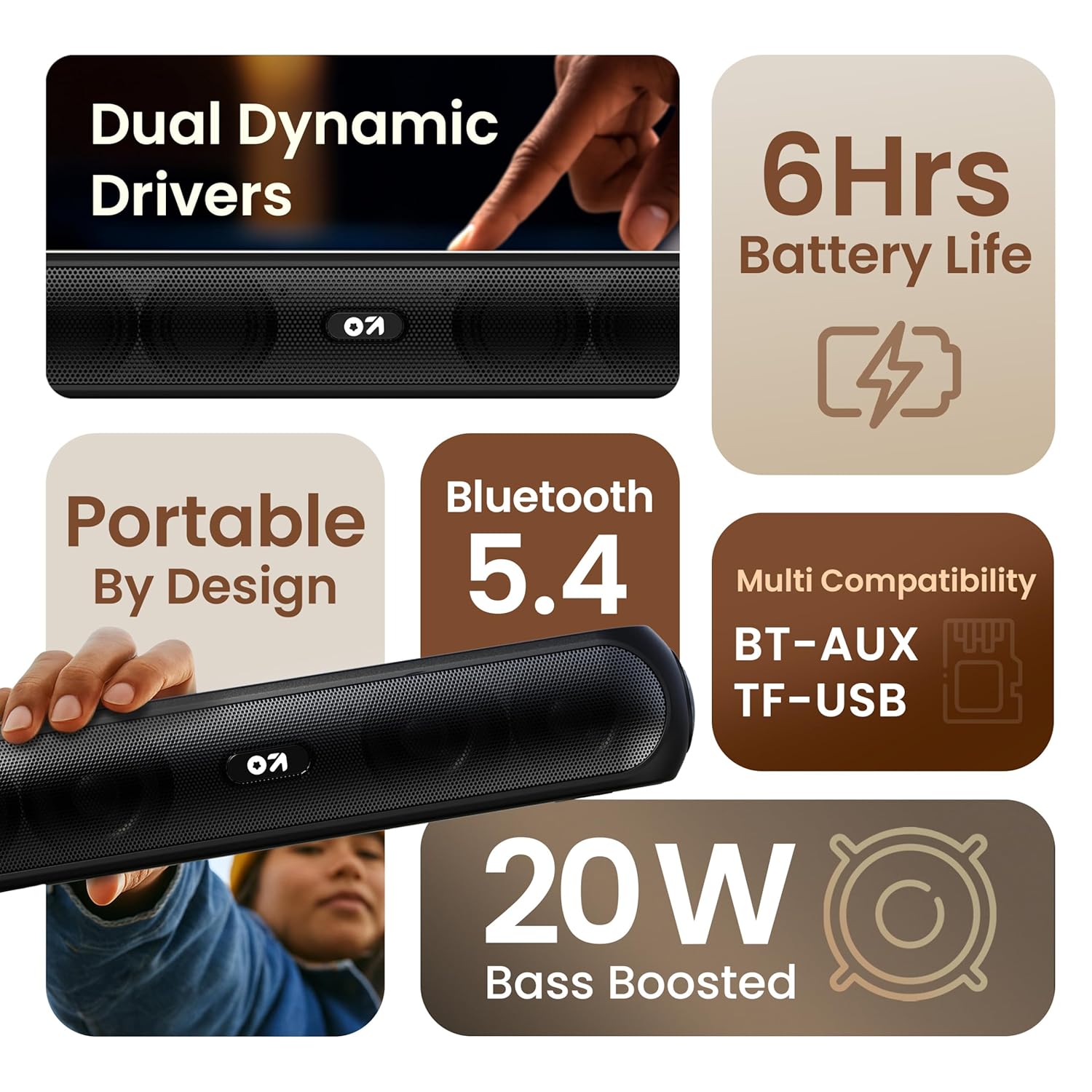
Сүрөт 3.1: Бүттүview of the speaker's main features.
3.2 Башкаруу каражаттары жана порттор
Familiarize yourself with the control buttons and input ports on your speaker.
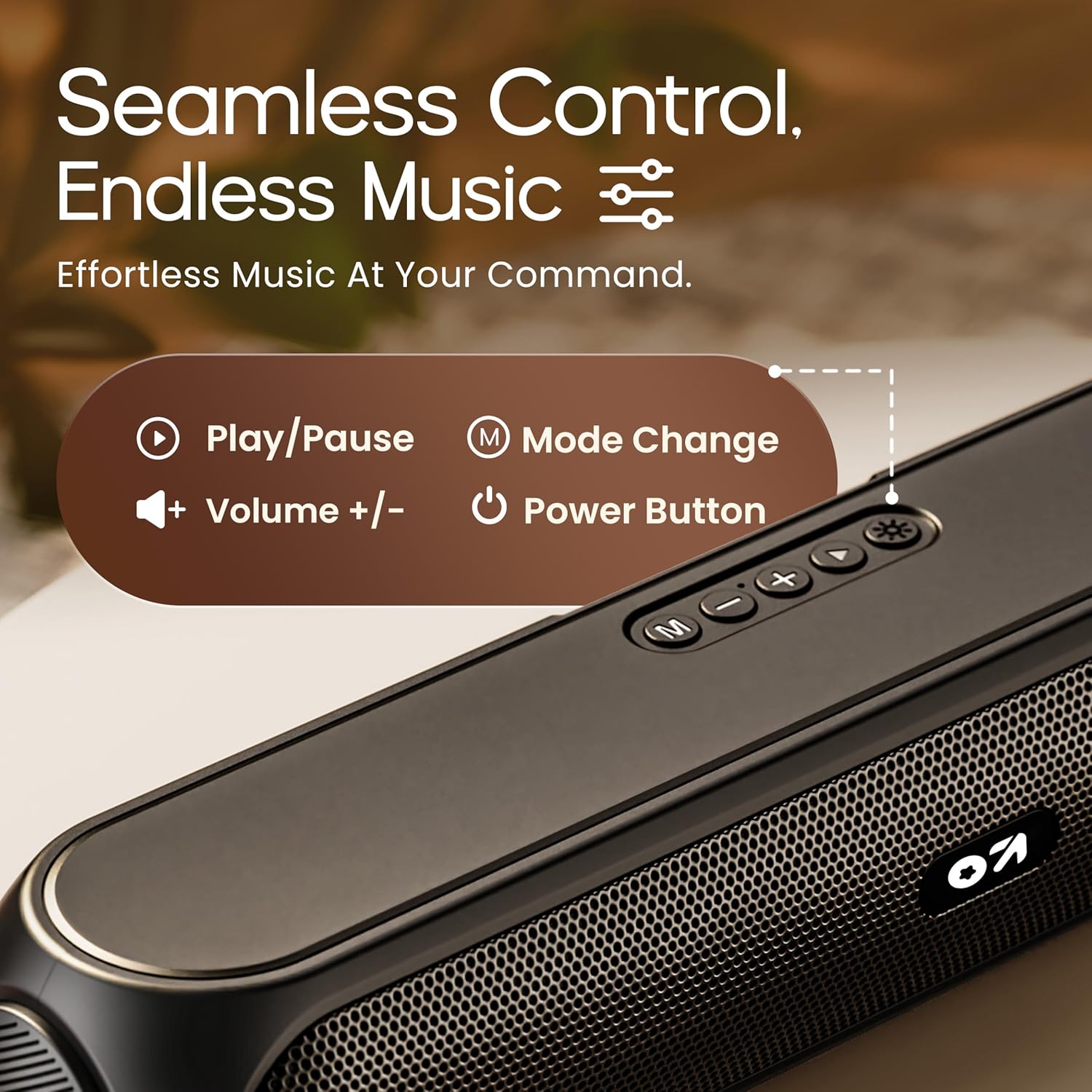
Image 3.2: Top control panel with Play/Pause, Volume, Mode, and Power buttons.
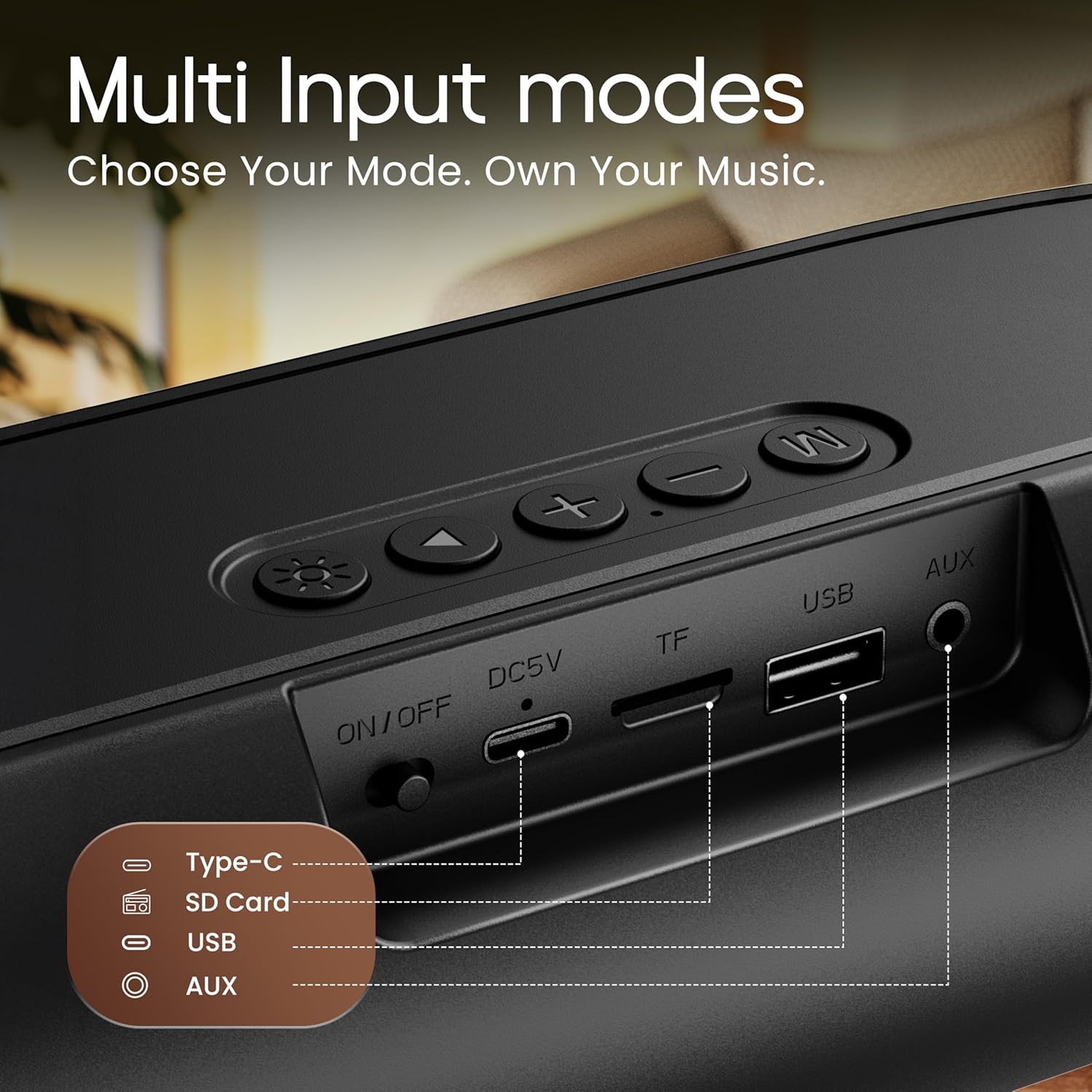
Image 3.3: Rear input panel showing Type-C, TF Card, USB, and AUX ports, along with the ON/OFF switch.
- Кубат баскычы: Press and hold to power on/off. Short press to change LED light modes (if applicable).
- Режим баскычы (M): Bluetooth, AUX, TF картасы жана USB режимдеринин ортосунда которулуу үчүн кыска басыңыз.
- Ойнотуу/тындыруу баскычы: Аудиону ойнотуу же тындыруу үчүн кыска басыңыз.
- Үнүн жогорулатуу (+): Үнүн жогорулатуу үчүн кыска басыңыз. Кийинки трекке көпкө басыңыз.
- Үнүн төмөндөтүү (-): Үндү азайтуу үчүн кыска басыңыз. Мурунку трек үчүн көпкө басыңыз.
- Тип-C Port: Динамикти заряддоо үчүн.
- TF карта уячасы: Insert a TF (MicroSD) card for direct audio playback.
- USB порт: Insert a USB drive for direct audio playback.
- AUX порту: 3.5 мм аудио кабели аркылуу тышкы аудио түзмөктөрдү туташтыруу.
- ON/OFF которуу: Main power switch for the device.
4. Орнотуу
4.1 Динамикти заряддоо
Before first use, fully charge the speaker. Use the provided Type-C charging cable.
- Connect the Type-C end of the charging cable to the speaker's Type-C port.
- Connect the USB-A end of the charging cable to a 5V USB power adapter (not included) or a computer's USB port.
- Кубаттоо көрсөткүчү күйөт. Толук заряддалгандан кийин ал өчөт же түсүн өзгөртөт.
A full charge typically takes approximately 2-3 hours and provides up to 6 hours of playtime.
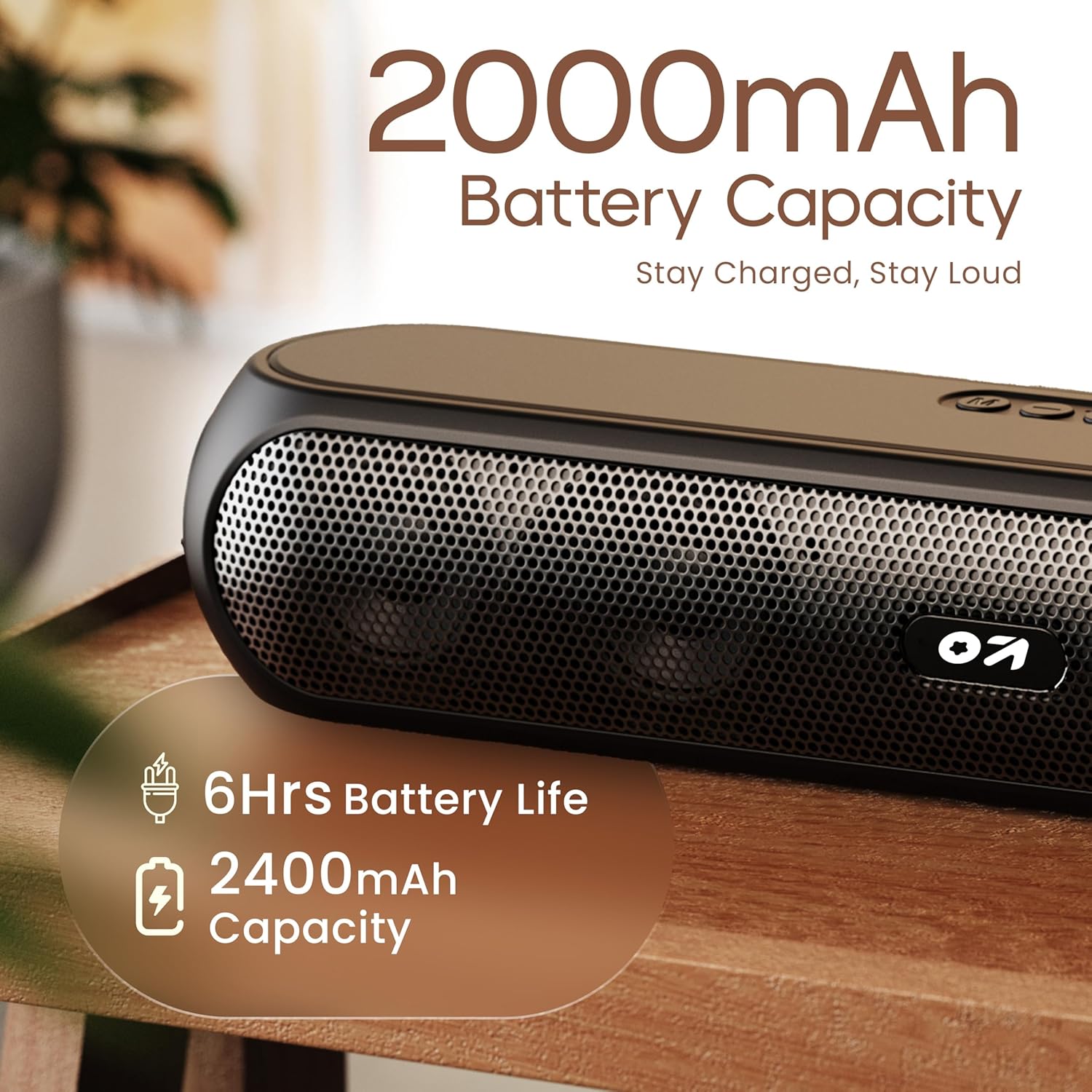
Image 4.1: Battery capacity and estimated playtime.
4.2 Күйгүзүү/өчүрүү
- To power on, slide the ON/OFF switch to the 'ON' position, then press and hold the Power button on the top panel until the indicator light turns on.
- Өчүрүү үчүн, индикатор жарыгы өчкөнгө чейин Кубат баскычын басып, кармап туруңуз.
4.3 Bluetooth жупташтыруу
After powering on, the speaker will automatically enter Bluetooth pairing mode if no other device is connected. The Bluetooth indicator will flash.
- Ensure the speaker is powered on and in Bluetooth mode (indicator flashing).
- Түзмөгүңүздө (смартфон, планшет, ноутбук) Bluetooth иштетиңиз жана жеткиликтүү түзмөктөрдү издеңиз.
- Select "GOBOULT Bassbox X20" from the list of devices.
- Once connected, the speaker will emit a confirmation sound, and the Bluetooth indicator will stop flashing and remain solid.
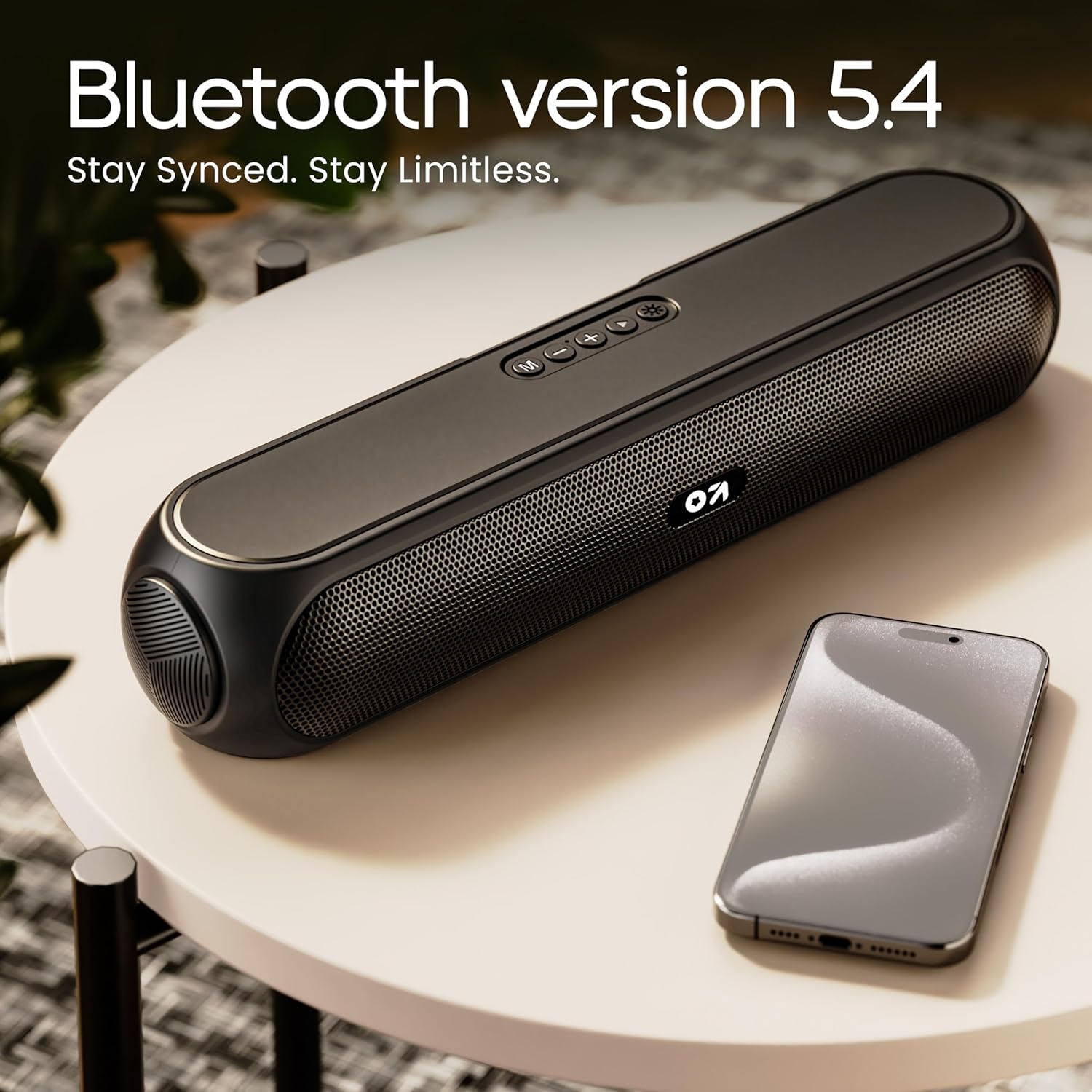
Image 4.2: Bluetooth 5.4 connectivity for seamless pairing.
4.4 Чыныгы зымсыз стерео (TWS) жупташтыруу
The TWS function allows you to connect two GOBOULT Bassbox X20 speakers for a stereo sound experience.
- Ensure both Bassbox X20 speakers are powered on and not connected to any Bluetooth device.
- On one speaker (this will be the primary speaker), double-press the Mode (M) button. It will emit a sound indicating it's searching for another TWS speaker.
- The second speaker will automatically connect to the primary speaker. Once connected, both speakers will emit a confirmation sound.
- Now, connect your device to the primary speaker via Bluetooth as described in Section 4.3. Audio will play in stereo through both speakers.
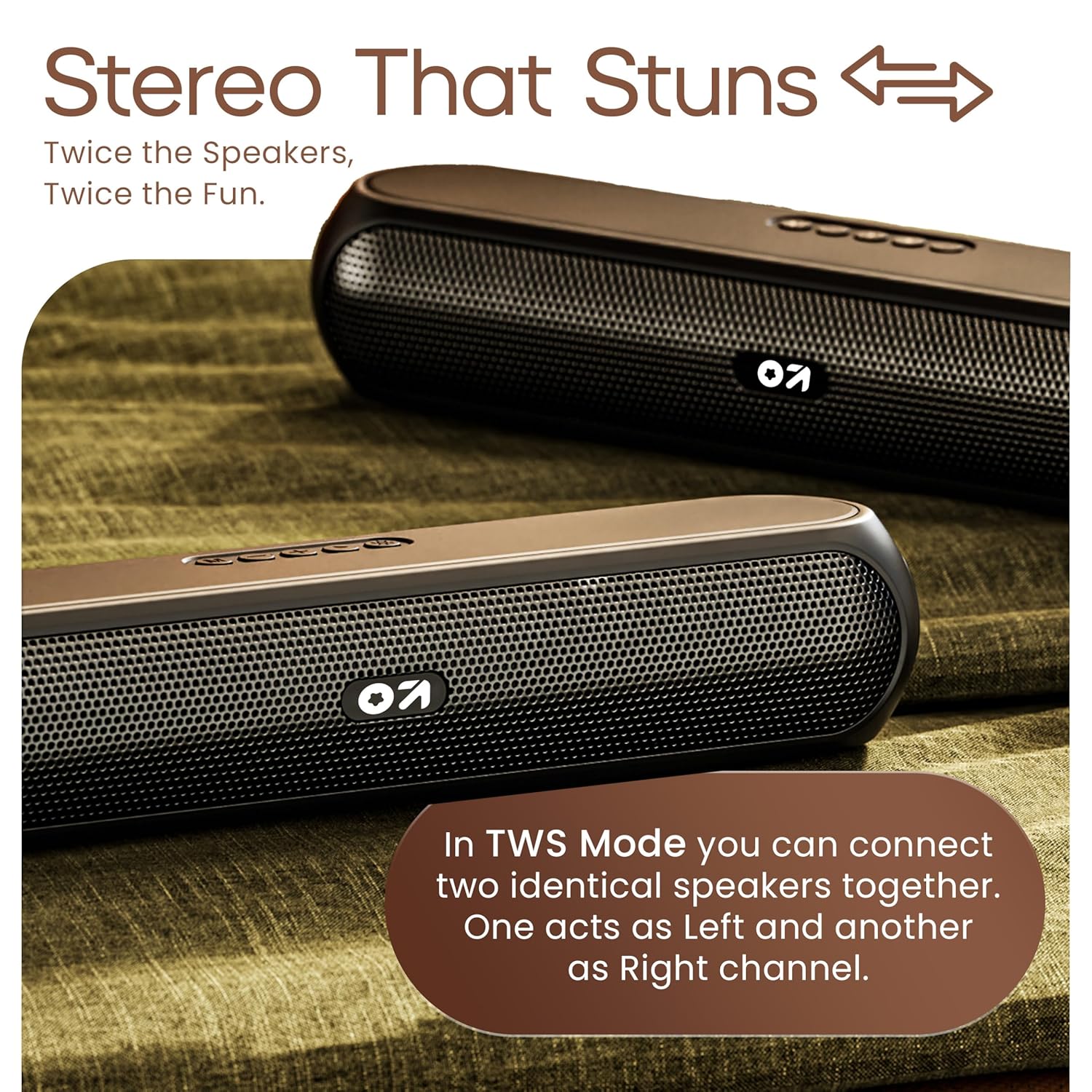
Image 4.3: TWS mode for connecting two speakers.
5. Операция
5.1 Которуу режимдери
басыңыз Режим (M) button to cycle through available input modes: Bluetooth, AUX, TF Card, and USB.
5.2 Bluetooth режими
After successful pairing (Section 4.3), you can stream audio wirelessly from your connected device. Use the speaker's volume controls or your device's volume controls to adjust the sound level.
5.3 AUX режими
- Connect one end of a 3.5mm audio cable (not included) to the speaker's AUX port.
- Экинчи учун тышкы аспабыңыздын аудио чыгаруу уячасына туташтырыңыз (мисалы, MP3 ойноткуч, компьютер).
- басыңыз Режим (M) динамик AUX режимине өткөнгө чейин баскычты басыңыз.
- Тышкы түзмөгүңүздөн же динамиктин башкаруу элементтеринен ойнотуу менен үнүн башкарыңыз.
5.4 TF Card / USB Mode
- Insert a TF (MicroSD) card or a USB drive containing audio files динамиктеги тиешелүү портко.
- The speaker will automatically switch to TF Card or USB mode and begin playing audio. If not, press the Режим (M) туура режимди тандоо үчүн баскычты басыңыз.
- Use the speaker's controls to play/pause, skip tracks, and adjust volume.
6. Техникалык тейлөө
- Keep the speaker away from water, moisture, and extreme temperatures. While water-resistant, it is not waterproof.
- Динамикти жумшак, кургак чүпүрөк менен тазалаңыз. Абразивдүү тазалагычтарды же эриткичтерди колдонбоңуз.
- Спикерди түшүрүүдөн же катуу таасирлерге дуушар кылуудан качыңыз.
- Узак мөөнөткө колдонулбаганда, динамикти салкын, кургак жерде сактаңыз жана батареянын ден соолугун сактоо үчүн аны мезгил-мезгили менен заряддап туруңуз.
7. Кыйынчылыктарды
| Көйгөй | Мүмкүн себеп | Чечим |
|---|---|---|
| Динамик күйбөйт. | Low battery. Main power switch off. | Charge the speaker. Ensure the ON/OFF switch is in the 'ON' position. |
| Bluetooth аркылуу жупташтыруу мүмкүн эмес. | Speaker not in pairing mode. Device Bluetooth off. Too far from speaker. | Ensure speaker is in Bluetooth pairing mode (flashing indicator). Enable Bluetooth on your device. Move device closer to speaker (within 10 meters). |
| Үн жок. | Volume too low. Incorrect mode selected. Cable not connected properly (AUX). | Increase volume on speaker and device. Press 'M' button to select correct input mode. Reconnect AUX cable securely. |
| TWS жупташтыруу ишке ашпай калды. | Speakers already connected to other devices. | Disconnect both speakers from any Bluetooth devices before attempting TWS pairing. Ensure both speakers are Bassbox X20 models. |
8. Техникалык шарттар
| Өзгөчөлүк | Деталь |
|---|---|
| Модель аты | Bassbox X20 |
| Динамик түрү | Портативдик Bluetooth динамиги |
| Чыгуу күчү | 20 Ватт |
| Bluetooth версиясы | 5.4 |
| Bluetooth диапазону | 10 метрге чейин (33 фут) |
| Туташуу параметрлери | Bluetooth, Auxiliary (3.5mm), USB, TF Card |
| Батарея түрү | Литий полимери |
| Батареянын иштөө мөөнөтү | 6 саатка чейин (70% көлөмдө) |
| Заряддоо порту | Type-C (DC5V) |
| Продукциянын өлчөмдөрү | 89D x 38W x 68H Миллиметр |
| Элемент Салмагы | 655 грамм |
| Сууга туруктуулук деңгээли | Water Resistant (not waterproof) |
| Камтылган компоненттер | X20 Soundbar, User Manual, Warranty Card, Charging Cable |
9. Кепилдик жана колдоо
The GOBOULT Bassbox X20 Bluetooth Speaker comes with a 1 жылдык Өндүрүүчүнүн Кепилдиги сатып алынган күндөн тартып. Бул кепилдик өндүрүштүн кемчиликтерин жана нормалдуу колдонуудагы чеберчиликти камтыйт.
For warranty claims, technical support, or any inquiries, please refer to the contact information provided on your warranty card or visit the official GOBOULT webсайт.
Кепилдик максатында сатып алуунун далили катары сатып алуу дүмүрчөгүңүздү сактап коюңуз.


