Introduction
This manual provides detailed instructions for the setup, operation, and maintenance of your Zebronics Juke Bar 4120 200W Soundbar. Please read this manual thoroughly before using the product to ensure proper functionality and to maximize your audio experience. Keep this manual for future reference.

Image: The Zebronics Juke Bar 4120 Soundbar system, including the soundbar unit, subwoofer, wireless microphone, and remote control.
Кутуда эмне бар
Этияттык менен мазмунду таңгактан чыгарып, бардык буюмдардын бар экенин текшериңиз:
- Саундбар - 1 даана
- Subwoofer - 1 Unit
- Wireless Mic - 1 Unit
- Remote Control - 1 Unit
- Input Cable - 1 Unit
- Wall Mount Fasteners - 1 Unit
- QR коду боюнча колдонмо - 1 бирдик
Негизги өзгөчөлүктөрү
- Күчтүү чыгаруу: Delivers an impressive total output power of 200W RMS, with 120W from the subwoofer and 80W (40W x 2) from the soundbar.

Image: A soundbar and subwoofer setup in a modern living room, illustrating the powerful 200W RMS output with visual sound waves.
- Укмуштуудай аудио: The soundbar features two (5 cm x 9 cm) drivers that provide balanced audio across a wide range of frequencies. Complementing this, the subwoofer houses a single 13.33 cm driver, specially designed to deliver deep, powerful bass that enhances the overall sound experience.
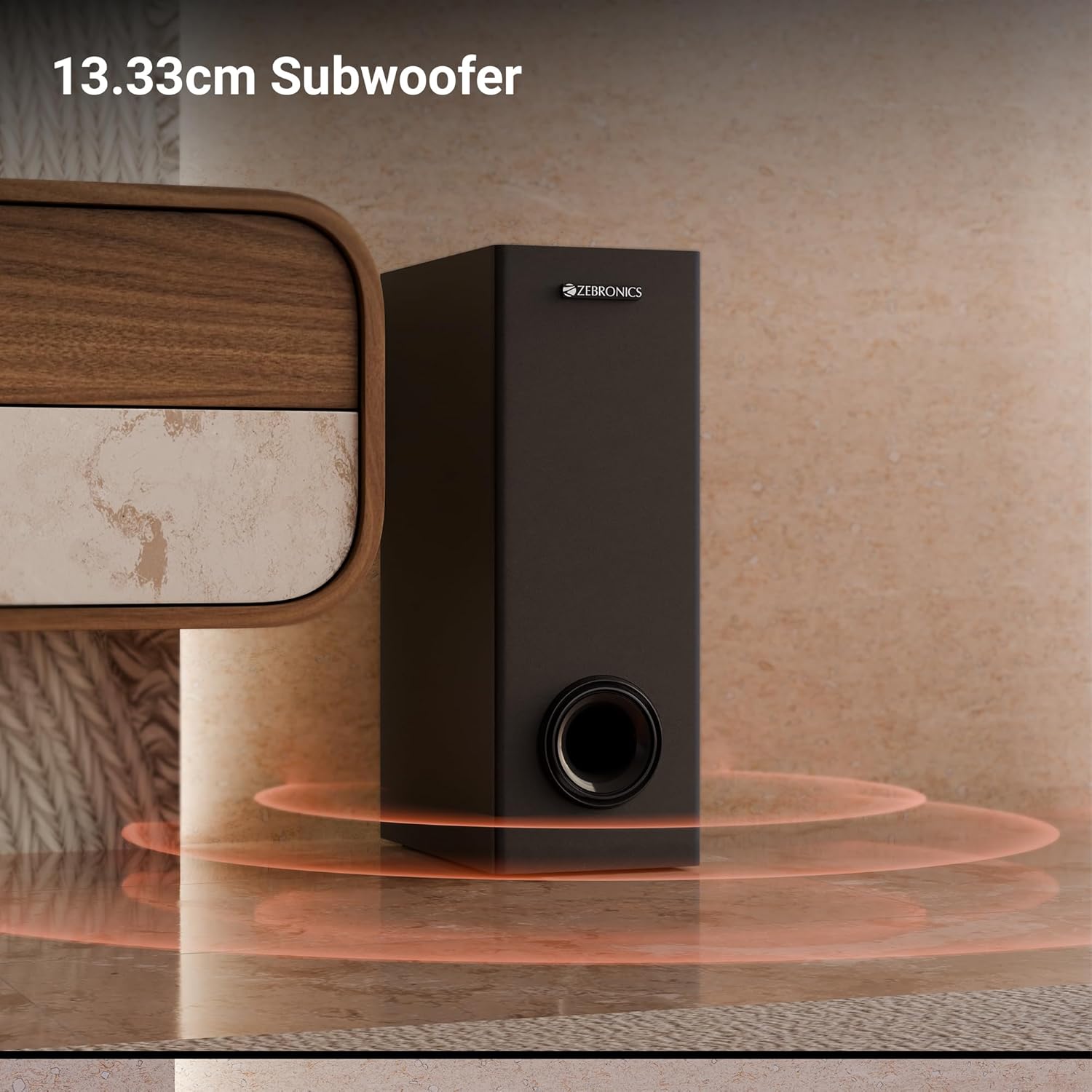
Сүрөт: жакын план view of the 13.33cm subwoofer, highlighting its design and bass output.

Image: The soundbar mounted below a television, with visual cues indicating sound projection from its dual drivers.
- Virtual 5.1 Surround: To elevate your audio experience, this soundbar features virtual 5.1 surround sound, simulating multi-channel audio for immersive, cinematic sound.
- Көп туташуу: The soundbar comes with multi-connectivity, such as BT v5.3 support, and options like TV (ARC), USB, and AUX inputs.
- Дубалга орнотулган: Designed for space efficiency, this soundbar is wall-mountable, which allows you to save floor space and maintain a clean, organized look in your living areas.
- LED дисплей: The LED display shows real-time information such as power status, volume levels, and connectivity modes, offering clarity and convenience.
- Караоке функциясы: Enjoy fun sing-alongs with the wireless mic and built-in karaoke function, perfect for parties, gatherings, or solo performances.
Жайгашуу
1. Жайгаштыруу
Position the soundbar centrally below your television for optimal sound projection. The subwoofer can be placed on the floor near the soundbar, ideally in a corner for enhanced bass response.
2. Дубалга орнотуу
The soundbar can be wall-mounted to save space. Use the provided wall mount fasteners and follow these steps:
- Mark the desired mounting position on the wall, ensuring it is level and centered with your TV.
- Белгиленген позицияларда пилоттук тешиктерди бургула.
- Insert wall anchors (if necessary) and secure the mounting brackets using the screws.
- Саундбарды орнотулган кронштейндерге кылдаттык менен бекитиңиз.
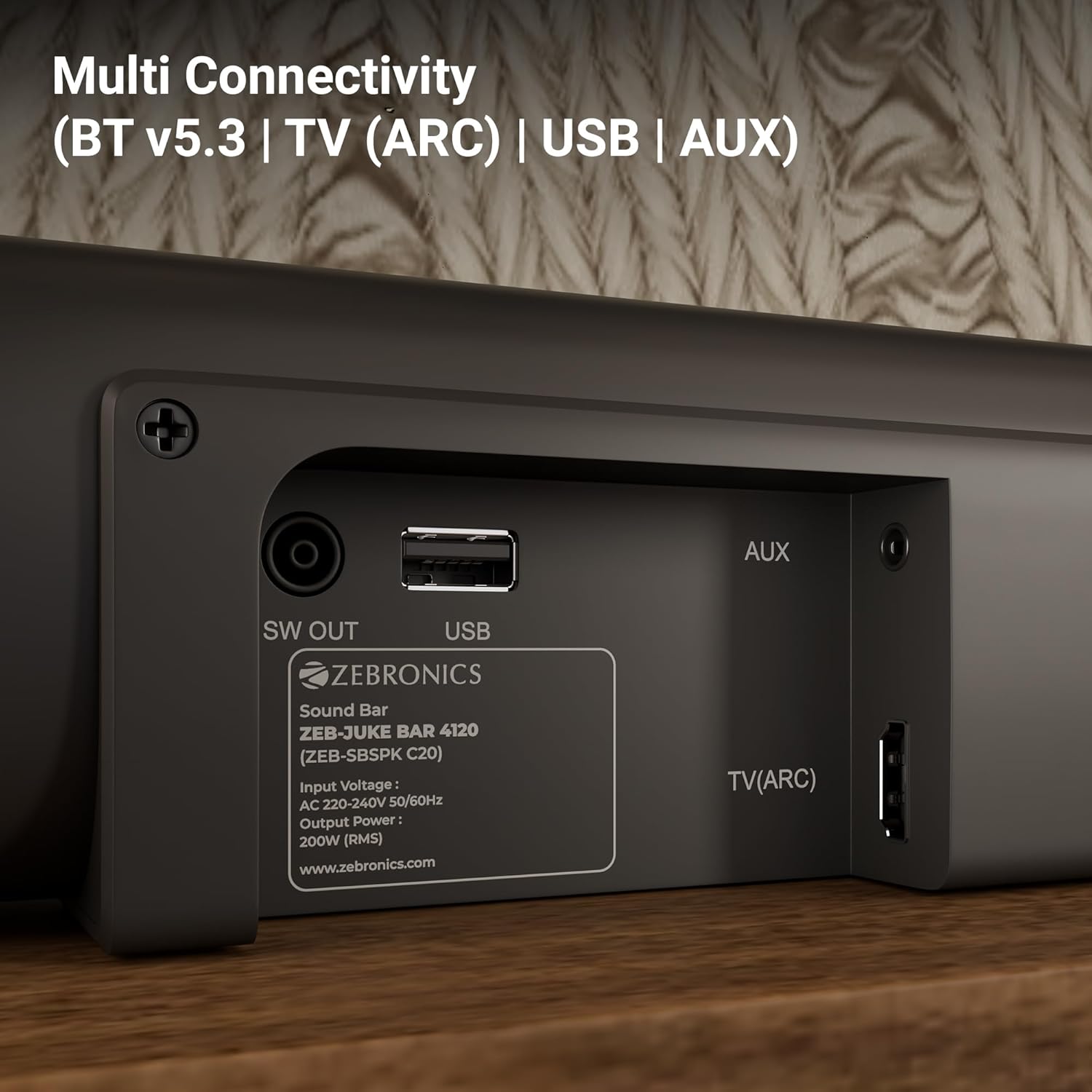
Image: The soundbar is shown securely mounted on a wall beneath a television, demonstrating its space-saving design.
3. Power Connection
Connect the power cable to the soundbar and then plug it into a suitable power outlet. Ensure the subwoofer is also connected to its power source.
Байланыш
The Zebronics Juke Bar 4120 offers multiple connectivity options:
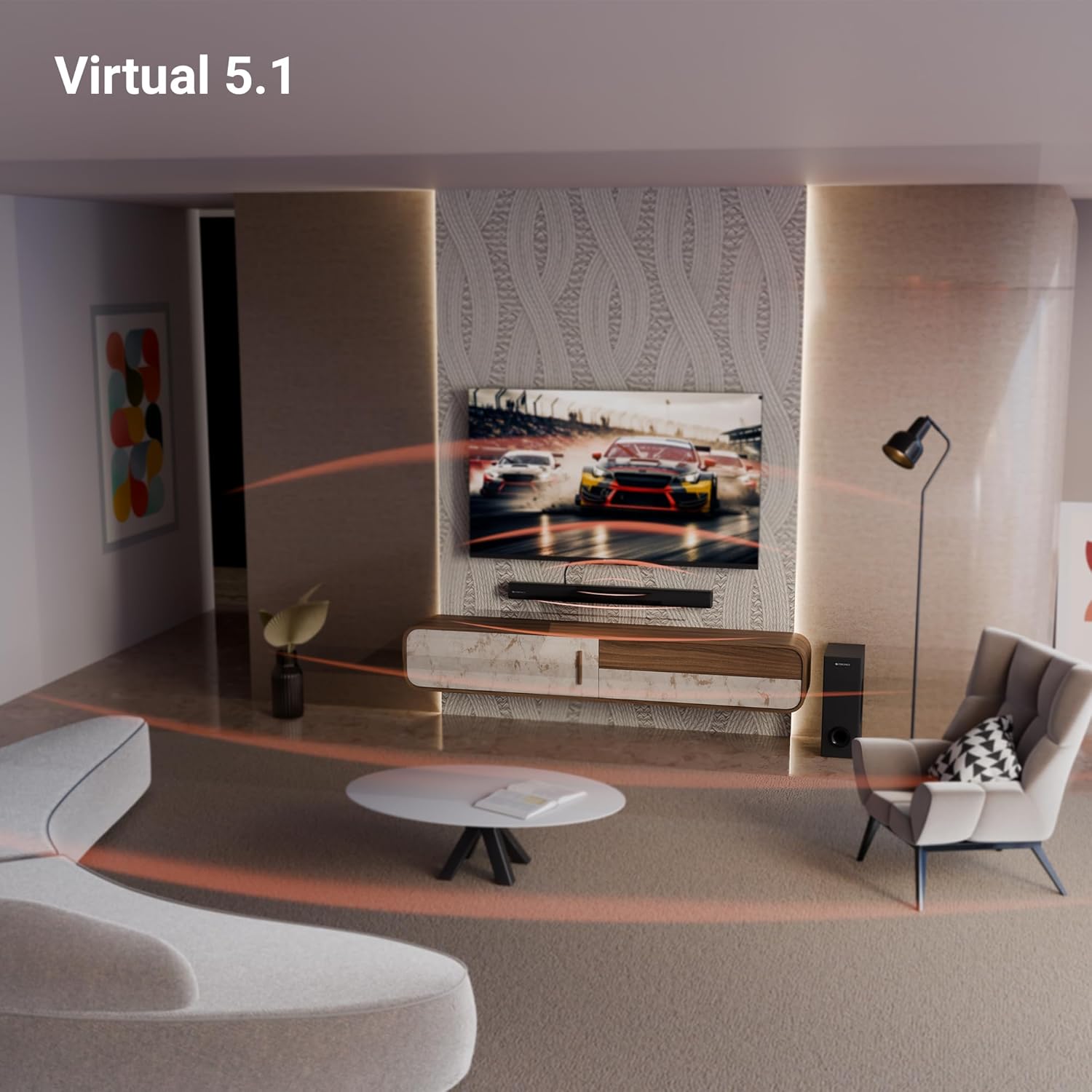
Image: A close-up of the soundbar's rear panel, displaying the SW OUT, USB, AUX, and TV (ARC) input ports for various connections.
1. Bluetooth (BT v5.3)
Bluetooth аркылуу туташуу үчүн:
- Turn on the soundbar and select Bluetooth mode using the remote or unit controls.
- Түзмөгүңүздө Bluetooth'ду иштетиңиз (смартфон, планшет ж.б.).
- Издөө "ZEB-JUKE BAR 4120" in your device's Bluetooth list and pair.
- Жупташтырылгандан кийин, саундбар ийгиликтүү байланышты көрсөтөт.
2. TV (ARC)
For optimal audio quality and control, connect your TV using the HDMI ARC port:
- Connect an HDMI cable from the TV (ARC) port on the soundbar to the HDMI ARC port on your television.
- Select the HDMI ARC input on the soundbar.
- Ensure your TV's audio output settings are configured for HDMI ARC.
3. USB
To play media from a USB drive:
- Саундбардагы USB портуна USB дискти салыңыз.
- Select USB mode using the remote or unit controls.
- Саундбар туура келген аудиону автоматтык түрдө таап, ойнотот files.
4. AUX
To connect via an auxiliary cable:
- Connect a 3.5mm audio cable from your device's audio output to the AUX input on the soundbar.
- Select AUX mode using the remote or unit controls.
Иштөө нускамалары
1. Күйгүзүү/өчүрүү
Түзмөктү күйгүзүү же өчүрүү үчүн үн панелиндеги же алыстан башкаруу пультундагы Кубат баскычын басыңыз.
2. Үндү башкаруу
Аудионун деңгээлин тууралоо үчүн үн панелиндеги же алыстан башкаруу пультундагы үндү жогорулатуу (+) жана үндү азайтуу (-) баскычтарын колдонуңуз.
3. Киргизүүнү тандоо
Press the 'Input' or 'Mode' button on the soundbar or remote control to cycle through available input sources (BT, TV ARC, USB, AUX).
4. LED дисплей
The integrated LED display provides visual feedback on the current status of the soundbar, including selected input mode, volume level, and other settings.

Сүрөт: деталдуу view of the soundbar's LED display, showing a clear indicator for current status or mode.
5. Караоке функциясы
The soundbar includes a wireless microphone for karaoke. Simply power on the microphone, and it will automatically connect to the soundbar. Use the remote control to adjust microphone volume and echo effects.

Image: The wireless microphone, designed for use with the soundbar's karaoke function.
6. Алыстан башкаруу
The included remote control provides full functionality for the soundbar, allowing you to power on/off, switch inputs, adjust volume, control playback, and manage karaoke settings.

Image: The remote control for the Zebronics soundbar, showing various buttons for function control.
7. Virtual 5.1 Surround Sound
The soundbar's virtual 5.1 surround sound technology creates an immersive audio experience, simulating multi-channel sound without the need for additional speakers. This enhances movie watching and gaming by providing a wider soundstage.

Image: A living room scene with the soundbar and subwoofer, visually representing the expansive sound field created by virtual 5.1 surround sound.
Техникалык тейлөө
Саундбарыңыздын узак мөөнөттүү иштешин жана оптималдуу иштешин камсыз кылуу үчүн:
- Беттерди жумшак, кургак чүпүрөк менен тазалаңыз. Абразивдүү тазалоочу каражаттарды же эриткичтерди колдонуудан алыс болуңуз.
- Keep the soundbar and subwoofer away from direct sunlight, heat sources, and excessive moisture.
- Ашыкча ысып кетүүнүн алдын алуу үчүн, шаймандын айланасында жакшы желдетүүнү камсыз кылыңыз.
Проблемаларды чечүү
Эгер кандайдыр бир көйгөйгө туш болсоңуз, төмөнкү жалпы көйгөйлөрдү жана чечимдерди караңыз:
| Көйгөй | Мүмкүн чечим |
|---|---|
| Күч жок | Check if the power cable is securely connected to both the soundbar/subwoofer and the power outlet. Ensure the power outlet is functional. |
| Үн жок | Verify the correct input source is selected. Check volume levels on both the soundbar and the connected device. Ensure all audio cables are properly connected. |
| Bluetooth туташпай жатат | Ensure the soundbar is in Bluetooth pairing mode. Turn off and on Bluetooth on your device. Move your device closer to the soundbar. |
| Пульт иштебей жатат | Check the remote control batteries and replace if necessary. Ensure there are no obstructions between the remote and the soundbar. |
Техникалык шарттар
| Өзгөчөлүк | Деталь |
|---|---|
| Модель аты | ZEB-JUKE BAR |
| Динамик түрү | Саундбар |
| Өзгөчө өзгөчөлүк | Камтылган микрофон |
| Шайкеш түзмөктөр | Television, mobile |
| Көлөмдүү үн каналынын конфигурациясы | 2.1 (Virtual 5.1) |
| Түс | Кара |
| Продукциянын өлчөмдөрү | 7.7D x 86W x 7.7H Сантиметр |
| Элемент Салмагы | 5300 Grams (5 kg 300 g) |
| Башкаруу ыкмасы | Алыстан |
| Зымсыз байланыш технологиясы | Bluetooth |
| Динамик өлчөмү | 13.33 Centimetres (Subwoofer) |
| Power Source | Электр зымдары |
| Ызы-чуунун катышы | 66 дБ |
| Вуфердин диаметри | 13.33 сантиметр |
| Аудио драйвер түрү | Динамикалык драйвер |
| Аудио драйверинин өлчөмү | 5 Centimetres (Soundbar) |
| Стиль | ZEB-JUKE БАР 4120 |
| Bluetooth версиясы | 5.3 |
| Баяндамачы Ampлификация түрү | Активдүү |
| Ватtage | 200 Ватт |
| Монтаж түрү | Дубалга орнотуу |
| Байланыш технологиясы | Auxiliary, Bluetooth, HDMI, Optical, USB |
Кепилдик жана колдоо
This product comes with a standard brand warranty. For specific warranty details, claims, or technical support, please refer to the warranty card included in the packaging or visit the official Zebronics webсайт. Сиз да зыярат кылсаңыз болот ZEBRONICS Store on Amazon көбүрөөк маалымат алуу үчүн.


