1. Киришүү
This manual provides essential information for the proper use and maintenance of your ORICO EB05 Dual USB-C & USB-A USB 3.2 Gen 1 Flash Drive. Please read it carefully before using the product to ensure optimal performance and longevity.
2. Продукт бүтүп калдыview
The ORICO EB05 is a versatile and portable flash drive designed for high-speed data transfer between a wide range of devices. Its dual interface allows for seamless connectivity with both USB-A and USB-C ports.
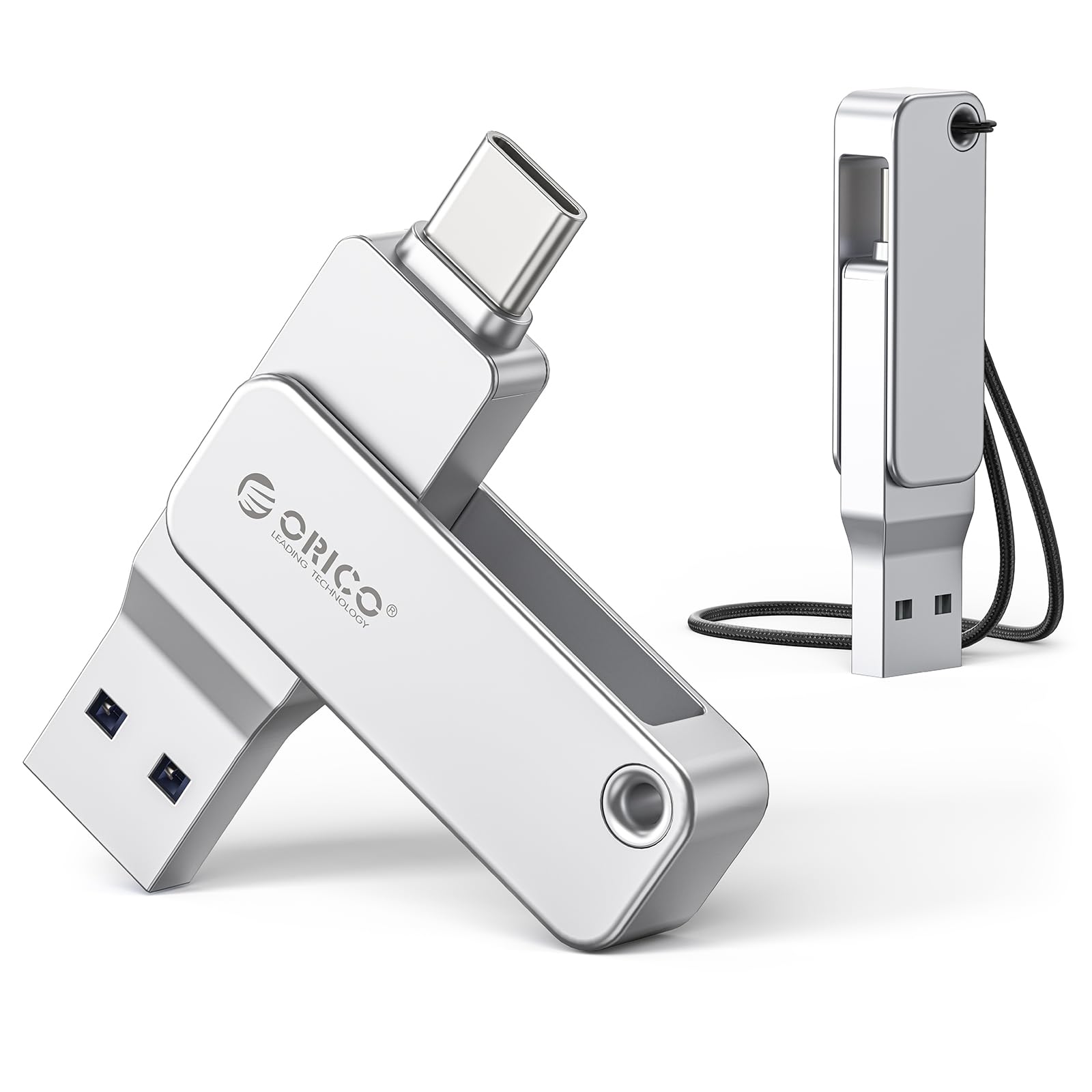
Image: The ORICO EB05 Dual USB Flash Drive, showcasing its compact design and dual connectors.
Негизги өзгөчөлүктөрү:
- Dual USB-A and USB-C Design: Easily switch between USB-A and USB-C ports, enabling compatibility with a broad spectrum of devices including laptops, smartphones, and tablets.
- Жогорку ылдамдыктагы аткаруу: Experience rapid data transfers with read speeds up to 150 MB/s and write speeds of approximately 70 MB/s, suitable for 4K videos, high-resolution photos, and large files.
- 360° Rotating Metal Body: Constructed from elegant zinc alloy, the drive features a 360° rotating design to protect the connectors. A 90° locking mechanism ensures stability during use.
- Компакт жана көчмө: Its mini size and integrated keychain loop make it easy to carry, ensuring your data is always accessible on the go.
- Универсалдуу түзмөк шайкештиги: Supports plug-and-play functionality across various operating systems, including Windows, Mac, Linux, Android, and iPadOS.

Image: Visual representation of the ORICO EB05's USB 3.2 Gen 1 accelerated data transfer capabilities, showing speeds up to 150 MB/s.

Image: Diagram illustrating the powerful compatibility of the ORICO EB05 with both USB-C (laptops, tablets, Android, iPhone) and USB-A (computers, Smart TVs, car audio, projectors) devices.

Image: Close-up of the ORICO EB05 highlighting its chic minimalist design, aluminum alloy construction, dual interface, and 360-degree rotation with a 90-degree lock for port protection.

Image: Graphic demonstrating the ORICO EB05's compatibility with multiple operating systems, including Mac OS, Windows, Linux, and Android.

Image: The ORICO EB05 next to a smartphone, illustrating its ingenious design and compact dimensions (5.99cm length, 1.39cm width, 0.8cm thickness).
3. Орнотуу
The ORICO EB05 Flash Drive is designed for plug-and-play functionality, requiring no special drivers or software installation for most operating systems.
- Identify the Correct Port: Determine if your device (computer, smartphone, tablet) has a USB-A port or a USB-C port.
- Дискти туташтыруу:
- For USB-A: Rotate the metal casing to expose the standard USB-A connector. Insert it into an available USB-A port on your device.
- For USB-C: Rotate the metal casing to expose the USB-C connector. Insert it into an available USB-C port on your device.
- Түзмөктү таануу: Your operating system should automatically detect the flash drive. It will typically appear as a removable storage device (e.g., "ORICO EB05" or "Removable Disk") in your file изилдөөчү же иш тактасы.
The drive comes pre-formatted and ready for immediate use.
4. Иштөө нускамалары
4.1. өткөрүп берүү Files
- Connect the ORICO EB05 to your device as described in the "Setup" section.
- Түзмөгүңүздү ачыңыз file manager (e.g., File Explorer on Windows, Finder on Mac, Files app on Android/iPadOS).
- Locate the ORICO EB05 drive in the file менеджер.
- Көчүрүү үчүн files чейин the flash drive: Drag and drop files or folders from your device's storage to the ORICO EB05 drive icon or its open folder. Alternatively, right-click (or long-press) the files, select "Copy," navigate to the flash drive, and select "Paste."
- Көчүрүү үчүн files тартып the flash drive: Drag and drop files or folders from the ORICO EB05 drive to a desired location on your device's storage.
4.2. Дискти коопсуз чыгаруу
To prevent data corruption, always safely eject the flash drive before physically removing it from your device.
- Windows: Right-click the drive icon in "This PC" or the system tray (bottom right corner), then select "Eject" or "Safely Remove Hardware." Wait for the "Safe to Remove Hardware" notification before unplugging.
- Mac: Drag the drive icon from the desktop to the Trash, or click the "Eject" icon next to the drive name in Finder. Wait for the icon to disappear before unplugging.
- Android/iPadOS: Ичинде Files app or storage settings, look for an "Eject" or "Unmount" option next to the drive.
5. Техникалык тейлөө
Proper care will extend the life of your ORICO EB05 Flash Drive and protect your data.
- Физикалык коргоо: Avoid dropping the drive or subjecting it to strong impacts. The rotating metal casing provides some protection, but extreme force can cause damage.
- Экологиялык шарттар: Store the drive in a cool, dry place. Avoid exposure to extreme temperatures, direct sunlight, moisture, and strong magnetic fields.
- Тазалоо: Зарыл болсо, дисктин сыртын жумшак, кургак, мамыксыз чүпүрөк менен акырын сүртүңүз. Суюк тазалоочу каражаттарды же эриткичтерди колдонбоңуз.
- Маалыматтын камдык көчүрмөсү: Regularly back up important data stored on the flash drive to another storage medium (e.g., computer hard drive, cloud storage) to prevent data loss in case of unforeseen issues.
- Программалык камсыздоонун жаңыртуулары: Periodically check the official ORICO webмоделиңиз үчүн бардык жеткиликтүү микропрограмма жаңыртуулары үчүн сайт.
6. Кыйынчылыктарды
6.1. Drive Not Recognized
- Байланышты текшерүү: Ensure the flash drive is fully inserted into the USB port. Try a different USB port on your device.
- Башка түзмөктү байкап көрүңүз: Connect the flash drive to another computer or compatible device to determine if the issue is with the drive or the original device.
- Түзмөктү кайра иштетүү: Sometimes a simple restart of your computer or smartphone can resolve recognition issues.
- Түзмөк башкаргычын (Windows) / Система маалыматын (Mac) текшериңиз: Verify if the drive appears in your system's device list, even if it's not showing in File Explorer/Finder. This can indicate a driver issue (though unlikely for plug-and-play devices).
- Форматтоо: If the drive is recognized but inaccessible, it might require reformatting. Эскертүү: Кайра форматтоо дисктеги бардык маалыматтарды жок кылат.
6.2. Жай өткөрүп берүү ылдамдыгы
- USB порт түрү: Ensure you are using a USB 3.0/3.1/3.2 port on your device for optimal speeds. Connecting to a USB 2.0 port will result in significantly slower transfers.
- File Көлөм жана түрү: Көптөгөн майда которуулар files is generally slower than transferring a few large fileжалпы көлөмү бирдей s.
- Түзмөктүн иштеши: The speed of your computer's hard drive or SSD can affect transfer rates.
- Фондук процесстер: Other applications or processes running on your device might be consuming system resources, affecting transfer speeds.
6.3. Ката билдирүүлөрү
If you encounter specific error messages, consult your operating system's documentation or online resources for troubleshooting steps related to that error.
7. Техникалык шарттар
| Модель номери | EB05 |
| Бренд | ORICO |
| Кубаттуулугу | 128 ГБ |
| Интерфейс | USB 3.2 Gen 1 (USB-C & USB-A Dual Interface) |
| Окуу ылдамдыгы | 150 МБ/сек чейин |
| Жазуу ылдамдыгы | Approximately 70 MB/s |
| Материал | Цинк эритмеси |
| Түс | Silver |
| Шайкештик | Windows, Mac, Linux, Android, iPadOS |
| Plug and Play | Ооба |
8. Кепилдик маалыматы
ORICO products typically come with a manufacturer's warranty. Based on product information, a 3 жылдык кепилдик is generally offered for this product. For specific warranty terms and conditions, including coverage details and how to make a claim, please refer to the warranty card included with your product or visit the official ORICO webсайт.
Кепилдик тейлөө үчүн сатып алуу далилиңизди сактап коюңуз.
9. Колдоо
For technical assistance, product inquiries, or further support, please visit the official ORICO website. You can usually find FAQs, driver downloads, and contact information for customer service there.
Official ORICO Webсайт: www.oricotech.com (Эскертүү: Бул толтургуч URL. Refer to your product packaging or official documentation for the exact support webсайт.)


