1. Киришүү
The Nikon ZR Cinema Camera, co-developed by Nikon and RED, is a full-frame 6K cinema camera designed for professional cinematic capture. It features REDCODE RAW (R3D NE) footage and 32-bit float audio, offering the same color space and Log curve as other RED cameras. Its compact and durable design, weighing just 1.18 lbs, integrates seamlessly with various rigs and grips. The camera includes an extra-large 4-inch DCI-P3 swiveling touchscreen monitor, eliminating the need for an external display.
This manual provides essential information for setting up, operating, and maintaining your Nikon ZR Cinema Camera.
2. Кутуда эмне бар
- Nikon ZR Full-Frame Camera Body
- NIKKOR Z 50mm f/1.4 Prime Lens
- EN-EL15c Rechargeable Li-ion Battery
- USB Type-C кубаттоочу кабель
- Камера Боо
- Колдонуучунун колдонмолору (бул документ)
3. Орнотуу
3.1. Объективди бекитүү
- Remove the body cap from the camera and the rear lens cap from the NIKKOR Z 50mm f/1.4 lens.
- Линзадагы монтаждоо белгисин камеранын корпусундагы монтаждоо белгиси менен тегиздеңиз.
- Линзаны саат жебесине каршы, ал ордунан чыккыча айлантыңыз.
3.2. Батареяны жана эстутум картасын салуу
The Nikon ZR uses an EN-EL15c Rechargeable Li-ion Battery and CF Express Type B memory cards. Ensure the battery is fully charged before use.
- Камеранын ылдый жагында жайгашкан батарея камерасынын капкагын ачыңыз.
- Insert the EN-EL15c battery with the correct orientation until it locks into place.
- Эстутум картасынын уячасынын капкагын ачыңыз.
- Insert the CF Express Type B card into the designated slot until it clicks. The camera supports dual card slots for extended recording or backup.
- Эки капкакты тең бекем жабыңыз.
3.3. Баштапкы күйгүзүү жана орнотуулар
- Кубат баскычын колдонуп, камераны күйгүзүңүз.
- Тилди, күндү жана убакытты коюу үчүн экрандагы көрсөтмөлөрдү аткарыңыз.
- Familiarize yourself with the 4-inch DCI-P3 swiveling touchscreen monitor for navigation and settings adjustments.

Сүрөт: алдыңкы view of the Nikon ZR Cinema Camera with the NIKKOR Z 50mm f/1.4 lens attached.
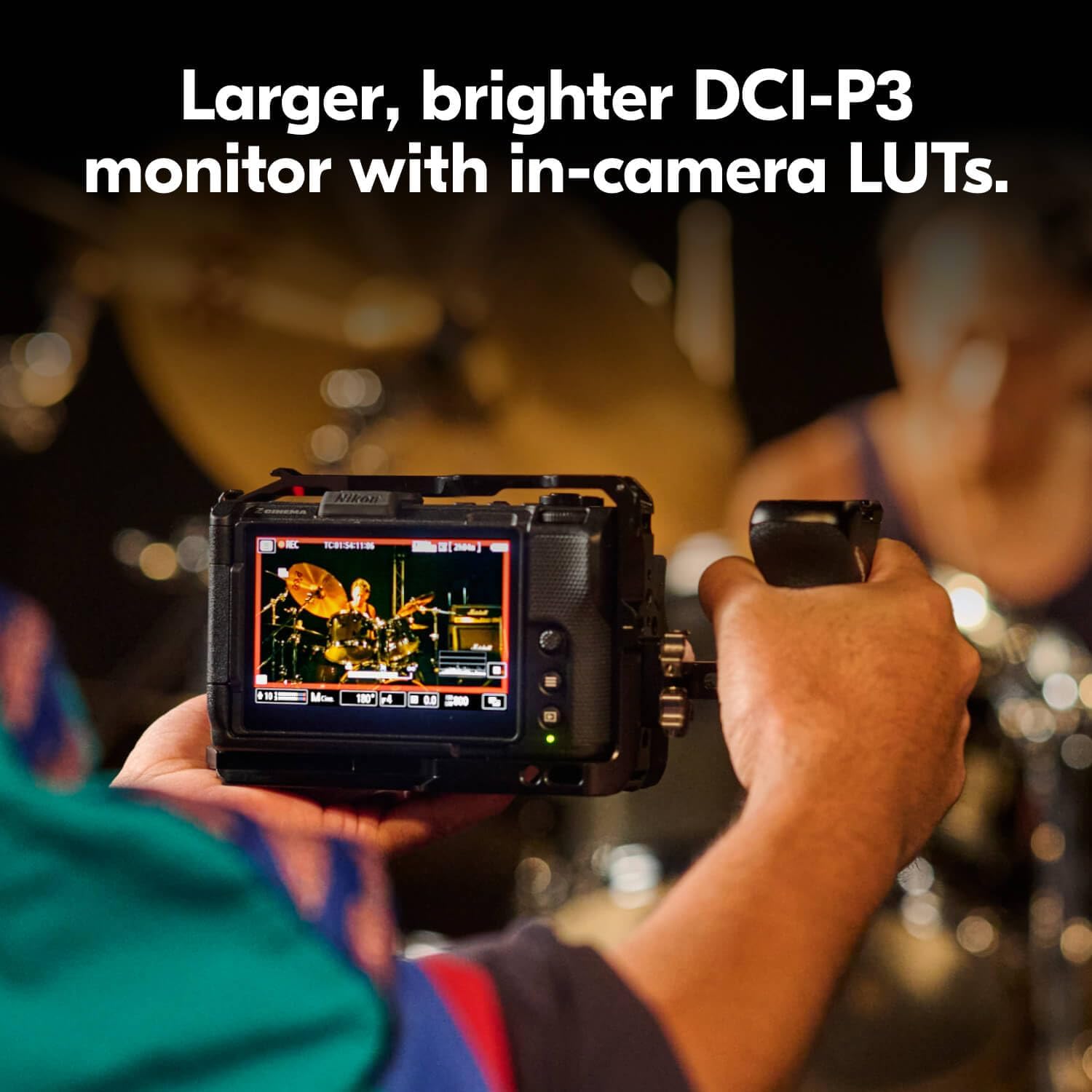
Сүрөт: Арткы view of the Nikon ZR Cinema Camera, highlighting the swiveling 4-inch DCI-P3 touchscreen monitor.
4. Камераны иштетүү
4.1. Атуу режимдери
The Nikon ZR offers various shooting modes for both stills and video. Use the mode dial on the top of the camera to select between Program (P), Shutter-priority (S), Aperture-priority (A), Manual (M), and User-defined settings (U1, U2, U3).
4.2. Видео жаздыруу
The camera supports 6K video recording at 60p and 4K at 120p. It captures REDCODE RAW (R3D NE) footage, offering extensive post-production flexibility. The industry-leading 32-bit float audio recording ensures high-quality sound capture, with support for external microphones via dedicated ports.
- Resolution & Frame Rates: Up to 6K/60p, 4K/120p, Full HD/240p.
- Кодектер: REDCODE RAW (R3D NE), N-RAW, ProRes RAW HQ, ProRes 422 HQ, H.265, H.264.
- Аудио: 32-bit float (excluding H.264), 24-bit (excluding H.264), Linear PCM 48kHz, Line input.
4.3. Автофокус системасы
The advanced autofocus system detects 9 subject types, ensuring sharp focus for both stills and video. This system is designed to maintain focus even with motion-heavy subjects.
4.4. DCI-P3 Monitor
The 4-inch DCI-P3 swiveling touchscreen monitor provides a clear and accurate view тамагыңыздынtage, supporting in-camera LUTs for real-time monitoring of your cinematic look.

Image: The Nikon ZR Cinema Camera mounted on a rig, showcasing its 4-inch DCI-P3 monitor and compact size.
Image: A close-up of the Nikon ZR's 4-inch DCI-P3 monitor, showing a live video feed with exposure information.
5. Медиа функциялары
5.1. Продукт бүтүп калдыview Video
Видео: Кыскача продуктview of the Nikon ZR Cinema Camera, highlighting its key features and design. This video is provided by the seller.
5.2. Nikon Z6 III Hybrid Mirrorless Camera Overview
Video: An in-depth look at the Nikon Z6 III, a hybrid mirrorless camera. While not the ZR model, it shares some core technologies and features from Nikon's Z-series lineup. This video is provided by an influencer.
5.3. Nikon Z f Camera Introduction
Video: An introduction to the Nikon Z f camera, showcasing its design and features. This video is provided by Nikon Inc.
6. Техникалык шарттар
| Өзгөчөлүк | Деталь |
|---|---|
| Бренд | Nikon |
| Модель аты | ZR 50mm Lens Kit |
| Модель номери | 2041 |
| Сүрөт сенсорунун чечилиши | 24.5 депутат |
| Фото сенсордун өлчөмү | Толук кадр (35мм) |
| Video Resolution | 6K |
| Dynamic Stops | 15 токтойт |
| Бит тереңдиги | 12 бит |
| Колдоого алынган сүрөт форматы | REDCODE RAW (R3D NE), JPEG |
| Колдоого алынган File Формат | JPEG |
| Screen Size | 4 дюйм |
| Дисплей түрү | LCD |
| Дисплей арматура түрү | Артикуляциялоо |
| Flash эс тутум түрү | CF Express Type B |
| Байланыш технологиясы | Bluetooth, WiFi |
| Аппараттык интерфейс | USB түрү C |
| Video Output | HDMI |
| Элемент Салмагы | 2.12 фунт |
| Шайкеш орнотуулар | Nikon Z |
| Линзанын түрү | Standard (50mm Prime) |
7. Техникалык тейлөө
- Keep the camera and lens clean using a soft, lint-free cloth.
- Камераны өтө жогорку температурага, нымдуулукка же чаңга дуушар кылбаңыз.
- Regularly check for firmware updates on the Nikon support webоптималдуу аткарууну жана жаңы функцияларга жетүүнү камсыз кылуу үчүн сайт.
- Store the camera in a dry, cool place, preferably in a camera bag with desiccant packs to prevent moisture buildup.
8. Кыйынчылыктарды
8.1. Камера күйбөй жатат
- Батарея толук заряддалганын жана туура салынганын текшериңиз.
- Башка, толук заряддалган батарейканы колдонуп көрүңүз.
- Check the USB Type-C charging cable for damage and ensure it's properly connected if attempting to charge.
8.2. Lens Error Message
- Remove the lens and reattach it, ensuring it clicks securely into place.
- Объективдеги жана камеранын корпусундагы электр байланыштарын таза, кургак чүпүрөк менен тазалаңыз.
- Ensure the lens firmware is up to date.
8.3. Автофокус көйгөйлөрү
- Check that the autofocus mode is set appropriately for your subject (e.g., Continuous-Servo AF for moving subjects).
- Автофокус системасынын натыйжалуу иштеши үчүн жетиштүү жарык бар экенине ынаныңыз.
- Clean the lens elements and the camera's sensor.
9. Кепилдик жана колдоо
The Nikon ZR Cinema Camera comes with a 1 жылдык Чектелген Өндүрүүчүнүн Кепилдиги. For detailed warranty terms, service requests, or technical support, please visit the official Nikon webсайтына кириңиз же Nikon кардарларды тейлөө кызматына кайрылыңыз.
Кошумча ресурстар жана продукт маалыматы үчүн, баш багыңыз Amazonдагы Nikon дүкөнү.


