1. Introduction and Overview
Experience ultimate audio freedom with the TCL Z100 Wireless Speaker—designed for anywhere placement and effortless setup. Featuring smart calibration, it automatically adjusts sound to perfectly suit your room, while Bluetooth streaming lets you enjoy your favorite music with ease. Packed with four individual speaker drivers, the Z100 delivers rich, detailed sound, and when paired with the optional wireless subwoofer (sold separately), it brings deep, powerful bass to every beat. Plus, connect up to four speakers wirelessly to create a fully immersive, customized home theater system that fits your space and lifestyle. This feature is only available on TCL QM6K, QM7K, QM8K, and QM9K TVs when also combined with the Z100 Wireless Speaker.

Сүрөт 1.1: Алдыңкы view of the TCL Z100 Wireless Home Theater Speaker.
2. Кутуда эмне бар
Кутудан чыгарууда бардык компоненттер бар экенин текшериңиз:
- TCL Z100 Wireless Home Theater Speaker
- Электр кабели
- Quick Start Guide
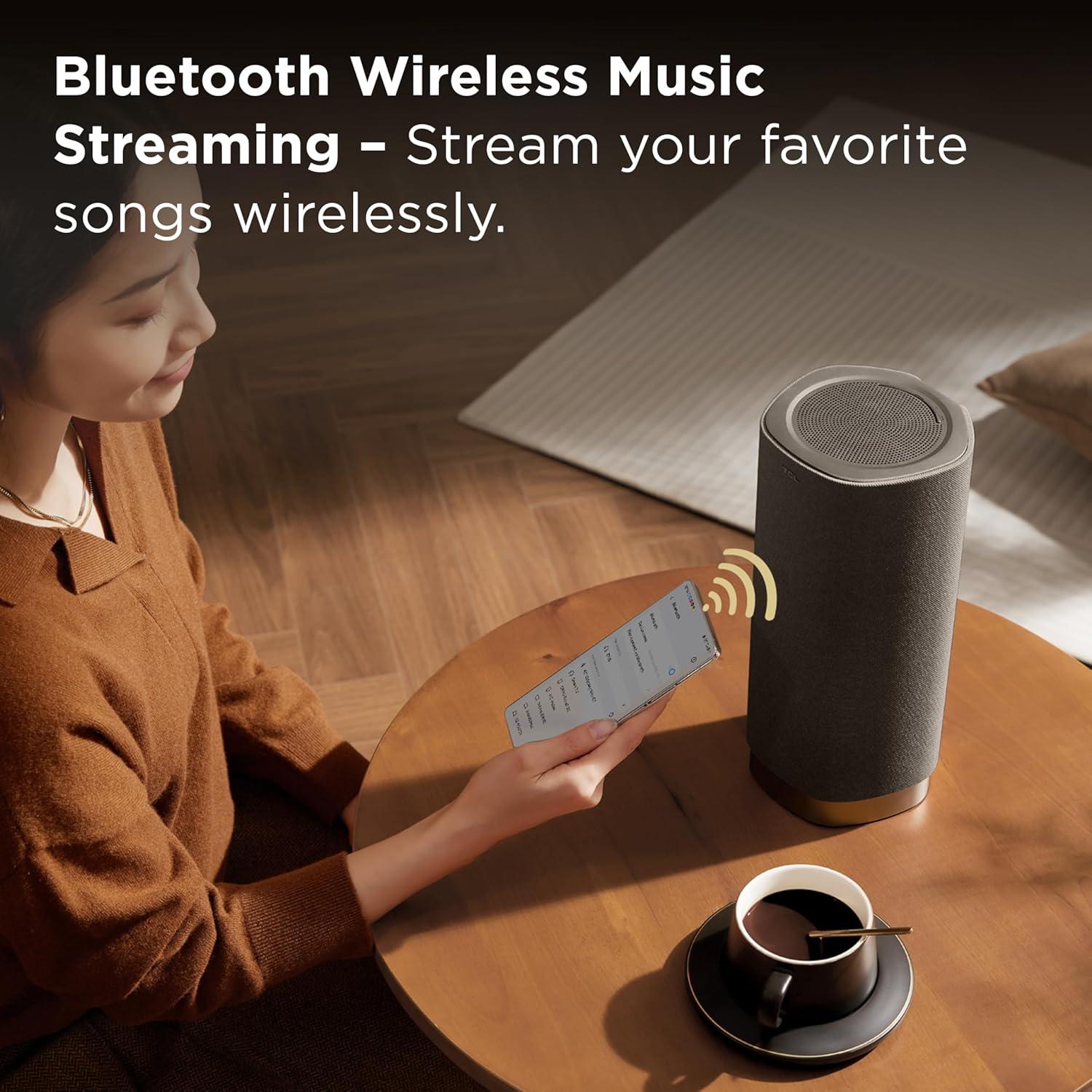
Image 2.1: The TCL Z100 speaker along with its power cable and quick start guide.
3. Продукциянын өзгөчөлүктөрү
- Зымсыз динамик: Place the speaker anywhere; just plug it into power, and let the system automatically deliver optimized, immersive sound with no physical TV connection needed.* *This feature is only available on TCL QM6K, QM7K, and QM8K TVs.
- Dolby Atmos FlexConnect: The wireless speaker(s) integrate perfectly with select TCL TVs to deliver a simple yet immersive audio experience.
- Smart Calibration & Effortless Setup: Your TV detects speaker placement and fine-tunes the sound to match your room.
- 170W чыгаруу кубаттуулугу: Enjoy clear, dynamic, and room-filling sound with 170W of power, ideal for music, movies, and beyond.
- 4 Individual Speakers: Each Z100 contains an up-firing speaker, a Neodymium tweeter, a midrange, and a woofer, combining to deliver a powerful, immersive sound experience.
4. Орнотуу
4.1 Спикерди жайгаштыруу
The TCL Z100 speakers are designed for flexible placement due to their wireless connectivity. For optimal Dolby Atmos FlexConnect performance, position the speakers in your desired locations within the room. Ensure they are plugged into a power outlet.
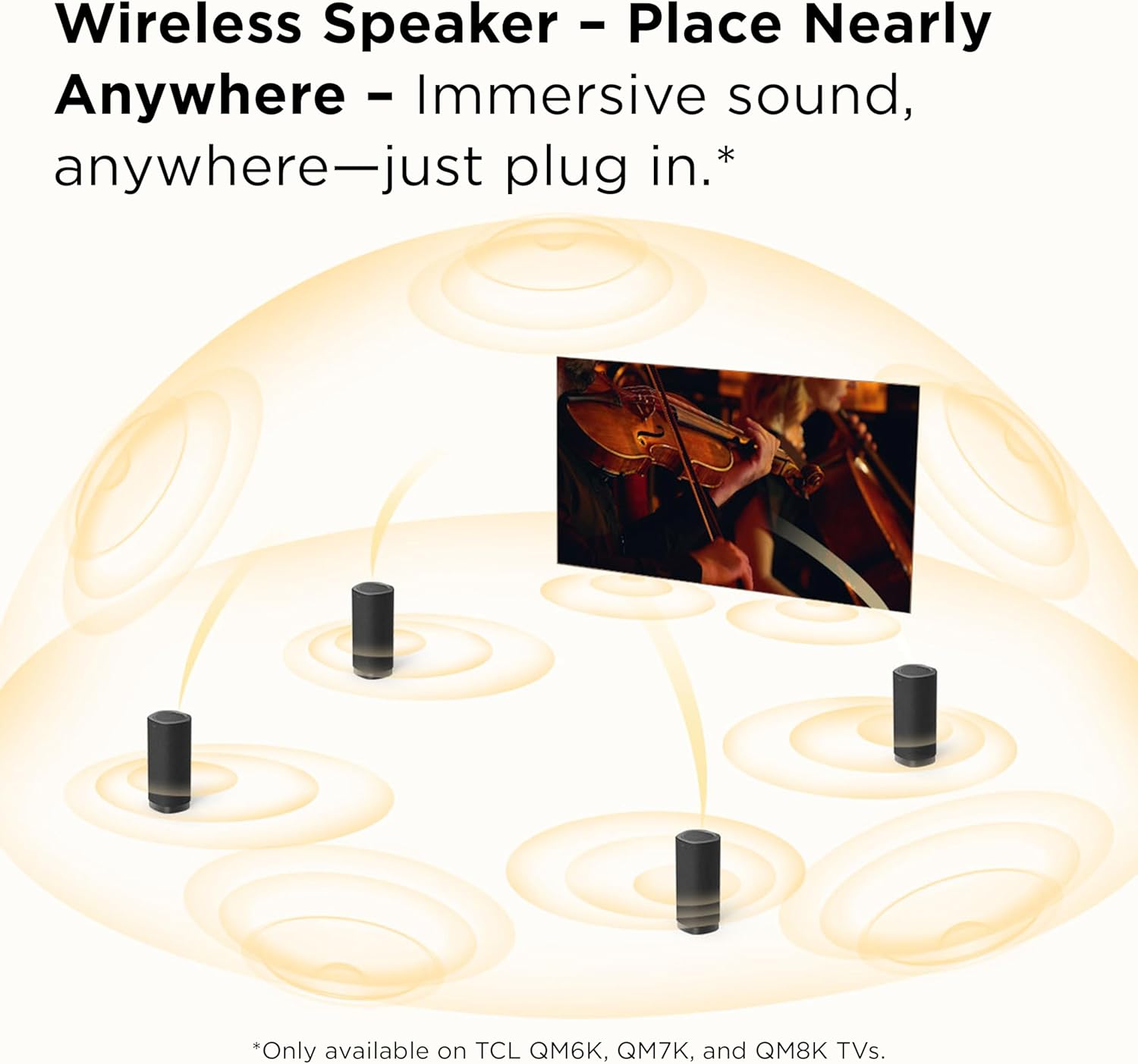
Сүрөт 4.1: Мисample of multiple TCL Z100 speakers strategically placed in a room for a surround sound experience.
4.2 Connecting to a Compatible TCL TV (Dolby Atmos FlexConnect)
The Z100 speakers are designed to integrate seamlessly with select TCL QM6K, QM7K, QM8K, and QM9K TVs. No physical TV connection is needed for audio transmission.
- Ensure your compatible TCL TV is powered on.
- Plug in your Z100 speaker(s) to a power outlet.
- Your TCL TV will automatically detect the Z100 speaker(s). Follow the on-screen prompts on your TV to complete the pairing process.

Image 4.2: TCL Z100 speakers set up with a compatible TCL TV, demonstrating Dolby Atmos FlexConnect.
4.3 Акылдуу калибрлөө
Once connected to a compatible TCL TV, the system utilizes smart calibration to optimize sound for your room's acoustics.
- Access the sound settings on your compatible TCL TV.
- Initiate the Smart Calibration process. The TV will emit test tones and use its internal microphones (or a connected smartphone app, if applicable) to analyze the room and speaker placement.
- The system will automatically adjust sound parameters for the best audio experience.
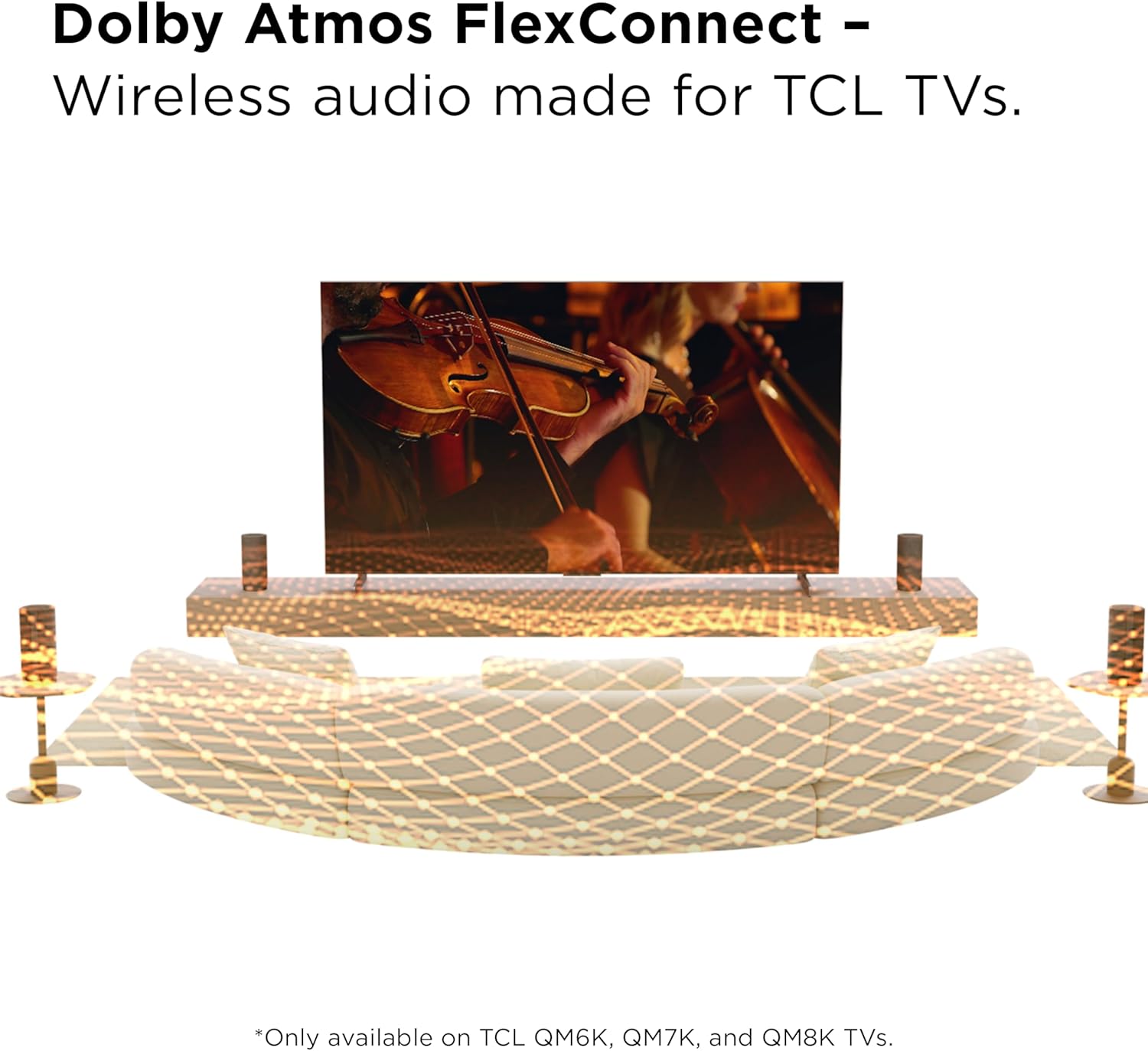
Image 4.3: Visual representation of the smart calibration process, where the TV adjusts sound based on speaker placement.
4.4 Bluetooth Music Streaming Setup
The Z100 speaker supports Bluetooth for streaming audio from your mobile devices.
- Press the Bluetooth button on the speaker's top panel or the remote control to enter pairing mode. The indicator light will flash.
- Мобилдик түзмөгүңүздө Bluetooth иштетип, жеткиликтүү түзмөктөрдү издеңиз.
- Select "TCL Z100" from the list to pair. Once connected, the indicator light will be solid.
- You can now stream audio from your device to the Z100 speaker.

Image 4.4: A user streaming music wirelessly from a smartphone to the TCL Z100 speaker.
4.5 Official Setup Videos
Video 4.5.1: A brief first look at the TCL Z100 Wireless Home Theatre System, demonstrating its components and initial setup.
Видео 4.5.2: Бүттүview of the TCL Z100 FlexConnect, highlighting its immersive sound capabilities and wireless integration.
5. Иштөө нускамалары
5.1 Күйгүзүү/өчүрүү
Press the power button on the top panel of the speaker or on the remote control to turn the speaker on or off.
5.2 Киргизүүнү тандоо
Use the 'Source' or 'Input' button on the remote control to switch between available audio sources (e.g., HDMI eARC, Bluetooth).
5.3 Үндү башкаруу
Adjust the volume using the '+' and '-' buttons on the speaker's top panel or the remote control.
5.4 Үн режимдери
The Z100 offers various sound modes to optimize audio for different content types. Use the 'Sound Mode' button on the remote control to cycle through:
- Тасма: Enhanced bass for the best movie experience.
- Музыка: Emphasized high and low pitches.
- Үн: Crisp and clear dialogue.
- Оюн: Virtual surround sound effect to enhance game experience.
- Спорт: Virtual surround sound effect and emphasized human voice.
- Стандарт: General purpose audio setting.
5.5 Bass and Treble Adjustment
Fine-tune the audio output by adjusting bass and treble levels using the dedicated 'Bass' and 'Treble' buttons on the remote control.
5.6 Алыстан башкаруу функциялары
The included remote control provides full command over your Z100 speaker:

Image 5.1: The remote control for the TCL Z100 speaker, showing buttons for power, input, volume, sound modes, and audio adjustments.
- Кубат баскычы: Динамикти күйгүзөт/өчүрөт.
- Үнсүз баскычы: Аудиону өчүрөт/үнсүз кылат.
- Bluetooth баскычы: Bluetooth жупташтыруу режимин баштайт.
- Жарык баскычы: Controls the display light on the speaker.
- Киргизүүнү тандоо: Жеткиликтүү аудио киргизүүлөр аркылуу циклдерди иштетет.
- Көлөм +/-: Негизги үндү тууралайт.
- Track Control: (Play/Pause, Skip Forward/Backward) for Bluetooth streaming.
- Үн режиминин баскычтары: Selects preset sound profiles (Movie, Music, Voice, Game, Sport, Standard).
- Bass/Treble +/-: Бас жана жогорку деңгээлдерди тууралайт.
- AI Sonic: Activates or deactivates the AI Sonic feature for sound optimization.
6. Техникалык тейлөө
To ensure the longevity and optimal performance of your TCL Z100 Wireless Home Theater Speaker, follow these maintenance guidelines:
- Тазалоо: Use a soft, dry cloth to wipe the speaker's surfaces. Avoid using liquid cleaners, aerosols, or abrasive materials, as they may damage the finish or internal components.
- Жайгашкан жери: Динамикти туруктуу, тегиз жерге коюңуз. Аны күн нуру түз тийген жерге, жылуулук булактарынын жанына же нымдуулугу жогору жерлерге койбоңуз.
- Вентиляция: Ensure adequate airflow around the speaker to prevent overheating. Do not block any ventilation openings.
- Электр кабели: Regularly inspect the power cord for any damage. If damaged, discontinue use and contact customer support for a replacement.
7. Кыйынчылыктарды
If you encounter any issues with your TCL Z100 speaker, refer to the following common troubleshooting steps:
- Кубат жок: Ensure the power cable is securely plugged into both the speaker and a working power outlet. Try a different outlet.
- No Sound (when connected to TV):
- Verify that your TCL TV is a compatible model (QM6K, QM7K, QM8K, QM9K).
- Check that the speaker is powered on and successfully paired with the TV.
- Ensure the TV's audio output is set to the Z100 speaker system in its sound settings.
- Confirm the TV's volume is not muted or set too low.
- Bluetooth туташуу маселелери:
- Динамик Bluetooth жупташтыруу режиминде экенин текшериңиз (индикатор жарыгы күйүп-өчүп турат).
- Ensure your mobile device's Bluetooth is enabled and within range.
- Түзмөктү жупташып, кайра жупташып көрүңүз.
- Үн бурмалоо:
- Динамиктин жана туташкан түзмөктүн үнүн азайтыңыз.
- Check for any obstructions around the speaker.
- If using Smart Calibration, try re-running the calibration process.
Бул кадамдарды жасагандан кийин маселе чечилбесе, кошумча жардам алуу үчүн Кепилдик жана колдоо бөлүмүнө кайрылыңыз.
8. Техникалык шарттар
| Өзгөчөлүк | Деталь |
|---|---|
| Модель аты | Z100 |
| Динамик түрү | Surround Sound |
| Өзгөчө өзгөчөлүк | Dolby Enabled, Multi Room Audio, Portable, Stereo Pairing |
| Сунушталган Колдонуулар | Музыка ойноткучтар, айланадагы үн системалары, телевизорлор үчүн |
| Чыгуу күчү | 170 Ватт |
| Байланыш технологиясы | Bluetooth |
| Киргизүү көлөмүtage | 120 вольт |
| Монтаж түрү | Кабат туруктуу |
| Түс | Гунметал |
| Материал | Пластик, жыгач |
| Продукциянын өлчөмдөрү | 5.22"D x 5.42"W x 11.87"H |
| Элемент Салмагы | 5.6 фунт |
| UPC | 846042043953 |
9. Кепилдик жана колдоо
The TCL Z100 Wireless Home Theater Speaker comes with a Limited Warranty. For specific warranty terms and conditions, please refer to the warranty card included in your product packaging or visit the official TCL support webсайт.
For technical support, troubleshooting assistance, or warranty claims, please contact TCL Customer Service. Keep your product's model number (Z100) and UPC (846042043953) readily available when contacting support.


