1. Киришүү
This manual provides instructions for the installation, operation, and maintenance of the ANYFAR Decoder RM-LH2523F. This device integrates advanced connectivity features such as Wireless CarPlay, Android Auto, Mirror Link, and backup camera support into compatible Land Rover and Jaguar vehicles, enhancing your in-car infotainment experience while retaining original vehicle controls.
2. Шайкештик
The ANYFAR Decoder RM-LH2523F is specifically designed for certain Land Rover and Jaguar vehicles equipped with a Harman head unit and an 8-inch screen system. Please verify your vehicle's compatibility before installation.
Унаанын шайкеш моделдери:
- Landrover: Range Rover Evoque (2016–2019), Discovery 5 (2016–2019)
- Ягуар: XE (2016–2019), XF (2016–2019), XJL (2016–2019), F-Type (2016–2019)
Маанилүү: This decoder is compatible only with vehicles featuring an 8-inch Harman head unit. Incompatible systems include Bosch style units or 10.25-inch Harman style screens.

Figure 2.1: Visual guide for compatible 8-inch Harman screen styles (right) versus incompatible Bosch or 10.25-inch screens (left).

Figure 2.2: Detailed compatibility list for Land Rover and Jaguar models.
3. Өзгөчөлүктөрү
- Зымсыз CarPlay & Android Auto: Enjoy seamless integration of your smartphone's navigation, music, calls, and messaging without physical connection.
- Күзгү шилтемесин жана USB дискти ойнотуу: Mirror your phone's display to the car screen for video playback or use the USB port for media files and device charging.
- Унаадагы Hi-Fi аудио: Digital audio transmission ensures high-quality sound without interference or delay, preserving the original audio system's integrity.
- Баштапкы унаа башкаруу элементтерин сактап калыңыз: Full functionality of the original touchscreen, voice control, physical buttons, and knobs is maintained after installation.
- Камдык камераны киргизүүнү колдоо: Connect an aftermarket backup or front camera; the feed automatically displays when shifting into reverse.
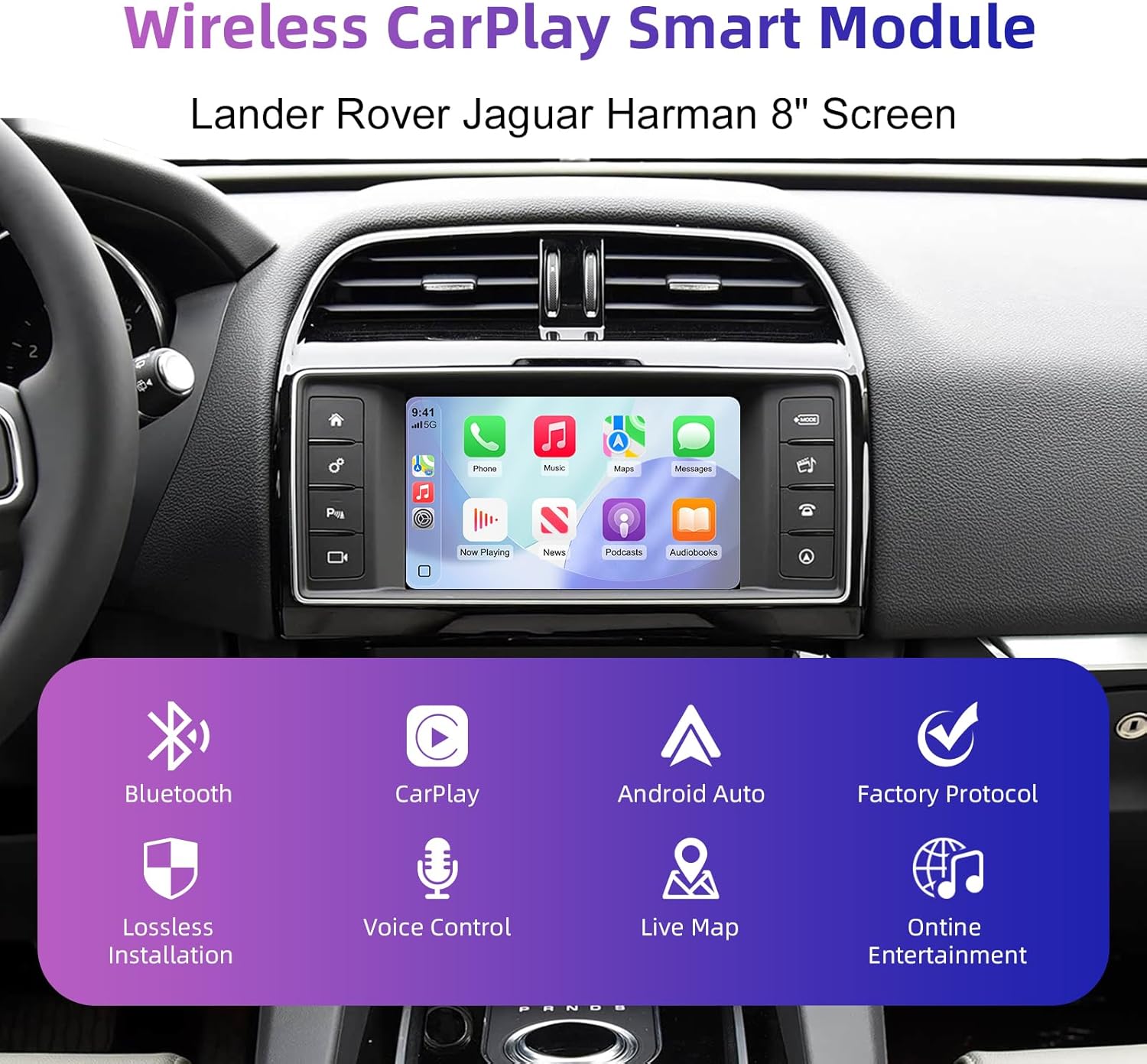
Figure 3.1: ашыкview of the Wireless CarPlay Smart Module's core functionalities.
4. Кутуда эмне бар
Продукт пакети төмөнкү элементтерди камтыйт:
- ANYFAR Decoder Unit
- Wiring Harnesses (specific to vehicle model)
- USB кабели
- Антенна
Note: Additional accessories such as cameras or specific tools may be required for installation and are sold separately.
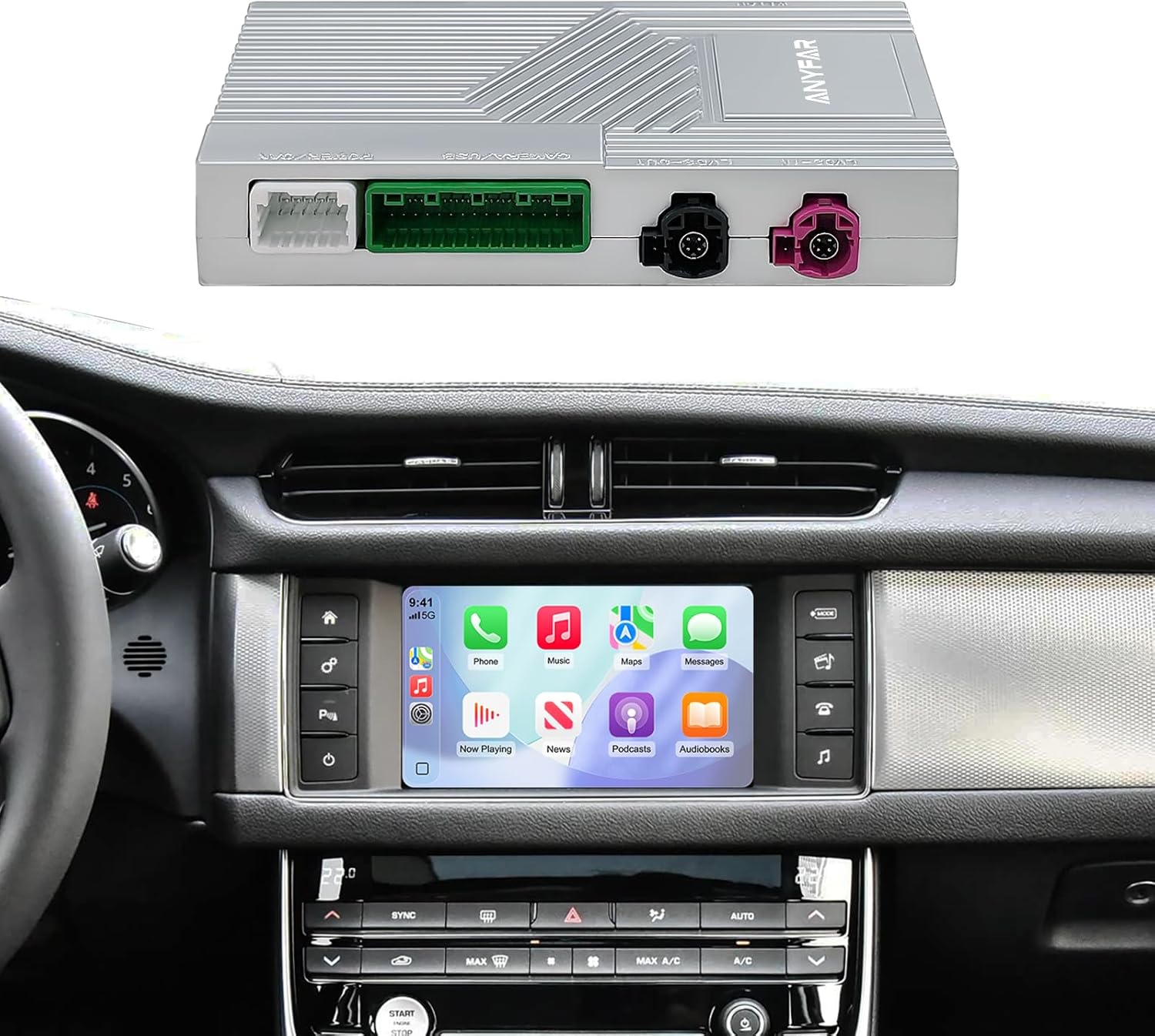
Figure 4.1: The ANYFAR decoder unit and its integration with a car's infotainment system.
5. Орнотуу (Орнотуу)
Installation of the ANYFAR Decoder RM-LH2523F requires technical knowledge and familiarity with automotive electronics. It is recommended that installation be performed by a qualified professional. Incorrect installation may damage the vehicle's electrical system or the decoder unit.
Жалпы орнотуу кадамдары:
- Даярдоо: Унаанын от алдыруу өчүрүлгөнүн жана батареянын ажыратылганын текшериңиз.
- Кирүү үчүн башкы блок: Carefully remove the necessary trim panels to access the vehicle's factory head unit.
- Connect Decoder: Integrate the decoder unit into the vehicle's wiring harness using the provided cables. This typically involves connecting between the factory head unit and the display.
- Маршруттук кабелдер: Securely route all cables to prevent interference or damage.
- Сыноо функциясы: Reconnect the battery and test all functions before reassembling the dashboard.
- Secure Decoder: Mount the decoder unit in a safe, accessible location within the dashboard.
- Кайра чогултуу: Бардык трим панелдерин кайра орнотуңуз.
For detailed, vehicle-specific installation instructions, please refer to the separate installation guide provided with your purchase or consult a professional installer.
6. Иштөө нускамалары
6.1 Системалардын ортосунда которулуу
To switch between the factory OEM car system and the CarPlay/Android Auto system, long-press the "Home" button on your car's knob or central control panel. This action toggles the display between the two interfaces.

Figure 6.1: Switching between OEM and integrated CarPlay/Android Auto systems.
6.2 Wireless CarPlay & Android Auto
- Bluetooth жупташтыруу: First, pair your smartphone with the car's Bluetooth system.
- Connect CarPlay/Android Auto: Once Bluetooth is paired, the system will prompt you to connect to CarPlay or Android Auto. Confirm the connection on your phone and the car screen.
- Аудио чыгаруу: Ensure audio output is set to the car's Bluetooth for optimal sound quality.

Figure 6.2: Steps for establishing Bluetooth audio output for CarPlay/Android Auto.
6.3 Үн менен башкаруу
The system supports intelligent voice control (Siri for CarPlay, Google Assistant for Android Auto). Activate voice control by pressing the voice command button on your steering wheel or by saying the wake phrase (e.g., "Hey Siri" or "Hey Google").
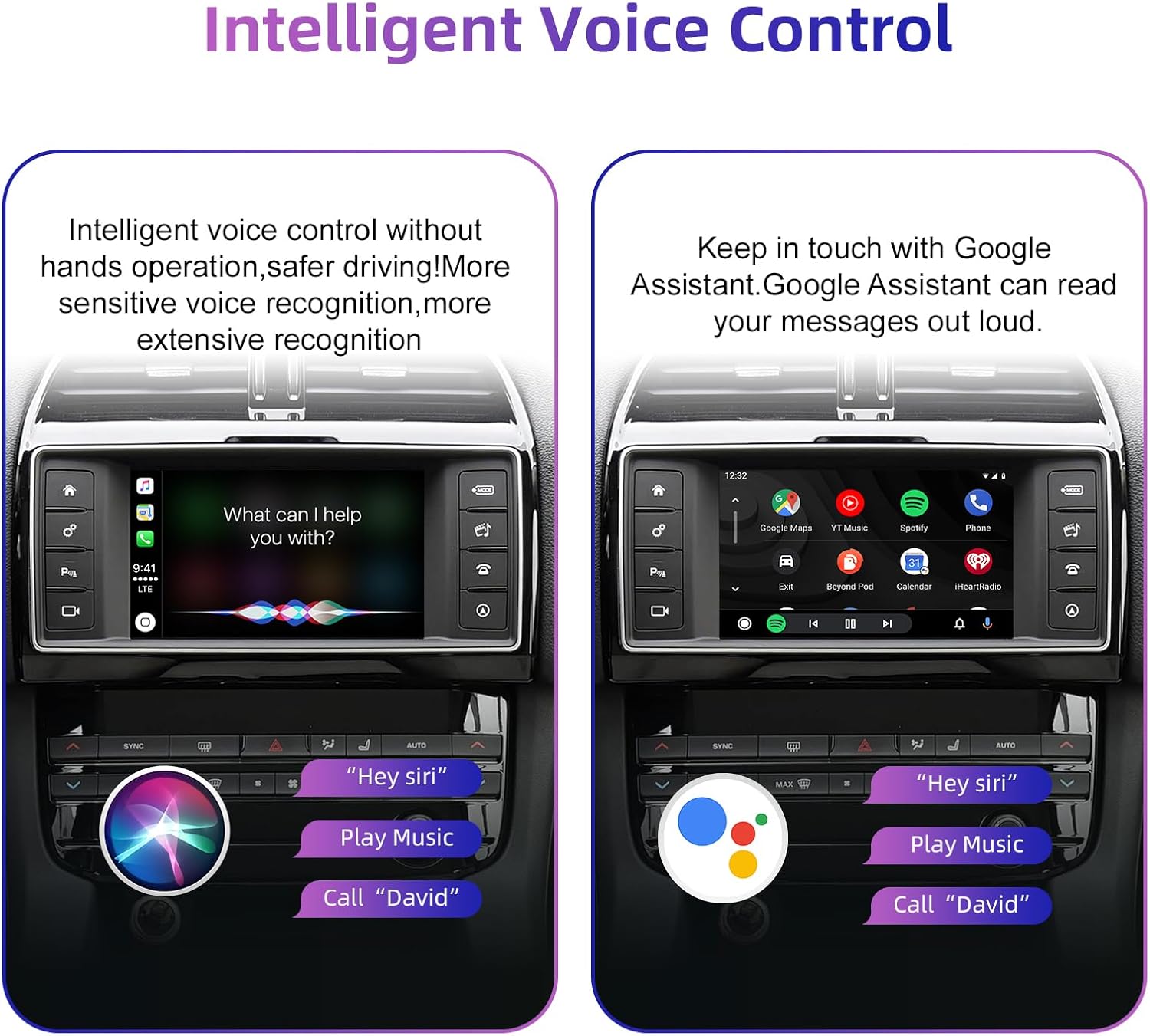
Figure 6.3: Using voice commands with Siri and Google Assistant.
6.4 Унаанын баштапкы башкаруу элементтерин сактоо
The decoder allows continued use of your vehicle's existing control mechanisms:
- Рулдун баскычтары: Control volume, track skipping, and voice awakening.
- Central Control Panel: Use physical buttons and knobs for navigation and system switching.
- Сенсордук экран: Interact directly with the display for all functions.

Figure 6.4: Continued use of original car controls with the decoder installed.
6.5 Камеранын резервдик функциясы
If an aftermarket backup camera is connected, it will automatically display its feed on the car screen when the vehicle is shifted into reverse gear. This feature enhances parking safety.

Figure 6.5: Backup camera display on the car screen.
7. Техникалык тейлөө
To ensure optimal performance and longevity of your ANYFAR Decoder, follow these general maintenance guidelines:
- Тазалоо: Keep the decoder unit and its connections free from dust and debris. Use a soft, dry cloth for cleaning. Avoid liquid cleaners directly on the unit.
- Программалык камсыздоо жаңыртуулары: Мезгил-мезгили менен өндүрүүчүнүн текшерүү website or contact support for any available software or firmware updates. Updates can improve performance, add features, or resolve issues.
- Экологиялык шарттар: Аппаратты экстремалдык температурага, түз күн нуруна узак убакытка же ашыкча нымдуулукка дуушар кылуудан алыс болуңуз.
8. Кыйынчылыктарды
If you encounter issues with your ANYFAR Decoder, refer to the following common troubleshooting steps:
- Дисплей жок/Кара экран:
- Бардык кабелдер коопсуз туташтырылганын текшериңиз.
- Verify the correct input source is selected on your car's head unit (if applicable).
- Try restarting the car's ignition.
- Аудио жок:
- Confirm your phone is paired via Bluetooth to the car's system.
- Check the audio output settings on your phone and the car's infotainment system.
- Ensure the car's volume is not muted or set too low.
- CarPlay/Android Auto туташпай жатат:
- Смартфонуңузда Bluetooth жана Wi-Fi иштетилгенин текшериңиз.
- Телефонуңуздун Bluetooth жөндөөлөрүнөн түзмөктү унутуп, кайра жупташтырыңыз.
- Смартфонуңузду өчүрүп күйгүзүңүз.
- Үзгүлтүктүү туташуу:
- Check for potential signal interference from other devices.
- Ensure the decoder's antenna (if external) is properly positioned.
If problems persist after attempting these steps, please contact ANYFAR customer support for further assistance.
9. Техникалык шарттар
| Өзгөчөлүк | Спецификация |
|---|---|
| Модель номери | RM-LH2523F |
| Бренд | КАЧЫКТА |
| Байланыш технологиясы | USB, Wireless (Bluetooth, Wi-Fi for CarPlay/Android Auto) |
| Шайкеш түзмөктөр | Смартфон (iOS/Android) |
| Өзгөчө өзгөчөлүк | Hands-Free Calling, Voice Control, Mirror Link |
| Аудио чыгаруу режими | Стерео |
| Элемент Салмагы | 1.76 фунт |
| Пакеттин өлчөмдөрү | 10.63 x 6.69 x 4.33 дюйм |
10. Кепилдик жана колдоо
For warranty information and customer support, please refer to the documentation included with your purchase or visit the official ANYFAR website. Ensure you have your product model number (RM-LH2523F) and purchase details available when contacting support.
Өндүрүүчү: Хуэйчжоу Ритм Технологиялары Ко., ЖЧК


