Introduction
This manual provides comprehensive instructions for the INPHIC Tri-Mode Wireless Mouse, Model B0FQCFSHPQ. It covers setup, operation, maintenance, and troubleshooting to ensure optimal performance and user experience. Please read this manual thoroughly before using the product.
Продукт бүттүview
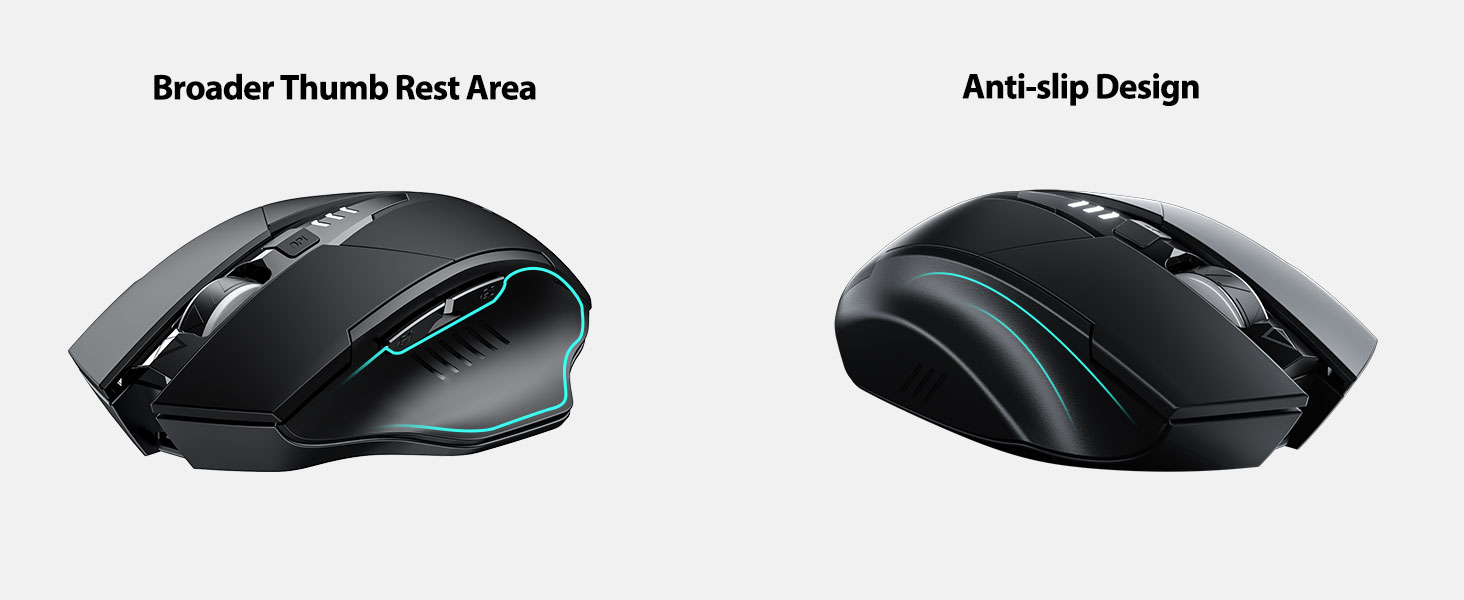
The INPHIC Tri-Mode Wireless Mouse offers versatile connectivity options (Bluetooth 5.0, Bluetooth 4.0, and 2.4G USB) and an ergonomic design for comfortable use. Key features include a visible battery indicator, silent click buttons, and adjustable DPI settings.
Пакеттин мазмуну
- INPHIC Tri-Mode Wireless Mouse
- USB кабыл алгыч (чычканда сакталган)
- USB-C заряддоо кабели
- Колдонуучунун Колдонмосу (бул документ)
Чычкан компоненттери

- Сол/оң баскычтары: Тынч операция.
- Жылдыруу дөңгөлөгү: Вертикалдык жылдыруу үчүн.
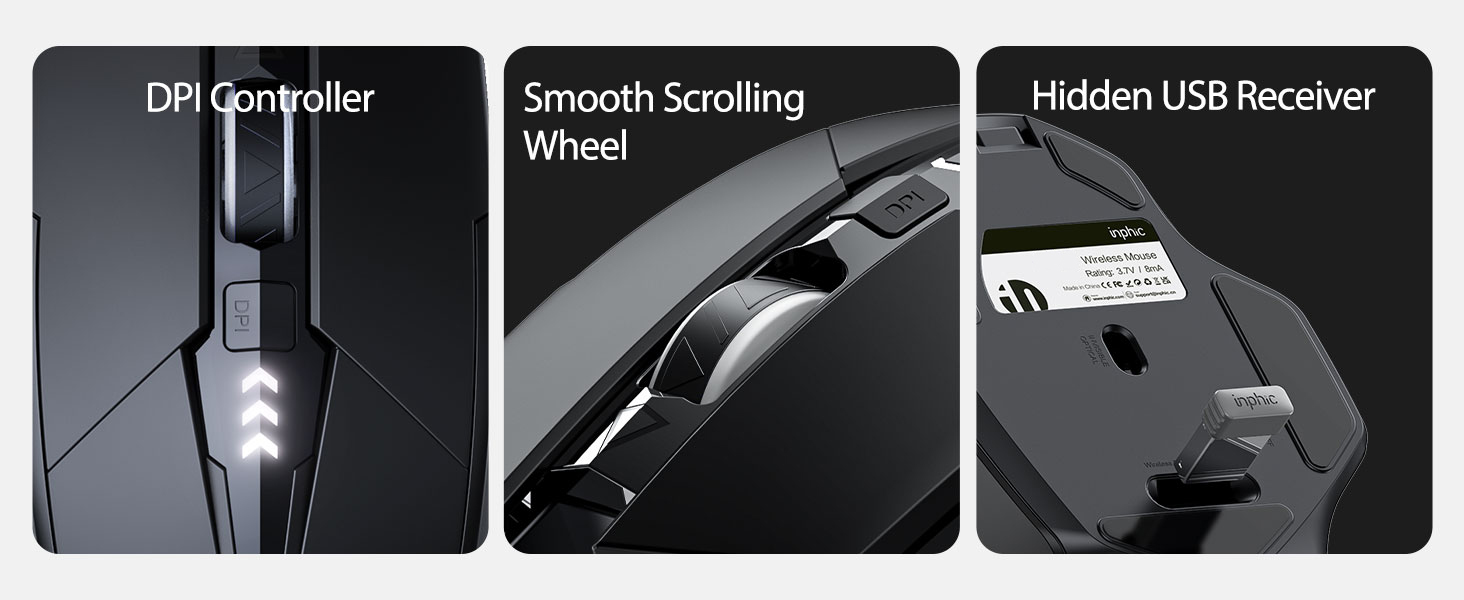
- DPI баскычы: Adjusts cursor speed (800/1200/1600/2000/2400 DPI).
- Forward/Backward Buttons (Side): For navigation in web браузерлер же file изилдөөчүлөр.
- Батарея көрсөткүчү: LED lights on top display remaining battery level.
- Connection Type Switch (Bottom): Toggles between 2.4G USB, Bluetooth 4.0, and Bluetooth 5.0 modes.
- Power Switch (Bottom): ON / OFF которгучу.
- USB Receiver Slot (Bottom): 2.4G USB кабыл алгычын сактайт.
- Charging Port (Front): Ички батареяны кайра заряддоо үчүн USB-C порту.
Жайгашуу
Баштапкы заряддоо
Before first use, fully charge the mouse for approximately 1 hour. Connect the USB-C charging cable to the mouse's charging port and to a USB power source (e.g., computer USB port, USB wall adapter).

Чычканды туташтыруу
The mouse supports three connection modes: 2.4G USB, Bluetooth 4.0, and Bluetooth 5.0. Use the switch on the bottom of the mouse to select your desired mode.
2.4G USB туташуу
- Locate the USB receiver stored in the slot on the bottom of the mouse.
- USB ресиверди компьютериңиздеги жеткиликтүү USB портуна сайыңыз.
- Switch the connection mode on the bottom of the mouse to "2.4G".
- Turn on the mouse using the power switch. The mouse should connect automatically.
Bluetooth Connection (BT 4.0 / BT 5.0)
- Switch the connection mode on the bottom of the mouse to "BT 4.0" or "BT 5.0".
- Чычканды өчүргүчтү колдонуп күйгүзүңүз.
- On your device (laptop, tablet, etc.), open Bluetooth settings.
- Издөө new Bluetooth devices. The mouse should appear as "INPHIC Mouse" or similar.
- Жупташтыруу үчүн чычканды тандаңыз.
- Once paired, the mouse is ready for use.
Эскертүү: Bluetooth 5.0 is compatible with Windows 8/10 (not Windows 7 or XP), Android, and Mac OS systems. iOS systems (iPad and iPhone) require iOS 14 or later for Bluetooth 5.0 compatibility.
Иштөө нускамалары
Күйгүзүү/өчүрүү
Use the ON/OFF switch located on the bottom of the mouse to power the device. To conserve battery, turn off the mouse when not in use for extended periods.
Которуу туташуу режимдери
The mode switch button on the bottom of the mouse allows you to cycle between 2.4G USB, Bluetooth 4.0, and Bluetooth 5.0 connections. This enables seamless switching between multiple paired devices.

DPI жөндөө (курсордун ылдамдыгы)
Press the DPI button located on the top of the mouse, below the scroll wheel, to cycle through 5 adjustable DPI levels: 800, 1200, 1600, 2000, and 2400. This allows you to customize cursor sensitivity to your preference.

Батарея көрсөткүчү
The mouse features a visible battery indicator on its top surface. LED lights illuminate to show the remaining battery power, providing a clear visual cue for when recharging is needed.

Автоматтык уйку режими
To conserve power, the mouse will automatically enter sleep mode after 5 minutes of inactivity. To wake the mouse, simply click any button.
Техникалык тейлөө
Тазалоо
Wipe the mouse with a soft, dry cloth. For stubborn dirt, a slightly damp cloth can be used, ensuring no moisture enters the internal components. Avoid harsh chemicals or abrasive cleaners.
Батареяга кам көрүү
- Батареянын индикатору кубаттуулуктун аздыгын көрсөткөндө, чычканды кайра заряддаңыз.
- Батареянын иштөө мөөнөтүн узартуу үчүн бат-баттан толук зарядсыздануудан качыңыз.
- Чычканды узак убакытка колдонбогондо салкын, кургак жерде сактаңыз.
Проблемаларды чечүү
| Көйгөй | Мүмкүн себеп | Чечим |
|---|---|---|
| Чычкан жооп бербей жатат |
|
|
| Курсордун кыймылы туура эмес же жай |
|
|
| Bluetooth байланышы көйгөйлөрү |
|
|
Техникалык шарттар
| Өзгөчөлүк | Деталь |
|---|---|
| Модел | B0FQCFSHPQ |
| Байланыш технологиясы | Bluetooth 5.0 / Bluetooth 4.0 / 2.4G USB Wireless |
| DPI деңгээли | 800 / 1200 / 1600 / 2000 / 2400 (Adjustable) |
| Buttons | 6 (Сол, Оң, Айлантуу дөңгөлөгү, DPI, Алдыга, Артка) |
| Батарея түрү | Кайра заряддалуучу (400 мАч орнотулган) |
| Заряддоо порту | USB-C |
| Операциялык аралык | 10 метрге чейин (33 фут) |
| Продукциянын өлчөмдөрү | 4.7 x 3.1 x 0.04 дюйм |
| Элемент Салмагы | 3.36 унция |
| Шайкештик | Windows 7/8/10/XP, Vista, Mac OS. Bluetooth 5.0: Windows 8/10, Android, Mac OS, iOS 14+ (iPad/iPhone). 2.4G USB: Any USB-enabled device. |

Кепилдик жана колдоо
INPHIC products are designed for reliability and performance. For warranty information and technical support, please refer to the official INPHIC webсайтка же түздөн-түз кардарларды тейлөөгө кайрылыңыз.
- Өндүрүүчү: ИНФИК
- Сатуучу: YingFeiTe (on Amazon)
- Кайтаруу саясаты: Refer to Amazon's current return policy.
- Колдоо байланышы: Жардам алуу үчүн, баш багыңыз INPHIC Store on Amazon же өндүрүүчүнүн расмий адамы webсайт.
Маанилүү коопсуздук маалыматы
- Чычканды экстремалдык температурага же нымдуулукка дуушар кылбаңыз.
- Чычканды түшүрүүдөн же катуу соккулардан сактаныңыз.
- Do not attempt to disassemble or repair the mouse yourself. This may void the warranty.
- Балдар жетпеген жерде сактаңыз.
Продукт видеосу
Video Description: An official product video from INPHIC demonstrating the features and usage of the INPHIC Bluetooth Mouse. It shows the mouse being unboxed, its various components, connection methods, and ergonomic design in action.


