Introduction
This manual provides essential information for setting up, operating, maintaining, and troubleshooting your Apple Watch Series 11 GPS 42mm. Please read this manual thoroughly to ensure proper use and to maximize the features of your device.

Image: The Apple Watch Series 11 GPS 42mm, featuring a jet black aluminum case and a black sport band. The display shows a digital watch face.
Кутуда эмне бар
Продукцияңыздын таңгагында бардык элементтер бар экенин текшериңиз:
- Apple Watch Series 11 GPS 42mm Jet Black Aluminium Case
- Black Sport Band
- 1м магниттик кубаттоочу кабель

Image: A visual representation of the Apple Watch Series 11 box contents, including the smartwatch, a black sport band, and a USB-C magnetic fast charging cable.
Жайгашуу
1. Apple саатыңызды кубаттоо
Before initial use, fully charge your Apple Watch. Connect the magnetic charging cable to the back of your Apple Watch and plug the USB-C end into a power adapter (sold separately) or a USB-C port. The watch will display a charging indicator. A full charge can take approximately 1.5 to 2 hours. For up to 8 hours of normal use, a 15-minute charge is sufficient.
2. Боону бекитүү
Slide the band into the slots on the top and bottom of the Apple Watch case until you feel and hear a click. Ensure the band is securely fastened before wearing.
3. iPhone менен жупташтыруу
- Ensure your iPhone is updated to the latest iOS version and has Bluetooth and Wi-Fi enabled.
- Apple логотиби пайда болгонго чейин капталдагы баскычты басып, кармап туруу менен Apple Watchуңузду күйгүзүңүз.
- Place your Apple Watch near your iPhone. A pairing screen will appear on your iPhone. Tap 'Continue'.
- iPhone'уңузду Apple Watch экранында көрүнгүдөй кылып жайгаштырыңыз viewApple Watch колдонмосунда тапкыч.
- Жупташтыруу процессин аяктоо үчүн iPhone жана Apple Watch телефондоруңуздагы экрандагы көрсөтмөлөрдү аткарыңыз, анын ичинде сырсөздү орнотуу жана каалаган жөндөөлөрүңүздү тандоо.
Apple Watch саатыңызды иштетүү
Негизги навигация жана башкаруу элементтери
- Digital Crown: Сыдыруу, чоңойтуу же маанилерди тууралоо үчүн айлантыңыз. Сааттын жүзү же колдонмолор тизмесине өтүү үчүн бир жолу басыңыз. Акыркы эки колдонмоңузга которулуу үчүн эки жолу басыңыз. Siri үчүн басып, кармап туруңуз.
- Каптал баскычы: Press once to open the Dock (recent apps). Press and hold for Emergency SOS or to power off.
- Жаңсоолор: Tap to select, swipe to navigate, force touch for additional options (context-dependent). Double tap and wrist flick gestures are also supported.
Негизги өзгөчөлүктөрү
The Apple Watch Series 11 offers a range of functionalities to support your daily life and well-being:
- Ден соолук мониторинги:
- Hypertension Notifications: The watch can identify potential signs of chronic high blood pressure.
- Sleep Score & Sleep Apnea Notifications: Track and understand your sleep quality, including sleep stages, and receive notifications for possible sleep apnea.
- ЭКГ колдонмосу: Take an electrocardiogram anytime to check for signs of atrial fibrillation.
- Жүрөктүн кагышын көзөмөлдөө: Receive notifications for high, low, or irregular heart rhythms.
- Кандын кычкылтек колдонмосу: Каныңыздын кычкылтек деңгээлин өлчөңүз.
- Vitals колдонмосу: View overnight health metrics.
- Дарылар колдонмосу: Track your medication schedule.
- Циклге көз салуу: Monitor your menstrual cycle with retrospective ovulation estimates.
- Фитнеске көз салуу:
- Актив шакекчелери: Track your daily movement, exercise, and standing goals.
- Машыгуу колдонмосу: Advanced metrics for various workouts, including Pacer, Heart Rate Zones, and training load.
- Workout Buddy: Powered by Apple Intelligence, this feature enhances your workout experience when near your iPhone.
- Байланыш:
- GPS: Тышкы иштер учурунда жайгашкан жерди так көзөмөлдөө үчүн орнотулган GPS.
- Байланыш: Send texts, make calls, listen to music, use Siri, and receive notifications when connected to your iPhone or Wi-Fi.
- Apple Pay: Түздөн-түз билегиңизден коопсуз төлөмдөрдү жасаңыз.
- Коопсуздук өзгөчөлүктөрү:
- Шашылыш SOS: Quickly contact emergency services.
- Кырсыктарды аныктоо жана кулап түшүүнү аныктоо: Automatically detect severe car crashes or hard falls and connect you with emergency services, notifying your emergency contacts.
- Каттоого киргизүү: Automatically notify a loved one when you've arrived at your destination.
- Узактыгы: Water resistant up to 50m (swimproof) and IP6X dust resistant.

Image: A collage highlighting key features: a notification for possible hypertension, an icon indicating up to 24 hours of battery life, a sleep score display of 84, and a close-up of the superdurable display.
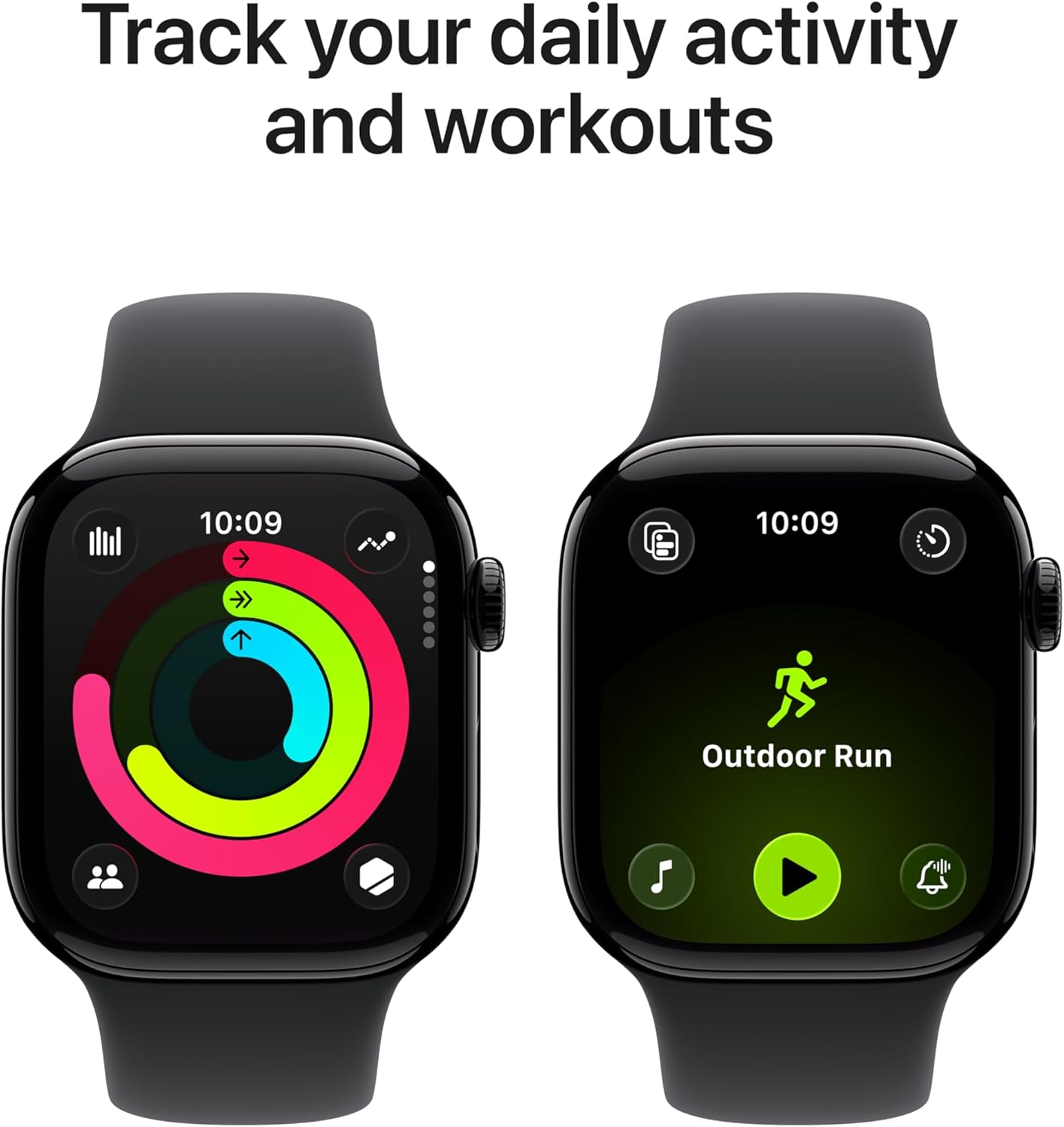
Image: Two Apple Watch displays side-by-side. One shows the activity rings tracking daily movement, and the other shows the 'Outdoor Run' workout interface.
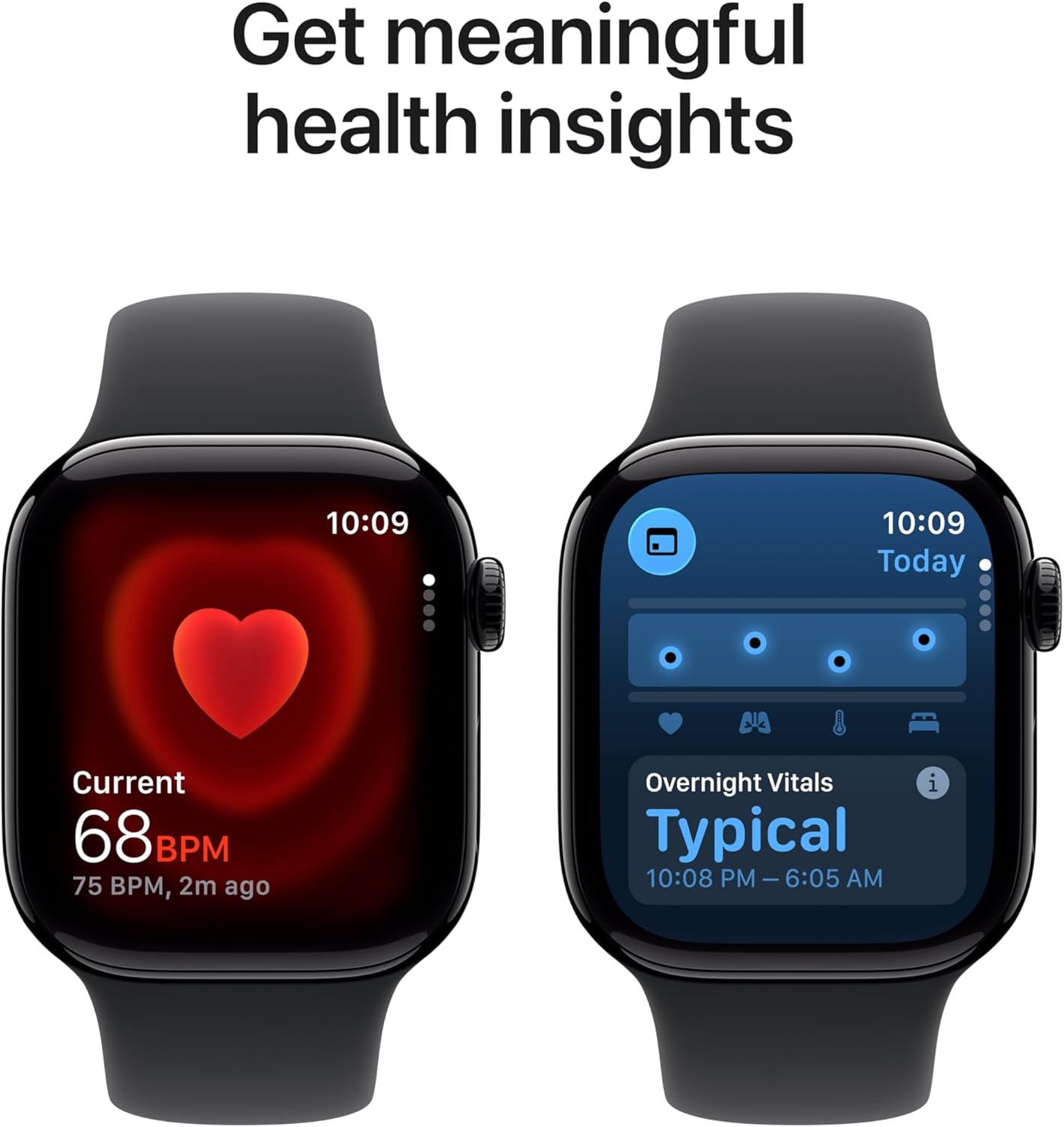
Image: Two Apple Watch displays. One shows a heart rate reading of 68 BPM, and the other shows 'Overnight Vitals' with a typical reading from 10:08 PM to 6:05 AM.

Image: A person wearing an Apple Watch Series 11 on their wrist, interacting with the display while outdoors, illustrating the 'Stay connected on the go' feature.
Техникалык тейлөө
Apple саатыңызды тазалоо
To maintain accuracy and prevent skin irritation, regularly clean your Apple Watch. Use a soft, lint-free cloth. If necessary, lightly dampen the cloth with fresh water. Do not use soaps, cleaning products, abrasive materials, or compressed air. Ensure the watch is dry before charging or wearing.
Батареяга кам көрүү
To optimize battery longevity, avoid exposing your Apple Watch to extreme temperatures. For long-term storage, charge the device to about 50% and store it in a cool, dry place.
Программалык камсыздоо жаңыртуулары
Keep your Apple Watch software updated to the latest version of watchOS. Updates often include performance improvements, new features, and security enhancements. You can check for updates via the Apple Watch app on your iPhone.
Проблемаларды чечүү
Жалпы маселелер жана чечимдер
- Күйгүзүлбөйт: Ensure the watch is charged. If it still doesn't turn on, try a force restart by holding both the side button and Digital Crown for at least 10 seconds until you see the Apple logo.
- Заряддалбай жатат: Verify the magnetic charging cable is properly connected to the watch and the power source. Try a different power adapter or USB-C port. Ensure the back of the watch and the charger are clean.
- Жупташтыруу маселелери: Ensure your iPhone's Bluetooth is on and the watch is within range. Restart both your iPhone and Apple Watch. If issues persist, unpair the watch from your iPhone (if previously paired) and attempt to pair again.
- Колдонмо жооп бербей жатат: Press the side button once to open the Dock, then swipe to the app and swipe left to close it. Reopen the app. If unresponsive, force restart the watch.
For more detailed troubleshooting or persistent issues, refer to the official Apple Support webсайтка же Apple кардарларды тейлөө кызматына кайрылыңыз.
Техникалык шарттар
| Өзгөчөлүк | Деталь |
|---|---|
| Модель номери | MEQT4LW/A |
| Продукциянын өлчөмдөрү | 9.4 x 3 x 1.2 дюйм |
| Элемент Салмагы | 1.12 унция |
| Өндүрүүчү | Apple |
| Операция системасы | watchOS |
| Эстутум сактоо сыйымдуулугу | 64 ГБ |
| Өзгөчөлүктөр | Activity Tracker, Always On Display, Cycle Tracking, GPS, Heart Rate Monitor, Sleep Score, Hypertension Notifications |
| Байланыш технологиясы | GPS, 5G, LTE, Wi-Fi 4 (802.11n), Bluetooth 5.3, Second-generation Ultra Wideband chip |
| Батарея клеткасынын курамы | Литий ион |
| GPS | Built-in GPS (L1 GPS, GNSS, Galileo, QZSS and BeiDou) |
| Форма | Төрт бурчтуу |
| Screen Size | 42 миллиметр |
| Материал | Aluminium or Titanium case |
| Аудио | Динамик, микрофон |
| Control | Digital Crown with haptic feedback, Side button, Double tap and wrist flick gesture, Siri with on-device processing |
| Дисплей | Always-On Retina display with wide-angle OLEDs and LTPO3, Ion-X front gt glass with 2x scratch resistance (aluminum cases), Sapphire front crystal (titanium cases), Up to 2,000 nits maximum brightness, 1 nit minimum brightness, 326 pixels per inch |
| Чип | 64-биттик эки ядролуу процессору, 4 ядролуу Apple Neural Engine менен S10 SiP |
| Сенсорлор | Electrical heart sensor, Third-generation optical heart sensor, Blood oxygen sensor, Temperature sensor, Compass, Always-on altimeter, High dynamic range gyroscope, High-g accelerometer, Ambient light sensor, Depth gauge up to 6 meters, Water temperature sensor |
| Коопсуздук өзгөчөлүктөрү | Emergency SOS, International emergency calling, Crash Detection, Fall Detection, Noise monitoring, Backtrack |
| Туруктуу | Water resistance 50m (swimproof), Dust Resistance IP6X |
| Кубат жана батареянын иштөө мөөнөтү | Up to 24 hours of normal use, Up to 38 hours in Low Power Mode, Fast-charge capable (Up to 80% charge in about 30 minutes, 15 minutes for up to 8 hours of normal use) |
Кепилдик маалымат
Your Apple Watch Series 11 is covered by Apple's standard limited warranty. This warranty covers manufacturing defects for a specified period from the date of purchase. For detailed terms and conditions, including coverage duration and how to make a claim, please refer to the official warranty documentation provided with your product or visit the Apple webсайт.
Additional coverage options, such as AppleCare+, may be available for purchase separately to extend your warranty and provide accidental damage protection.
Колдоо
For further assistance, technical support, or to explore additional features and accessories for your Apple Watch Series 11, please visit the official Apple Support webсайт:
https://support.apple.com/watch
You can also find community forums, FAQs, and contact information for direct support on the Apple Support portal.


