1. Киришүү
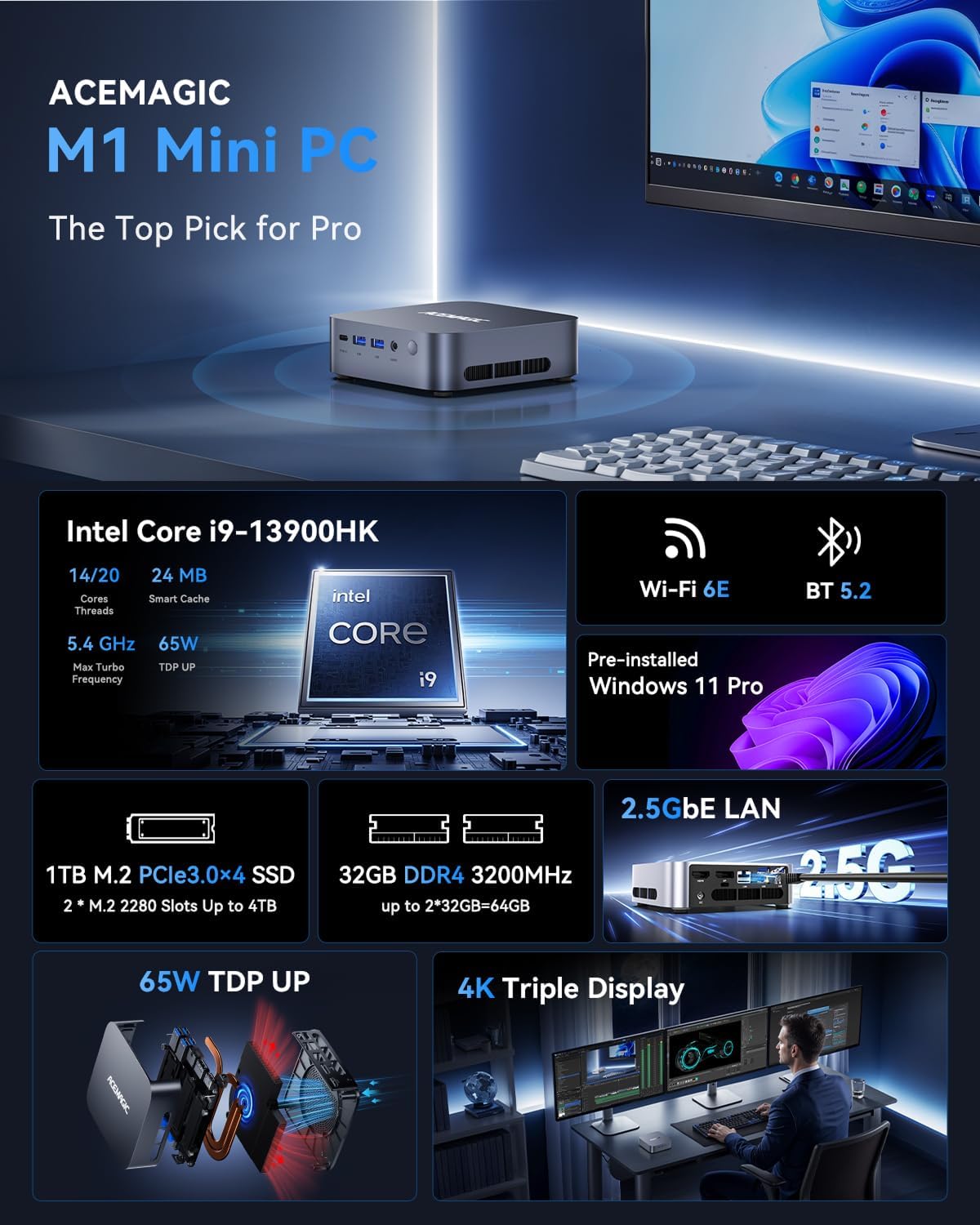
The ACEMAGICIAN M1 Mini Gaming PC is a high-performance, compact desktop computer designed for demanding tasks such as gaming, content creation, and professional workloads. Powered by an Intel Core i9-13900HK processor, 32GB DDR4 RAM, and a 1TB PCIe 4.0 NVMe SSD, it offers robust performance in a small form factor. This manual provides essential information for setting up, operating, maintaining, and troubleshooting your device.
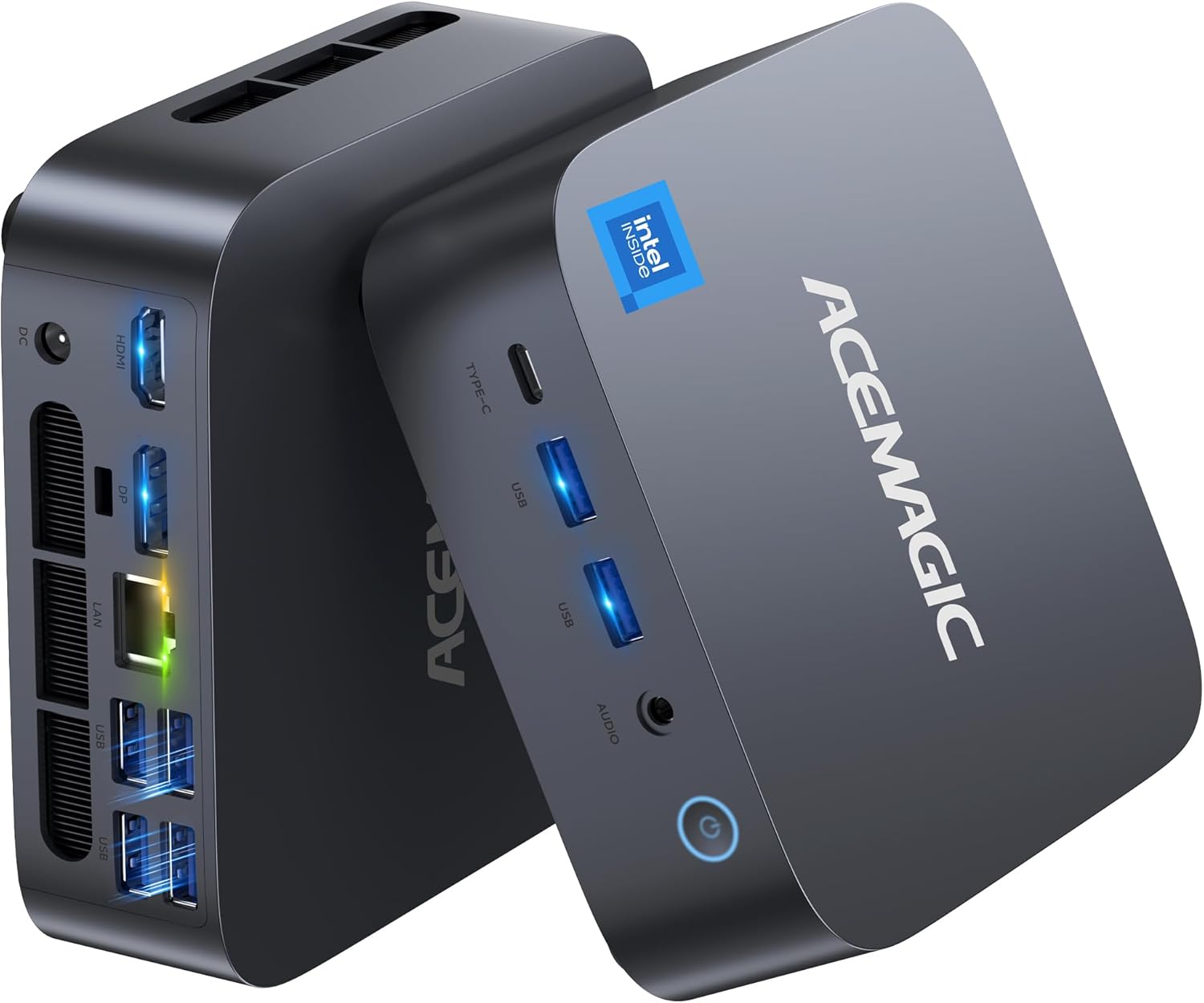
Figure 1: ACEMAGICIAN M1 Mini Gaming PC - Front and Rear View
2. Пакеттин мазмуну
Төмөндө тизмеленген нерселердин баары пакетиңизге камтылганын текшериңиз:
- 1 x M1 Mini PC
- 1 х кубат адаптери
- 1 x HDMI кабели
- 1 x VESA монтаждоо бурамалар менен
- 1 x User Manual

Figure 2: Diagram of included accessories
3. Орнотуу колдонмосу
- Туташуу кубаты: Plug the power adapter into the DC IN port on the rear of the Mini PC, then connect it to a power outlet.
- Дисплейди туташтыруу: Connect your monitor(s) to the Mini PC using the provided HDMI cable or a DisplayPort cable (not included). The Mini PC supports triple display output via HDMI, DisplayPort, and USB4 (DisplayPort Alt-Mode).
- Перифериялык түзүлүштөрдү туташтыруу: Клавиатураңызды, чычканыңызды жана башка USB түзмөктөрүңүздү жеткиликтүү USB портторуна туташтырыңыз.
- Тармак туташуусу: For a wired connection, plug an Ethernet cable into the 2.5GbE LAN port. For wireless, the Mini PC supports WiFi 6E and Bluetooth 5.2, which can be configured during the initial Windows setup.
- Күйгүзүү: Press the power button located on the front of the Mini PC. The system will boot into the pre-installed Windows 11 Pro operating system.
- Алгачкы Windows орнотуулары: Follow the on-screen instructions to complete the Windows 11 Pro setup, including language selection, network configuration, and user account creation.
Видео 1: Тез бүтүрүүview of ACEMAGICIAN M1 Mini PC setup and features.
Video 2: ACEMAGICIAN M1 Mini PC in action, demonstrating its compact size and connectivity.
4. Иштөө нускамалары
The ACEMAGICIAN M1 Mini PC runs on Windows 11 Pro, offering a familiar and intuitive user experience. Its powerful hardware configuration ensures smooth performance across various applications.
4.1. Жалпы колдонуу
- Көп тапшырма: The Intel Core i9-13900HK processor with 14 cores and 20 threads, combined with 32GB DDR4 RAM, allows for seamless multitasking. You can run multiple applications simultaneously without performance degradation.
- 4K Video Playback & Editing: The integrated Intel Iris Xe Graphics supports 4K video output at 60Hz, making it suitable for high-resolution media consumption and video editing tasks.
- Оюн: The Mini PC is capable of running many modern games at medium settings, providing a smooth gaming experience for titles like Fortnite, League of Legends, and Valorant.
4.2. Triple Display Output
Enhance your productivity by connecting up to three displays simultaneously. Utilize the HDMI 2.0, DisplayPort 1.4, and USB4 (DisplayPort Alt-Mode) ports to create an expansive workspace.
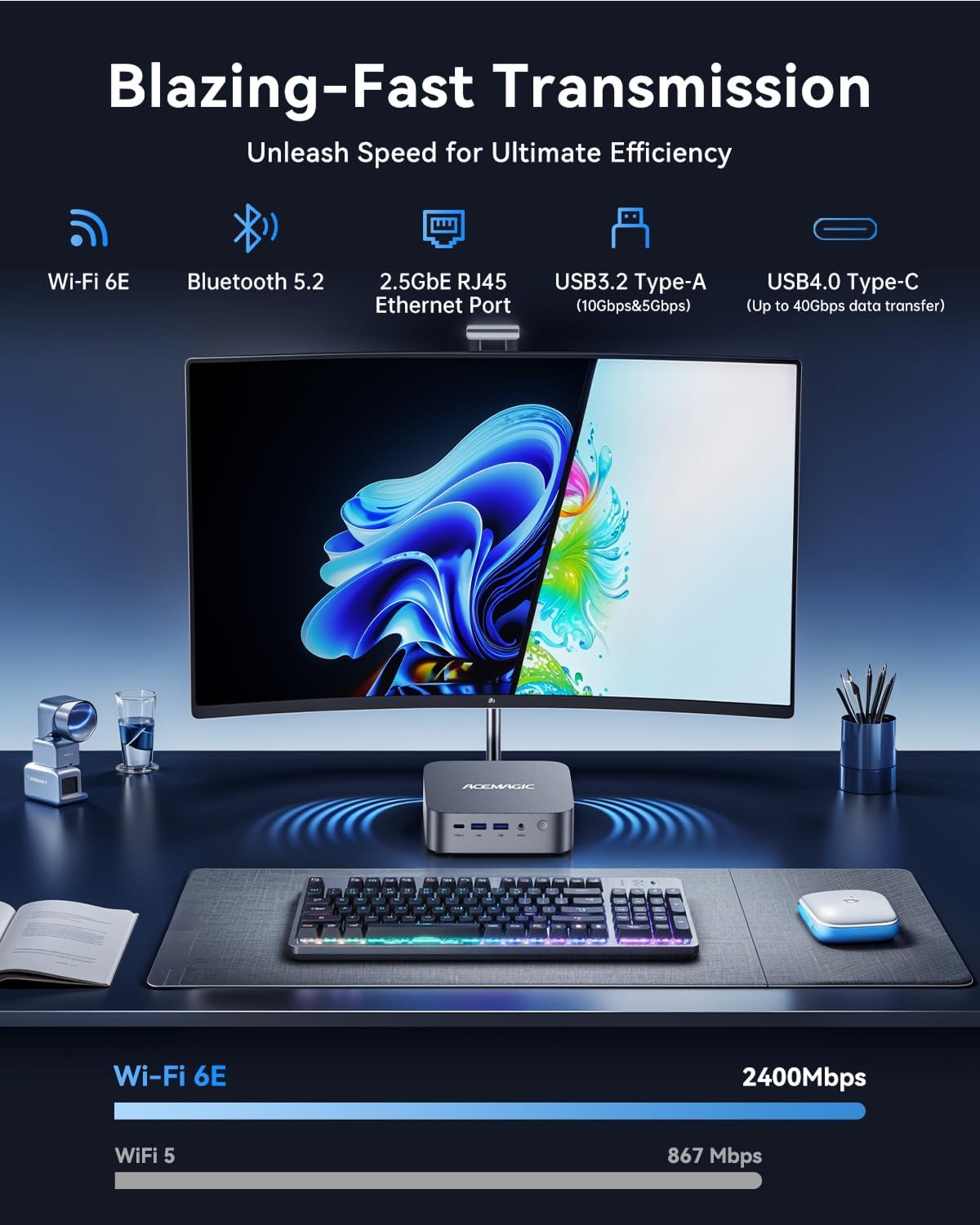
Figure 3: Triple display setup for enhanced productivity
5. Байланыш
The M1 Mini PC offers a wide range of connectivity options for all your peripherals and networking needs:
5.1. Front Ports
- 1 x USB4 Type-C (40Gbps data transfer, DisplayPort Alt-Mode, PD 15W Output)
- 2 x USB 3.2 Gen2 Type-A
- 1 x 3.5mm Audio Jack (Headphone + Microphone support)
- 1 x Кубат баскычы
5.2. Арткы порттор
- 1 x HDMI 2.0 (4K@60Гц)
- 1 x DisplayPort 1.4 (8K@30Hz / 4K@120Hz)
- 1 x 2.5GbE RJ45 Ethernet Port
- 4 x USB 3.2 Gen1 Type-A
- 1 x DC IN (Power Input)
5.3. Зымсыз байланыш
- Wi-Fi 6E: For high-speed, stable wireless internet connection.
- Bluetooth 5.2: For connecting wireless peripherals like keyboards, mice, and headphones.

4-сүрөт: Детальдуу view of front and rear ports
6. Сактоо жана эс тутум
The M1 Mini PC is equipped with ample storage and high-speed memory to handle demanding applications:
- RAM: 32GB (2x16GB) DDR4 RAM at 3200MHz, expandable up to 64GB.
- SSD: 1TB PCIe 4.0 NVMe SSD, with 2 M.2 2280 slots for expansion up to 4TB (supports both NVMe and SATA SSDs).
5-сүрөт: Ички view showing RAM and M.2 SSD slots
7. Муздатуу системасы
The ACEMAGICIAN M1 Mini PC features an advanced dual-fan cooling system with copper pipes and dual air duct design. This ensures quiet and efficient operation, preventing overheating even during intensive workloads, gaming, or content creation.

Figure 6: Diagram of the quiet and efficient dual-fan cooling system
8. Техникалык шарттар
| Өзгөчөлүк | Спецификация |
|---|---|
| Модел | M1 |
| Процессор | Intel Core i9-13900HK (14 Cores/20 Threads, up to 5.4GHz) |
| Графика | Intel Iris Xe Graphics eligible (Integrated) |
| RAM | 32 ГБ DDR4 3200MHz (64 ГБ чейин кеңейтилиши мүмкүн) |
| Сактагыч | 1TB PCIe 4.0 NVMe SSD (Expandable to 4TB) |
| Операция системасы | Windows 11 Pro |
| Video Output | HDMI 2.0, DisplayPort 1.4, USB4 (DP Alt-Mode) - Triple Display Support |
| USB порттору | 1 x USB4 Type-C, 2 x USB 3.2 Gen2 Type-A (Front), 4 x USB 3.2 Gen1 Type-A (Rear) |
| Network | 2.5GbE LAN, Wi-Fi 6E, Bluetooth 5.2 |
| Аудио | 3.5 мм аудио джек |
| Өлчөмдөр | 6.42 x 6.38 x 4.49 дюйм |
| Салмагы | 2.97 фунт |
9. Кыйынчылыктарды
If you encounter issues with your ACEMAGICIAN M1 Mini PC, please refer to the following common solutions:
- Дисплей жок: Ensure all display cables (HDMI, DisplayPort, USB4) are securely connected to both the Mini PC and the monitor. Verify the monitor is powered on and set to the correct input source.
- Кубат жок: Check that the power adapter is correctly plugged into the Mini PC and a working power outlet. Try a different outlet if necessary.
- Перифериялык түзмөк аныкталган жок: Ensure USB devices are properly connected. Try a different USB port. For wireless devices, check Bluetooth settings and ensure drivers are up to date.
- Жай аткаруу: Close unnecessary applications. Check Task Manager for high CPU/RAM usage. Ensure Windows and drivers are updated.
- Тармак маселелери: For wired connections, check the Ethernet cable and router. For Wi-Fi, ensure the Mini PC is within range of your router and the Wi-Fi adapter is enabled. Restarting the router may also help.
10. Техникалык тейлөө
To ensure the longevity and optimal performance of your Mini PC, follow these maintenance guidelines:
- Тазалыкты сактоо: Regularly clean the exterior of the Mini PC with a soft, dry cloth. Use compressed air to gently clear dust from ventilation holes to maintain proper airflow.
- Вентиляцияны камсыз кылуу: Do not block the ventilation openings. Place the Mini PC in a well-ventilated area to prevent overheating.
- Программалык камсыздоо жаңыртуулары: Keep your Windows operating system and device drivers updated to ensure stability, security, and optimal performance.
- Коопсуз өчүрүү: Always shut down the Mini PC properly through the Windows operating system to prevent data corruption.
11. Кепилдик жана колдоо
The ACEMAGICIAN M1 Mini PC comes with a 3 жылдык кепилдик, providing extended protection for your investment. For any questions, technical assistance, or warranty claims, please contact our support team:
- Колдоо электрондук почтасы: service@acemagicians.com
- Телефон (АКШ): +1 800 908 1980
- Amazon колдоо: Log in to your Amazon buyer account, find your order, and click "Get Help."

Figure 7: ACEMAGICIAN Customer Support Details


