1. Киришүү
Welcome to the UMIDIGI G100 user manual. This guide provides essential information to help you set up, operate, and maintain your new smartphone. The UMIDIGI G100 is an unlocked Android 14 cell phone featuring a 6.9-inch HD+ 120Hz display, an Octa-core processor, 12GB RAM (6GB physical + 6GB virtual) and 128GB internal storage (expandable up to 1TB), a 50MP triple camera system, and a 6000mAh battery with 20W fast charging.
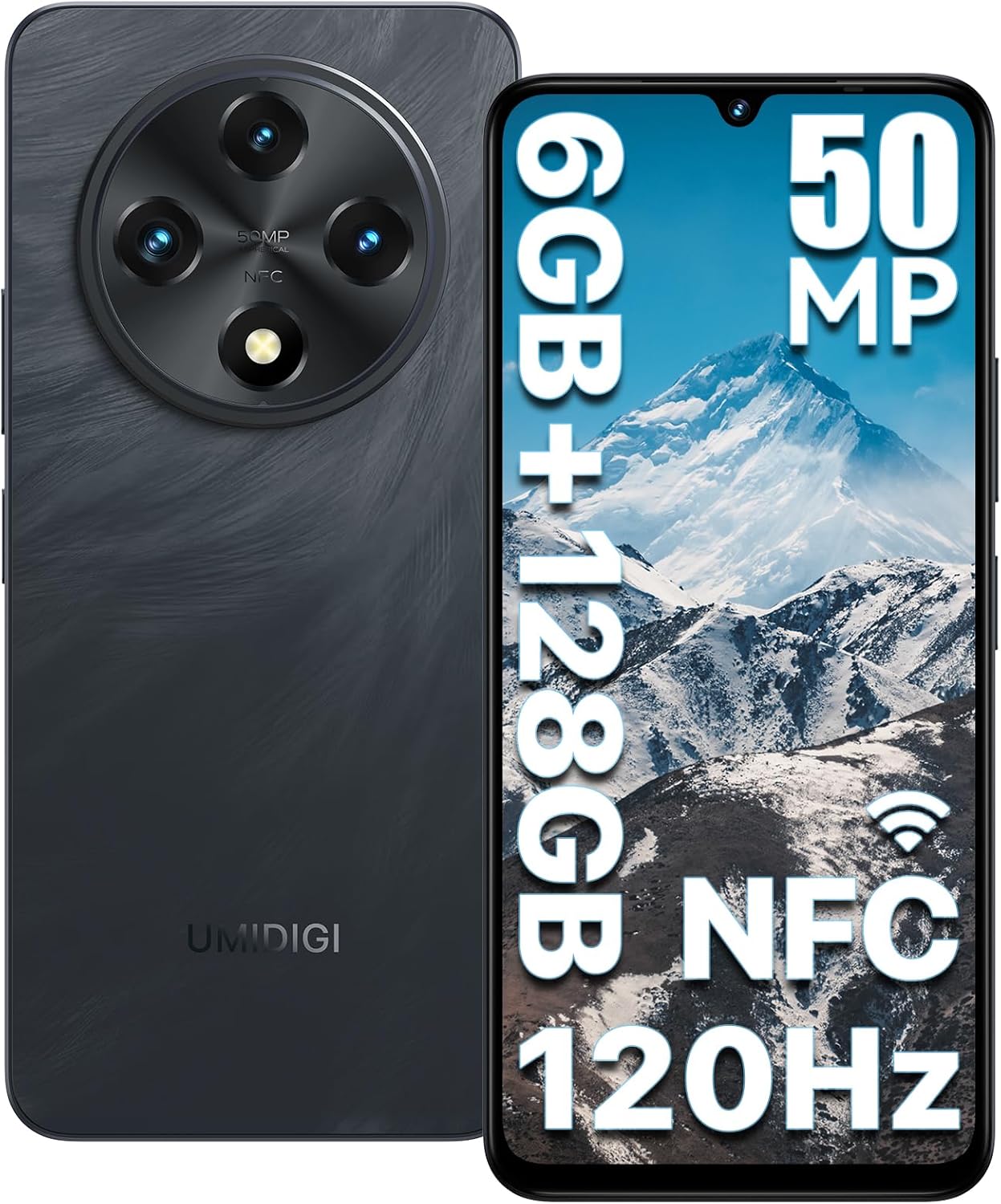
Сүрөт 1: Алдыңкы жана арткы view of the UMIDIGI G100 Unlocked Cell Phone, highlighting its sleek design and camera module.
2. Кутуда эмне бар
Your UMIDIGI G100 package includes the following items:
- UMIDIGI G100 Phone
- Коргоочу пленка (колдонулган)
- Телефон корпусу
- Type-C Cable (C to C)
- Кубаттуу адаптер
- SIM лоток чыгаруучу
- Quick Start Guide

Figure 2: All items included in the UMIDIGI G100 retail packaging.
3. Орнотуу
3.1 SIM/TF картасын салуу
The UMIDIGI G100 supports dual 4G SIM cards or one Nano-SIM and one Micro TF card. Use the provided SIM ejector tool to open the SIM tray located on the side of the device. Carefully place your Nano-SIM card(s) and/or Micro TF card into the tray as indicated, then reinsert the tray into the phone.

Figure 3: Illustration of SIM and TF card insertion into the device.
3.2 Баштапкы күйгүзүү жана негизги орнотуу
Press and hold the Power button on the side of the phone until the UMIDIGI logo appears. Follow the on-screen prompts to select your language, connect to a Wi-Fi network, and set up your Google account. This process will guide you through essential settings to personalize your device.
3.3 Эстутумду кеңейтүү
The UMIDIGI G100 features a memory extension function, allowing you to expand the RAM using virtual memory. To enable this:
- Enter the phone "Settings".
- Find "Memory Extension".
- Select "RAM Extend Size" (e.g., 2GB, 4GB, 6GB).
- Select "Reboot" and the phone will reboot for the setting to take effect.

Figure 4: Visual guide for activating RAM memory extension.
4. Иштөө нускамалары
4.1 Дисплей жана навигация
The UMIDIGI G100 features a 6.9-inch HD+ display with a 120Hz refresh rate, providing a smooth visual experience. Navigate the interface using touch gestures: swipe to scroll, tap to select, and pinch to zoom.

Figure 5: The 6.9-inch HD+ display in action.
4.2 Коопсуздук өзгөчөлүктөрү
Unlock your device securely using Fingerprint ID or AI Face Unlock. The fingerprint sensor is integrated into the side power button for convenient access. To set up:
- барыңыз Орнотуулар > Коопсуздук > Манжа изи менен кулпудан ачуу or Жүзүнөн ачуу.
- Манжа изиңизди же жүзүңүздүн дайындарын каттоо үчүн экрандагы нускамаларды аткарыңыз.

Figure 6: AI Face Unlock and Side Fingerprint Sensor.
4.3 Камераны колдонуу
The UMIDIGI G100 is equipped with a 50MP triple rear camera (50MP Main, 2MP Macro, 2MP Depth) and a 16MP front camera. Open the Camera app to access various modes like Photo, Video, Portrait, Macro, and Night View. Tap the shutter button to capture images or start/stop video recording.

Figure 7: ашыкview of the G100's camera system and capabilities.
4.4 Байланыш
The device supports Dual 4G LTE networks, Wi-Fi, Bluetooth 5.2, GPS, and NFC. Ensure your SIM card is compatible with the supported network bands (4G LTE: B1/2/3/4/5/7/8/12/17/18/19/20/26/28AB/66 B34/39/38/40/41F; 3G WCDMA: B1/2/4/5/8; 2G GSM: B2/3/5/8). NFC functionality supports Google Pay for contactless payments.

Figure 8: Multi-function NFC for convenient payments.
5. Медиа интеграциясы
5.1 Расмий продукт Videos
Watch these official videos from the seller for more information on the UMIDIGI G100.
Video 1: UMIDIGI G100 Unlocked Cell Phone Android 14 - An overview of the phone's features and design.
Video 2: UMIDIGI G100 unlocked android smartphone - A closer look at the phone's functionalities.
6. Техникалык шарттар
| Өзгөчөлүк | Деталь |
|---|---|
| Модель аты | G100 |
| Операция системасы | Android 14 |
| Screen Size | 6.9 дюйм |
| Резолюция | 1920 x 1080 |
| Жаңыртуу ылдамдыгы | 120 Гц |
| Процессор | Octa-core (UNISOC T615) |
| RAM | 6 GB (expandable to 12 GB with virtual memory) |
| Эстутум сактоо сыйымдуулугу | 128 GB (expandable to 1 TB with Micro SD) |
| Арткы камера | 50MP Main + 2MP Macro + 2MP Depth |
| Алдыңкы камера | 16MP |
| Батарея сыйымдуулугу | 6000 мАч |
| Заряддоо | 20 Вт тез кубаттоо, C түрү |
| Connectivity Technologies | Wi-Fi, Bluetooth 5.2, 4G LTE, GPS, NFC |
| Коопсуздук | Fingerprint & Face ID Unlock |
| Өлчөмдөр | 6.73 x 3.03 x 0.31 дюйм |
| Элемент Салмагы | 1.08 фунт |
7. Кыйынчылыктарды
7.1 Жалпы маселелер жана чечимдер
- Телефон күйбөй жатат: Ensure the battery is charged. Connect to the 20W fast charger and wait a few minutes before attempting to power on again.
- Тармакка туташуу көйгөйлөрү: Verify your SIM card is correctly inserted and activated. Check your network settings (Settings > Network & internet) and ensure mobile data is enabled. Confirm your SIM card supports the UMIDIGI G100's network bands.
- Жай аткаруу: Close unnecessary background apps. Consider enabling the Memory Extension feature (see Section 3.3) to increase available RAM. Clear cache for frequently used apps.
- Манжа изи/Бетти ачуу иштебей жатат: Ensure your fingerprint or face data is correctly registered. Clean the fingerprint sensor. Ensure adequate lighting for Face Unlock.
8. Кепилдик жана колдоо
UMIDIGI conducts strict inspections at every stage, from design to production. Customers can enjoy 12 months of free repair warranty and lifetime technical support when purchasing from the official UMIDIGI flagship store.
- 30-Day Money Back Guarantee and Free Return
- 1 жылдык Чектелген Кепилдик
- 24/7 онлайн колдоо
For further assistance, please refer to the Quick Start Guide included in your package or visit the official UMIDIGI support webсайт.


