1. Киришүү
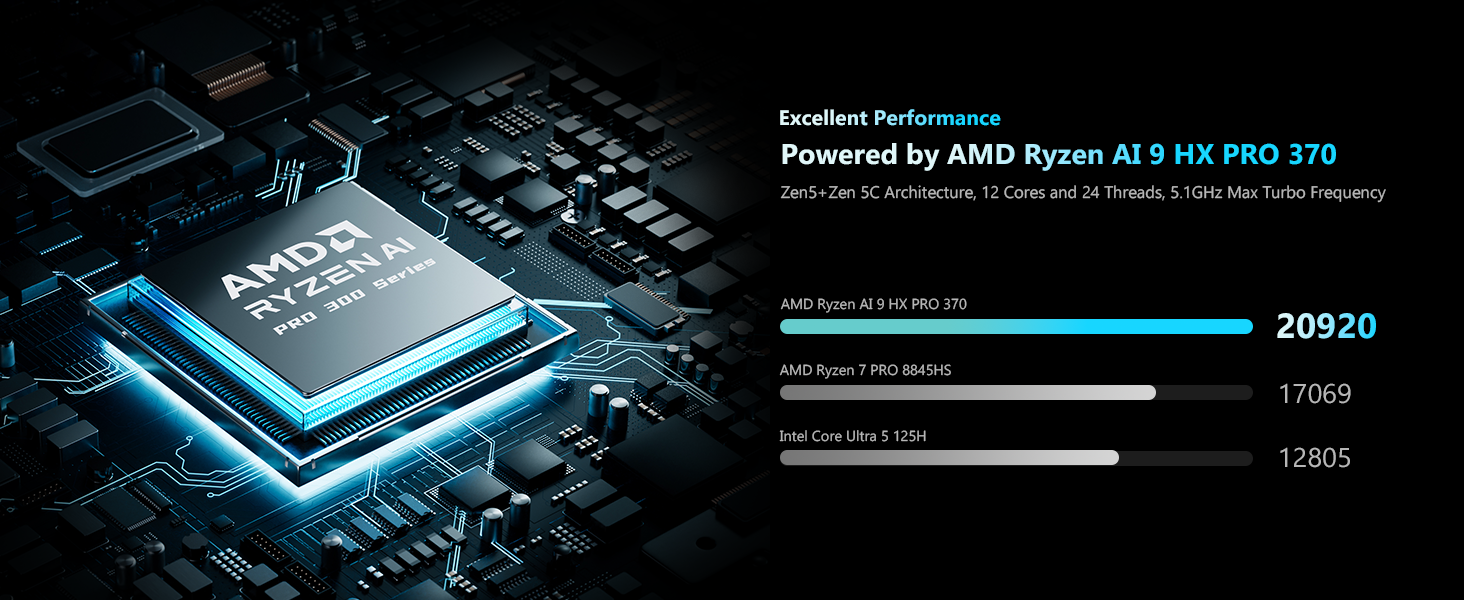
The MINISFORUM N5 Pro-P370 is a high-performance 5-bay desktop Network Attached Storage (NAS) device designed for both home and business use. It features an AMD Ryzen AI 9 HX PRO 370 processor, offering extreme AI-accelerated performance for tasks like 4K transcoding, stable multitasking, and AI training. This manual provides essential information for setting up, operating, maintaining, and troubleshooting your N5 Pro NAS.
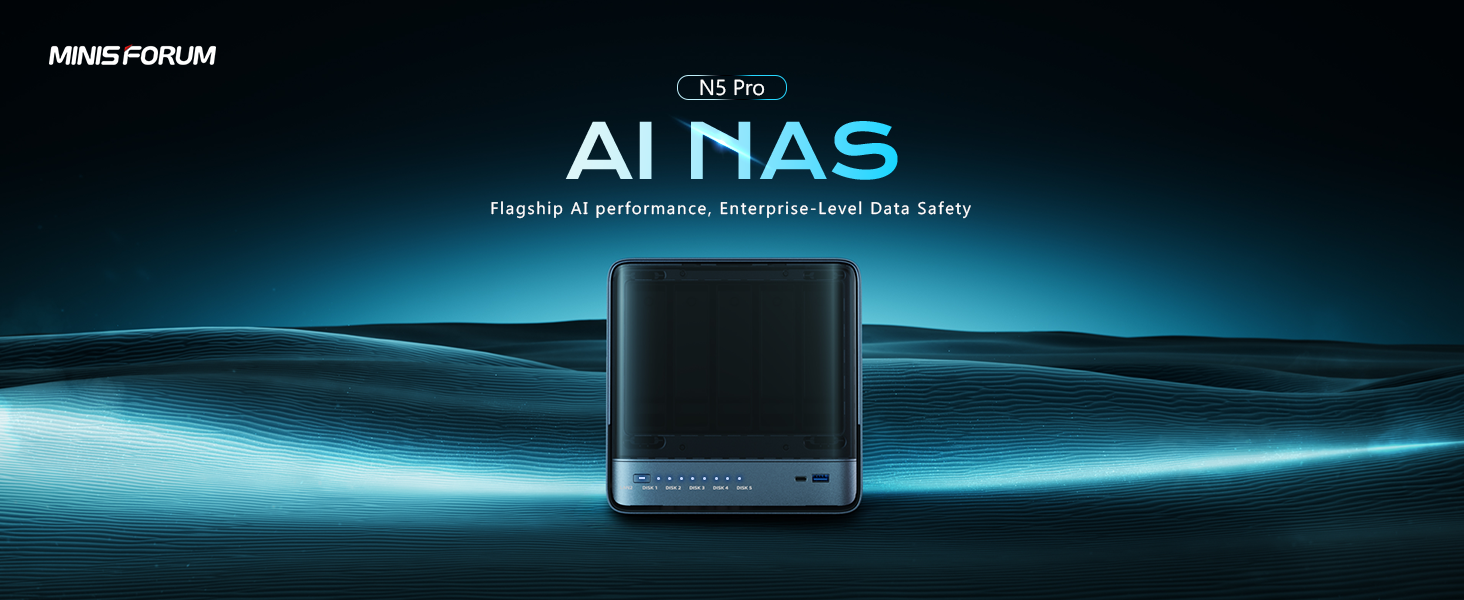
Image: The MINISFORUM N5 Pro AI NAS highlighting its flagship AI performance capabilities.
Видео: Бүттүview of the N5 Pro NAS features and design.
2. Коопсуздук маалыматы
Аппаратка зыян келтирбөө же өзүңүзгө зыян келтирбөө үчүн бардык коопсуздук нускамаларын кылдаттык менен окуп чыгып, аткарыңыз. Бул колдонмону келечекте маалымат алуу үчүн сактаңыз.
- Use only the power adapter and cables provided with the device.
- Ensure proper ventilation to prevent overheating. Do not block any ventilation openings.
- Аппаратты сууга, нымдуулукка же экстремалдык температурага тийгизбеңиз.
- Аппаратты түшүрүүдөн же катуу таасирлерден сактаныңыз.
- For OCuLink connections, ensure the NAS is turned off before plugging or unplugging the external graphics card to prevent damage.
3. Пакеттин мазмуну
Төмөндө тизмеленген нерселердин баары пакетиңизге камтылганын текшериңиз. Эгерде кандайдыр бир нерселер жок болсо же бузулса, кардарларды колдоо менен байланышыңыз.
- MINISFORUM N5 Pro-P370 NAS Unit
- Кубаттуу адаптер
- Электр кабели
- Ethernet кабели
- HDMI кабели
- U.2 адаптер
- U.2 Adapter Cable
- 2.5-inch Screws
- U.2 Screws
- Instruction Manual
Video: Unboxing the N5 Pro and displaying all included accessories.
4. Продукт бүтүп калдыview
The N5 Pro NAS features a robust design with accessible ports and indicators for easy management.
Front Panel
- Кубат баскычы: Аппаратты күйгүзүү/өчүрүү үчүн.
- Статус LED: Системанын абалын көрсөтөт.
- NIC LED: Network Interface Card activity indicator.
- HDD LED: Hard Disk Drive activity indicator for each bay.
- USB4 (Alt DP 2.0): High-speed USB port with DisplayPort alternate mode.
- USB 3.2 2-муун: High-speed USB port.
Арткы панель
- Anti-theft Lock Hole: Түзмөктү бекитүү үчүн.
- USB4 (Alt DP 2.0): Additional high-speed USB port with DisplayPort alternate mode.
- Тешикти баштапкы абалга келтирүү: Системаны баштапкы абалга келтирүү үчүн.
- HDMI2.1: Video output port.
- OCuLink: Interface for external GPUs.
- USB 3.2 2-муун: Additional high-speed USB port.
- 5G LAN (RJ45): 5 Gigabit Ethernet port.
- 10G LAN (RJ45): 10 Gigabit Ethernet port.
- USB 2.0: Стандарттык USB порту.
- DC 19V: Кубат киргизүү.
Сүрөт: деталдуу view of the front and rear connectivity ports on the N5 Pro NAS.
Video: A detailed look at the N5 Pro AI NAS, highlighting its flagship performance and features.
5. Орнотуу
Аппараттык орнотуу
The N5 Pro features a modular sliding design for easy access to internal components for upgrades and installation.
HDD / SSD орнотуу
The NAS supports 5 x 3.5"/2.5" HDDs (up to 22TB each for a total of 110TB) and 3 x M.2 SSDs or 1 x M.2 + 2 x U.2 SSDs (up to 34TB total). To install drives:
- Gently pull the front panel to access the drive bays.
- Slide out an empty drive tray.
- Secure your HDD or SSD to the tray using the provided screws.
- Табакты ордуна чыкылдаган үн чыкканча кайра ордуна жылдырыңыз.
- For M.2/U.2 SSDs, you will need to open the chassis to access the M.2 slots. The device comes with a built-in 128GB system drive occupying one M.2 slot. To use all three M.2 slots, this system drive must be removed.

Сүрөт: Ички view of the N5 Pro, showing the drive bays and M.2 SSD slots.
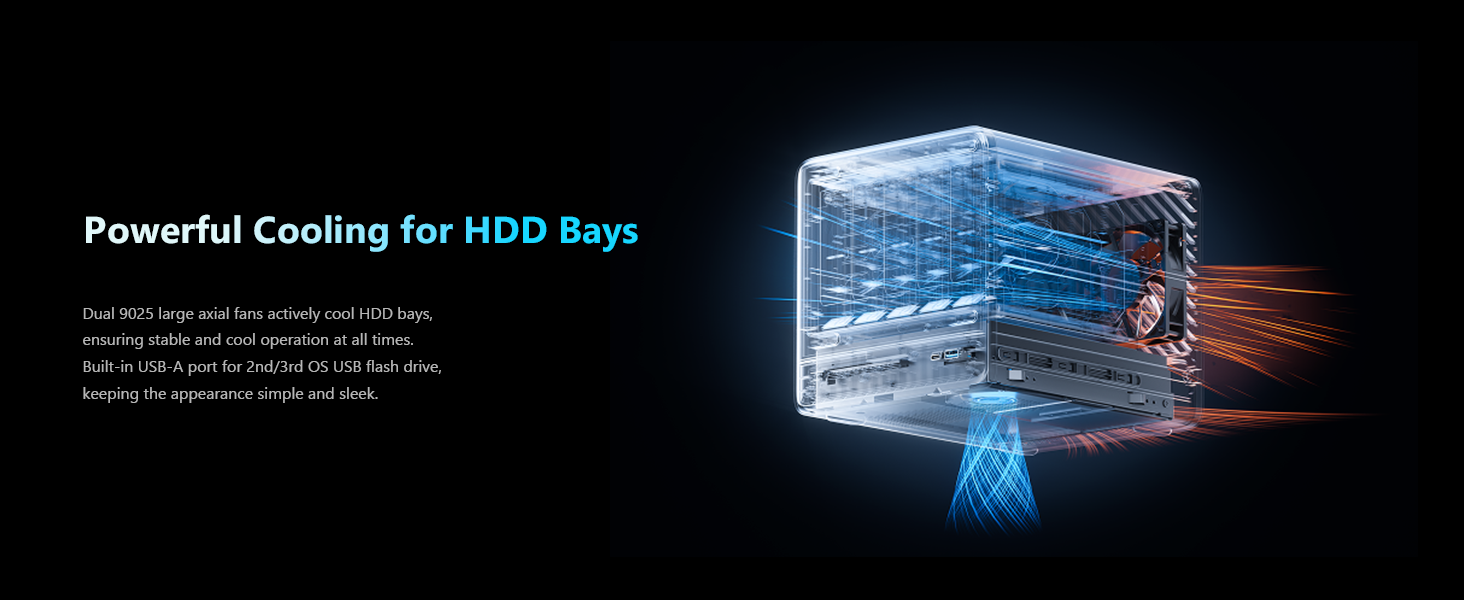
Image: Illustration of the N5 Pro's storage capacity, supporting 5 HDDs and 3 SSDs for up to 144TB.
RAM орнотуу
The N5 Pro supports DDR5 ECC memory up to 96GB for increased stability. To install or upgrade RAM:
- Open the chassis to access the SO-DIMM slots.
- Align the RAM module with the slot and press down firmly until the clips on both sides lock into place.

Image: Visual representation of the expandable DDR5 memory in the N5 Pro, supporting up to 96GB.
Баштапкы күйгүзүү
- Connect the power cable to the NAS and a power outlet.
- Connect an Ethernet cable from the NAS to your network router or switch.
- Press the power button on the front panel. The Status LED will illuminate.
OS Installation/Configuration
The N5 Pro comes pre-installed with MinisCloud OS. You can begin using the system immediately after initial setup. If you wish to install a third-party operating system, MinisCloud OS and its features will be unavailable. Refer to the specific OS installation guide for your chosen operating system.
Video: An unboxing and initial setup guide for the Minisforum N5 Pro AI NAS.
6. Иштөө
MinisCloud OS Features
MinisCloud OS provides a secure and user-friendly system supporting Windows, macOS, iOS, and Android devices. Key features include:
- AI Photo Library: Features face recognition and semantic search for effortless photo organization.
- Үй кинотеатры: HDMI output, poster wall, and fast 4K transcoding for a rich multimedia experience. Supports lossless decoding and DSD for Hi-Fi audio.
- Integrated Docker: With namespace isolation for smart application deployment.
- One-Click Backup & Sync: Easy backup and multi-device synchronization.
- Multi-User Isolation & Encrypted Sharing: Secure data management for multiple users.
- One-Click Remote Access: Convenient remote access with NAT traversal.

Image: MinisCloud OS interface displayed across multiple devices, showcasing анын ар тараптуулугу.
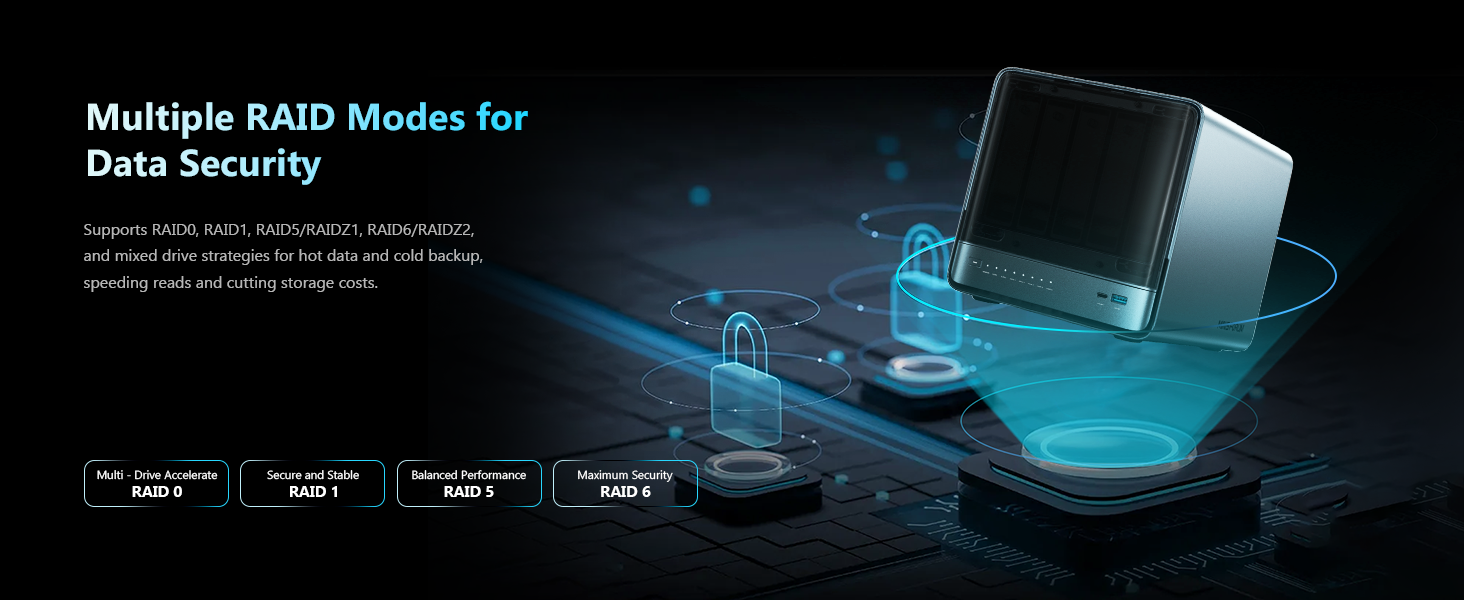
Image: Conceptual image illustrating flexible access control and multi-level spaces for data management.
Маалыматтарды башкаруу
The N5 Pro supports various RAID modes and ZFS features for robust data protection.
- RAID Modes: Supports RAID 0, 1, 5, 6, and RAIDZ for different levels of performance and redundancy.
- ZFS Snapshots: Provides enterprise-level data protection with ZFS snapshots and LZ4 compression.
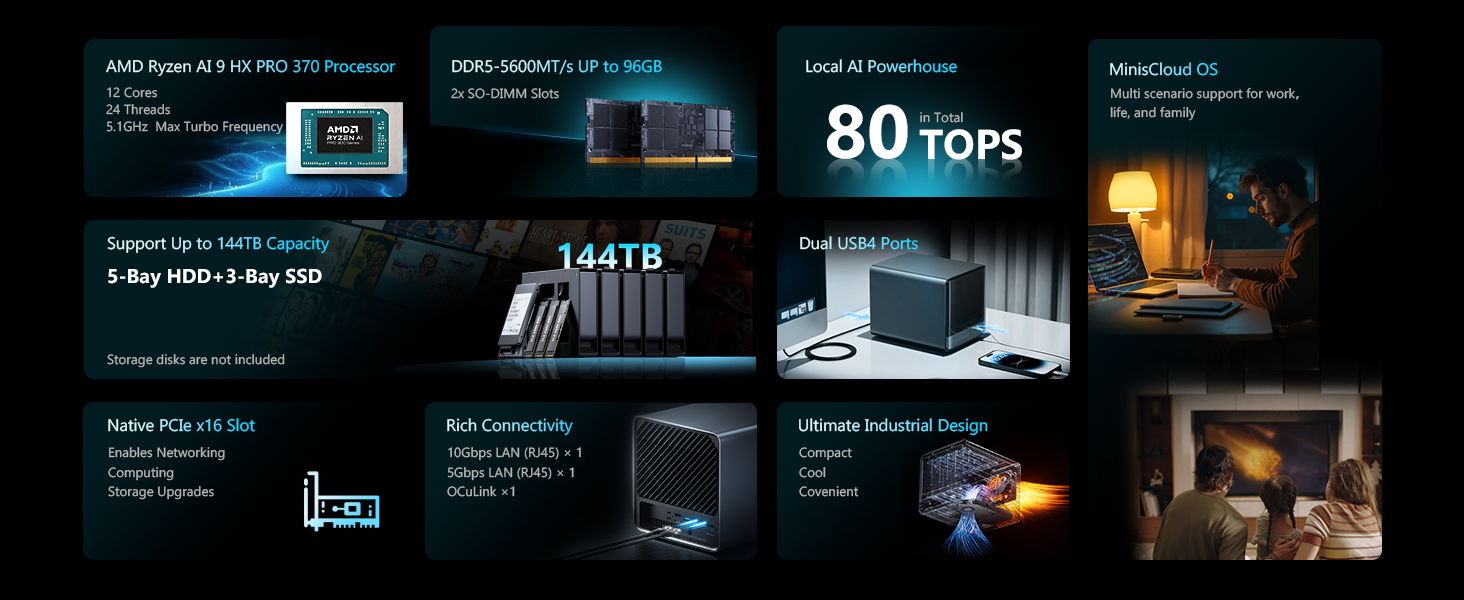
Image: Visual explanation of multiple RAID modes supported by the N5 Pro for enhanced data security.
Байланыш
The N5 Pro offers high-speed connectivity options for various applications.
- Dual LAN Ports: 2 x 10GbE + 5GbE LAN ports with aggregation up to 15 Gbps.
- USB4 Ports: 2 x USB4 ports (20 Gbps) for ultra-fast data transmission.
- PCIe Slot: A 16x PCIe slot for advanced expansion, including NICs, SSD cache arrays, or external GPUs.
- OCuLink Interface: Connect to an external discrete graphics card for improved gaming and AI capabilities. Note: This interface does not support hot-swapping. Plug and unplug only when the NAS is off.
- Triple Screen Display: Supports efficient work with 3-screen display via USB4 (8K@60Hz | 4K@144Hz) and HDMI 2.1 FRL (8K@60Hz | 4K@144Hz).
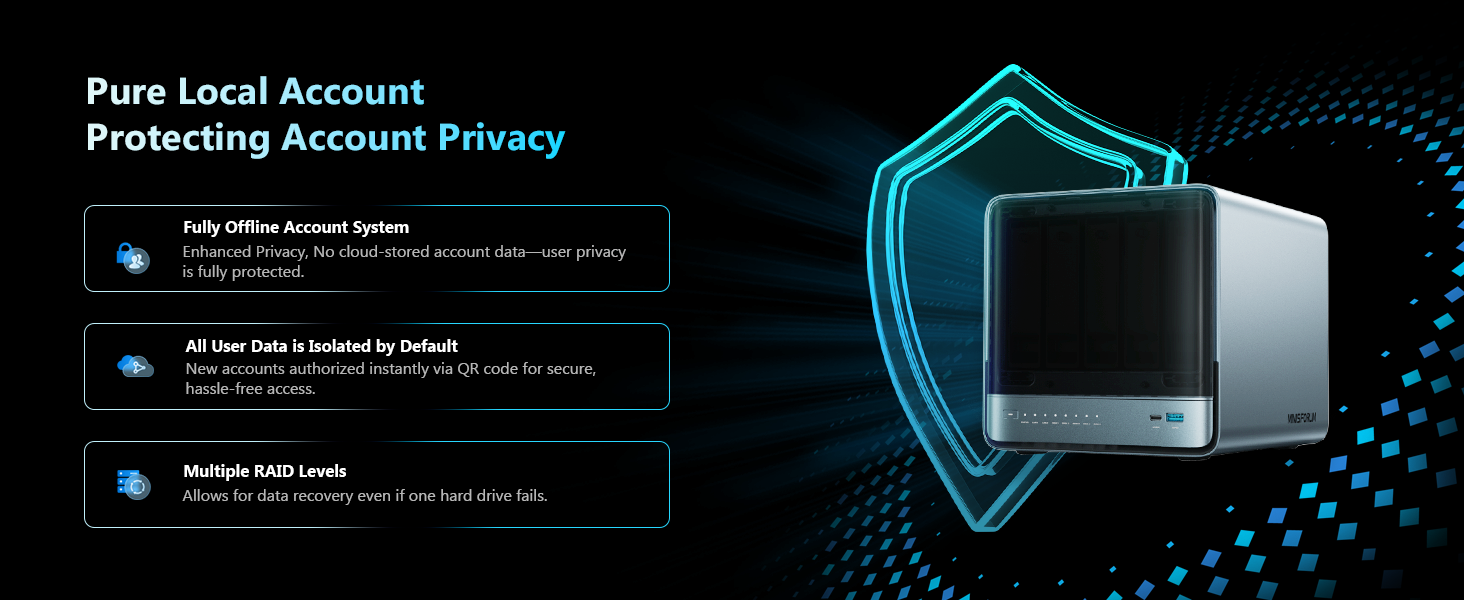
Image: Highlighting the ultra-fast data transfer capabilities of the N5 Pro with its dual LAN and USB4 ports.
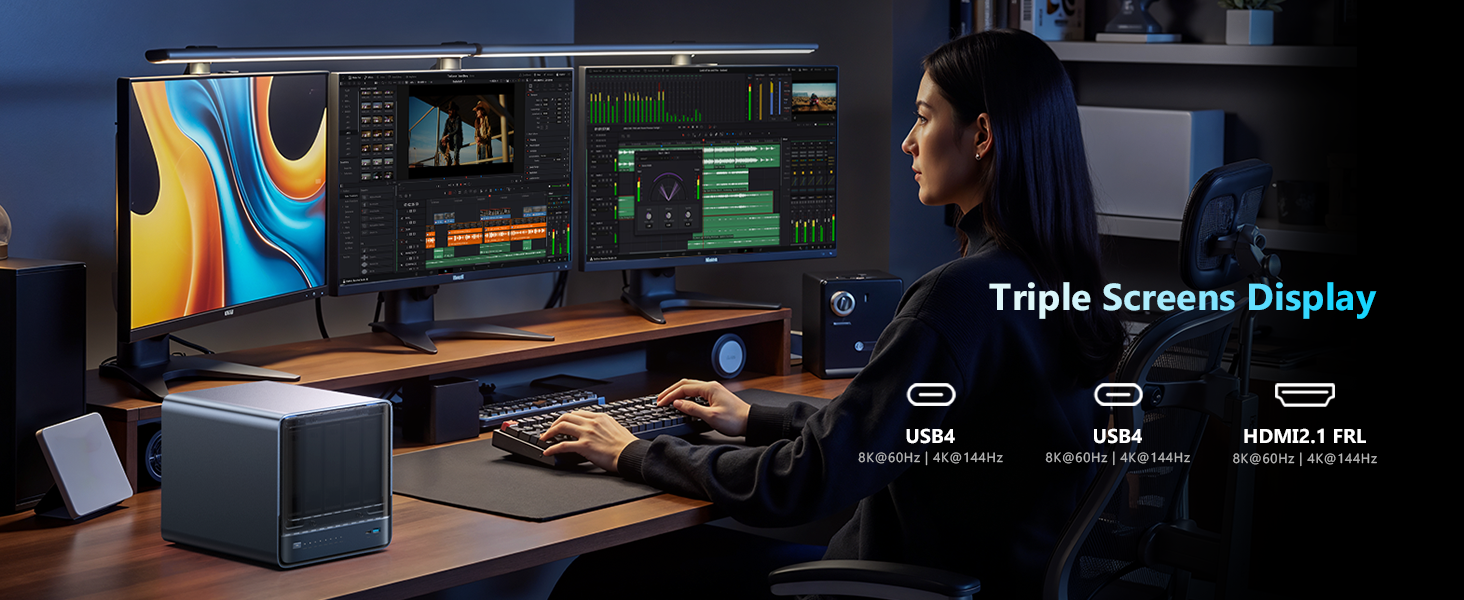
Image: Diagram showing the PCIe x16 slot for advanced expansion options.
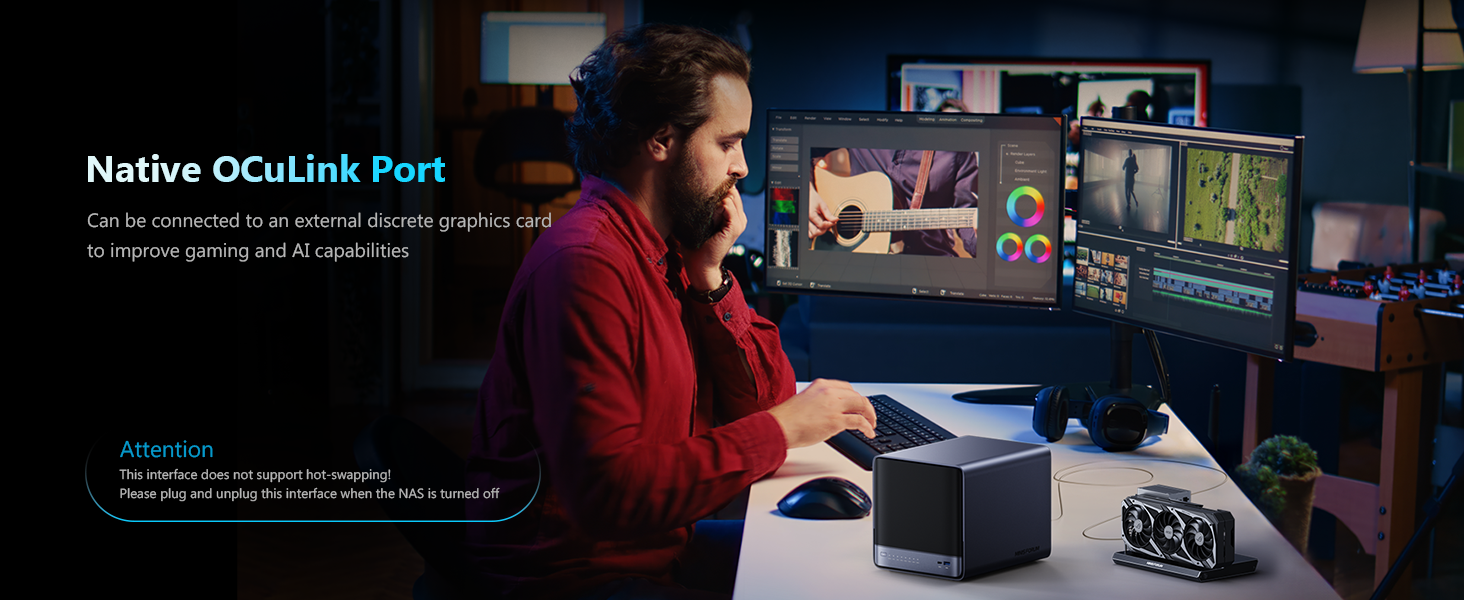
Image: The N5 Pro's native OCuLink port, demonstrating its use with an external discrete graphics card.
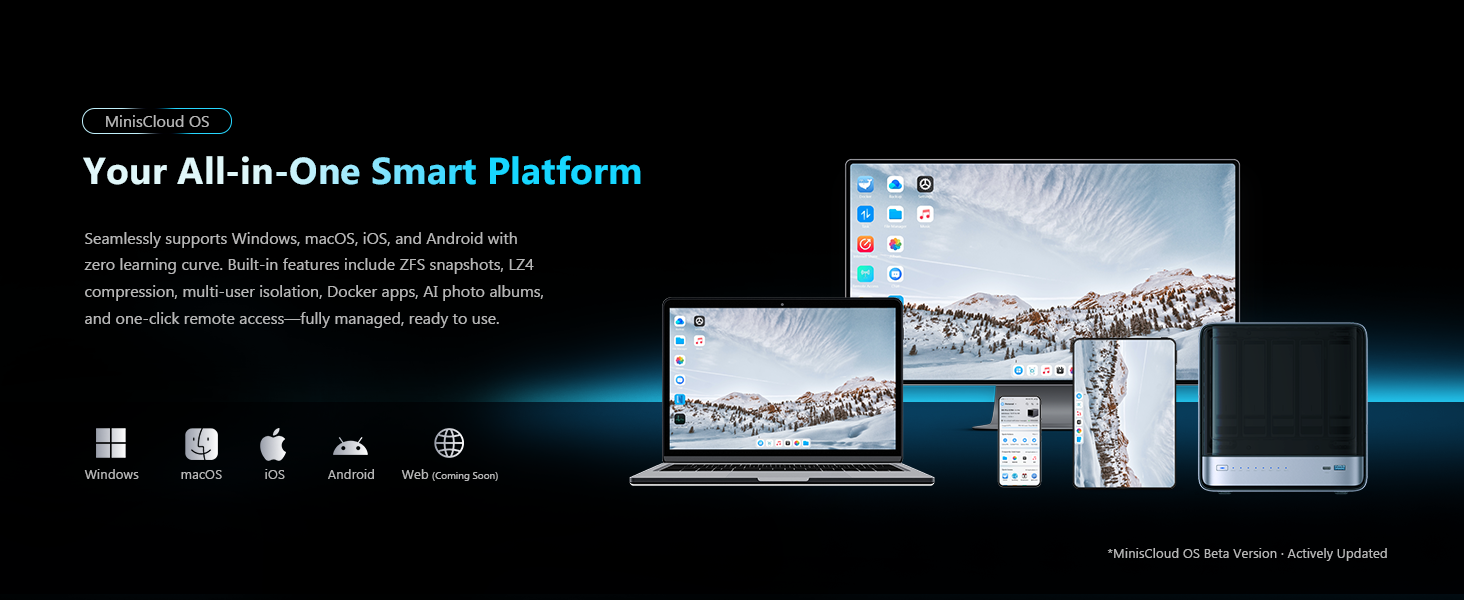
Image: A workstation setup utilizing the N5 Pro for a triple screen display, enhancing productivity.
7. Техникалык тейлөө
Regular maintenance ensures optimal performance and longevity of your N5 Pro NAS.
- Тазалоо: Periodically clean the exterior of the device with a soft, dry cloth. Ensure ventilation grilles are free from dust and debris.
- Программалык камсыздоонун жаңыртуулары: Keep your MinisCloud OS or chosen operating system updated to the latest version for security and performance improvements.
- Аппараттык камсыздоону жаңыртуу: The modular sliding design allows for easy RAM and SSD upgrades. Refer to the installation section for guidance.
- Муздатуу системасы: The dual 9025 large axial fans actively cool the HDD bays, ensuring stable and cool operation. Ensure adequate airflow around the device.
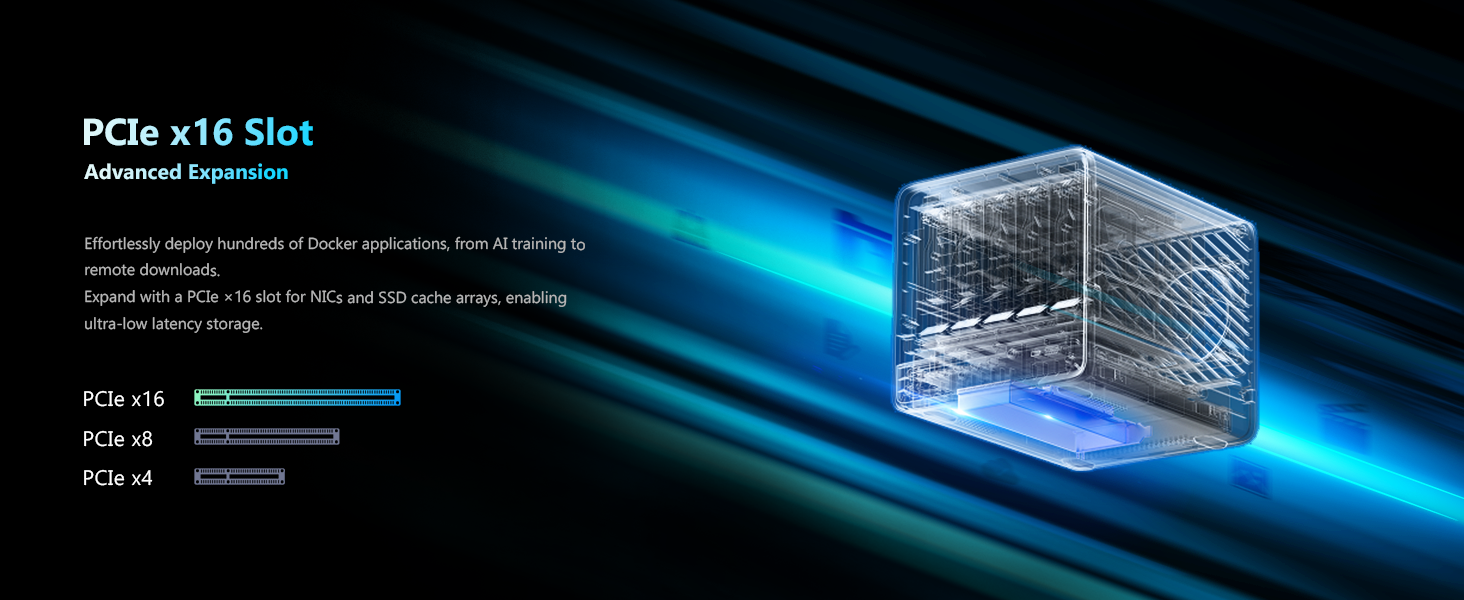
Image: Diagram illustrating the powerful cooling system for the HDD bays in the N5 Pro.
8. Кыйынчылыктарды
If you encounter issues with your N5 Pro NAS, refer to the following common troubleshooting steps:
- Түзмөк күйбөй жатат: Check all power connections. Ensure the power adapter is securely plugged into both the NAS and the power outlet.
- Тармакка туташуу маселелери: Verify that the Ethernet cable is properly connected to both the NAS and your network device. Check network settings in MinisCloud OS or your chosen operating system.
- Hard Drive/SSD Not Detected: Ensure drives are correctly seated in their bays or M.2/U.2 slots. If recently installed, check the physical connections.
- Операциялык системанын көйгөйлөрү: If experiencing software-related problems, consider reinstalling MinisCloud OS or your third-party operating system. Note that reinstalling a third-party OS will make MinisCloud OS features unusable.
- BIOSко кирүү: If unable to access the BIOS/boot menu, ensure your display is connected and try different key combinations (e.g., DEL, F2) during startup.
9. Техникалык шарттар
| Процессор | AMD Ryzen AI 9 HX PRO 370 (12 cores/24 threads, up to 5.1 GHz) |
| NPU | 50 TOPS |
| GPU | Radeon 890M GPU |
| RAM | Up to 96 GB DDR5 ECC |
| HDD булуңдары | 5 x 3.5"/2.5" (up to 22 TB each, 110 TB total) |
| SSD Slots | 3 x M.2 SSDs or 1 x M.2 + 2 x U.2 SSDs (up to 34 TB total) |
| LAN порттору | 2 x 10 GbE + 5 GbE (aggregation up to 15 Gbps) |
| USB порттору | 2 x USB4 (20 Gbps), 2 x USB 3.2 Gen2, 1 x USB 2.0 |
| Video Output | HDMI 2.1 FRL, USB4 (Alt DP 2.0) for triple screen display |
| Кеңейтүү оюгу | 1 x PCIe x16, 1 x OCuLink |
| Операция системасы | MinisCloud OS (pre-installed) |
| Өлчөмдөр | 14.09 x 12.09 x 12.05 дюйм |
| Салмагы | 15.31 фунт |
10. Кепилдик жана колдоо
MINISFORUM products come with a standard manufacturer's warranty. For detailed warranty terms and conditions, please refer to the warranty card included in your package or visit the official MINISFORUM website. For technical support, troubleshooting assistance, or service requests, please contact MINISFORUM customer support through their official channels.


