1. Киришүү
Сатып алганыңыз үчүн рахматasing the LG 43 inch UHD AI UA73 4K Smart TV. This television combines stunning 4K Ultra High Definition visuals with advanced Artificial Intelligence features and the intuitive webOS25 platform. Enjoy vibrant colors, sharp details, and smart functionalities including AI-powered search and voice control. This manual provides essential information for setting up, operating, and maintaining your new television.
2. Коопсуздук маалыматы
Телевизоруңузду колдонуудан мурун бардык коопсуздук көрсөтмөлөрүн кунт коюп окуп чыгыңыз. Бул колдонмону келечекте колдонуу үчүн сактап коюңуз.
2.1 Электр коопсуздугу
- Дубал розеткаларын же узартуу шнурларын ашыкча жүктөбөңүз.
- Электр шнурунун сыналгыга жана розеткага бекем сайылганын текшериңиз.
- Электр сайгычын нымдуу колуңуз менен кармабаңыз.
2.2 Орнотуу
- Телевизорду туруктуу, тегиз жерге коюңуз же шайкеш келген VESA бекиткичин колдонуп дубалга бекем орнотуңуз.
- Ашыкча ысып кетүүнүн алдын алуу үчүн телевизордун айланасында жетиштүү желдетүүнү камсыз кылыңыз.
- Keep the TV away from direct sunlight, heat sources, and moisture.
2.3 Тазалоо
- Тазалоодон мурун сыналгыдан ажыратыңыз.
- Use a soft, dry cloth to clean the screen and exterior. Do not use liquid cleaners or sprays directly on the TV.
3. Пакеттин мазмуну
Бардык элементтер кутучада бар экенин текшериңиз:
- LG 43 inch UHD AI 4K Smart TV (Model 43UA73006LA)
- AI Magic Remote Control
- Электр кабели
- Телевизордук стенд (2 даана) жана бурамалар
- User Manual and Regulatory Information
- Алыстан башкаруу үчүн батареялар (AA x 2)
4. Орнотуу
4.1 Таңгактан чыгаруу жана стендге орнотуу
- Carefully remove the TV from its packaging. It is recommended to have two people for this step.
- Телевизордун экранын ылдый каратып жумшак, тегиз жерге коюңуз.
- Attach the stand pieces to the TV using the provided screws, ensuring they are securely fastened. Refer to the diagram in the quick setup guide for specific screw locations.
- Alternatively, if wall-mounting, follow the instructions provided with your VESA-compatible wall mount kit.
4.2 Перифериялык түзүлүштөрдү туташтыруу
Connect external devices such as Blu-ray players, game consoles, or soundbars to the appropriate ports on the back of the TV.
- HDMI порттору: Жогорку сапаттагы видео жана аудио үчүн.
- USB порттору: USB сактагыч түзмөктөрдү туташтыруу үчүн.
- Антенна/кабель киргизүү: Антеннаны же кабелдик телекөрсөтүүнү туташтыруу үчүн.
- Оптикалык санарип аудио чыгышы: Саундбарга же аудио кабылдагычка туташуу үчүн.
4.3 Алгачкы күйгүзүү жана тармакка туташуу
- Электр шнурду сыналгыга, андан кийин розеткага сайыңыз.
- Пульттагы же сыналгыдагы кубат баскычын басыңыз.
- Follow the on-screen instructions for the initial setup wizard. This will guide you through language selection, time zone, and network connection.
- Select your Wi-Fi network and enter the password, or connect an Ethernet cable for a wired connection.
5. Операция
5.1 AI Magic Remote Control
The AI Magic Remote allows for intuitive control of your TV, including point-and-click navigation and voice commands.
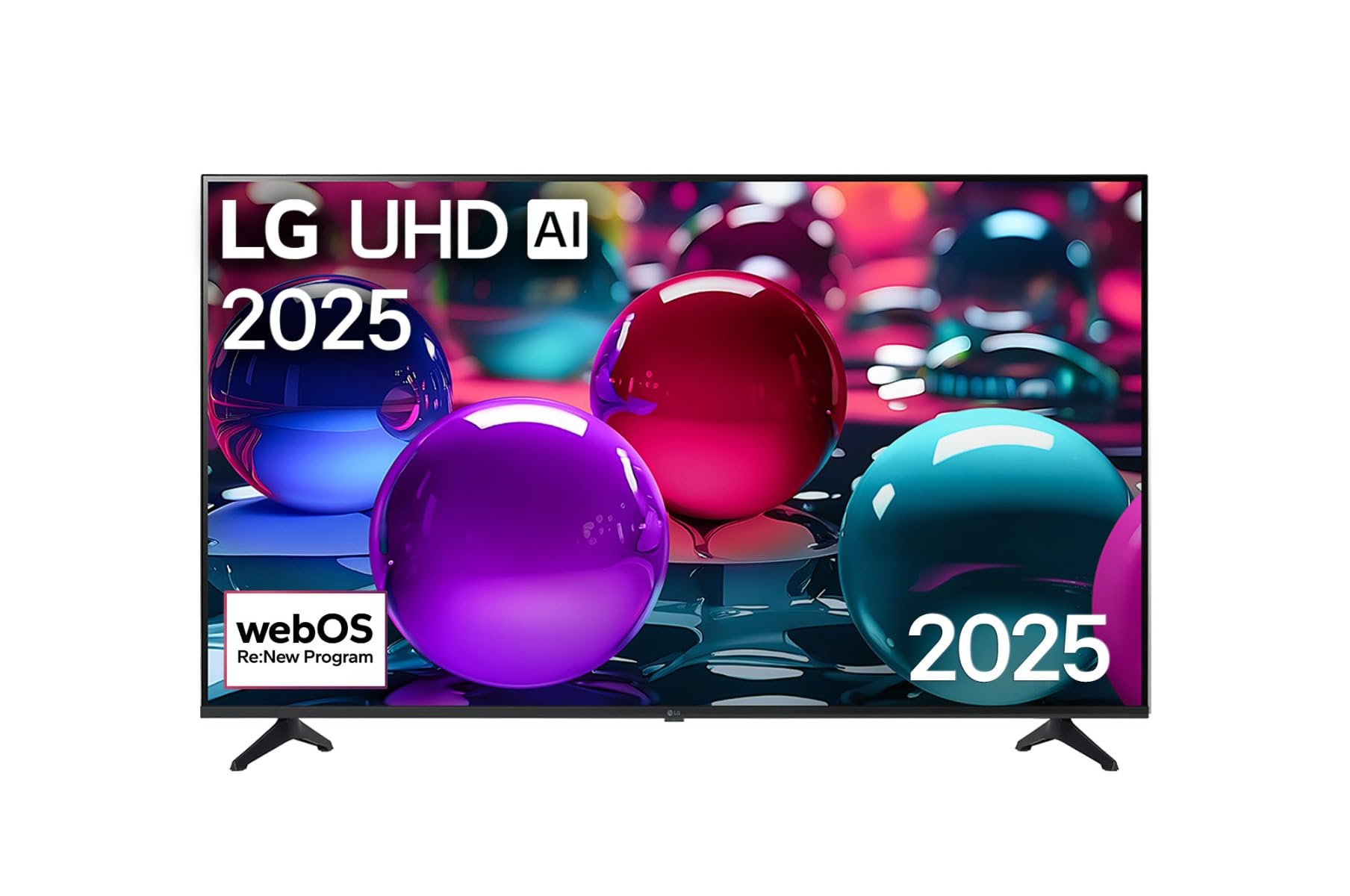
This image displays the LG 43 inch UHD AI 4K Smart TV, highlighting its webOS Re:New Program and Artificial Intelligence features. The accompanying AI Magic Remote is shown with a speech bubble indicating 'Just speak!', emphasizing its voice control capabilities.
- Кубат баскычы: Телевизорду күйгүзөт же өчүрөт.
- Жылдыруу дөңгөлөгү/ОК баскычы: Менюларды багыттоо жана тандоолорду ырастоо.
- Үн буйругу баскычы: Press and hold to activate AI Search, AI Chatbot, or AI Concierge. Speak your command into the remote.
- Үй баскычы: кире алат webOS Башкы экраны.
- Артка баскычы: Мурунку экранга кайтат.
- Үнүн жогорулатуу/төмөндөтүү: Үнүн тууралайт.
- Канал өйдө/төмөн: Каналдарды өзгөртөт.
5.2 webOS Interface
The webOS Home screen provides quick access to apps, inputs, and settings. Use the Magic Remote to point and click on desired options or navigate with the directional buttons.
- Колдонмону ишке киргизгич: Customize and access your favorite streaming services and applications.
- Киргизүү тандагыч: Switch between HDMI inputs, USB, or live TV.
- Орнотуулар: Adjust picture, sound, network, and general TV settings.
5.3 AI өзгөчөлүктөрү
Leverage the power of AI for enhanced TV experience:
- AI издөө: Use voice commands to find content, information, or apps quickly.
- AI Chatbot: Interact with the TV for assistance or information.
- AI Консьерж: Receive personalized content recommendations and smart home integration.
6. Техникалык тейлөө
6.1 Телевизоруңузду тазалоо
Телевизордун көрүнүшүн жана иштешин сактоо үчүн:
- Тазалоодон мурун дайыма сыналгыдан ажыратыңыз.
- Экранды акырын сүртүү үчүн жумшак, түксүз чүпүрөктү колдонуңуз. өжөр белгилери үчүн, бир аз гampчүпүрөккө суу куюп, анан дароо кургатып сүртүңүз.
- Телевизордун алкагын жана стендин жумшак, кургак чүпүрөк менен сүртүңүз.
- Do not use abrasive cleaners, alcohol, benzene, or thinners, as these can damage the screen or finish.
6.2 Программалык камсыздоо жаңыртуулары
Your LG Smart TV periodically receives software updates to improve performance and add new features. Ensure your TV is connected to the internet to receive these updates automatically. You can also manually check for updates in the TV's settings menu.
7. Кыйынчылыктарды
Телевизоруңузда көйгөйлөргө туш болсоңуз, төмөнкү жалпы чечимдерди караңыз:
| Көйгөй | Мүмкүн чечим |
|---|---|
| Күч жок | Check if the power cord is securely plugged in. Try a different power outlet. |
| Сүрөт жок, бирок үн бар | Туура киргизүү булагы тандалганын текшериңиз. Тышкы түзмөктөргө кабелдик байланыштарды текшериңиз. |
| Үн жок, бирок сүрөт бар | Check volume levels and mute settings. Verify audio output settings in the TV menu. |
| Пульт иштебей жатат | Replace batteries. Ensure there are no obstructions between the remote and the TV. Re-pair the Magic Remote if necessary (refer to TV settings). |
| Wi-Fi'га туташпай жатат | Restart your router and modem. Check Wi-Fi password. Ensure the TV is within range of the router. |
| Сүрөттүн сапаты боюнча көйгөйлөр (мисалы, бүдөмүк, бурмаланган) | Check the resolution of the input source. Adjust picture settings in the TV menu. |
Эгер көйгөй чечилбесе, LG кардарларды колдоо кызматына кайрылыңыз.
8. Техникалык шарттар
| Өзгөчөлүк | Деталь |
|---|---|
| Бренд | LG |
| Модель аты | 43UA73006LA |
| Screen Size | 43 дюйм |
| Дисплей технологиясы | LED |
| Резолюция | 4K UHD (3840 x 2160) |
| Аспект катышы | 16:9 |
| Операция системасы | webOS25 |
| Өзгөчөлүктөр | AI Processor, AI Magic Remote, HDR10, Sleep Timer |
| Түс | Кара |
| Элемент Салмагы | 6.8 килограмм (14.96 фунт) |
| Продукциянын өлчөмдөрү | 37.68 x 37.68 x 21.97 дюйм |
| Дата биринчи жеткиликтүү | 28-ноябрь, 2025-жыл |
9. Кепилдик жана колдоо
9.1 Продукциянын кепилдиги
Your LG 43 inch UHD AI UA73 4K Smart TV is covered by a limited manufacturer's warranty. Please refer to the warranty card included in your package for specific terms, conditions, and duration of coverage. Keep your proof of purchase for warranty claims.
9.2 Кардарларды колдоо
Техникалык жардам, бул колдонмодон тышкары көйгөйлөрдү чечүү же кепилдик кызматы үчүн LG Кардарларды колдоо кызматына кайрылыңыз:
- Webсайт: LG расмий колдоо бөлүмүнө баш багыңыз website for FAQs, downloads, and service requests.
- Телефон: Кепилдик картаңызга же LG компаниясынын расмий өкүлүнө кайрылыңыз webаймактык байланыш номерлери үчүн сайт.