1. Бүттүview
The JVC KW-M795BW is a double DIN multimedia car stereo receiver featuring a 6.8-inch 1280x720 high-definition touchscreen. This unit provides wireless Apple CarPlay and Android Auto connectivity, Bluetooth for hands-free calling and audio streaming, and an HDMI input for video mirroring. It supports dual camera inputs, including HD rear cameras, and is SiriusXM ready. The short-chassis design facilitates installation in various vehicles, and iDatalink Maestro compatibility allows retention of factory controls.
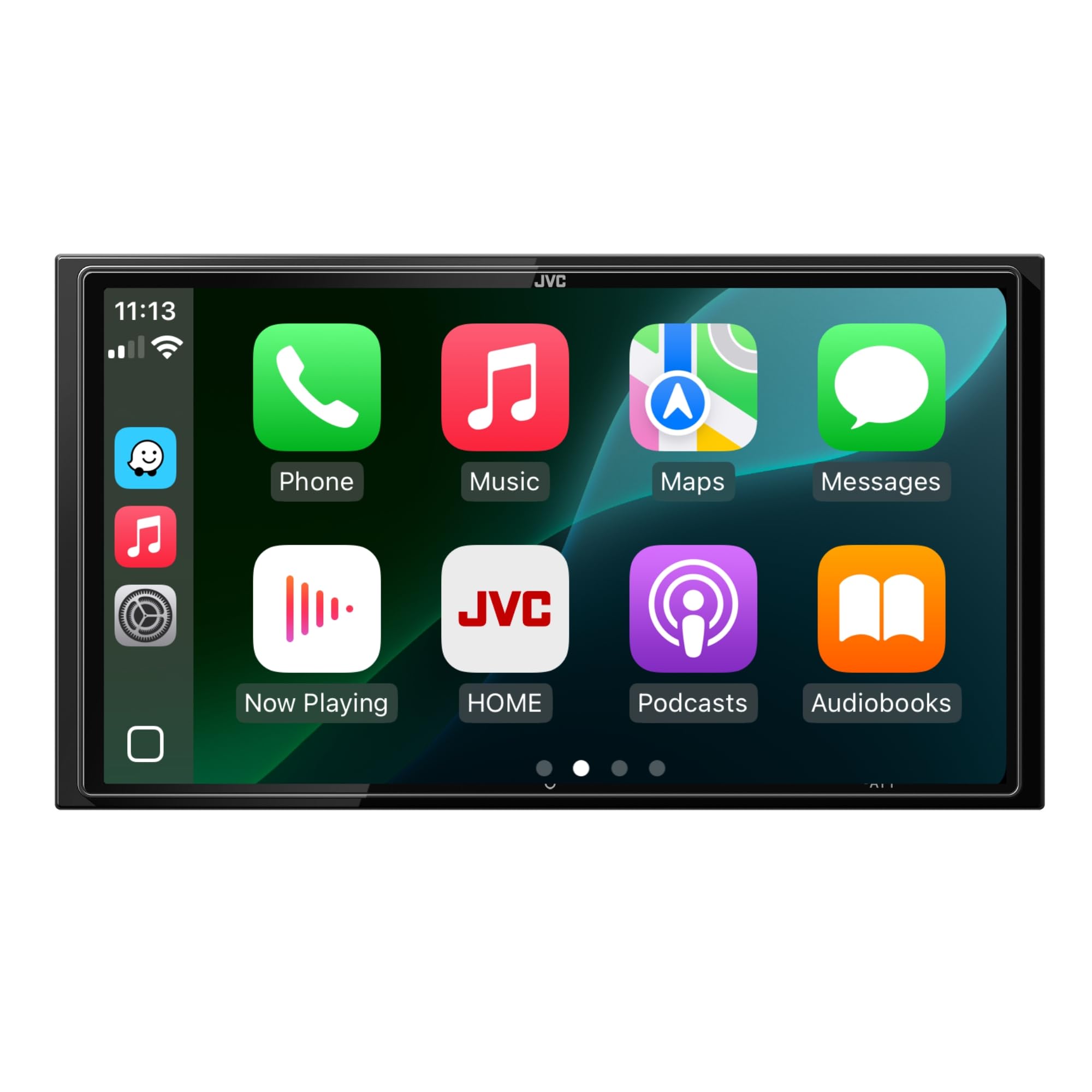
Image 1.1: The JVC KW-M795BW display showing the Apple CarPlay interface with various application icons.
2. Пакеттин мазмуну
Пакетте бардык буюмдар бар экенин текшериңиз:
- Санарип мультимедиа кабылдагычы
- Кесүү шакек
- 2 Side brackets (pre-installed)
3. Орнотуу
3.1 Орнотууга байланыштуу маселелер
The KW-M795BW features a double DIN form factor and a short-chassis design, which can simplify installation in vehicles with limited dashboard space. Compatibility with iDatalink Maestro allows for integration with existing vehicle systems, retaining steering wheel controls and other OEM features where supported.

Image 3.1: Rear panel of the JVC KW-M795BW unit, displaying the various RCA, USB, HDMI, and power connections for installation.
3.2 Электр өткөргүч схемасы
Refer to the detailed wiring diagram provided in the separate installation guide for specific connections. Proper wiring is crucial for optimal performance and to prevent damage to the unit or vehicle. Ensure all connections are secure and insulated.
3.3 Баштапкы күйгүзүү
After installation, turn on your vehicle's ignition. The unit should power on automatically. Follow any on-screen prompts for initial setup, such as language selection and time zone settings.
4. Иштөө нускамалары
4.1 Негизги башкаруу каражаттары
The unit is primarily controlled via its 6.8-inch capacitive touchscreen. Tap icons to select functions, swipe to navigate menus, and use pinch-to-zoom gestures where applicable.
4.2 Зымсыз Apple CarPlay & Android Auto
Connect your compatible iPhone or Android smartphone wirelessly to access navigation, music, messages, and calls directly on the stereo's display.
- Apple CarPlay: Ensure Bluetooth and Wi-Fi are enabled on your iPhone. Follow the on-screen prompts on the JVC unit to pair your device.

Image 4.1: The JVC KW-M795BW unit integrated into a car dashboard, showing the Apple CarPlay interface with a connected iPhone.
- Android Auto: Ensure Bluetooth and Wi-Fi are enabled on your Android phone. Install the Android Auto app on your phone if not already present. Follow the on-screen prompts to pair.

Image 4.2: The JVC KW-M795BW unit integrated into a car dashboard, showing the Android Auto interface with a connected Android phone.
4.3 Bluetooth байланышы
Pair your smartphone or other Bluetooth-enabled devices for wireless audio streaming and hands-free calling. Navigate to the Bluetooth settings menu on the unit to initiate pairing.
4.4 HDMI киргизүү
Connect an external device via the HDMI input to mirror its display on the KW-M795BW screen. This allows for viewing videos or applications from your device.

Image 4.3: The JVC KW-M795BW unit displaying content mirrored from a smartphone via its HDMI input.
4.5 Камера киргизүү
The unit supports dual camera inputs, allowing connection of both front and rear cameras. This enhances safety during parking and maneuvering. HD rear cameras are supported for improved clarity.
4.6 Аудио орнотуулары
Customize your audio experience using the built-in 13-band equalizer (EQ), Digital Sound Processor (DSP), and time alignment features. These tools allow for precise sound tuning to match your vehicle's acoustics and personal preferences.

Image 4.4: The JVC KW-M795BW display showing the graphical interface for adjusting DSP and 13-band equalizer settings.
4.7 SiriusXM даяр
The KW-M795BW is SiriusXM ready. To access SiriusXM satellite radio, a separate SiriusXM Connect Vehicle Tuner and subscription are required.
4.8 Тил орнотуулары
The user interface supports multiple languages, including English and Spanish, for broader usability. Access language settings through the system menu.
5. Техникалык тейлөө
5.1 Экранды тазалоо
To clean the touchscreen, power off the unit. Use a soft, lint-free cloth slightly dampened with water or a screen-cleaning solution. Avoid abrasive materials or harsh chemicals, which can damage the screen surface.
5.2 Программалык камсыздоо жаңыртуулары
Periodically check the official JVC website for any available firmware or software updates for your model. Updates can provide performance enhancements, new features, or bug fixes. Follow the instructions provided with the update package carefully.
6. Кыйынчылыктарды
If you encounter issues with your JVC KW-M795BW, refer to the following common troubleshooting steps:
- Кубат жок: Check the vehicle's fuse box and the unit's inline fuse. Ensure all power connections are secure.
- Аудио жок: Динамиктердин туташууларын текшериңиз. Үн деңгээлин текшерип, үнсүз кылуу функциясы иштебей турганын текшериңиз. Туура аудио булагынын тандалганын ырастаңыз.
- Bluetooth туташуу маселелери: Ensure Bluetooth is enabled on both the unit and your device. Delete previous pairings and attempt to re-pair. Move closer to the unit if interference is suspected.
- CarPlay/Android Auto туташпай жатат: Ensure your phone's operating system is up to date. Check Wi-Fi and Bluetooth connections. Restart both the phone and the head unit.
- Сенсордук экран жооп бербейт: Try restarting the unit. If the issue persists, a factory reset may be necessary (consult the full manual for instructions, as this will erase settings).
For more detailed troubleshooting, consult the comprehensive manual available on the JVC support website or contact JVC customer support.
7. Техникалык шарттар
| Өзгөчөлүк | Спецификация |
|---|---|
| Модель номери | KW-M795BW |
| Продукциянын өлчөмдөрү | 18 x 8 x 14 дюйм |
| Элемент Салмагы | 4.06 фунт |
| Байланыш технологиясы | Bluetooth |
| Өзгөчө өзгөчөлүк | Apple CarPlay, Android Auto, HDMI Input, Dual Camera Input, SiriusXM Ready |
| Шайкеш түзмөктөр | Смартфон |
| Туташтыргыч түрү | RCA, USB, HDMI |
| Аудио чыгаруу режими | Стерео |
| Көлөмдүү үн каналынын конфигурациясы | 4 канал |
| Видеону коддоо | MPEG-1, MPEG-2, H.264/MPEG-4 AVC, WMV, MKV |
8. Кепилдик жана колдоо
Кепилдик жөнүндө маалымат жана кардарларды колдоо үчүн, өнүмүңүз менен кошо берилген кепилдик картасын караңыз же расмий JVC дүкөнүнө баш багыңыз website. Keep your proof of purchase for warranty claims. JVC provides support resources to assist with product inquiries, technical issues, and service requests.


