Introduction
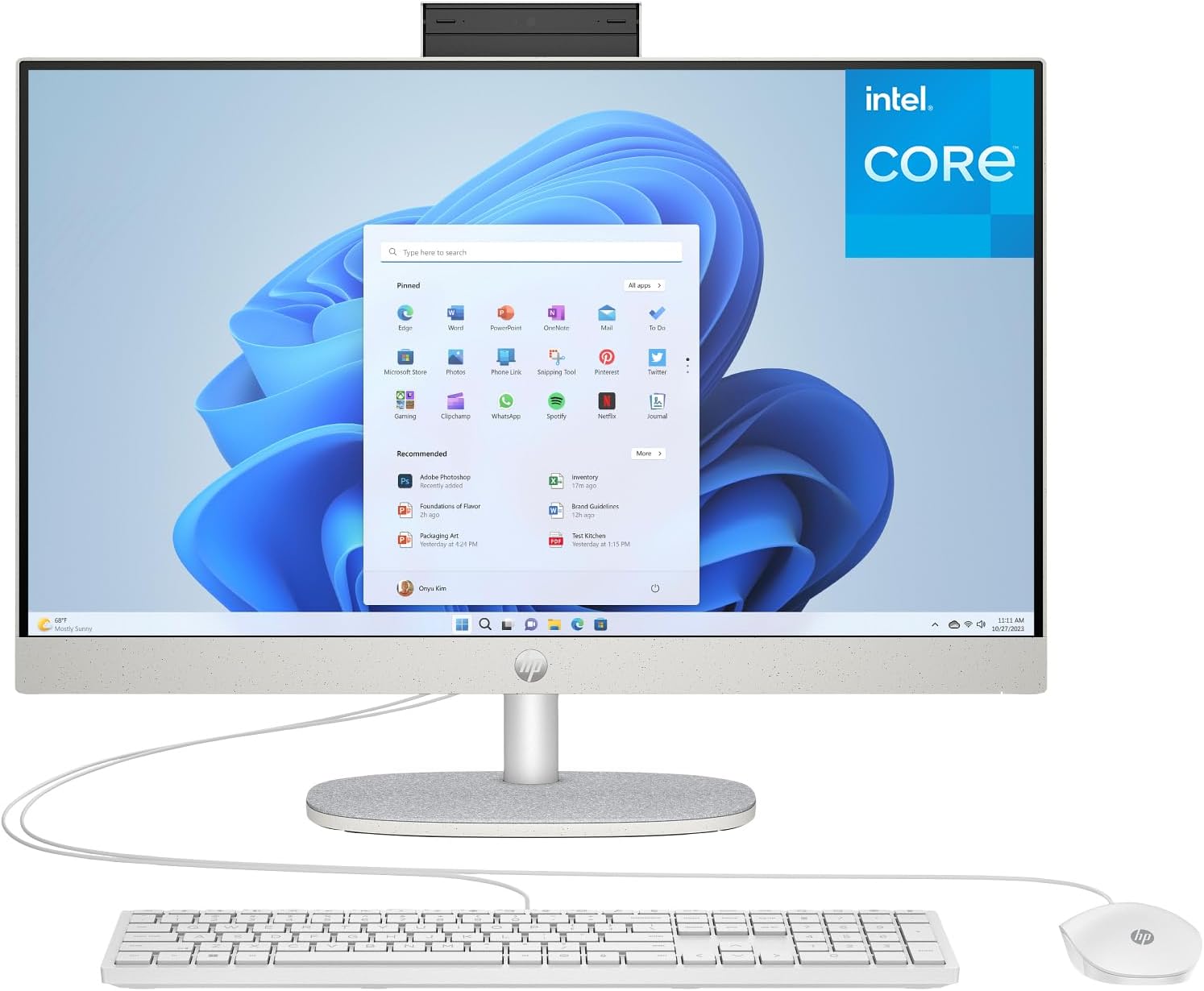
This manual provides essential information for setting up, operating, and maintaining your HP 24-dg Touchscreen All-in-One Desktop PC. Please read these instructions carefully to ensure proper use and longevity of your device.
Жайгашуу
1. Пакеттен чыгаруу жана мазмуну
Бардык компоненттерди таңгактан кылдаттык менен алып салыңыз. Төмөнкү нерселердин бар экенин текшериңиз:

- HP 24-dg All-in-One Desktop PC
- HP 125 USB White Wired Keyboard
- HP 125 USB White Wired Mouse
- 65 Вт Smart AC кубат адаптери
2. Перифериялык түзүлүштөрдү туташтыруу
Connect the wired keyboard and mouse to the available USB ports on the rear of the PC. Plug the power adapter into the PC and then into a wall outlet.

3. Баштапкы күйгүзүү жана тармакка туташуу
Press the power button to turn on the PC. Follow the on-screen instructions to complete the Windows 11 setup. During this process, you will be prompted to connect to a Wi-Fi network or use a wired Ethernet connection via the RJ-45 port.
Аппаратты иштетүү
1. Touchscreen Functionality
The 23.8-inch Full HD IPS display supports touch input. You can navigate the operating system, open applications, and interact with content directly using your fingers. Use gestures such as tap, swipe, pinch-to-zoom, and two-finger scroll for intuitive control.

2. Using the Integrated Camera
The HP True Vision 720p HD privacy camera is integrated into the top of the display. This pop-up camera can be extended for use during video calls or retracted for privacy. It features temporal noise reduction and integrated dual array digital microphones for clear audio and video communication.

3. Microsoft Windows 11 and Copilot
Your PC comes with Windows 11, offering a modern interface and enhanced features. Utilize Microsoft Copilot for intelligent assistance, boosting your productivity and creativity. Access Copilot through the taskbar or by voice command.

Over Over Featuresview
Процессор жана аткаруу
The HP 24-dg is powered by an Intel Processor N100, featuring 4 cores and 4 threads with a Max Turbo Frequency of 3.40 GHz and 6MB Cache. This processor is designed for efficient multitasking and reliable performance for daily computing tasks.

Эстутум жана сактоо
Equipped with 16GB DDR4 RAM, the system ensures smooth operation across multiple applications. Storage is provided by a fast 512GB PCIe NVMe M.2 SSD, offering quick boot times and ample space for documents and media.
Байланыш
The PC includes Realtek Wi-Fi 6 (1x1) and Bluetooth 5.3 for robust wireless connections. Wired connectivity is available via an Integrated 10/100/1000 GbE LAN port. A variety of external I/O ports are provided:
- 1 USB Type-C 5Gbps signaling rate
- 2 USB Type-A 5Gbps сигнал ылдамдыгы
- 2 USB 2.0 Type-A
- 1 Наушник/микрофон айкалышы
- 1 RJ-45 (Ethernet)
- 1 HDMI-чыгы 1.4
Техникалык тейлөө
1. Аспапты тазалоо
To maintain optimal performance and appearance, regularly clean your PC. Use a soft, lint-free cloth slightly dampened with water or a screen cleaner for the display. Avoid harsh chemicals or abrasive materials. For the keyboard and mouse, use a soft brush or compressed air to remove dust and debris.
2. Программалык камсыздоону жаңыртуу
Keep your operating system and drivers updated. Windows Update automatically manages system updates. For driver updates, visit the official HP support webсиздин моделиңиз үчүн сайт.
3. Маалыматтын резервдик көчүрмөсү
Маанилүү нерселердин камдык көчүрмөсүн дайыма көчүрүп алыңыз files to an external drive or cloud storage service to prevent data loss.
Проблемаларды чечүү
1. Күч жок
- Ensure the power adapter is securely connected to both the PC and a working electrical outlet.
- Башка аспапка сайып, розетка иштеп жатканын текшериңиз.
2. Маселелерди көрсөтүү
- If the screen is blank, ensure the PC is powered on.
- Дисплей жарыктыгынын жөндөөлөрүн тууралаңыз.
- Компьютерди өчүрүп күйгүзүңүз.
3. Тармакка туташуу көйгөйлөрү
- For Wi-Fi, check if your router is working and the PC is within range. Reconnect to the network.
- For wired connection, ensure the Ethernet cable is properly connected to both the PC and the router/modem.
- Роутериңизди/модемиңизди жана компьютериңизди өчүрүп-күйгүзүңүз.
4. Touchscreen Unresponsive
- Экран таза жана тоскоолдуктар жок экенин текшериңиз.
- Компьютерди өчүрүп күйгүзүңүз.
- Check for updated display drivers via Windows Update or HP Support.
Техникалык шарттар
| Өзгөчөлүк | Деталь |
|---|---|
| Модель номери | 24-dg |
| Дисплей өлчөмү | 23.8 дюйм |
| Дисплей түрү | FHD (1920 x 1080), Touchscreen, IPS, anti-glare |
| Процессор | Intel Processor N100 (4 Cores, 4 Threads, up to 3.40 GHz, 6M Cache) |
| Графика | Интеграцияланган Intel UHD графикасы |
| RAM | 16 ГБ DDR4 |
| Сактагыч | 512 ГБ PCIe NVMe M.2 SSD |
| Зымсыз байланыш | Realtek Wi-Fi 6 (1x1) жана Bluetooth 5.3 |
| Зымдуу тармак | Integrated 10/100/1000 GbE LAN (RJ-45) |
| Операция системасы | Windows 11 |
| Webcam | HP True Vision 720p HD privacy camera with dual array digital microphones |
| Аудио | Кош 2 Вт динамиктер |
| Порттар | 1 USB Type-C (5Gbps), 2 USB Type-A (5Gbps), 2 USB 2.0 Type-A, 1 HDMI-out 1.4, 1 Headphone/microphone combo, 1 RJ-45 |
| Өлчөмдөрү (W x D x H) | 21.28 x 7.33 x 19.1 дюйм |
| Салмагы | 12.19 фунт |
| Түс | Ак |

Кепилдик жана колдоо
Your HP 24-dg Touchscreen All-in-One Desktop PC comes with a standard manufacturer's warranty. For detailed warranty information, technical support, or service, please refer to the warranty card included with your product or visit the official HP support website. You can find support resources, driver downloads, and contact information at support.hp.com.