1. Киришүү
Thank you for choosing the KESIEME YYK-530 Bluetooth Earpiece. This single-ear wireless headset is designed for clear phone calls and hands-free communication, featuring noise-cancelling technology and a comfortable, adjustable design. This manual provides detailed instructions for setup, operation, and maintenance to ensure optimal performance.
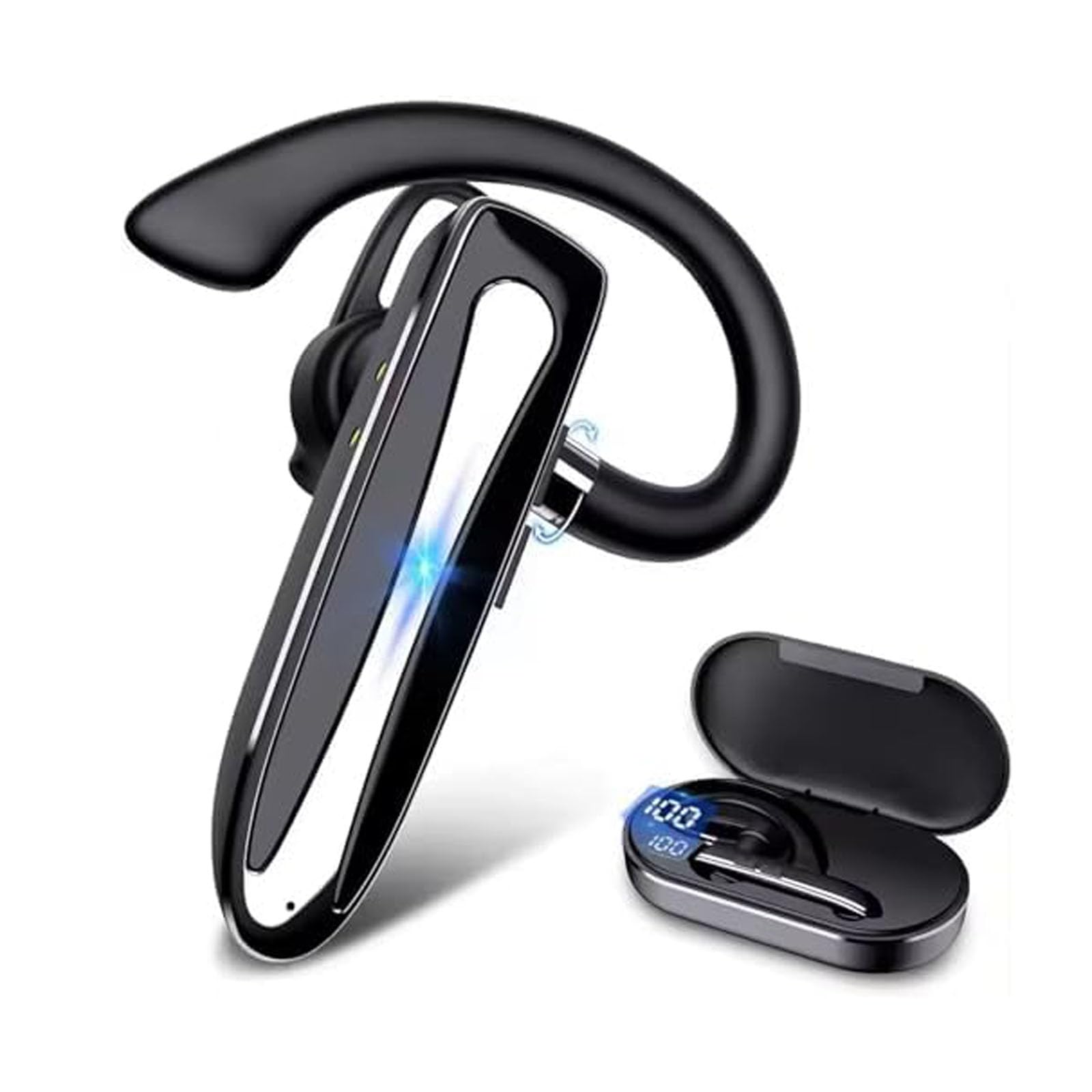
Image 1.1: KESIEME YYK-530 Bluetooth Earpiece.
2. Продукциянын өзгөчөлүктөрү
- Узартылган батареянын иштөө мөөнөтү: The earpiece provides 12-15 hours of continuous talk time. The included charging case extends total usage time up to 180 hours. A full charge takes approximately 1.5 hours via the Type-C port.
- Bluetooth 5.2 туташуусу: Utilizes the latest Bluetooth 5.2 technology for a fast and stable connection up to 33 feet (10 meters) from your device.
- Өркүндөтүлгөн ызы-чууну жокко чыгаруу: Equipped with built-in HD microphones and CVC8.0 noise reduction technology for crystal clear audio during calls.
- Ыңгайлуу жана жөнгө салынуучу дизайн: Lightweight (12g) with a 360° adjustable ear hook and three optional ear tips for a secure and comfortable fit on either ear.
- Hands-Free операциясы: Supports voice assistant activation (Siri or Google Assistant) and features easy-to-reach buttons for call management, including a mute function.
- Көп түзмөк байланышы: Can connect to two Bluetooth devices simultaneously, allowing you to answer calls from either device.

Image 2.1: Hands-free conversation with CVC 8.0 noise reduction.
3. Орнотуу
3.1 Кулакчынды кубаттоо
- Connect the provided Type-C charging cable to the charging port on the earpiece.
- Кабелдин экинчи учун USB кубат булагына туташтырыңыз (мисалы, дубал адаптери, компьютердин USB порту).
- The LED indicator on the earpiece will show charging status. A full charge typically takes 1.5 hours.
- The charging case also has an LED display to indicate its battery level.

Image 3.1: Earpiece battery capacity and charging information.
3.2 Күйгүзүү/өчүрүү
- Күйгүзүү: LED индикатору өчкөнгө чейин кубат баскычын болжол менен 3 секунд басып туруңуз.
- Өчүрүү: LED индикатору өчмөйүнчө кубат баскычын болжол менен 5 секунд басып туруңуз.
3.3 Bluetooth жупташтыруу
- Ensure the earpiece is fully charged and powered off.
- Press and hold the Power button for about 5-7 seconds until the LED indicator flashes red and blue alternately, indicating it is in pairing mode.
- Смартфонуңузда, планшетиңизде же башка Bluetooth иштетилген түзмөгүңүздө Bluetooth жөндөөлөрүнө өтүңүз.
- Издөө available devices and select "YYK-530" from the list.
- Once connected, the LED indicator on the earpiece will flash blue slowly.
- The earpiece can connect to two devices simultaneously. To connect a second device, repeat steps 2-4 after the first device is paired.

Image 3.2: Bluetooth 5.2 quick connection with various devices.

Image 3.3: Multiple device connection capability.

Image 3.4: Compatibility with various operating systems.
4. Иштөө нускамалары
4.1 Кулакчынды тагынуу
The YYK-530 features a 360° adjustable ear hook and comes with three sizes of ear tips to ensure a comfortable and secure fit. You can wear it on either your left or right ear.
- Choose the ear tip size that best fits your ear canal.
- Adjust the ear hook to comfortably fit over your ear.
- Rotate the earpiece body to position the microphone towards your mouth for optimal voice pickup.
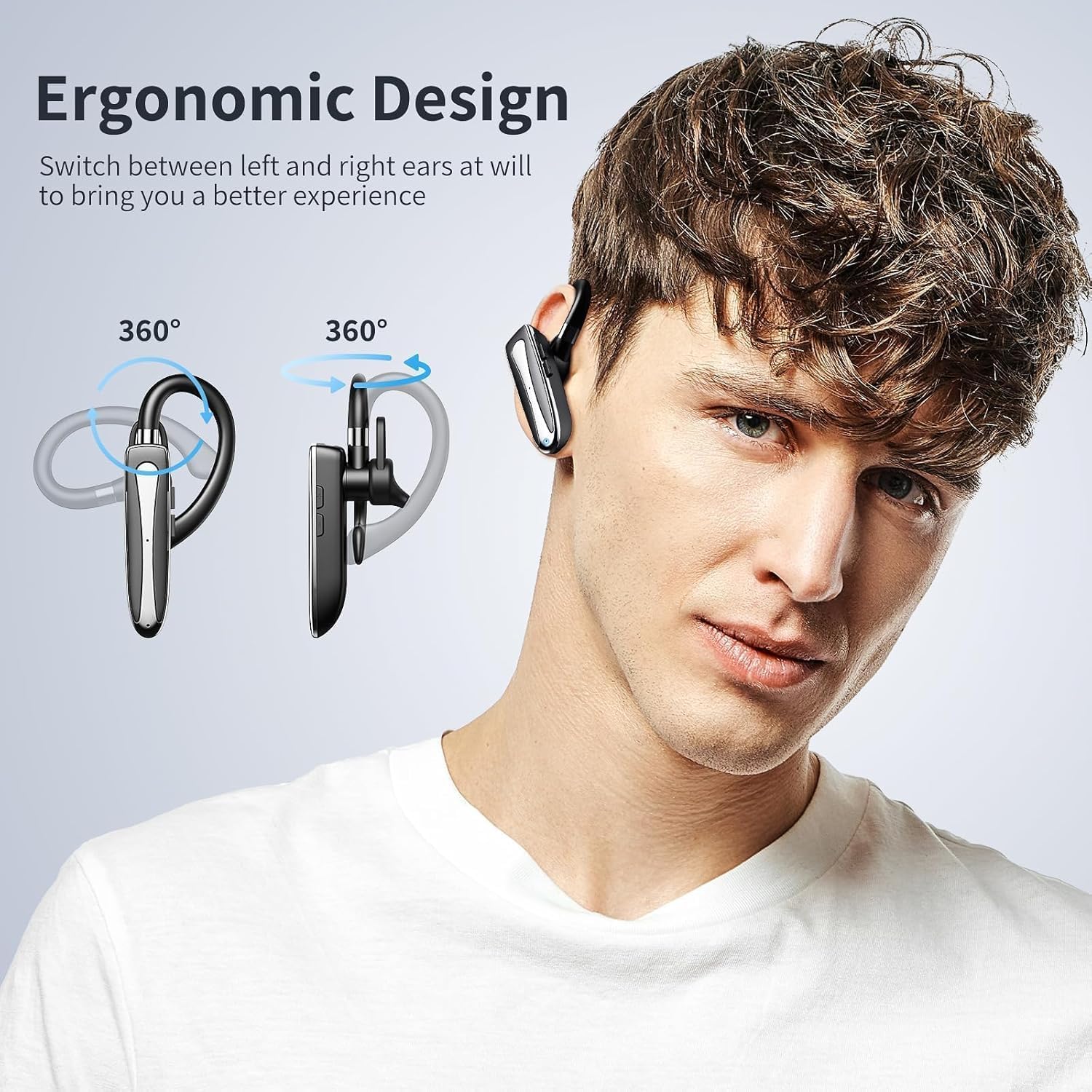
Image 4.1: Ergonomic design and 360° adjustability for left or right ear wearing.
4.2 Баскыч функциялары
Refer to the diagram below for the location and function of each button:

Image 4.2: Earpiece control layout and functions.
- Power Supply On/Off: Негизги баскычты басып, кармап туруңуз.
- Ойнотуу/тындыруу: Single press the main button during music playback.
- Чалууга жооп берүү/аяктоо: Single press the main button during an incoming call or active call.
- Акыркы чалууну кайра терүү: Негизги баскычты эки жолу басыңыз.
- Activate/Deactivate Voice Assistant (Siri/Google Assistant): Негизги баскычты 2 секунд басып туруңуз.
- Three-way Call Switching: During a three-way call, single press the main button to switch between calls.
- Көлөм + / Кийинки трек: Single press for Volume +, long press for Next Track.
- Volume - / Previous Piece: Single press for Volume -, long press for Previous Track.
- Microphone On/Off (Mute): Press the Volume +/- button for 2 seconds during a call to mute/unmute the microphone.
4.3 Important Note for Laptop/Computer Calls
When the headset is connected to a laptop or computer during a call, the sound will only be picked up by the microphone on the laptop/computer, not the headset's microphone. Please ensure you stay near your connected device for clear communication in this scenario. This is a common characteristic of many wireless Bluetooth earphones.

Image 4.3: Microphone behavior when connected to a computer.
5. Техникалык тейлөө
- Тазалоо: Wipe the earpiece with a soft, dry cloth. Do not use harsh chemicals or abrasive materials.
- Сактагыч: Store the earpiece in its charging case when not in use to protect it from dust and damage.
- Батареяга кам көрүү: To prolong battery life, avoid fully discharging the earpiece frequently. Charge it regularly, even if not in constant use.
- Суу каршылык: The earpiece is rated as waterproof. However, avoid prolonged submersion in water. Ensure the charging port cover is securely closed.
6. Кыйынчылыктарды
| Көйгөй | Мүмкүн себеп | Чечим |
|---|---|---|
| Кулакчын күйбөй жатат. | Батарея аз. | Charge the earpiece fully. |
| Түзмөк менен жупташтыруу мүмкүн эмес. | Earpiece not in pairing mode; Bluetooth off on device; too far from device. | Ensure earpiece is in pairing mode (flashing red/blue). Turn on Bluetooth on your device. Move earpiece closer to the device (within 33 feet). |
| Үн жок же үн сапаты начар. | Volume too low; earpiece not connected; interference. | Adjust volume on earpiece and device. Re-pair the earpiece. Move away from sources of interference. |
| Microphone not working during computer calls. | System default microphone is computer's built-in mic. | This is expected behavior. Use the computer's microphone and stay within range. |
| Earpiece disconnects frequently. | Out of range; low battery; interference. | Stay within 33 feet of the connected device. Charge the earpiece. Avoid strong Wi-Fi signals or other Bluetooth devices. |
7. Техникалык шарттар
| Өзгөчөлүк | Деталь |
|---|---|
| Модель номери | YYK-530 |
| Bluetooth версиясы | 5.2 |
| Bluetooth диапазону | 33 фут (10 метр) чейин |
| Батареянын иштөө мөөнөтү (сүйлөшүү убактысы) | 12-15 саат |
| Батареянын иштөө мөөнөтү (заряддоо кутусу менен) | 180 саатка чейин |
| Заряддоо убактысы | Болжол менен 1.5 саат |
| Заряддоо порту | Type-C |
| Ызы-чууну башкаруу функциялары | CVC8.0 Active Noise Cancellation |
| Наушник формасы | Кулак илгич |
| Башкаруу ыкмасы | Push Button |
| Сууга туруктуулук деңгээли | Суу өткөрбөйт |
| Шайкеш түзмөктөр | Smartphones, Tablets, Laptops, MP3 Players |
| Салмагы | 12г (болжол менен 0.4 унция) |
8. Кепилдик жана колдоо
KESIEME products are designed for reliability and performance. For warranty information or technical support, please refer to the contact details provided with your purchase or visit the official KESIEME webсайт. Кепилдик дооматтары үчүн сатып алганыңыздын далилин сактап коюңуз.


