Introduction
This manual provides essential information for the safe and efficient operation of your AOC XL2-211 Smart Projector. Please read it thoroughly before using the device and retain it for future reference.
The AOC XL2-211 is a portable 1080P Full HD smart projector featuring Android 12.0, Wi-Fi 6, Bluetooth 5.0, and a fully enclosed optical engine for dust protection. It offers a large projection screen size from 40 to 250 inches, integrated stereo speakers, and versatile connectivity options.
Коопсуздук маалыматы
Проекторго зыян келтирбөө жана колдонуучунун коопсуздугун камсыз кылуу үчүн төмөнкү коопсуздук чараларын сактаңыз:
- l болгондо проектордун объективине тике карабаamp күйүк.
- Ашыкча ысып кетүүнүн алдын алуу үчүн туура желдетүүнү камсыз кылыңыз. Вентиляция тешиктерин жаап албаңыз.
- Проектор менен келген кубат адаптерин гана колдонуңуз.
- Проекторду суудан же башка суюктуктардан алыс кармаңыз.
- Проекторду өз алдынча бөлүктөргө бөлүүгө же оңдоого аракет кылбаңыз. Квалификациялуу тейлөө кызматкерлерине кайрылыңыз.
- Проекторду туруктуу, тегиз жерге коюңуз.
Пакеттин мазмуну
Пакетте бардык буюмдар бар экенин текшериңиз:
- AOC XL2-211 Smart Projector
- Электр кабели
- HDMI кабели
- Алыстан башкаруу
- Колдонуучунун Колдонмосу (бул документ)

Image: The AOC XL2-211 Smart Projector and its included accessories, including the power cable, HDMI cable, and remote control.
Продукт бүттүview
Проектор компоненттери
Familiarize yourself with the main components of your projector:
- Проекциялык линза: Сүрөттү чыгарат.
- Кубат баскычы: Проекторду күйгүзөт/өчүрөт.
- Фокус сенсору: Автоматтык фокусту тууралоо үчүн колдонулат.
- Вентиляция торлору: Муздатуу үчүн туура аба айланууну камсыз кылыңыз.
- Киргизүү порттору: HDMI, USB, Audio Out (3.5mm jack).
- Кубат киргизүү: Электр кабелине туташтырылат.

Сүрөт: Арткы view of the AOC XL2-211 projector, highlighting the HDMI, USB, and power input ports.
Жайгашуу
1. Power Connection
- Электр кабелин проектордун кубат киргизүү портуна туташтырыңыз.
- Электр кабелинин экинчи учун розеткага сайыңыз.
2. Алгачкы жайгаштыруу
- Place the projector on a stable surface or mount it on a tripod (not included).
- Проекциялык беттин тегиз жана тоскоолдуктардан таза экенине ынаныңыз.
- The projector supports flexible placement, including tabletop and tripod mounting.
3. Күйгүзүү/өчүрүү
- Аны күйгүзүү үчүн проектордун же пульттун кубат баскычын басыңыз.
- Аны өчүрүү үчүн кубат баскычын басып, кармап туруңуз.
4. Фокусту жана Keystone коррекциясын түзүү
The projector features automatic focus and keystone correction for a clear, rectangular image.
- Auto Focus: The projector will automatically adjust the focus upon startup or movement. You can enable/disable this in the settings.
- Автоматтык негизги ташты оңдоо: The projector automatically corrects image distortion caused by angled projection. This can also be adjusted in settings.
- Кол менен тууралоо: For fine-tuning, manual focus and keystone correction options are available in the Projection Settings menu.

Image: The AOC XL2-211 projector displaying its intelligent auto-focus and keystone correction capabilities, ensuring a clear image from various angles.
Иштөө нускамалары
1. Навигация жана интерфейс
The projector runs on Android 12.0, providing a user-friendly interface. Use the remote control to navigate through menus and select options.
- Башкы экран: Access installed applications, settings, and media sources.
- Орнотуулар Менюсу: Adjust network, Bluetooth, projection, language, and other system settings.
2. Байланыш параметрлери
The projector offers multiple ways to connect and display content:
Зымсыз байланыш (Wi-Fi 6 жана Bluetooth 5.0)
- Wi-Fi: Connect to your home network for internet access and streaming. Navigate to Орнотуулар > Зымсыз туташтыруу.
- Экранды чагылдыруу: Wirelessly cast content from your smartphone (iPhone, Android) or tablet. Ensure both devices are on the same Wi-Fi network.
- Bluetooth: Connect external Bluetooth speakers or headphones for enhanced audio. Go to Орнотуулар > Bluetooth to pair devices.

Image: The AOC XL2-211 projector displaying content mirrored from a smartphone, illustrating seamless wireless sharing.
Зымдуу туташуу
- HDMI: Connect devices like laptops, gaming consoles, or TV decoders using an HDMI cable.
- USB: Медиа ойнотуу үчүн USB дисктерин сайыңыз fileтүздөн-түз с.
- Аудио чыгышы (3.5 мм уяча): Зымдуу кулакчындарды же тышкы динамиктерди туташтырыңыз.
Сүрөт: деталдуу view of the AOC XL2-211 projector's input panel, showing HDMI, USB, and audio ports for versatile connections.
3. Медиа ойнотуу
The projector supports various media formats and streaming applications.
- Агымдуу колдонмолор: Access pre-installed apps like Netflix, Hulu, Disney+, Prime Video, and YouTube.
- Local Media: Play videos, photos, and music from a connected USB drive.
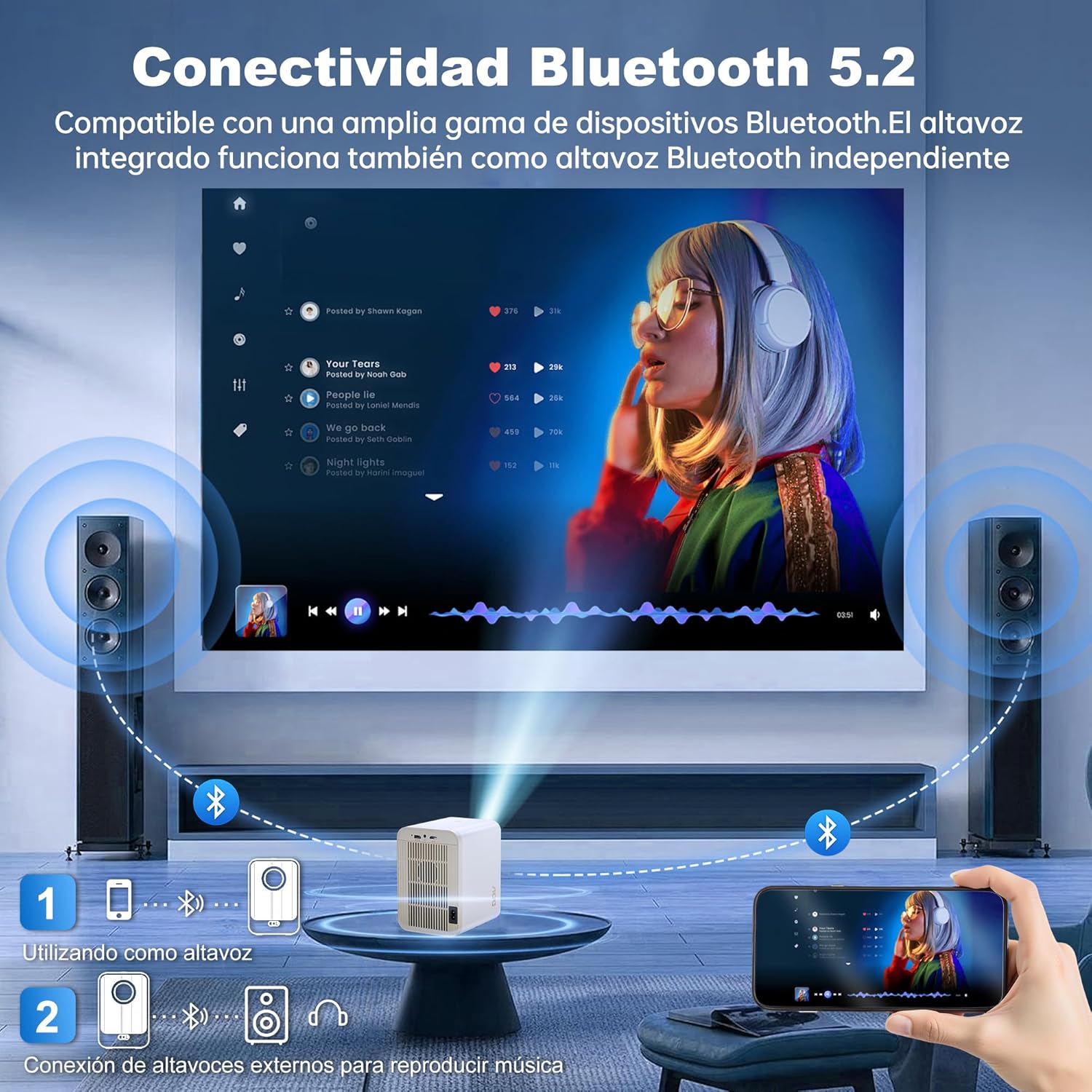
Image: The AOC XL2-211 projector displaying its smart interface with various streaming applications, ready for entertainment.
4. Аудио чыгаруу
The projector includes built-in 2x12W stereo speakers. For alternative audio experiences:
- Connect Bluetooth speakers or headphones via Орнотуулар > Bluetooth.
- Use the 3.5mm audio jack for wired external speakers or headphones.

Image: The AOC XL2-211 projector wirelessly connected to external Bluetooth speakers, demonstrating enhanced audio capabilities.
Техникалык тейлөө
1. Проекторду тазалоо
- Тазалоодон мурун проектордун өчүрүлгөнүн жана розеткадан ажыратылганын текшериңиз.
- Проектордун сыртын сүртүү үчүн жумшак, кургак чүпүрөктү колдонуңуз.
- For the lens, use a lens cleaning cloth and specialized lens cleaning solution. Do not use abrasive materials.
- The fully enclosed optical engine minimizes dust accumulation, but regular external cleaning is recommended.
2. Сактоо
- Проекторду күндүн тике тийген нурунан жана экстремалдык температурадан алыс, салкын, кургак жерде сактаңыз.
- If storing for an extended period, place it back in its original packaging or a protective case.
Проблемаларды чечүү
| Көйгөй | Мүмкүн себеп | Чечим |
|---|---|---|
| Сүрөт көрсөтүлгөн жок | Кубат кабели ажыратылган, туура эмес киргизүү булагы, линзанын капкагы күйүк. | Check power connection, select correct input source (HDMI/USB), remove lens cap. |
| Сүрөт бүдөмүк | Фокустан чыгып кетти, туура эмес keystone оңдоосу. | Allow auto-focus to adjust, or manually adjust focus/keystone in Projection Settings. |
| Үн жок | Volume too low, external audio device not connected/paired, internal speakers disabled. | Increase volume, ensure Bluetooth device is paired or wired audio is connected, check audio settings. |
| Wi-Fi/Bluetooth менен туташуу мүмкүн эмес | Incorrect password, device too far, interference. | Verify password, move device closer to router/projector, restart devices. |
| Пульт иштебей жатат | Low batteries, obstruction. | Replace batteries, ensure no obstruction between remote and projector. |
Техникалык шарттар
| Өзгөчөлүк | Деталь |
|---|---|
| Бренд | AOC |
| Модель номери | XL2-211 |
| Native Resolution | 1280 x 800 пиксел |
| Колдоого алынган резолюция | 1920 x 1080 пиксел (Full HD) |
| Жарыктык | 12000 люмен (300 ANSI) |
| Контраст катышы | 12000:1 |
| Операция системасы | Android 12.0 |
| RAM | 1 ГБ |
| ROM | 8 ГБ |
| Зымсыз байланыш | Wi-Fi 6 (2.4G/5G), Bluetooth 5.0 |
| Киргизүү порттору | HDMI, USB, Audio (3.5mm jack), TF Card |
| Output Ports | Audio (3.5mm jack) |
| Баяндамачы | Built-in 2x12W Stereo Speakers |
| Проекциянын өлчөмү | 40-250 дюйм |
| Форма фактору | Portable |
| Продукциянын өлчөмдөрү | 19 x 21 x 26 см |
| Элемент Салмагы | 750 грамм |
| Энергияны керектөө | 40 ватт |
Кепилдик жана колдоо
Кепилдик маалымат
Your AOC XL2-211 Smart Projector comes with a бир жылдык кепилдик сатып алынган күндөн тартып өндүрүш кемчиликтерин жабуу. Кепилдик дооматтары үчүн сатып алганыңыздын далилин сактап коюңуз.
Кардарларды колдоо
For technical assistance, troubleshooting, or warranty inquiries, please contact AOC customer support. Refer to the official AOC webэң акыркы байланыш маалыматы үчүн сайт.
Онлайн ресурстар: зыярат кылыңыз AOC Brand Store кошумча продукт маалымат жана көп берилүүчү суроолор үчүн.
Видео демонстрация
Watch this official video for a visual guide on setting up and using your AOC XL2-211 Smart Projector, including unboxing, connectivity, and key features.
Video: An official demonstration of the AOC XL2-211 Smart Projector, showcasing its unboxing, setup, and various functionalities.