Introduction
This manual provides essential instructions for setting up, operating, and maintaining your LIGE EF21-J Smart Watch. Please read this guide thoroughly to ensure proper use and to fully utilize all features of your device. This smart watch is designed to be a versatile companion for both business and sports activities, offering advanced health monitoring, communication, and fitness tracking capabilities.
Пакеттин мазмуну
Пакетиңизде бардык буюмдар бар экенин текшериңиз:
- 1 x LIGE EF21-J Smart Watch
- 1 x Дат баспас болоттон жасалган боо
- 1 х силикон боо
- 1 x USB магниттик заряддоо кабели
- 1 x Type-C заряддоо кабели
- 1 х Инструкция (бул документ)
Продукт бүттүview
The LIGE EF21-J Smart Watch features a 1.43-inch AMOLED display, a durable metal case, and interchangeable straps to suit various occasions. It integrates advanced sensors for comprehensive health and fitness tracking.

Image: The LIGE EF21-J Smart Watch shown in different lifestyle scenarios, highlighting its adaptability for business, casual, and active use.
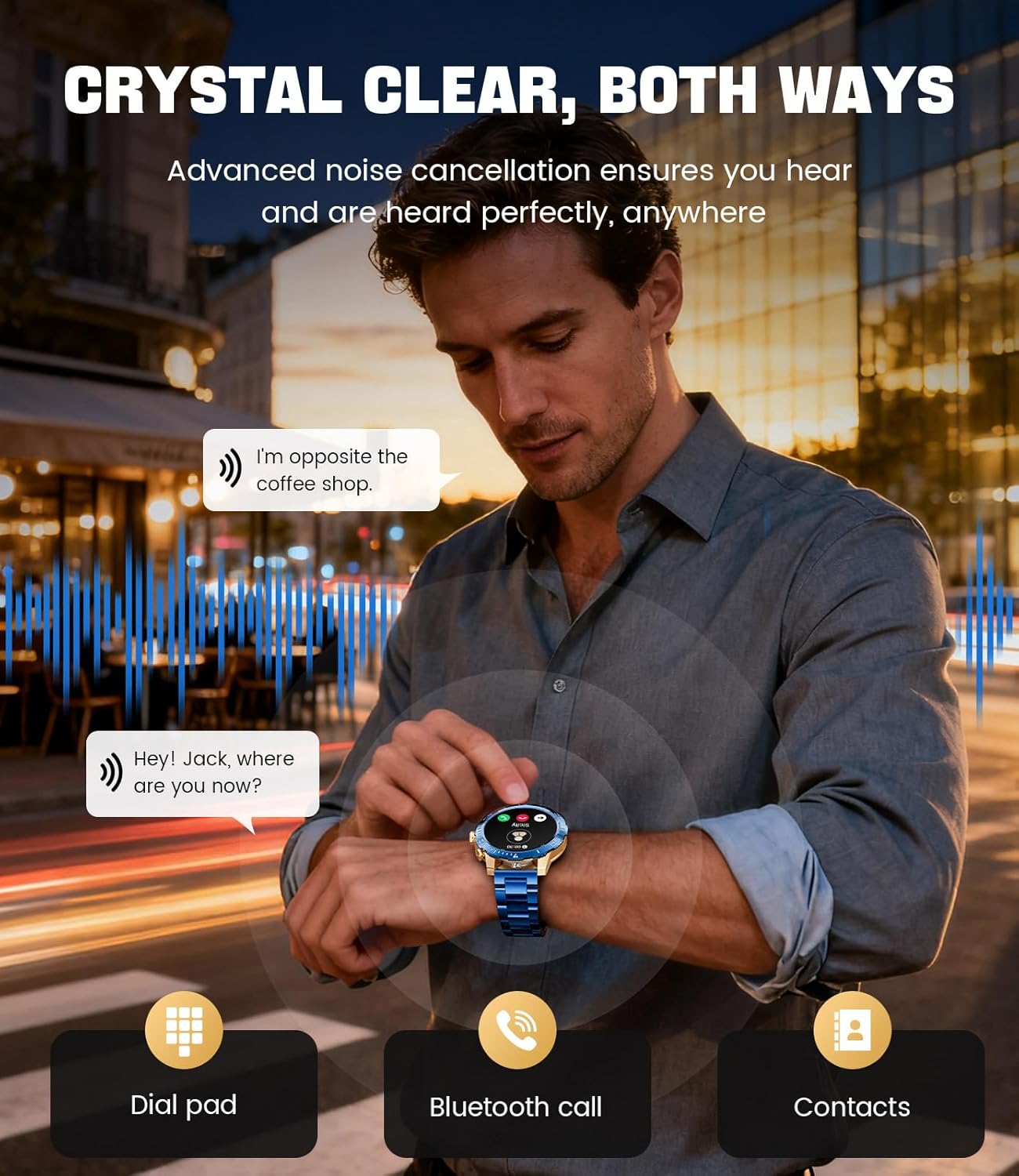
Image: A close-up of the LIGE EF21-J Smart Watch screen showing an incoming call, demonstrating its Bluetooth calling capability with clear audio.

Image: The LIGE EF21-J Smart Watch interface showing a selection of sports modes, including golf, climbing, and running, indicating its extensive activity tracking features.

Image: The LIGE EF21-J Smart Watch screen displaying heart rate, blood oxygen, and sleep data, illustrating its 24/7 health monitoring capabilities.
Видео: Продукциянын расмий көргөзмөсүasing the LIGE EF21-J Smart Watch's key features, including its AMOLED display, rotary encoder crown, charging capabilities, compatibility, sports modes, health monitoring, and various smart functions.
Жайгашуу
1. Акылдуу саатты кубаттоо
Before first use, fully charge your LIGE EF21-J Smart Watch. The watch comes with both a USB magnetic charging cable and a Type-C charging cable for convenience.
- Connect the magnetic end of the charging cable to the charging points on the back of the watch. Ensure it snaps securely into place.
- Connect the USB or Type-C end of the cable to a compatible power adapter (not included) or a computer's USB port.
- Сааттын дисплейинде кубаттоо абалы көрсөтүлөт. Толук кубаттоо, адатта, болжол менен 2-3 саатты талап кылат.

Image: The LIGE EF21-J Smart Watch connected to its magnetic charging cable, illustrating the charging process and the inclusion of both USB and Type-C cable options.
2. Колдонмону орнотуу
Акылдуу саатыңыздын толук функцияларын ачуу үчүн смартфонуңузга кошумча тиркемени жүктөп алып, орнотуңуз.
- The LIGE EF21-J Smart Watch uses the FitCloudPro колдонмосу.
- Издөө "FitCloudPro" in the Apple App Store (for iOS 12.0+ devices) or Google Play Store (for Android 8.0+ devices).
- Колдонмону жүктөп алып, орнотуңуз.
3. Түзмөктү жупташтыруу
Pair your smart watch with the FitCloudPro app via Bluetooth to synchronize data and enable smart features.
- Смартфонуңузда Bluetooth иштетилгенин текшериңиз.
- Open the FitCloudPro app and create an account or log in.
- Follow the in-app instructions to add a new device. The app will search for available devices.
- Select "EF21-J" or the corresponding device name from the list.
- Смартфонуңузда жана саатыңызда жупташтыруу өтүнүчүн ырастаңыз.
- Жупташтырылгандан кийин, саат телефонуңуз менен убакытты жана маалыматтарды шайкештештирет.
Иштөө нускамалары
Негизги навигация
- Сенсордук экран: Менюлар жана функциялар боюнча чабыттоо үчүн солго, оңго, өйдө же ылдый сүрүңүз. Тандоо үчүн таптаңыз.
- Rotary Encoder Crown: Тизмелерди карап чыгуу же жөндөөлөрдү тууралоо үчүн таажыны айландырыңыз. Башкы экранга кайтуу же тандоолорду ырастоо үчүн таажыны басыңыз.
- Каптал баскычы: Typically used for quick access to sports modes or as a back button.
Bluetooth чалуу
Смартфонуңузга туташып турганда, билегиңизден түз чалууларды жасаңыз жана кабыл алыңыз.
- Саатыңыз Bluetooth аркылуу телефонуңуз менен жупташканын текшериңиз.
- To make a call: Access the dial pad or contacts list on your watch.
- To answer a call: When a call comes in, tap the green answer icon on the watch screen.
- To reject a call: Tap the red reject icon.
Акылдуу эскертмелер
Receive alerts for calls, messages, and app notifications directly on your watch.
- Enable notification permissions for the FitCloudPro app in your phone's settings.
- Configure which app notifications you wish to receive through the FitCloudPro app.
- Сааттын бетинен ылдыйга сүрүңүз view акыркы эскертмелер.
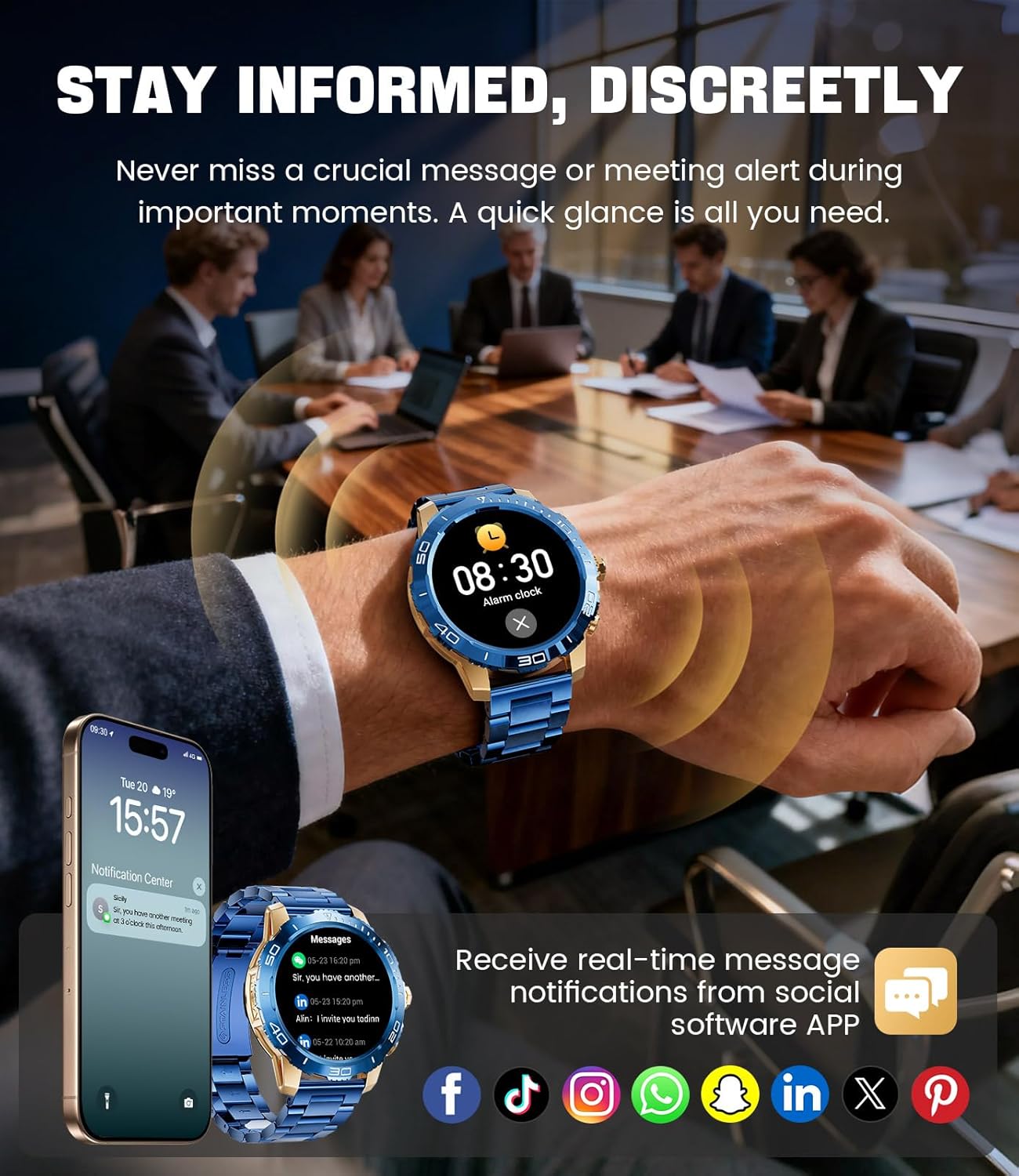
Image: The LIGE EF21-J Smart Watch screen showing incoming message notifications from various social media applications, demonstrating its ability to keep users informed discreetly.
Спорт режимдери
The watch supports over 200 sports modes to accurately track your physical activities.
- Access the sports mode menu from the main interface.
- Select your desired activity (e.g., running, cycling, yoga, basketball).
- The watch will begin tracking metrics such as distance, steps, calories burned, and heart rate.
- End your workout by following the on-screen prompts. Data will sync to the FitCloudPro app for detailed analysis.
Ден соолук мониторинги
Monitor your heart rate, blood oxygen, and sleep patterns throughout the day.
- Жүрөктүн кагышы: Саат жүрөктүн кагышын тынымсыз көзөмөлдөйт. View real-time data on the watch or historical trends in the app.
- Кандагы кычкылтек (SpO2): Кандагы кычкылтектин деңгээлин талап боюнча өлчөңүз.
- Уйкуга көз салуу: Wear the watch to bed to track your sleep duration and quality. Data includes deep sleep, light sleep, and awake times.
- Стресс мониторинги: The watch can also provide insights into your daily stress levels.
Important: The LIGE EF21-J Smart Watch is not a medical device. Health data provided is for reference only and should not be used for medical diagnosis or treatment. Consult a healthcare professional for any health concerns.
Башка функциялар
The watch offers a variety of additional features to enhance your daily life:
- Үн жардамчысы: Interact with your phone's voice assistant directly from your watch.
- Музыка ойноткучту башкаруу: Смартфонуңузда музыканы ойнотууну көзөмөлдөңүз (ойнотуу, тындыруу, тректерди өткөрүп жиберүү).
- Аба ырайы: Реалдуу убакытта аба ырайы жаңыртууларын алыңыз.
- Ойготкуч саат: Ойготкучтарды коюңуз же ишиңизди эскертиңиз.
- Отуруучу эстеткич: Иштебей турган мезгилдерден кийин жылуу үчүн эскертмелерди алыңыз.
- Сууну эстөө: Суусуздануу үчүн эскертмелерди коюңуз.
- Кол чырак: Use the watch screen as a small flashlight.
- Менин телефонумду тап: Жупташкан смартфонуңузду табыңыз.
- Сырсөздү коргоо: Enhance security with a screen lock password.

Image: The LIGE EF21-J Smart Watch interface showcasing a range of smart functions, including music control, weather, breath training, drink reminders, flashlight, and health monitoring summaries.
Батарея башкаруу
The LIGE EF21-J Smart Watch is equipped with an 800mAh battery, designed for extended use.
- Типтүү колдонуу: Expect over 10 days of battery life with regular use.
- Күтүү убактысы: The watch can last over 30 days in standby mode.
- Заряддоо: Use the provided USB magnetic or Type-C charging cables. Always use a compatible 5V/1A power adapter.
- Батареяны оптималдаштыруу: To extend battery life, reduce screen brightness, limit background app refresh, and disable unnecessary notifications.
Техникалык тейлөө
- Тазалоо: Regularly wipe the watch screen and body with a soft, dry cloth. For stubborn dirt, use a slightly damp чүпүрөк жана кылдат кургатуу.
- Суу каршылык: The watch has an IP68 water resistance rating, meaning it is protected against dust and can withstand immersion in water up to 1.5 meters for up to 30 minutes. It is suitable for daily use, hand washing, and light rain. Ысык сууга, саунага же сууга түшүүдөн алыс болуңуз, анткени буу жана жогорку басым пломбаны бузушу мүмкүн.
- Боону багуу: Clean silicone straps with mild soap and water. For stainless steel straps, use a soft brush and mild cleaning solution, then dry completely.
- Сактагыч: Колдонулбаган убакта саатты салкын, кургак жерде сактаңыз. Экстремалдуу температурадан сактаныңыз.
Проблемаларды чечүү
| Көйгөй | Чечим |
|---|---|
| Саат күйбөйт | Саат толук заряддалганын текшериңиз. Аны заряддагычка кеминде 30 мүнөт туташтырыңыз. |
| Телефон менен жупташтыруу мүмкүн эмес |
|
| Билдирмелер алынган жок |
|
| Туура эмес ден соолук маалыматы | Ensure the watch is worn snugly on your wrist, about one finger's width from your wrist bone. Avoid excessive movement during measurements. Remember, this is not a medical device. |
| Батареянын иштөө мөөнөтү кыска |
|
Техникалык шарттар
| Өзгөчөлүк | Деталь |
|---|---|
| Модель номери | EF21-J |
| Дисплей | 1.43 дюймдук AMOLED, 466x466 пиксель |
| Батарея сыйымдуулугу | 800 мАч литий полимери |
| Батареянын иштөө мөөнөтү (Типтүү) | 10+ күн |
| Күтүү убактысы | 30+ күн |
| Байланыш | Bluetooth |
| Суу каршылык | IP68 |
| Операциялык системанын шайкештиги | Android 8.0+ же iOS 12.0+ |
| Companion App | FitCloudPro |
| Ден соолук мониторинги | Heart Rate, Blood Oxygen, Sleep Tracking, Stress Monitoring |
| Спорт режимдери | 200+ режимдер |
| Өзгөчөлүктөр | Bluetooth Call, Voice Assistant, Music Control, Weather, Alarm, Sedentary Reminder, Drink Reminder, Flashlight, Find My Phone, Password Protection, AMOLED Always On Display |
| Элемент Салмагы | 7.1 унция (201 грамм) |
| Пакеттин өлчөмдөрү | 6 x 4 x 0.9 дюйм (15.24 x 10.16 x 2.29 см) |
Кепилдик жана колдоо
LIGE provides customer support for your EF21-J Smart Watch. If you encounter any issues or have questions regarding your device, please contact us through the Amazon messaging system. Our professional customer service team is available to assist you.
Кепилдиктин конкреттүү шарттары жана шарттары үчүн сатып алуу документтериңизден караңыз.


