1. Киришүү
This manual provides essential instructions for the setup, operation, maintenance, and troubleshooting of your Hwagol Smart Watch. Please read this manual thoroughly before using the device to ensure proper function and to maximize your user experience.

Image 1.1: Hwagol Smart Watch, front view. This image displays the watch's main interface with time and date, highlighting its sleek design and vibrant display.
2. Кутуда эмне бар
Бардык буюмдар кутудан чыгарылганда бар экенин текшериңиз:
- Hwagol Smart Watch (1 unit)
- Кубаттоочу кабель (1 даана)
- Колдонуучунун Колдонмосу (бул документ)
3. Орнотуу колдонмосу
3.1 Аппаратты заряддоо
Before initial use, fully charge your Hwagol Smart Watch. Connect the provided charging cable to the watch's charging port and a standard USB power adapter (not included). A full charge typically takes approximately 1.5 hours and provides up to 10 days of battery life, depending on usage.
3.2 Колдонмону орнотуу жана жупташтыруу
To unlock the full functionality of your smart watch, download and install the "JYOUpro" fitness tracking application on your smartphone. The app is compatible with devices running iOS 8.2 or above and Android 5.1 or above, with Bluetooth 5.0 or higher.
- Scan the QR code in the watch's settings or search for "JYOUpro" in your smartphone's app store.
- Колдонмону орнотуу.
- Open the JYOUpro app and follow the on-screen instructions to create an account or log in.
- Смартфонуңузда Bluetooth'ду иштетиңиз.
- Within the JYOUpro app, navigate to the device pairing section and select your Hwagol Smart Watch from the list of available devices.
- Жупташуу өтүнүчүн саатыңызда жана смартфонуңузда ырастаңыз.
For Bluetooth calling functionality, a single, stable Bluetooth pairing connection is required between the watch and your smartphone.
3.3 Сааттын бетин ыңгайлаштыруу
Personalize your smart watch by changing the watch face. The JYOUpro app offers a variety of pre-designed watch faces, and you can also create your own custom watch face using your phone's photos.
- Open the JYOUpro app on your smartphone.
- Navigate to the 'Dial' or 'Watch Face' section.
- Browse available watch faces or select the DIY option to upload a personal image.
- Synchronize your selection with the watch.

Image 3.1: Customizing the watch dial. This image illustrates the variety of digital and analog watch faces available, including options for displaying health data and app shortcuts.
4. Иштөө нускамалары
4.1 Дисплей жана навигация
The Hwagol Smart Watch features a 1.83-inch full HD touchscreen display, offering clear visuals and smooth interaction. Swipe across the screen to navigate through menus, access notifications, and view ар кандай функциялар.
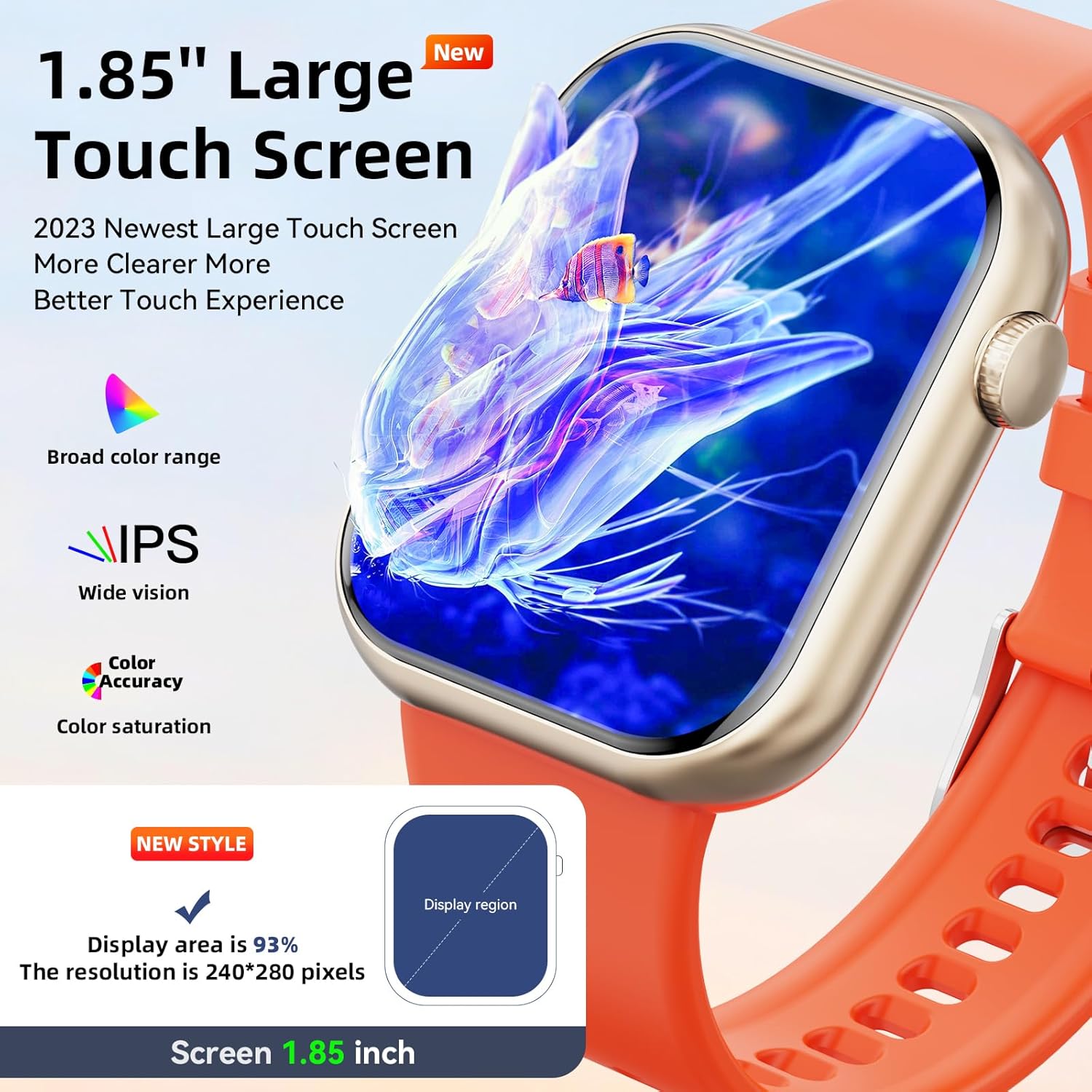
Image 4.1: Large Touch Screen Display. This image highlights the watch's expansive and vibrant display, showcasing its visual clarity and broad color range.
4.2 Bluetooth чалуулары жана эскертмелери
Once paired with your smartphone, the smart watch allows you to make and receive calls directly from your wrist. You will also receive notifications from various social media applications and messages.
- Чалууларды жасоо: Access the phone dialer or contact list on the watch to initiate a call.
- Чалууларды кабыл алуу: Answer or hang up incoming calls directly from the watch.
- Эскертмелер: View alerts from apps like Facebook, WhatsApp, Instagкочкор, жана Twitter.

Image 4.2: Bluetooth Calling Functionality. This image displays the watch's interface for phone calls, including a dial pad, incoming call screen, call history, and contact list.

Image 4.3: Smart Notifications and Voice Assistant. This image illustrates how the watch displays notifications from messaging and social media apps, and how to interact with the voice assistant for tasks like checking weather or starting a sport mode.
4.3 Көп спорттук режимдер
The smart watch supports over 100 sport modes to track your physical activities. It records exercise data such as steps, distance, calories burned, and heart rate, helping you monitor your fitness progress.
- Жеткиликтүү режимдер: Walking, running, cycling, basketball, football, badminton, rope skipping, table tennis, tennis, baseball, yoga, and more.
- Маалыматтарды көзөмөлдөө: Access detailed reports of your workouts through the JYOUpro app.

Image 4.4: Multi-Sport Modes and Activity Tracking. This image shows the watch tracking a running activity, with corresponding data like heart rate, calories, and steps displayed on a connected smartphone app.
4.4 Ден соолуктун мониторинги
The Hwagol Smart Watch is equipped with sensors to monitor key health metrics throughout the day and night.
- Жүрөктүн кагышын көзөмөлдөөчү: Жүрөктүн кагышын күнү-түнү көзөмөлдөөнү камсыз кылат.
- Уйку монитору: Records sleep duration and quality (light sleep, deep sleep, awake time).
- Кандын кычкылтек монитору (SpO2): Кандагы кычкылтектин деңгээлин өлчөйт.
Бардык ден соолук маалыматтар болушу мүмкүн viewed in detail within the JYOUpro application.

Image 4.5: Health Monitoring Features. This image illustrates the watch's ability to track sleep patterns, heart rate, and blood oxygen levels, providing a comprehensive overview of your health data.
4.5 Other Practical Tools
The smart watch includes several convenient tools for daily use:
- Ойготкуч саат: Ойготкучтарды түздөн-түз сааттан же колдонмодон орнотуңуз.
- Секундомер жана таймер: Убакытты эсептөө иш-аракеттери үчүн.
- Музыка контроллери: Туташкан смартфонуңузда музыканы ойнотууну башкарыңыз.
- Аба ырайы: Реалдуу убакытта аба ырайы жаңыртууларын алыңыз.
- Отуруучу эстеткич: Кыймылсыздык мезгилинен кийин көчүп кетүү тууралуу эскертет.
- Телефонуңузду табыңыз: Жупташкан смартфонуңузду табууга жардам берет.
- Үн жардамчысы: Interact with your phone's voice assistant for quick commands.
- Жөнгө салынуучу жарыктык: Customize screen brightness for optimal viewing.
4.6 Сууга туруктуулук (IP67)
The Hwagol Smart Watch is IP67 waterproof, meaning it is resistant to splashes, rain, and can be worn during hand washing or light outdoor activities. It is not suitable for hot water, saunas, or prolonged submersion.

Image 4.6: IP67 Waterproof Feature. This image shows the watch being exposed to water, demonstrating its resistance to splashes and hand washing.
5. Техникалык тейлөө
Proper maintenance ensures the longevity and optimal performance of your smart watch.
- Тазалоо: Wipe the watch screen and band regularly with a soft, dry, lint-free cloth. For stubborn dirt, a slightly damp кездемени колдонсо болот, андан кийин дароо кургатуу.
- Химиялык заттардан алыс болуңуз: Катуу химиялык заттарды, тазалоочу эриткичтерди же күчтүү жуугучтарды колдонбоңуз, анткени алар сааттын сыртына жана пломбаларына зыян келтириши мүмкүн.
- Сактагыч: Колдонбогондо саатты түз күн нурунан жана өтө температурадан алыс салкын, кургак жерде сактаңыз.
- Заряддоо порту: Натыйжалуу заряддоону камсыз кылуу үчүн заряддоо контакттарын таза жана таштандылардан таза кармаңыз.
6. Кыйынчылыктарды
If you encounter issues with your Hwagol Smart Watch, refer to the following common solutions:
| Көйгөй | Мүмкүн себеп | Чечим |
|---|---|---|
| Саат күйбөй жатат | Батареянын аздыгы; аппараттын бузулушу | Саатты кеминде 30 мүнөт кубаттаңыз. Эгер ал дагы эле күйбөсө, колдоо кызматына кайрылыңыз. |
| Смартфон менен жупташтыруу мүмкүн эмес | Bluetooth off; app not running; incompatible OS; watch too far | Ensure Bluetooth is on for both devices. Restart the JYOUpro app. Check phone OS compatibility (iOS 8.2+, Android 5.1+). Keep devices close during pairing. |
| Эскертмелер көрүнбөй жатат | App permissions; notification settings; Bluetooth disconnected | Check notification permissions for JYOUpro in your phone settings. Ensure app notifications are enabled within JYOUpro. Verify Bluetooth connection. |
| Туура эмес ден соолук маалыматы | Improper fit; sensor obstruction; movement during measurement | Ensure the watch is worn snugly on your wrist, not too tight or too loose. Clean the sensor on the back of the watch. Remain still during measurements. |
| Катуу же артта калууларды көрүңүз | Software glitch; too many background processes | Restart the watch by holding down the side button. Ensure the JYOUpro app and watch firmware are updated to the latest version. |
7. Техникалык шарттар
| Өзгөчөлүк | Деталь |
|---|---|
| Бренд | Hwagol |
| Модел | Smart Watch 1.83" |
| Screen Size | 1.83 дюйм |
| Операциялык системанын шайкештиги | Android 5.1+, iOS 8.2+ |
| Байланыш | Bluetooth 5.0 |
| Сууга туруктуулук рейтинги | IP67 |
| Батареянын иштөө мөөнөтү | 10 күнгө чейин (типтүү колдонуу) |
| Заряддоо убактысы | Болжол менен 1.5 саат |
| Ден соолук мониторинги | Heart Rate, Sleep, Blood Oxygen (SpO2) |
| Спорт режимдери | 100+ режимдер |
| Элемент Салмагы | 5 унция |
| Пакеттин өлчөмдөрү | 6.46 x 2.91 x 1.1 дюйм |
8. Кепилдик жана колдоо
For warranty information and customer support, please refer to the documentation included with your purchase or visit the official Hwagol webсайт. Сатып алуу квитанциясын кепилдик дооматтары үчүн сатып алуунун далили катары сактаңыз.


