Introduction
The ONIKUMA X22 Wired Gaming Headset is designed to provide an immersive audio experience for gamers. It features dynamic RGB lighting, a comfortable design, and a clear communication microphone. This manual provides essential information for the proper setup, operation, maintenance, and troubleshooting of your headset.
Негизги өзгөчөлүктөрү:
- Stunning RGB lighting effects to enhance the gaming atmosphere.
- 50mm dynamic drivers deliver impressive stereo sound.
- Features a 360-degree omnidirectional microphone with active noise reduction for clear sound.
- Convenient inline controls for RGB lighting, microphone mute, and volume adjustment.
- Designed with an adjustable suspended headband and well-ventilated ear cups for comfortable wear.
Орнотуу нускамалары
ONIKUMA X22 оюн гарнитураңызды орнотуу үчүн төмөнкү кадамдарды аткарыңыз:
- Аудио кабелди туташтырыңыз: Plug the 3.5mm audio jack of the headset into the corresponding audio port on your gaming device (PC, console controller, etc.). Ensure the connection is secure.
- Connect the USB Cable (for RGB Lighting): Plug the USB-A connector into an available USB port on your device. This connection powers the RGB lighting feature. The headset will function for audio and microphone without the USB connection, but RGB lighting requires it.
- Баш боосун тууралоо: Place the headset on your head and adjust the suspended headband for a comfortable fit. The headband is designed to adapt to various head sizes.
- Микрофондун орду: Adjust the flexible microphone boom to position the microphone near your mouth for optimal voice pickup. Ensure it is not obstructing your vision.
- Баштапкы үн текшерүү: Play some audio or initiate a voice chat to confirm sound output and microphone input are working correctly. Adjust system volume settings as needed.
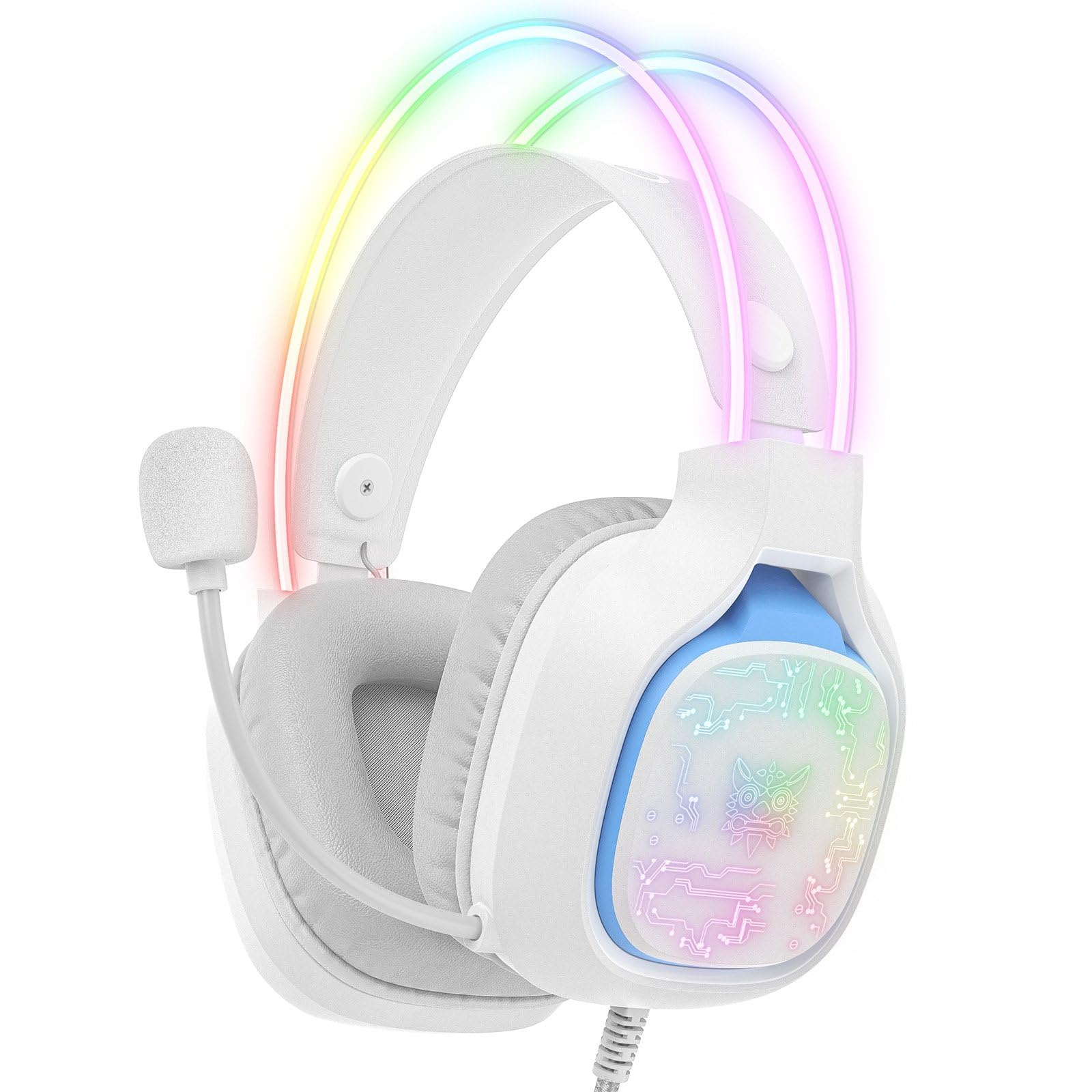
Image: The ONIKUMA X22 Gaming Headset with its 3.5mm audio jack and USB connector, ready for connection to a gaming device. The adjustable headband and microphone are visible.
Иштөө нускамалары
The ONIKUMA X22 features convenient inline controls for easy management during use:
- Үндү көзөмөлдөө: Locate the volume roller on the inline control unit. Roll it up to increase volume and down to decrease volume.
- Микрофондун үнүн өчүрүү: A switch on the inline control unit allows you to quickly mute or unmute the microphone. Slide the switch to the 'Mute' position to disable the microphone, and to the 'Unmute' position to enable it.
- RGB жарыкты башкаруу: If connected via USB, the RGB lighting will activate automatically. Some models may include a button on the inline control to cycle through lighting modes or turn the RGB off/on. Refer to the specific product packaging for detailed RGB control options if available.
For optimal performance, ensure your device's audio settings are configured to use the ONIKUMA X22 as the default playback and recording device.
Техникалык тейлөө
Тийиштүү техникалык тейлөө гарнитураңыздын узак мөөнөттүү иштешин жана иштешин камсыз кылат:
- Тазалоо: Кулак капкактарын жана баш боочу лентаны жумшак, кургак чүпүрөк менен сүртүңүз. Өжөр кирлерди бир аз сүртүңүз.amp жумшак самын кошулган чүпүрөктү колдонсо болот, бирок динамиктин торчолоруна же микрофонго суюктуктун кирбегенин текшериңиз. Катуу химиялык заттарды же абразивдүү тазалоочу каражаттарды колдонбоңуз.
- Сактагыч: Колдонулбай турган учурда, гарнитураны таза, кургак жерде, күн нуру түз тийбеген жана өтө жогорку температурадан алыс сактаңыз. Гарнитурага оор нерселерди койбоңуз.
- Кабельге кам көрүү: Avoid sharp bends or excessive pulling on the cables. Always grasp the plug, not the cable, when disconnecting.
- Ear Cup Replacement: If the ear cushions become worn, they may be replaceable. Check the manufacturer's website or contact support for replacement parts.
Проблемаларды чечүү
Гарнитураңызга байланыштуу көйгөйлөргө туш болсоңуз, төмөнкү жалпы чечимдерди караңыз:
- Үн жок:
- 3.5 мм аудио уячасы аппараттын аудио портуна толугу менен киргизилгенин текшериңиз.
- Үндү катуулатуу баскычын текшерип, катуулатыңыз.
- Verify your device's system volume is not muted or set too low.
- Операциялык системаңыздын үн жөндөөлөрүндө гарнитуранын демейки аудио чыгаруу түзмөгү катары тандалганын ырастаңыз.
- Түзмөккө тиешелүү маселени болтурбоо үчүн гарнитураны башка түзмөктө сынап көрүңүз.
- Микрофон иштебейт:
- Ensure the microphone mute switch on the inline control is in the 'Unmute' position.
- Check that the microphone is properly positioned near your mouth.
- Verify the headset microphone is selected as the default input device in your operating system's sound settings and communication applications.
- Adjust the microphone input level in your device's sound settings.
- Микрофонду башка түзмөктө сынап көрүңүз.
- RGB жарыктандыруу иштебейт:
- Ensure the USB-A connector is securely plugged into a powered USB port.
- Башка USB портун колдонуп көрүңүз.
- If there is an RGB control button on the inline unit, press it to cycle through modes or activate the lighting.
- Ыңгайсыз ылайыктуу:
- Adjust the suspended headband to find the most comfortable position.
- Ensure the ear cups are fully covering your ears without excessive pressure.
Техникалык шарттар
| Өзгөчөлүк | Деталь |
|---|---|
| Модель номери | X22 |
| Айдоочунун диаметри | 50мм |
| Жыштык диапазону | 20Гц - 20кГц |
| Микрофон түрү | 360-degree Omnidirectional with Active Noise Reduction |
| Байланыш | 3.5mm Audio Jack + USB-A (for RGB) |
| Кабелдин узундугу | 1.8 метр |
| Салмагы | 364 грамм |
| Жеткирүү өлчөмдөрү | 23.5 x 19.4 x 11.4 см |
| Чыгарылган күнү | 26-сентябрь, 2025-жыл |
Кепилдик маалымат
The ONIKUMA X22 Gaming Headset is covered by a standard manufacturer's warranty. The duration and terms of the warranty may vary by region and retailer. Please retain your proof of purchase for warranty claims. For specific details regarding your warranty coverage, refer to the documentation included with your product or visit the official ONIKUMA webсайт.
Кардарларды колдоо
For technical assistance, product inquiries, or customer service, please contact ONIKUMA customer support. You can typically find contact information, including email addresses, phone numbers, or support portals, on the official ONIKUMA website. Please have your product model (X22) and purchase details ready when contacting support.
Официалдуу Webсайт: www.onikuma.net (Эскертүү: Бул толтургуч URL. Refer to your product packaging for the correct official webсайт.)


