1. Киришүү
Thank you for choosing the Skechers SR2147 Glenhaven Digital Watch. This watch combines a robust design with essential digital functions, including a chronograph, calendar, 12/24-hour time format, daily alarm with chime, and an EL backlight. This manual will guide you through the setup, operation, and maintenance of your new timepiece.
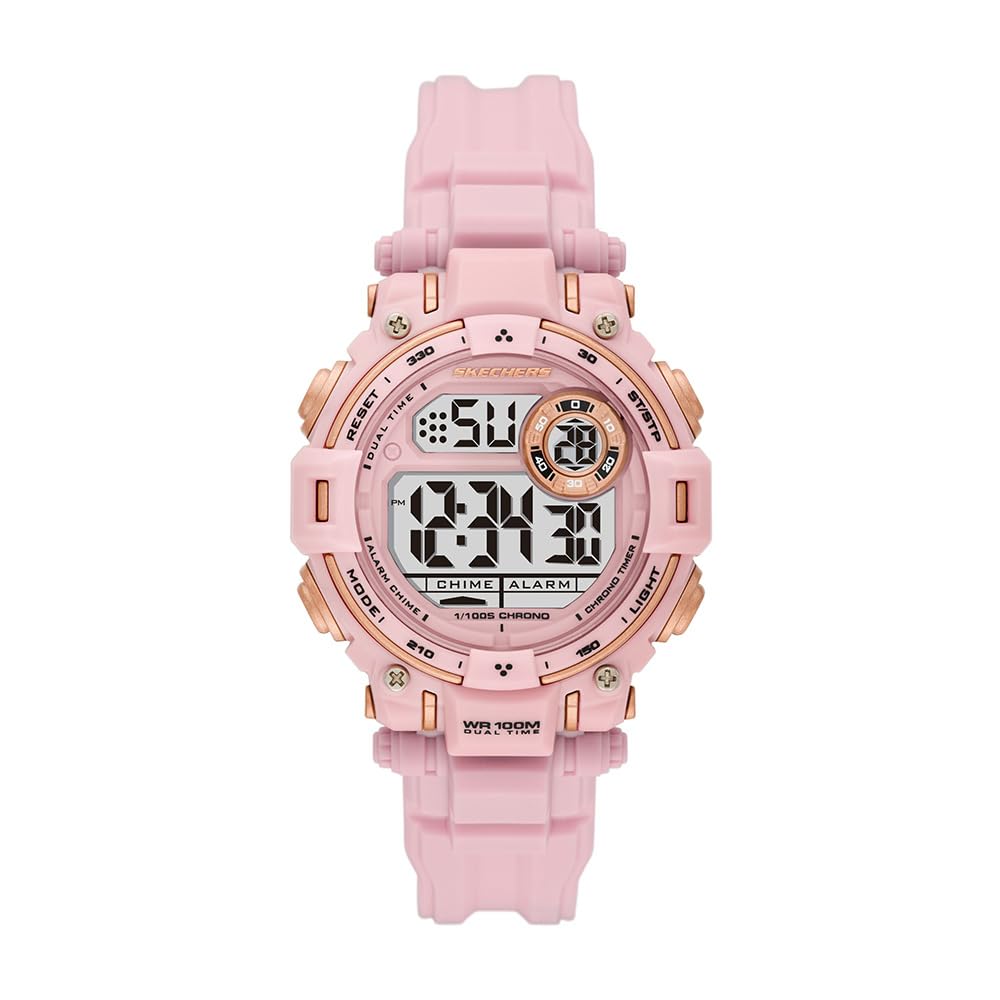
Сүрөт 1: Алдыңкы view of the Skechers SR2147 Glenhaven Digital Watch.
2. Орнотуу
2.1 Алгачкы активдештирүү
Your watch may arrive in a power-saving mode. If the display is blank, press any button to activate it. If a plastic battery tab is present, gently remove it from the side of the watch to allow the battery to make contact.
2.2 Убакытты жана датаны орнотуу

2-сүрөт: Каптал view of the watch, highlighting the MODE and RESET buttons.
- басыңыз РЕЖИМ баскычын убакытты коюу режими көрсөтүлгөнгө чейин кайра-кайра басыңыз (адатта сандар күйүп-өчүп турат).
- колдонуу RESET баскычын басып, өзгөрткүңүз келген санды же жөндөөнү (мисалы, саат, мүнөт, жыл, ай, күн) тандаңыз.
- колдонуу START/STOP button (often located on the opposite side or top right) to increase the value. Hold to advance rapidly.
- Бардык орнотуулар туура болгондон кийин, басыңыз РЕЖИМ Орнотуу режиминен чыгып, кадимки убакытты көрсөтүүгө кайтуу үчүн баскычын кайра басыңыз.
2.3 Саат тагынуу
Adjust the polyurethane strap to fit comfortably around your wrist. The buckle clasp ensures a secure fit.

Figure 3: The Skechers SR2147 watch comfortably worn on a wrist.
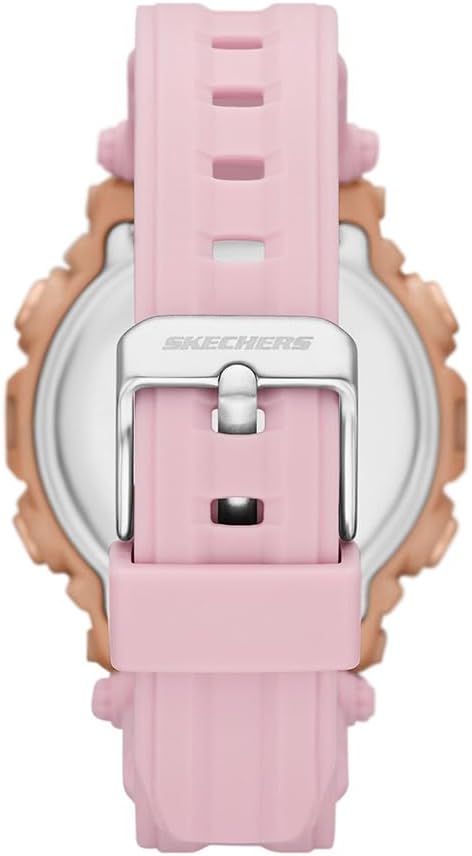
Figure 4: Close-up of the watch's buckle clasp for secure fastening.
3. Иштөө нускамалары
3.1 Навигация режими
басыңыз РЕЖИМ button to cycle through the different functions: Time Display → Chronograph → Alarm → Time Setting.
3.2 Хронограф (секундомер)
- From the Time Display, press РЕЖИМ until 'CHRONO' or 'STW' appears.
- басыңыз START/STOP убакытты белгилөөнү баштоо үчүн баскыч.
- Басыңыз START/STOP кайра тыныгуу үчүн.
- Басыңыз RESET секундомерди нөлгө түшүрүү үчүн.
3.3 Күнүмдүк ойготкуч
- From the Time Display, press РЕЖИМ until 'ALARM' or 'ALM' appears.
- Басыңыз RESET сааттарды же мүнөттөрдү тандоо үчүн.
- колдонуу START/STOP ойготкучтун убактысын тууралоо үчүн баскычты басыңыз.
- Басыңыз РЕЖИМ ырастоо жана чыгуу.
- Ойготкучту иштетүү/өчүрүү үчүн, адатта, басыңыз START/STOP ойготкучту көрсөтүү режиминде турганда. Ойготкуч сүрөтчөсү пайда болот/жок болот.
3.4 EL Арткы жарык
басыңыз ЖАРЫК button (usually on the top left) to illuminate the display for a few seconds in low-light conditions.
3.5 12/24 сааттык формат
While in time setting mode, use the RESET or START/STOP 12 сааттык (AM/PM индикатору менен) жана 24 сааттык форматтардын ортосунда которулуу үчүн баскычты басыңыз.
4. Техникалык тейлөө
4.1 Тазалоо
Саатты жумшак, кургак чүпүрөк менен үзгүлтүксүз сүртүңүз. Өтө кир болсо, бир аз сүртүңүз.amp cloth and mild soap, then rinse with clean water and dry thoroughly. Avoid harsh chemicals.
4.2 Сууга туруктуулук
This watch is water-resistant up to 100 meters (10 ATM). This means it is suitable for swimming and snorkeling, but not for high-impact water sports or scuba diving. Do not operate buttons underwater.
4.3 Батареяны алмаштыруу
When the display dims or functions become erratic, the battery may need replacement. It is recommended to have the battery replaced by a qualified watch technician to ensure proper sealing and maintain water resistance.
5. Кыйынчылыктарды
- Дисплей бош: Check if the battery tab has been removed. If not, the battery may be depleted. Replace the battery.
- Убакыт туура эмес: Refer to Section 2.2 to reset the time and date. Ensure the 12/24-hour format is set correctly.
- Ойготкуч угулбайт: Ensure the alarm is activated (check for the alarm icon on the display). Verify the alarm time is set correctly.
- Баскычтар жооп бербейт: The watch may be in a locked mode (unlikely for this model) or the battery is very low. Try replacing the battery. If issues persist, contact customer support.
6. Техникалык шарттар
| Өзгөчөлүк | Деталь |
|---|---|
| Модель номери | SR2147 |
| Бренд | Skechers |
| Дисплей түрү | Санарип |
| Кыймыл түрү | Кварц |
| Power Source | Батарея |
| Иштин материалы | Поликарбонат |
| Топтун материалы | Полиуретан |
| Кристалл материалы | Минералдык айнек |
| Иштин диаметри | 40 мм |
| Case Thickness | 14 мм |
| Band Width | 20 мм |
| Band Length | 19 см |
| Суу каршылык | 100 метр (10 банкомат) |
| Салмагы | 50 грамм |
| UPC | 796483670648 |
7. Кепилдик жана колдоо
7.1 Чектелген Кепилдик
This Skechers watch is covered by a limited warranty. Please refer to the warranty card included with your purchase for specific terms and conditions. The warranty typically covers manufacturing defects but does not cover normal wear and tear, battery life, or damage caused by improper use or accidents.
7.2 Кардарларды колдоо
For further assistance, troubleshooting, or warranty claims, please contact Skechers customer support or the retailer from whom you purchased the watch. Keep your proof of purchase for warranty validation.

Figure 5: The Skechers watch product box, containing the watch and documentation.