Introduction
This manual provides essential instructions for setting up and operating your AT&T DLP73190 1-Handset DECT 6.0 Bluetooth Cordless Phone. Please read this guide thoroughly to ensure proper use and to take full advantage of its features, including the 5-inch large color display, Smart Call Blocking, and Connect-to-Cell technology.
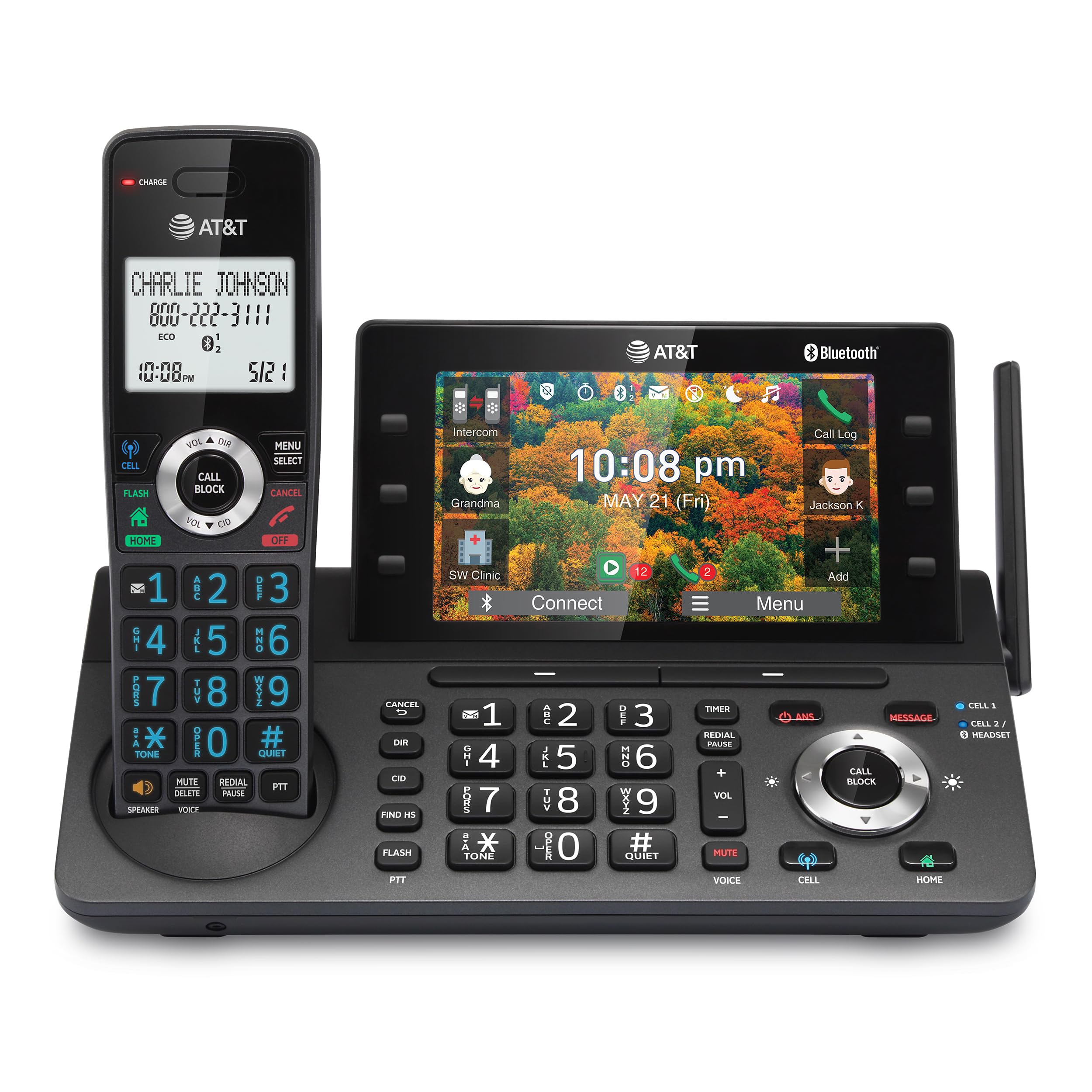
Figure 1: AT&T DLP73190 Cordless Phone System Overview
Жайгашуу
1. Пакеттин мазмунун текшерүү
Бардык компоненттердин бар экенин текшериңиз:
- (1) Main Base Unit
- (1) Cordless Handset
- (1) A/C Adapter
- (1) Rechargeable Ni-MH Battery
- (1) Батарея капкагы
- (1) RJ-11 Telephone Cable
- (1) Wall Mount Bracket for Base
- (1) Ыкчам баштоо боюнча колдонмо
2. Батареяны орнотуу
- Locate the battery compartment on the back of the cordless handset.
- Insert the rechargeable Ni-MH battery, ensuring correct polarity.
- Батареянын капкагын алмаштырыңыз.
- Place the handset on the base unit to charge for at least 16 hours before initial use.
3. Негизги блокту туташтыруу
- Connect the A/C adapter to the base unit and a power outlet.
- Connect the RJ-11 telephone cable to the base unit and your telephone wall jack (for landline service).
- For wall mounting, use the provided bracket and follow the instructions in the Quick Start Guide.
4. Connect-to-Cell Setup (Bluetooth Pairing)
The system supports pairing up to two cell phones or one cell phone and one Bluetooth headset.
- On the base unit's 5-inch color display, navigate to the Bluetooth pairing menu.
- Enable Bluetooth on your cell phone or headset and set it to discoverable mode.
- Select your device from the list on the phone's display and follow the on-screen prompts to complete pairing.

Figure 2: Bluetooth Connect-to-Cell Functionality
This feature allows you to make and receive cellular calls using the cordless handset.
Иштөө нускамалары
1. Чалууларды кабыл алуу жана кабыл алуу
- Стационардык телефон чалуулары: басыңыз ҮЙ button on the handset or base, then dial the number.
- Уюлдук чалуулар: басыңыз CELL button on the handset or base, then dial the number.
- Чалууларга жооп берүү: Press any talk key (ҮЙ or CELL) on the handset or base.
2. Using the 5-inch Color Base Display
The large color display on the base unit provides easy access to various functions and information.
- Навигация: Use the soft keys on the side and bottom of the screen to navigate menus and select options.
- Personalized Shortcuts: Assign frequently used features or contacts to shortcuts on the display for quick access.
- Обои параметрлери: Customize the display with lifestyle wallpaper options.

Figure 3: 5-inch Color Base Display with Shortcuts
3. Акылдуу чалууларды бөгөттөөчү
This feature helps to filter out unwanted calls, including robocalls.
- Автоматтык бөгөттөө: Robocalls are automatically blocked from ringing through.
- Кол менен бөгөттөө: басыңыз ЧАКЫРУУ БЛОКУ button during or after a call to add a number to the block list.
- The system can store up to 1,000 names and numbers in the block list.
4. Санариптик жооп берүү системасы
The integrated digital answering system can record up to 40 minutes of incoming messages.
- Кабарларга кирүү: Билдирүүлөрдү ойнотуу, өткөрүп жиберүү же өчүрүү үчүн негизги блоктогу же трубкадагы башкаруу элементтерин колдонуңуз.
- Алыстан кирүү: Access your messages remotely by calling your landline number and entering your PIN.

Figure 4: Digital Answering System Interface
5. Домофон функциясы
Use the intercom feature to communicate between the handset and the base unit, or between multiple handsets if additional handsets are registered.
- Push-To-Talk: басыңыз PTT button on the handset to initiate an intercom call.

Figure 5: Push-To-Talk Intercom Feature
6. Simulated Full-Duplex Handset Speakerphone
The handset features a speakerphone that allows both parties to speak and be heard simultaneously, enhancing hands-free communication.
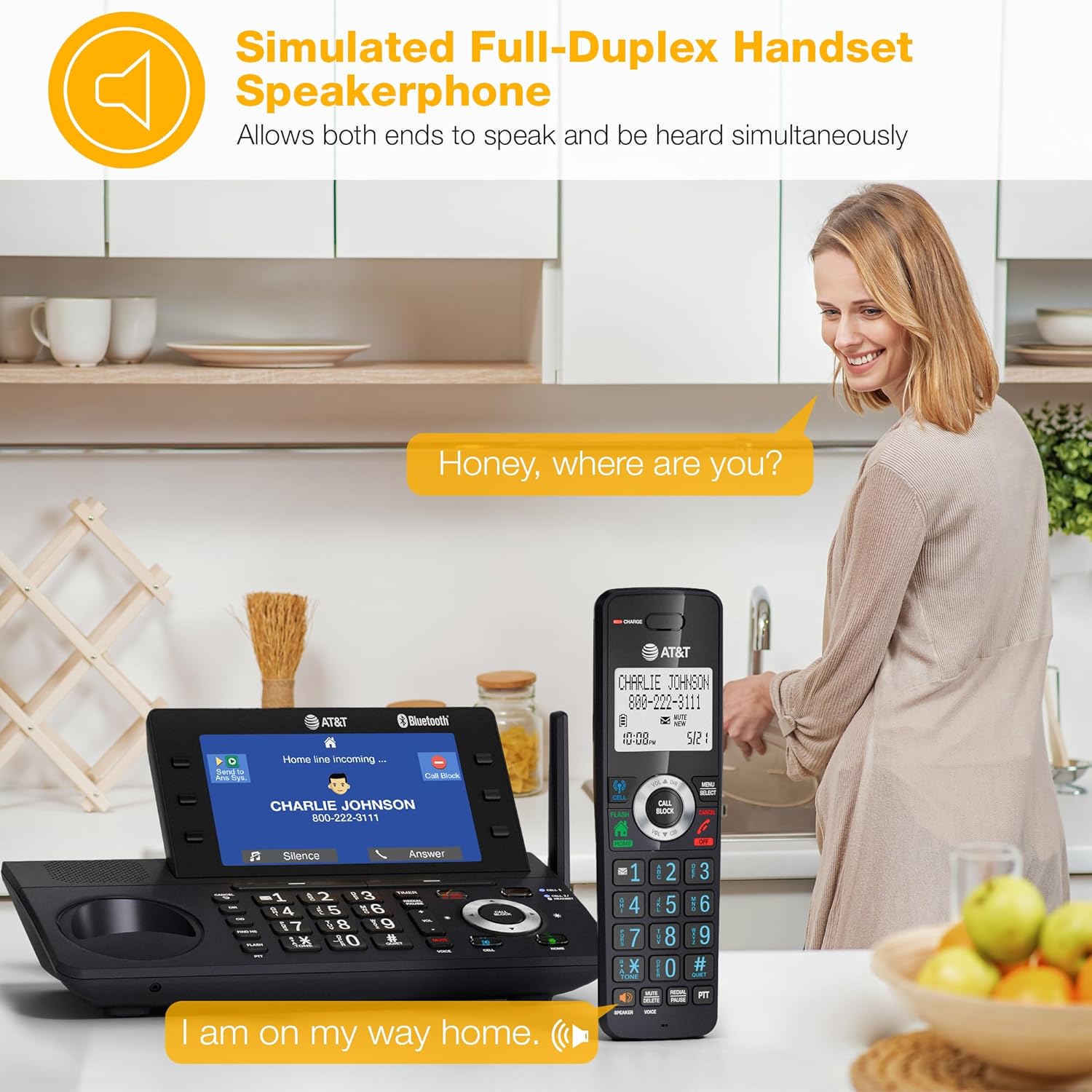
Figure 6: Handset Speakerphone in Use
7. Cell Phone Phonebook Download
Download up to 1,200 names and numbers from your paired cell phone to the cordless phone system's directory.
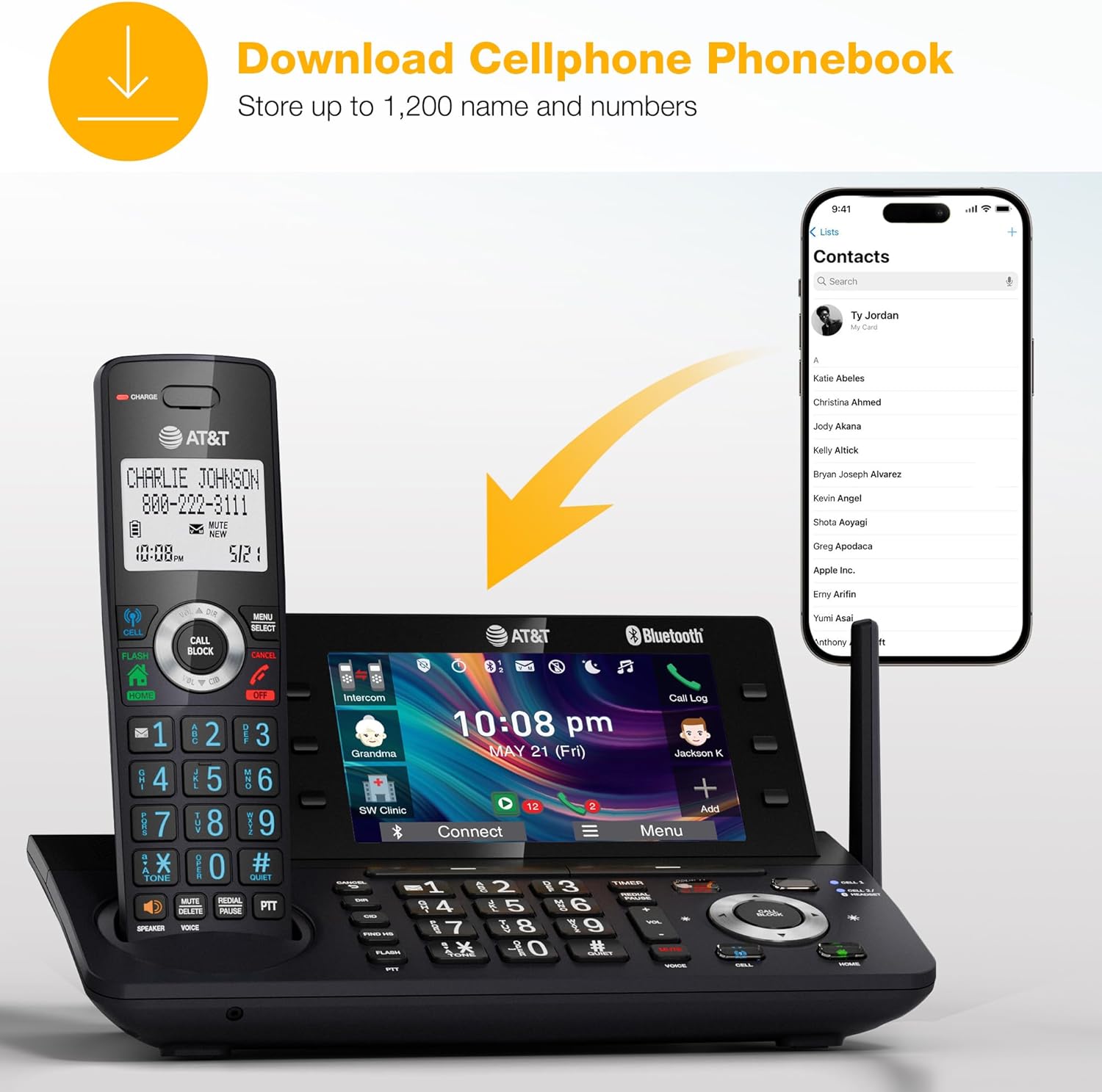
Figure 7: Cell Phone Phonebook Download
Техникалык тейлөө
- Тазалоо: Телефондун беттерин жумшак, d менен тазалаңызamp кездеме. Катуу химиялык заттарды же абразивдүү тазалагычтарды колдонуудан алыс болуңуз.
- Батареяга кам көрүү: For optimal battery life, ensure the handset is placed on the charger when not in use. Replace the Ni-MH battery when its performance significantly degrades.
- Экологиялык шарттар: Телефонду өтө жогорку температурага, түз күн нуруна же нымдуулукка дуушар кылбаңыз.
Проблемаларды чечүү
If you encounter issues with your AT&T DLP73190 phone, try the following basic troubleshooting steps:
- Терүү үнү жок:
- Телефон линиясынын шнурунун негизги блокко жана уячага бекем туташтырылганын текшериңиз.
- Verify that the A/C adapter is properly connected to the base unit and a working power outlet.
- Телефон заряддалбай жатат:
- Телефондун кубаттоочу тешикке туура орнотулганын текшериңиз.
- Ensure the charging contacts on both the handset and base are clean.
- Confirm the A/C adapter is plugged in.
- Poor Call Quality/Range:
- Телефонду негизги блокко жакыныраак жылдырыңыз.
- Avoid placing the base unit near large metal objects or other electronic devices that may cause interference.
- Bluetooth жупташтыруу маселелери:
- Уюлдук телефонуңуздун Bluetooth функциясы күйгүзүлгөнүн жана табыла турганын текшериңиз.
- Delete previous pairings on both the phone system and your cell phone, then attempt to pair again.
- Автожооп берүүчү система жаздырбай жатат:
- Жооп берүү системасы күйгүзүлгөнүн текшериңиз.
- Ensure there is sufficient recording time available.
For more detailed troubleshooting or complex issues, please refer to the comprehensive user manual or contact AT&T customer support.
Техникалык шарттар
| Өзгөчөлүк | Деталь |
|---|---|
| Бренд | AT&T |
| Модель номери | DLP73190 |
| Телефон түрү | Зымсыз (DECT 6.0) |
| Телефондор камтылган | 1 |
| Кеңейтүү | Up to 5 handsets (DLP73X90 system) |
| Дисплей | 5" Color Base Display |
| Жооп берүү системасынын түрү | Санариптик (40 мүнөткө чейин жаздыруу) |
| Call блоктоо | Smart Call Blocker (up to 1,000 numbers) |
| Connect-to-Cell | Bluetooth (pair up to 2 cell phones or 1 cell phone + 1 Bluetooth headset) |
| Шайкеш түзмөктөр | Cell Phones (Android or iPhone), BLUETOOTH Headsets |
| Power Source | Батарея менен иштейт, электр зымдары |
| Батарея түрү | NiMH (rechargeable) |
| Материал | Пластик |
| Продукциянын өлчөмдөрү | 11.5 x 18.3 x 24.5 см; 1.02 кг |
Кепилдик жана колдоо
For warranty information, please refer to the documentation included with your product or visit the official AT&T website. If you require technical assistance or have questions regarding your AT&T DLP73190 cordless phone, please contact AT&T customer support.
Онлайн колдоо: www.att.com/support/
Телефондук колдоо: Refer to your local AT&T service provider for contact numbers.
Расмий продукт Videos
No official seller-created videos are available for this product at this time.


