Introduction
Thank you for choosing the ProtoArc KM310 Wireless Mechanical Keyboard and Mouse. This combo offers a responsive typing experience with low-profile linear red switches and versatile multi-device connectivity. The ergonomic mouse is designed for comfort and precision. This manual provides detailed instructions for setup, operation, maintenance, and troubleshooting to ensure optimal performance.
Кутуда эмне бар

Image: Contents of the ProtoArc KM310 package, including the keyboard, mouse, charging cable, and user manual.
- ProtoArc KM310 зымсыз механикалык клавиатура
- ProtoArc зымсыз чычканы
- USB-C заряддоо кабели
- User Manual
Продукт бүттүview
Баскычтоптун өзгөчөлүктөрү

Сүрөт: жакын план view of the ProtoArc KM310 keyboard, highlighting its low-profile keys and linear red switches.
- Low-Profile Механикалык ачкычтар: Equipped with linear red switches for a smooth, quiet, and responsive typing experience.
- Aluminum Top Case: Provides durability and a sleek, modern aesthetic.
- Жөндөлүүчү кыйшаюучу буттар: Ergonomically designed with 2-stage foot mats offering 6° and 9° tilt options for comfortable typing.
- Толук өлчөмдөгү макет: A 108-key layout suitable for office and business use.
Чычкан өзгөчөлүктөрү

Image: The ProtoArc KM310 mouse being held, showcasing its ergonomic design for a natural grip.
- 63G Ultra-Lightweight: Reduces hand fatigue during extended use and enhances portability.
- Эргономикалык дизайн: Contoured shape for a comfortable and natural grip.
- Жөнгө салынуучу DPI: Three DPI levels (1000/1600/2400) for tailored control and precision.
- Унчукпай чыкылдатуу: Тынч иштөө үчүн иштелип чыккан.
- Алдыга/Артка баскычтары: Integrated for seamless browsing.
Туташуу жана кубат
- Көп түзмөк байланышы: Connects up to 3 devices via 2.4G USB receiver or Dual Bluetooth (BT1, BT2).
- Кайра заряддалуучу: Both keyboard and mouse feature Type-C charging. The mouse's USB receiver is stored on its bottom.
- Батареянын узак иштөө мөөнөтү: Up to 150-200 days standby time; 2-3 hours for a full charge.
Орнотуу нускамалары
1. Түзмөктөрдү заряддоо

Image: The keyboard and mouse are shown connected to power sources via USB-C cables for charging.
- Connect the provided USB-C charging cable to the charging port on the keyboard (located on the top edge) and the mouse (located on the front edge).
- Кабелдин экинчи учун USB кубат булагына сайыңыз (мисалы, компьютердин USB порту, USB дубал адаптери).
- The indicator lights will show charging status. Allow 2-3 hours for a full charge.
2. Түзмөктөргө туташуу

Image: A desk setup showing the ProtoArc KM310 keyboard and mouse connected to a laptop, monitor, and tablet, illustrating multi-device capability.
The KM310 combo supports three connection modes: 2.4G wireless via USB receiver, Bluetooth 1 (BT1), and Bluetooth 2 (BT2).
2.1. 2.4G зымсыз туташуу
- Чычкандын астыңкы жагындагы бөлүмдө сакталган USB кабыл алгычты табыңыз.
- USB ресиверди компьютериңиздеги жеткиликтүү USB портуна сайыңыз.
- Клавиатура менен чычканды күйгүзүңүз, алардын тиешелүү кубат которгучтары.
- Түзмөктөр автоматтык түрдө туташуу керек.
2.2. Bluetooth байланышы (BT1 / BT2)
- Баскычтопту жана чычканды күйгүзүңүз.
- Баскычтоптон басыңыз BT1 or BT2 key (usually located on the number pad, indicated by orange keycaps) to select the desired Bluetooth channel. The indicator light will flash.
- On your device (computer, tablet, etc.), go to Bluetooth settings and search for "ProtoArc KM310 Keyboard" and "ProtoArc KM310 Mouse".
- Select the devices to pair. The indicator light will stop flashing once connected.
- Башка BT каналын колдонуп, экинчи Bluetooth түзмөгү үчүн кайталаңыз.
2.3. Түзмөктөрдүн ортосунда которулуу
To switch between connected devices, simply press the corresponding connection key on the keyboard (2.4G, BT1, or BT2) and the channel switch button on the bottom of the mouse.
Иштөө нускамалары
Баскычтопту колдонуу
- Терүү: Төмөн профессионалfile linear red switches provide a responsive and quiet typing experience.
- Операциялык системанын шайкештиги: The keyboard is compatible with Windows and Mac OS. Keys like 'Win' and 'Alt' also show 'Option' and 'Cmd' for Mac users.
- Тиленүүнү тууралоо: Use the adjustable tilt legs on the underside of the keyboard to set your preferred typing angle (6° or 9°).
Чычканды колдонуу
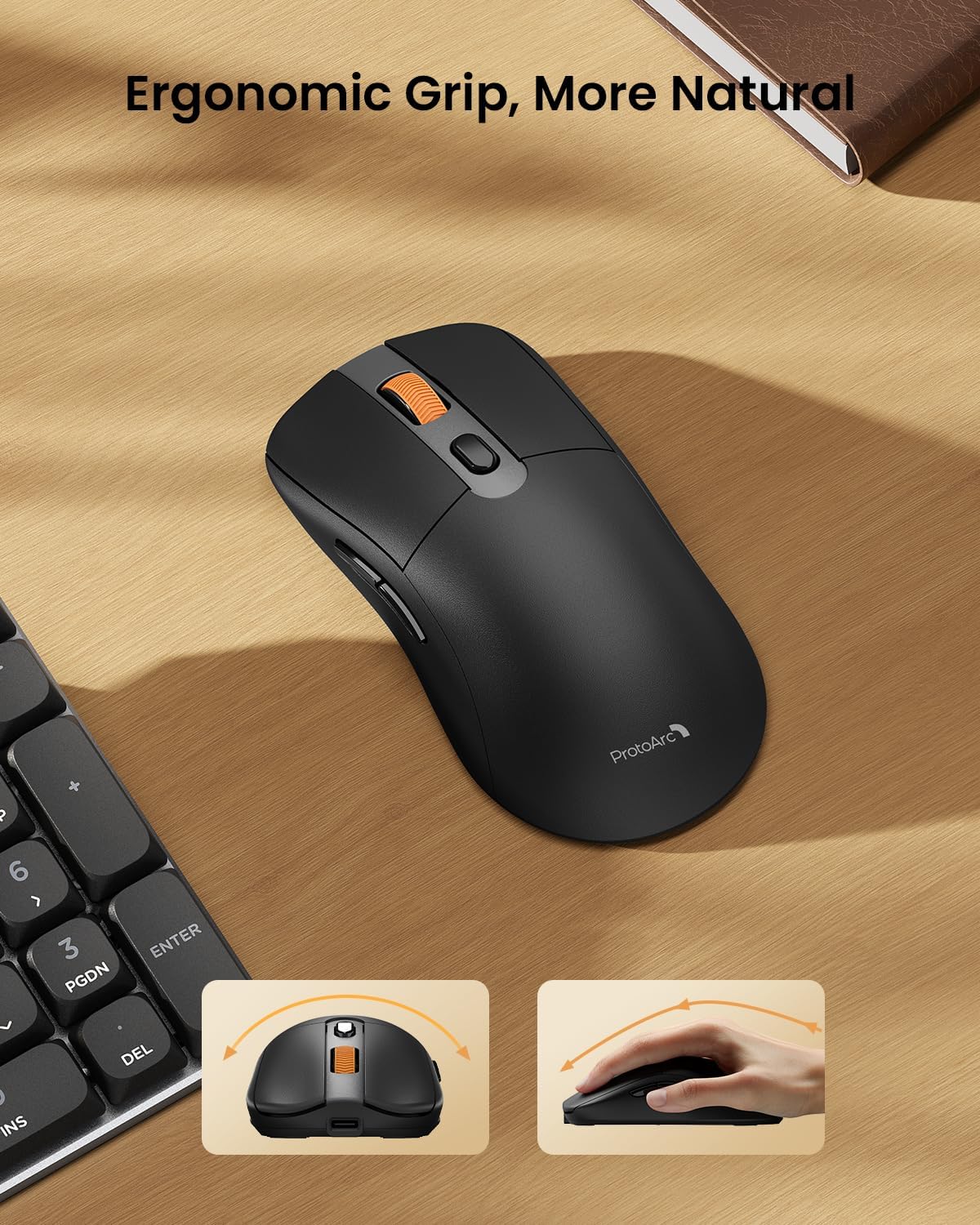
Image: A close-up of the ProtoArc KM310 mouse, illustrating the three adjustable DPI settings (1000, 1600, 2400).
- DPI жөндөө: Press the DPI switch button (usually located near the scroll wheel) to cycle through the 3 DPI levels (1000/1600/2400) to match your preference for cursor speed and precision.
- Чабыттоо баскычтары: Use the forward and backward buttons on the side of the mouse for quick navigation in web браузерлер же file изилдөөчүлөр.
- Унчукпай чыкылдатуулар: The mouse features silent click buttons for a quiet working environment.
Техникалык тейлөө
- Тазалоо: Клавиатура менен чычканды жумшак, кургак чүпүрөк менен сүртүңүз. Өтө кир болсо, бир аз сүртүңүз.amp жумшак самын менен кездеме колдонсо болот, бул аппаратка суюктук кирбесин.
- Батареяга кам көрүү: Recharge the devices when the battery indicator is low. Avoid prolonged exposure to extreme temperatures.
- Сактагыч: When not in use for extended periods, turn off the devices to conserve battery life. Store the USB receiver inside the mouse to prevent loss.
Проблемаларды чечүү
Keyboard/Mouse Not Turning On or Stopping Working
- Батареяны текшерүү: Ensure both the keyboard and mouse are sufficiently charged. Connect them to a power source using the USB-C cable.
- Түзмөктөрдү кайра жупташтыруу:
- For 2.4G connection, ensure the USB receiver is securely plugged in and the devices are set to 2.4G mode.
- For Bluetooth connection, ensure the devices are set to the correct BT channel (BT1 or BT2) and re-pair them through your device's Bluetooth settings.
- Башка кабелди колдонуп көрүңүз: If charging issues persist, try using a different USB-C cable to rule out a faulty cable.
- Интерференция: Move the devices closer to your computer or away from other wireless devices that might cause interference.
- Колдоо кызматы менен байланышуу: If the issue persists, please contact ProtoArc customer support for further assistance.
Техникалык шарттар
| Модель номери | KM310 |
| Бренд | ProtoArc |
| Түс | Space Gray |
| Байланыш технологиясы | Bluetooth, USB (2.4G зымсыз) |
| Өзгөчөлүктөр | Төмөн Проfile Keys, Linear Red Switches, Ergonomic Design, Ultra-Light Mouse, Ergonomic Mouse |
| Шайкеш түзмөктөр | Laptop, Personal Computer, Tablet (Windows 7/8/10, Mac OS X 10.12, Android 4.3 or higher) |
| Элемент Салмагы | 2.31 фунт |
| Пакеттин өлчөмдөрү | 17.68 x 8.07 x 2.05 дюйм |
Кепилдик жана колдоо
The ProtoArc KM310 Mechanical Keyboard and Mouse combo comes with a 2 жылдык кепилдик.
For any questions, technical support, or warranty claims, please contact ProtoArc customer service:
- Электрондук почта: support@protoarc.com
- Телефон: +1 866-287-8188
Расмий продукт Video
Видео: Расмий продукт көргөзмөсүasing the features and design of the ProtoArc KM310 Aluminum Mechanical Keyboard and Mouse.


