1. Киришүү
Welcome to the Saker X9 Retro Handheld Game Console user manual. This guide provides essential information for setting up, operating, and maintaining your device. Please read this manual thoroughly to ensure proper use and to maximize your gaming experience.
2. Продукт бүтүп калдыview
The Saker X9 is a portable retro game console designed for entertainment. It features a 5.5-inch IPS screen, integrated controls, and the ability to connect to a television for a larger display. The console comes with 64GB of internal storage for pre-loaded games.
2.1 Console Components
- 5.5 дюймдук IPS экран: High-definition display for clear visuals.
- Directional Pad (D-pad): For navigation in games and menus.
- Аналогдук таякчалар: Two analog sticks for precise control.
- Аракет баскычтары (A, B, X, Y): Стандарттуу оюн киргизүү баскычтары.
- ТАНДОО/БАШТОО баскычтары: For in-game functions and menu selections.
- Ийин баскычтары: L1, L2, R1, R2 buttons located on the top of the console.
- Тип-C Port: For charging the console.
- HDMI чыгышы: Тышкы дисплейлерге туташуу үчүн.

Сүрөт 1: Алдыңкы view of the Saker X9 Retro Handheld Game Console, showing the 5.5-inch screen, D-pad, analog sticks, and action buttons.
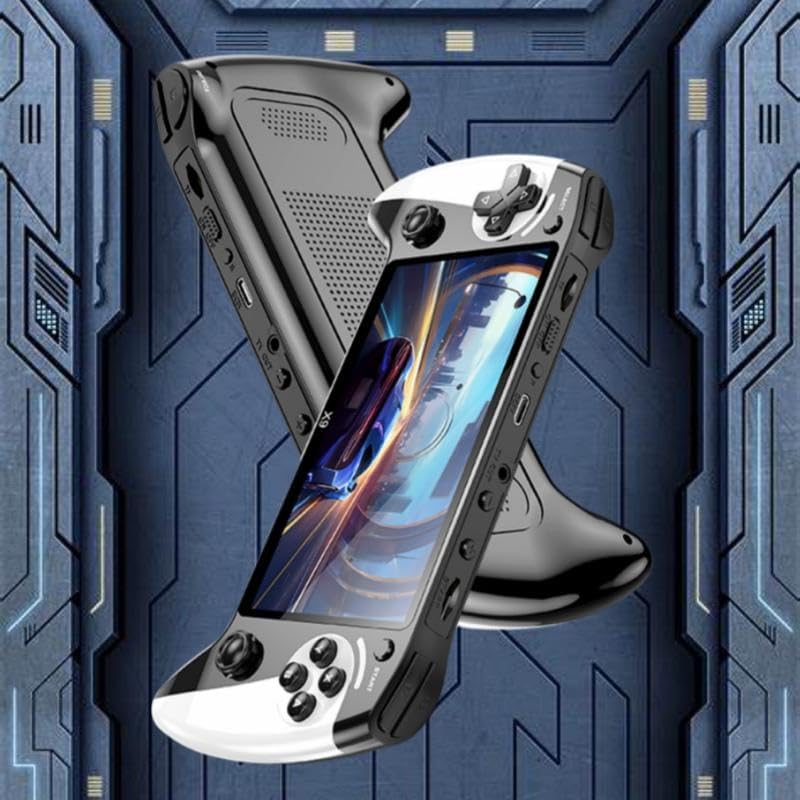
2-сүрөт: Каптал view of the Saker X9 console, highlighting its ergonomic design and accessible ports.
3. Орнотуу
3.1 Алгачкы заряддоо
- Locate the Type-C charging port on the console.
- Connect the provided Type-C charging cable to the console and a compatible USB power adapter (not included).
- Allow the console to charge fully before first use. The charging indicator light will typically change color or turn off when charging is complete.
3.2 Күйгүзүү/өчүрүү
- Күйгүзүү үчүн: Экран жарыктанганга чейин Кубат баскычын (адатта үстү же капталында жайгашкан) бир нече секунд басып туруңуз.
- Өчүрүү үчүн: Press and hold the Power button until a power-off option appears on the screen, then select it. Alternatively, hold the Power button for an extended period (e.g., 5-10 seconds) for a forced shutdown if the system is unresponsive.
4. Иштөө нускамалары
4.1 Негизги навигация
Use the D-pad or analog sticks to navigate through the console's menus. The 'A' button typically confirms selections, while the 'B' button usually acts as a back or cancel function.
4.2 Game Play
- From the main menu, select the 'Games' or 'Emulator' section.
- Browse the list of available games using the D-pad or analog sticks.
- Press the 'A' button to select and launch a game.
- Follow on-screen instructions or in-game tutorials for specific game controls.

Figure 3: The console features a 5.5-inch HD screen for an immersive gaming experience.
4.3 TV Output
The Saker X9 console supports connecting to a television for a larger display experience.
- Консоль өчүрүлгөндүгүн текшериңиз.
- Connect an HDMI cable (not included) from the console's HDMI output port to an available HDMI input port on your television.
- Power on your television and select the correct HDMI input source.
- Power on the Saker X9 console. The display should automatically switch to your television.

Figure 4: Connect the Saker X9 console to a television to play games on a larger screen.

Figure 5: The Saker X9 console supports TV output, allowing for an enhanced gaming experience on a larger display.
4.4 Wireless Controller Connection
The Saker X9 console supports connecting external wireless controllers for multi-player gaming or preferred control schemes.
- Ensure your wireless controllers are charged and in pairing mode (refer to your controller's manual for specific pairing instructions).
- Navigate to the console's settings menu and look for 'Bluetooth' or 'Controller Settings'.
- Select 'Scan for Devices' or a similar option.
- Once your controller appears in the list, select it to pair.

Figure 6: The Saker X9 console supports connection with external wireless controllers for multi-player gaming.
5. Техникалык тейлөө
5.1 Консольду тазалоо
- Use a soft, dry, lint-free cloth to wipe the console's exterior.
- өжөр белгилери үчүн, бир аз гampчүпүрөккө суу куюп, анан дароо кургатып сүртүңүз.
- Катуу химиялык заттарды, абразивдүү тазалагычтарды же эриткичтерди колдонбоңуз.
5.2 Батареяга кам көрүү
- Батареяны бат-баттан толук кубаттап калуудан алыс болуңуз.
- Батареянын иштөө мөөнөтүн сактоо үчүн, колдонулбаса дагы, консолду үзгүлтүксүз кубаттап туруңуз.
- Do not expose the console to extreme temperatures.
5.3 Сактоо
- Консольду салкын, кургак жерде, күндүн нуру жана нымдуулук тийбеген жерде сактаңыз.
- Keep the console away from dust and debris.
6. Кыйынчылыктарды
If you encounter issues with your Saker X9 console, please refer to the following common solutions:
- Console Will Not Power On: Ensure the battery is charged. Connect the console to a power source and try again. If unresponsive, perform a hard reset by holding the power button for 10-15 seconds.
- Сыналгыда дисплей жок: Verify the HDMI cable is securely connected to both the console and the TV. Ensure the correct HDMI input source is selected on your television. Try a different HDMI cable or TV port.
- Games Not Loading/Freezing: Restart the console. Ensure there is sufficient storage space if attempting to add new games (though the console comes with pre-loaded games).
- Controller Connection Issues: Ensure wireless controllers are fully charged and in pairing mode. Re-attempt the pairing process as described in Section 4.4.
7. Техникалык шарттар
| Өзгөчөлүк | Спецификация |
|---|---|
| Screen Size | 5.5 дюйм |
| Дисплей түрү | LCD |
| Эстутум сактоо сыйымдуулугу | 64 ГБ |
| Power Source | Батарея менен иштейт |
| Батареянын сүрөттөлүшү | Литий-ион |
| Форма фактору | Колдук |
| Материал | Пластик |
| Продукциянын өлчөмдөрү | 9.85 x 5.52 x 1.18 дюйм |

Figure 7: The Saker X9 console is powered by a high-performance gaming chip designed for smooth gameplay.
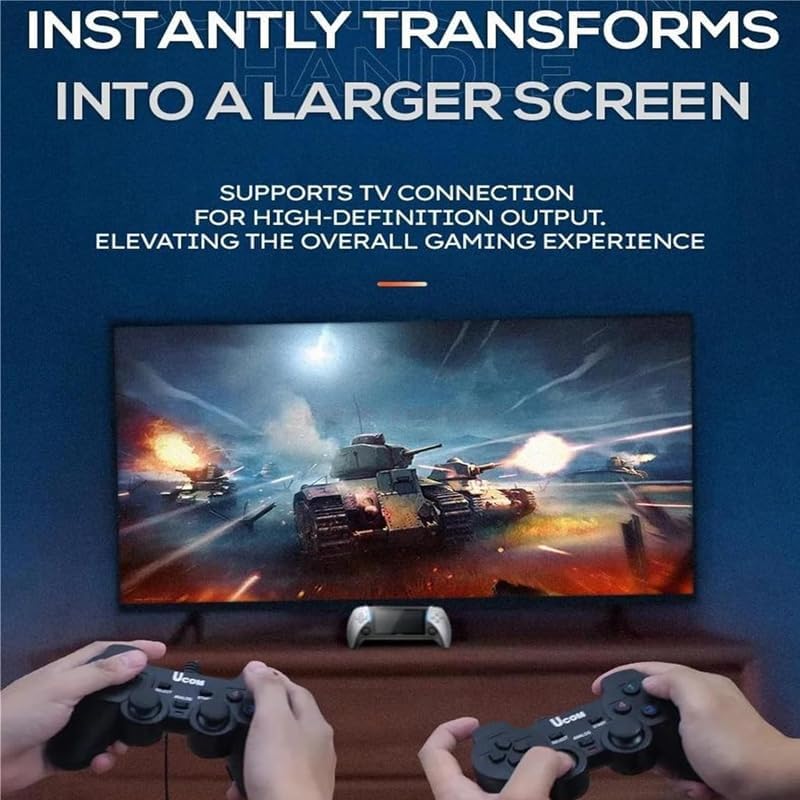
Figure 8: The portable design of the Saker X9 allows for gaming enjoyment anytime, anywhere.
8. Коопсуздук маалыматы
Please observe the following safety guidelines to prevent damage to the device or personal injury:
- Бул продукт тышкы колдонуу үчүн гана.
- Do not expose the console to water, moisture, or extreme temperatures.
- Avoid dropping or subjecting the console to severe impacts.
- Do not attempt to disassemble or repair the console yourself. Refer to qualified service personnel.
- Keep the console away from young children to prevent choking hazards from small parts.
- Use only the specified charging cable and compatible power adapters.
9. Кепилдик жана колдоо
For warranty information or technical support, please refer to the documentation included with your purchase or contact the retailer where the product was acquired. Keep your proof of purchase for any warranty claims.


