1. Киришүү
This manual provides detailed instructions for the safe and efficient operation of your BYINTEK T5 Max Projector. Please read this manual thoroughly before using the product and retain it for future reference. The BYINTEK T5 Max is designed to deliver a high-quality visual and audio experience for home entertainment, outdoor camping, and various social gatherings.
2. Продукт бүтүп калдыview
2.1 Негизги өзгөчөлүктөрү
- Full HD 1080p Resolution with 4K Support: Жандуу түстөр менен кооздолгон ачык, так сүрөттөрдү көрүңүз.
- 1000 ANSI Lumens Brightness: Таза ырахаттаныңыз viewжакшы жарык чөйрөдө да.
- Sealed Optical Engine: Protects internal components from dust, ensuring longer lifespan and stable performance.
- Automatic Focus and 6D Keystone Correction: Instant and precise image adjustment for optimal viewар кандай бурчтардан карап чыгуу.
- Integrated Stereo Speakers with Bluetooth 5.0: Delivers rich audio and allows connection to external audio devices or use as a standalone Bluetooth speaker.
- Android TV 11.0 ОС: Access a wide range of streaming applications and content.
- Көп функциялуу байланыш: Supports Wi-Fi 2.4G for screen mirroring (iPhone/Android), HDMI, and USB inputs.
2.2 Продукт компоненттери
The BYINTEK T5 Max Projector package typically includes:
- BYINTEK T5 Max Projector
- Алыстан башкаруу
- Кубаттуу адаптер
- Колдонуучунун Колдонмосу (бул документ)

1-сүрөт: Фронт view of the BYINTEK T5 Max Projector, showcasing the lens and auto-focus sensor.
3. Орнотуу
3.1 Пакеттен чыгаруу жана жайгаштыруу
- Бардык компоненттерди таңгактан кылдаттык менен алып салыңыз.
- Проекторду туруктуу, тегиз бетке коюңуз. Проектордун айланасында жетиштүү желдетүүнү камсыз кылыңыз.
- Position the projector at the desired distance from the projection surface (wall or screen). The optimal projection distance varies based on desired screen size. Refer to the specifications section for projection ratios.
3.2 Кубат туташтыруу
- Кубат адаптерин проектордун кубат киргизүү портуна туташтырыңыз.
- Кубат адаптерин ылайыктуу электр розеткасына сайыңыз.
- The projector will typically enter standby mode, indicated by an LED light.
3.3 Баштапкы күйгүзүү
Press the power button on the projector or the remote control to turn on the device. The projector will initiate its startup sequence, including automatic focus and keystone correction.
4. Иштөө нускамалары
4.1 Automatic Focus and Keystone Correction
The BYINTEK T5 Max features advanced TOF technology for instant automatic focus and 6D keystone correction. When the projector is moved or powered on, it will automatically adjust the image for clarity and a perfect rectangular shape.
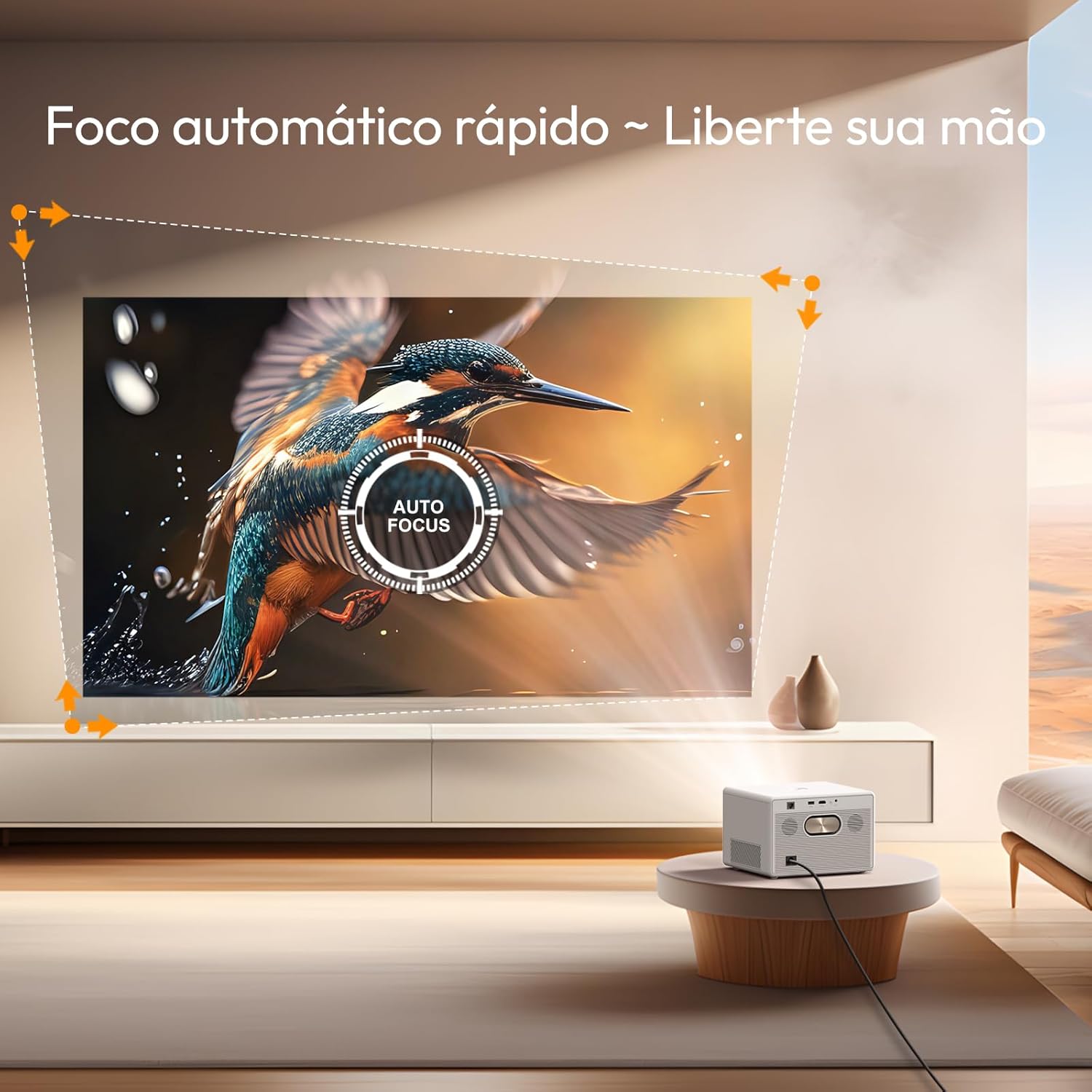
2-сүрөт: The projector automatically adjusts focus for a clear image.

3-сүрөт: Automatic keystone correction ensures a perfectly rectangular image from various projection angles.
4.2 Navigating Android TV 11.0
The projector comes with Android TV 11.0 OS, providing access to a wide range of applications and streaming services. Use the remote control to navigate the interface, select apps, and manage settings.
- Башкы экран: Displays recommended content, installed apps, and system settings.
- App Store: Download additional applications from the Google Play Store.
- Орнотуулар: Adjust network, display, sound, and system preferences.

4-сүрөт: The Google TV interface provides access to a variety of entertainment options.
4.3 Байланыш параметрлери
The BYINTEK T5 Max offers multiple ways to connect your devices:
- Wi-Fi (2.4G): Connect to your home network for internet access and screen mirroring.
- барыңыз Орнотуулар> Тармак жана Интернет Wi-Fi тармагына туташуу үчүн.
- For screen mirroring, select the appropriate option from the projector's menu (e.g., "Screen Cast" or "Mirroring") and follow the instructions on your smartphone (iPhone/Android).
- HDMI: Connect external devices such as laptops, gaming consoles, or Blu-ray players.
- Connect an HDMI cable from your device to the projector's HDMI port.
- Select the HDMI input source from the projector's input menu.
- USB: Медиа ойнотуу fileтүздөн-түз USB дискинен.
- Insert a USB drive into the projector's USB port.
- дегенге өтүңүз file manager or media player application on the Android TV interface to access your files.
- Bluetooth 5.0: Connect to external Bluetooth speakers or headphones for enhanced audio, or use the projector as a Bluetooth speaker.
- To connect to an external audio device: Go to Settings > Remote & Accessories > Add accessory and pair your Bluetooth device.
- To use the projector as a Bluetooth speaker: Select the Bluetooth speaker mode from the projector's menu.

5-сүрөт: The projector supports various applications including screen casting, gaming, and watching sports.
4.4 Аудио чыгаруу
The projector features integrated stereo speakers for immersive sound. For a more personalized audio experience, connect external speakers or headphones via Bluetooth.

6-сүрөт: The projector's built-in stereo speakers provide powerful audio.
5. Техникалык тейлөө
Proper maintenance ensures the longevity and optimal performance of your BYINTEK T5 Max Projector.
5.1 Линзаны тазалоо
- Оптикалык линзалар үчүн атайын жасалган жумшак, түксүз кездемени колдонуңуз.
- Gently wipe the lens surface to remove dust or smudges. Avoid using abrasive materials or harsh cleaning chemicals.
5.2 Dust Prevention (Sealed Optical Engine)
The BYINTEK T5 Max features a sealed optical engine, which significantly reduces the risk of dust entering and affecting image quality. While this design minimizes maintenance, it is still recommended to keep the projector in a clean environment and periodically wipe the exterior casing жумшак, кургак чүпүрөк менен.
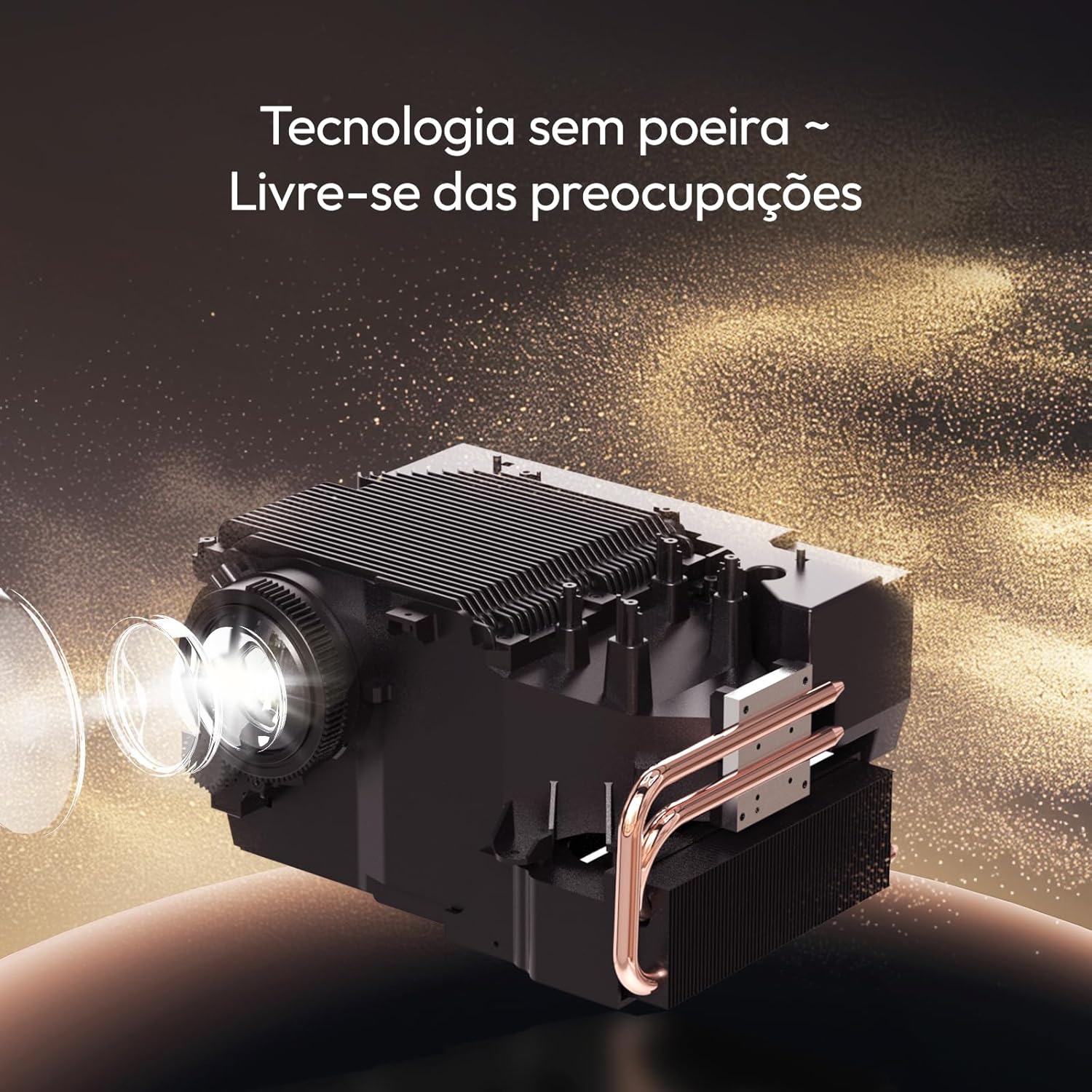
7-сүрөт: The sealed optical engine design prevents dust accumulation, enhancing durability and image stability.
5.3 Вентиляция
Ensure that the projector's ventilation vents are not blocked. Proper airflow is crucial to prevent overheating and maintain performance.
6. Кыйынчылыктарды
Проекторуңузда көйгөйлөргө туш болсоңуз, төмөнкү жалпы көйгөйлөрдү жана чечимдерди караңыз:
| Көйгөй | Мүмкүн себеп | Чечим |
|---|---|---|
| Сүрөт көрсөтүлгөн жок | Кубат кабели ажыратылды, киргизүү булагы туура эмес, түзмөк күйгөн эмес. | Check power connection. Ensure the projector is powered on. Select the correct input source (HDMI, USB, etc.). |
| Сүрөт бүдөмүк | Projector out of focus, lens dirty. | Allow auto-focus to recalibrate. Clean the projector lens. |
| Сүрөт бурмаланган (тик бурчтуу эмес) | Негизги ташты оңдоо керек. | The projector should automatically apply 6D keystone correction. If not, check settings for manual adjustment options. |
| Үн жок | Үн өтө төмөн, тышкы аудио түзмөгү туташкан эмес, туура эмес аудио чыгаруу тандалды. | Increase volume. Check Bluetooth connection to external speakers. Ensure internal speakers are selected if no external device is desired. |
| Wi-Fi'га туташпай жатат | Туура эмес сырсөз, диапазондон тышкары, роутер маселеси. | Verify Wi-Fi password. Move projector closer to the router. Restart router and projector. |
Бул чечимдерди колдонуу аракетинен кийин көйгөй чечилбесе, кардарларды колдоо кызматына кайрылыңыз.
7. Техникалык шарттар
| Бренд | Byintek |
| Модел | T5 Макс |
| Дисплей технологиясы | LED |
| Жарыктык | 1000 ANSI челинин |
| Native Resolution | 1920 x 1080 пиксел (Full HD) |
| Колдоого алынган резолюция | 4K чейин |
| Контраст катышы | 15000:1 |
| Аспект катышы | 16:9, 4:3 |
| Операция системасы | Android TV 11.0 |
| Байланыш | Wi-Fi (2.4G), Bluetooth 5.0, HDMI, USB |
| Өзгөчөлүктөр | Automatic Focus, 6D Keystone Correction, Sealed Optical Engine, Portable |
| Өлчөмдөр (Продукт) | 19.5 x 22.5 x 15 см |
| Салмагы (Продукт) | 2.62 килограмм |
| Power Source | AC |
| Жаңыртуу ылдамдыгы | 60 Гц |

8-сүрөт: Projection distance guide for various screen sizes.
8. Кепилдик жана колдоо
Your BYINTEK T5 Max Projector comes with a manufacturer's warranty and dedicated customer support.
8.1 Кепилдик маалыматы
- Өндүрүүчүнүн Кепилдиги: The product includes a one-year manufacturer's warranty.
- Кепилдик узартылган: Extended warranty options may be available for purchase. Please refer to your purchase documentation for details.

9-сүрөт: BYINTEK offers a 365-day warranty and local technical support.
8.2 Техникалык колдоо
For technical assistance, troubleshooting beyond this manual, or warranty claims, please contact BYINTEK customer support. Contact information can typically be found on the official BYINTEK webсайт же сатып алуу дүмүрчөгү.
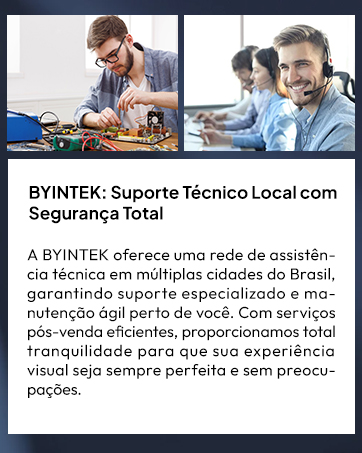
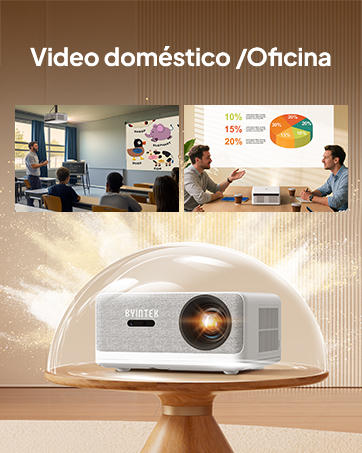
10-сүрөт: BYINTEK provides local technical support and customer service.


