1. Киришүү
This manual provides detailed instructions for the LAXASFIT GT1 Smart Watch. Please read this manual thoroughly before using your device to ensure proper operation and to maximize its features. Keep this manual for future reference.
2. Продукт бүтүп калдыview
2.1 Пакеттин мазмуну
Пакетти ачканда, бардык буюмдар бар экенин текшериңиз:
- LAXASFIT GT1 Smart Watch
- USB заряддоо кабели
- Колдонуучунун Колдонмосу (бул документ)
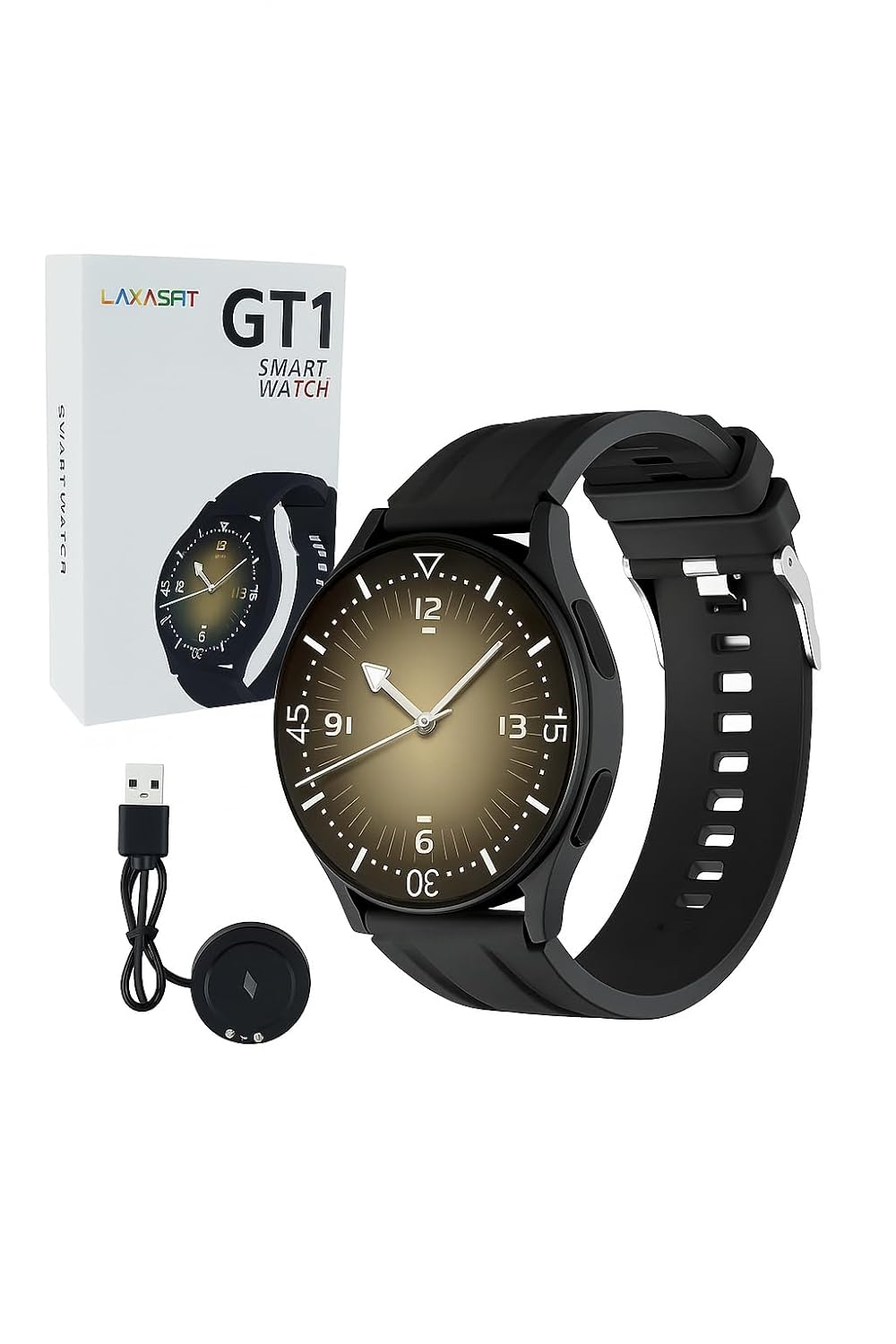
Image: The LAXASFIT GT1 Smart Watch, its retail packaging, and the included USB charging cable.
2.2 Негизги өзгөчөлүктөрү
The LAXASFIT GT1 Smart Watch offers a range of functionalities designed to enhance your daily life:
- 1.32" IPS Pure Round Full Touch Screen: Vibrant and responsive display for clear interaction.
- Bluetooth чалуу функциясы: Чалууларды түздөн-түз билегиңизден жасаңыз жана кабыл алыңыз.
- Уйкунун мониторинги: Tracks sleep patterns to help assess sleep quality.
- Бир нече спорт режимдери: Records data for various physical activities.
- IP67 суу өткөрбөйт рейтинги: Resistant to splashes and brief immersion.
- SpO2 Monitor: Кандын кычкылтек менен каныккандыгын өлчөйт.
- Жүрөктүн кагышын көзөмөлдөө: Үзгүлтүксүз жүрөктүн кагышын көзөмөлдөө.
- Кадам эсептегич: Tracks daily steps and activity.
- Эскертмелер: Receives alerts for calls, messages, and app notifications.
- Туруктуу дизайн: Features a black silicone strap with ventilation for comfort.
3. Орнотуу колдонмосу
3.1 Акылдуу саатты кубаттоо
Before initial use, fully charge your LAXASFIT GT1 Smart Watch.
- Connect the USB charging cable to a standard USB power adapter (not included) or a computer's USB port.
- Attach the magnetic charging pins to the charging contacts on the back of the watch. Ensure a secure connection.
- Сааттын дисплейи заряддын абалын көрсөтөт. Толук кубаттоо адатта болжол менен 2 саатты талап кылат.
3.2 Күйгүзүү/өчүрүү
- Күйгүзүү үчүн: Press and hold the side button until the LAXASFIT logo appears on the screen.
- Өчүрүү үчүн: From the watch face, swipe down to access the quick settings, then tap the power icon, or navigate to Settings > System > Power Off. Confirm your selection.
3.3 Колдонмону орнотуу жана түзмөктү жупташтыруу
To unlock the full potential of your LAXASFIT GT1 Smart Watch, install the companion application on your smartphone.
- Колдонмону жүктөп алыңыз: Издөө "Laxasfit" in the Google Play Store (for Android devices) or the Apple App Store (for iOS devices).
- Колдонмону орнотуу: Тиркемени орнотуу үчүн экрандагы нускамаларды аткарыңыз.

Image: Screenshot of the Laxasfit app listing on the Google Play Store.

Image: Screenshot of the Laxasfit app listing on the Apple App Store.
- Bluetooth иштетүү: Смартфонуңузда Bluetooth иштетилгенин текшериңиз.
- Колдонмону ачуу: Launch the Laxasfit app and follow the on-screen prompts to create an account or log in.
- Түзмөктү жупташтыруу: Within the app, navigate to the device section and select "Add Device" or "Search Device." The app will scan for available smartwatches. Select "GT1" or the corresponding device name when it appears.
- Жупташтыруу ырастоо: Жупташтыруу өтүнүчү телефонуңузда да, саатыңызда да пайда болушу мүмкүн. Эки түзмөктө тең жупташууну ырастаңыз.
4. Иштөө нускамалары
4.1 Негизги навигация
- Сенсордук экран: Swipe left, right, up, or down to navigate through menus and features. Tap to select an item.
- Каптал баскычы: Press the side button to return to the watch face or to wake the screen. A long press may access power options or other functions depending on context.
4.2 Bluetooth чалуу функциясы
After successful pairing with your smartphone, you can use the watch for Bluetooth calls:
- Саат телефонуңузга Bluetooth аркылуу туташып турганын текшериңиз.
- To make a call, access the dialer on the watch or select a contact from your synced phonebook.
- To answer an incoming call, tap the green answer icon on the watch screen.
- To reject a call, tap the red reject icon.
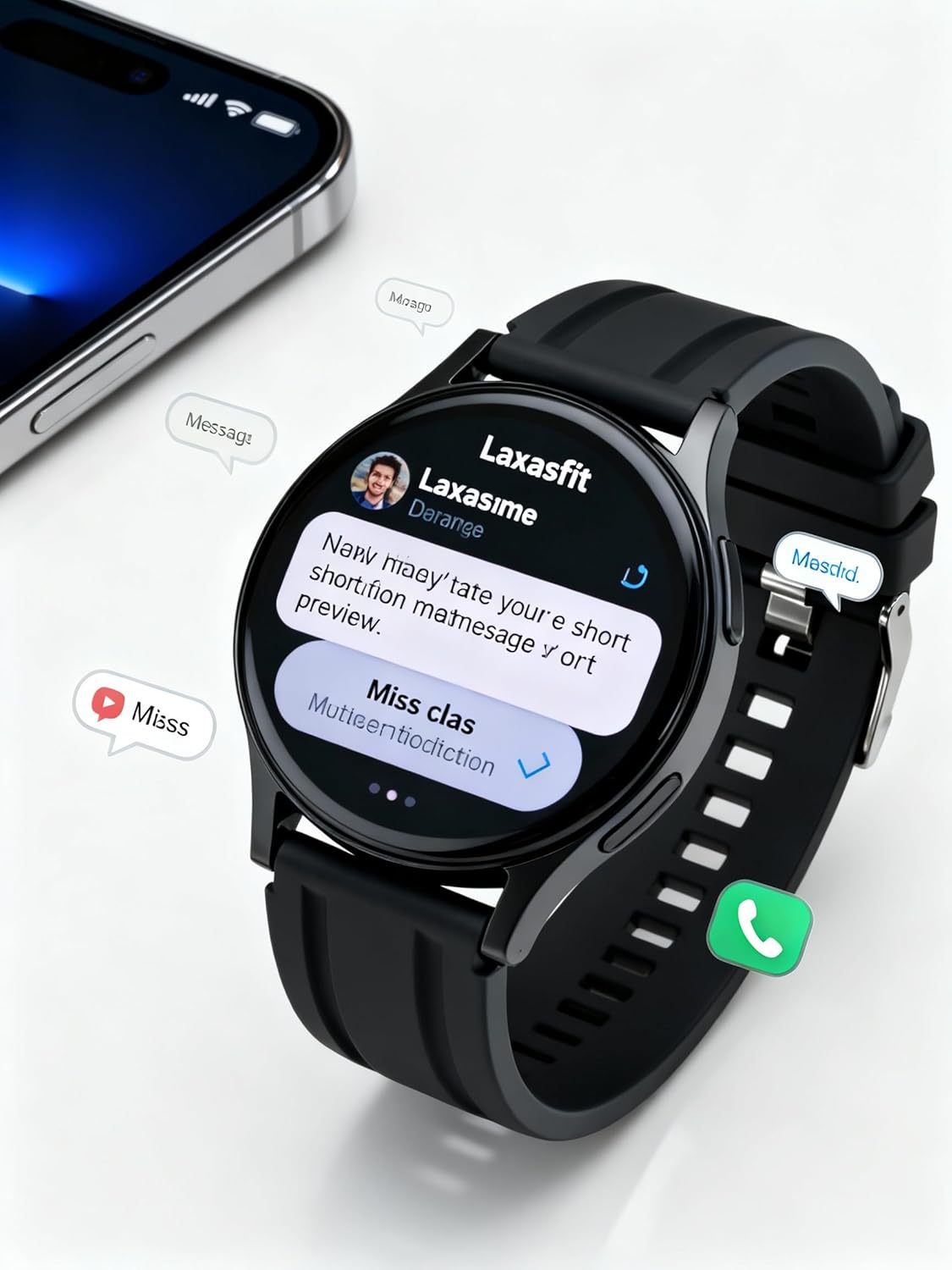
Image: The smart watch screen showing incoming message notifications and an icon for a phone call, indicating its communication features.
4.3 Ден соолуктун мониторинги
The GT1 Smart Watch provides various health tracking features:
- Жүрөктүн кагышы: Access the heart rate monitor from the main menu. The watch will automatically measure and display your current heart rate. Continuous monitoring can be enabled via the app.
- SpO2 (кандагы кычкылтек): Navigate to the SpO2 function. Keep your arm still during measurement for accurate results.
- Уйкунун мониторинги: Wear the watch to bed. It will automatically track your sleep duration and quality. View detailed sleep data in the Laxasfit app.
- Кадам эсептегич: The watch continuously tracks your steps, distance, and calories burned throughout the day.

Image: The smart watch on a user's wrist, displaying sleep duration and quality metrics, with a person sleeping in the background.

Image: The smart watch screen showing a heart rate reading in BPM and the total number of steps taken.
4.4 Спорт режимдери
The watch supports various sports modes to track your workouts:
- Navigate to the "Sports" or "Workout" menu on your watch.
- Select your desired activity (e.g., running, walking, cycling).
- The watch will begin recording data such as duration, distance, calories burned, and heart rate.
- End the workout by following the on-screen prompts. Data will sync to the Laxasfit app.
4.5 Билдируулер
Receive notifications from your smartphone directly on your watch:
- Ensure notification permissions are granted to the Laxasfit app on your smartphone.
- Enable specific app notifications within the Laxasfit app settings.
- Эскертме келгенде, саат дирилдеп, билдирүүнүн мазмунун көрсөтөт.
5. Техникалык тейлөө
5.1 Акылдуу саатыңызды тазалоо
- Сааттын экранын жана боосун жумшак, d менен үзгүлтүксүз тазалап туруңузamp кездеме.
- Катуу химиялык заттарды, абразивдүү тазалагычтарды же эриткичтерди колдонуудан алыс болуңуз, алар аппаратка зыян келтириши мүмкүн.
- Коррозияны болтурбоо үчүн заряддоодон мурун заряддоо контакттары таза жана кургак экенин текшериңиз.
5.2 Сууга туруктуулук (IP67)
The LAXASFIT GT1 Smart Watch is rated IP67, meaning it is resistant to dust and can withstand immersion in water up to 1 meter for 30 minutes. However, it is not suitable for swimming, diving, or high-pressure water activities. Avoid exposure to hot water or steam.
5.3 Заряддоо боюнча эң мыкты тажрыйбалар
- Берилген заряддоо кабелин гана колдонуңуз.
- Avoid overcharging the device; disconnect once fully charged.
- Нымдуу шарттарда саатты кубаттабаңыз.
6. Кыйынчылыктарды
If you encounter issues with your LAXASFIT GT1 Smart Watch, refer to the following common solutions:
- Күйгүзүлбөй жаткан саат: Саат толук заряддалганын текшериңиз. Аны заряддагычка кеминде 10 мүнөт туташтырыңыз.
- Телефон менен жупташтыруу мүмкүн эмес:
- Телефонуңузда жана саатыңызда Bluetooth иштетилгенин текшериңиз.
- Саат телефонуңуздун диапазонунда экенин текшериңиз.
- Телефонуңузду да, саатыңызды да өчүрүп күйгүзүңүз.
- Телефонуңуздагы Bluetooth кэшин тазалаңыз (Android) же түзмөктү унутуп, кайра жупташтырыңыз (iOS/Android).
- Туура эмес ден соолук маалыматтары: Сааттын билегиңизге бекем тагылганын, өтө тар же өтө кенен эмес экенин текшериңиз. Сенсорду таза кармаңыз.
- Билдирмелер алынган жок:
- Телефонуңуздагы колдонмо эскертмесинин уруксаттарын текшериңиз.
- Verify that notifications are enabled within the Laxasfit app.
- Саат телефонуңузга туташып турганын текшериңиз.
- Экран жооп бербейт: Try restarting the watch by long-pressing the side button. If unresponsive, allow the battery to drain completely and then recharge.
Эгер көйгөйлөр чечилбесе, кошумча жардам алуу үчүн кардарларды колдоо кызматына кайрылыңыз.
7. Техникалык шарттар
| Өзгөчөлүк | Деталь |
|---|---|
| Бренд | LAXASFIT |
| Модель аты | GT1 (Zt1) |
| Элемент моделинин номери | H9proMax |
| Дисплей түрү | AMOLED |
| Туруктуу экран дисплей өлчөмү | 1.9 дюйм (Note: Product title states 1.32" IPS, specifications state 1.9" AMOLED. Using 1.9" from specifications for consistency in this section.) |
| Операция системасы | WatchOS (Note: This is likely a generic term or placeholder, as WatchOS is Apple's OS. The actual OS is typically proprietary for such devices.) |
| Эстутум сактоо сыйымдуулугу | 500 MB |
| RAM эстутум орнотулган өлчөмү | 0.13 MB |
| Өзгөчөлүктөр | GPS |
| Шайкеш түзмөктөр | iPhone (Note: Also compatible with Android via the Laxasfit app.) |
| Батареянын орточо иштөө мөөнөтү | 1 күн |
| Заряддоо убактысы | 2 саат |
| Батарея сыйымдуулугу | 100 Amp Саат (Note: This unit is unusual for smartwatches, typically mAh. Assuming it refers to 100mAh or similar capacity.) |
| Зымсыз түрү | Bluetooth |
| Туташтыргыч түрү | Bluetooth |
| Түзмөктүн интерфейси - Негизги | Сенсордук экран |
| Материал | Силикон |
| Элемент Салмагы | 200 г |
| Сууга туруктуулук рейтинги | IP67 |
8. Кепилдик жана колдоо
For warranty information and customer support, please refer to the documentation provided with your purchase or contact LAXASFIT customer service through their official website or the Laxasfit application. Keep your proof of purchase for warranty claims.


