1. Киришүү
Сатып алганыңыз үчүн рахматasing the Ymiko Air Blower Cordless Air Duster. This device is designed for various applications, offering powerful airflow in a portable, cordless design. Please read this manual thoroughly before use to ensure proper operation and to prevent damage.
2. Коопсуздук боюнча маанилүү маалымат
ЭСКЕРТҮҮ: Өрт, электр тогуна урунуу же жаракат алуу коркунучун азайтуу үчүн төмөнкү коопсуздук чараларын сактаңыз:
- Продукцияны нымдуу кол менен колдонбоңуз.
- Do not place the product in water or a wet environment.
- Иштеп жатканда аба кирүүчү же чыгуучу жерди жаап албаңыз.
- Prevent foreign objects from entering the air inlet or outlet.
- Балдар жетпеген жерде сактаңыз.
- Use only the provided USB data cable for charging.
3. Пакеттин мазмуну
Төмөндө тизмеленген нерселердин баары пакетиңизге камтылганын текшериңиз. Эгерде кандайдыр бир нерселер жок болсо же бузулса, кардарларды колдоо менен байланышыңыз.
- 1 x Air Blower Unit
- 4 x Accessories (various nozzles/brushes)
- 1 x USB кабели
- 1 x Instruction Manual

Figure 3.1: Ymiko Air Blower with all included accessories.
4. Техникалык шарттар
| Өзгөчөлүк | Спецификация |
|---|---|
| Модел | Ymiko40igrfatwu |
| Материал | Алюминий эритмеси, ABS |
| Батарея түрү | Built-in Lithium Battery (4 cells) |
| Батарея сыйымдуулугу | 8000mAh |
| Номиналдык ылдамдык | 120000RPM |
| Продукциянын өлчөмү (болжол менен) | 19.4 x 11 x 23 см (7.6 x 4.3 x 9.1 дюйм) |
| Элемент Салмагы (болжол менен) | 533г (1.18 фунт) |

Сүрөт 4.1: Продукциянын өлчөмдөрү.
5. Орнотуу
5.1 Аппаратты заряддоо
- Locate the USB charging port on the bottom of the device.
- Connect the provided USB data cable to the device and to a compatible USB power source (e.g., wall adapter, computer USB port).
- The indicator lights near the charging port will illuminate to show charging status. A full charge is indicated when all lights are solid.

Figure 5.1: USB charging port and battery indicator lights.
5.2 Аксессуарларды тиркөө
Select the appropriate nozzle or brush accessory for your task. Align the accessory with the air outlet and push firmly until it is securely attached.

Figure 5.2: Air outlet for accessory attachment.
6. Иштөө нускамалары
6.1 Күйгүзүү/өчүрүү
To turn the air blower ON, press and hold the power button located on the handle. To turn it OFF, press and hold the power button again.

Figure 6.1: Power button location.
6.2 Колдонуу
Once powered on, direct the nozzle towards the area you wish to clean or dry. The powerful airflow is suitable for:
- Dusting electronics, keyboards, and delicate equipment.
- Drying wet surfaces, such as car exteriors after washing.
- Assisting with outdoor activities like starting campөрт.
- General cooling in outdoor or travel scenarios.
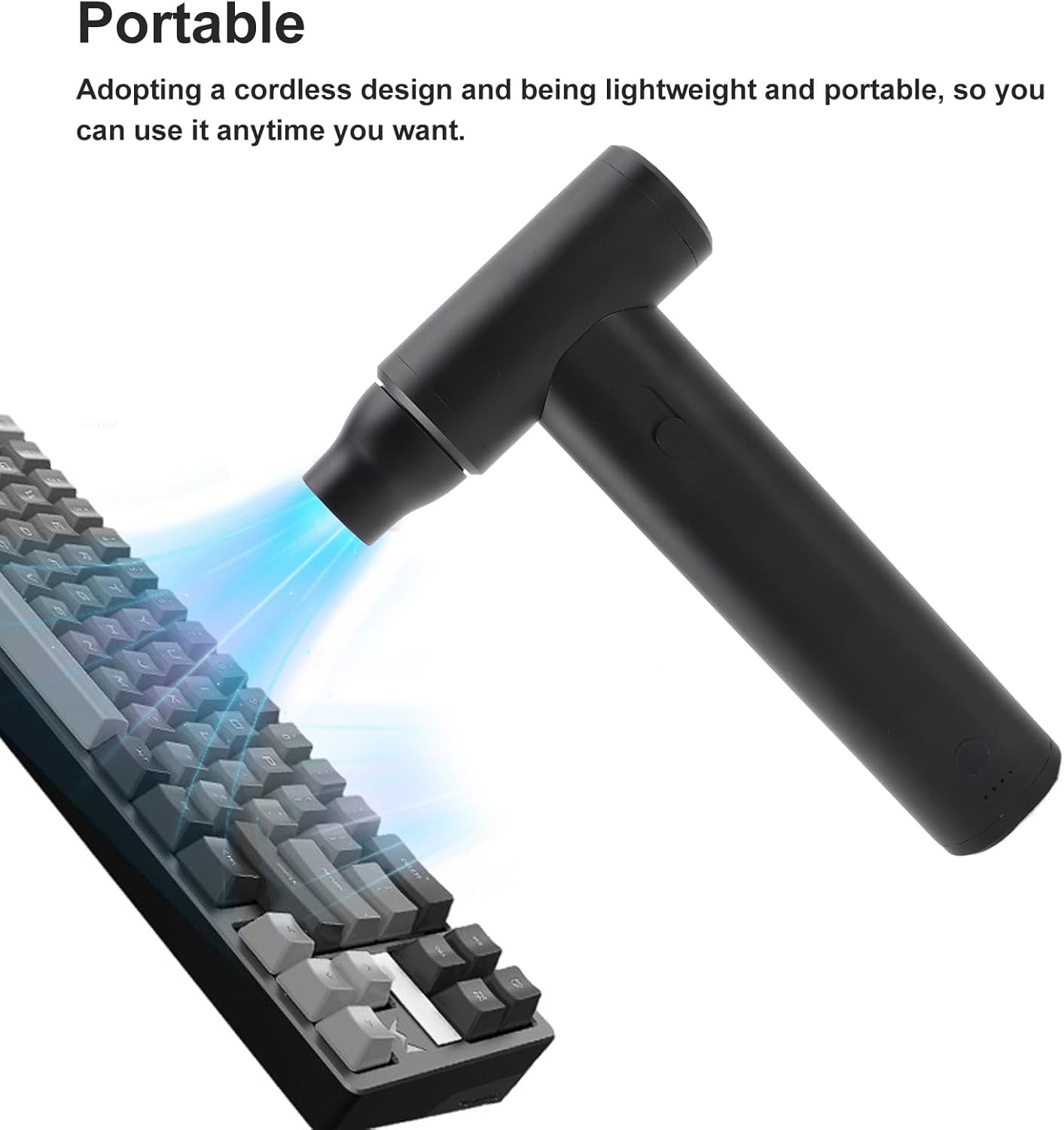
Figure 6.2: Using the air blower for keyboard cleaning.

Figure 6.3: Versatile applications including car drying and portable use.

Figure 6.4: Multi-scene usage examples.
6.3 Расмий продукт Video
Video 6.1: Official product video demonstrating the Ymiko Air Blower Cordless Air Duster in action, showcasing анын өзгөчөлүктөрү жана ар кандай колдонмолор.
7. Техникалык тейлөө
7.1 Тазалоо
- Тазалоодон мурун, түзмөктүн өчүрүлгөнүн жана ар кандай кубат булагынан ажыратылганын текшериңиз.
- Wipe the exterior of the air blower with a soft, dry cloth.
- Зарыл болсо, бир аз колдонуу damp кездеме, андан кийин жакшылап кургатыңыз.
- Катуу химиялык заттарды же абразивдүү тазалоочу каражаттарды колдонбоңуз.
- Periodically check the air inlet and outlet for any obstructions and clear them carefully.
7.2 Сактоо
Store the air blower in a cool, dry place away from direct sunlight and extreme temperatures. Ensure it is fully charged before long-term storage to maintain battery health.
8. Кыйынчылыктарды
| Көйгөй | Мүмкүн себеп | Чечим |
|---|---|---|
| Түзмөк күйбөй жатат. | Батарея аз же заряды жок. | Берилген USB кабелин колдонуу менен аппаратты толугу менен заряддаңыз. |
| Алсыз аба агымы. | Low battery; blocked air inlet/outlet. | Charge the device. Check and clear any obstructions from the air inlet or outlet. |
| Түзмөк күтүлбөгөн жерден токтойт. | Low battery; overheating protection activated. | Charge the device. Allow the device to cool down if it has been used continuously for an extended period. |
9. Кепилдик жана Кардарларды колдоо
Ymiko products are manufactured to high-quality standards. For warranty information or technical support, please refer to the warranty card included with your purchase or contact your retailer. Keep your purchase receipt as proof of purchase.
For further assistance, please visit the official Ymiko store on Amazon: Ymiko Store