1. Киришүү
This manual provides essential information and instructions for the LAXASFIT H9 Pro Max Smart Watch. Please read this manual thoroughly before using your device to ensure proper operation and to maximize its features. Keep this manual for future reference.
2. Продукт бүтүп калдыview
The LAXASFIT H9 Pro Max Smart Watch is designed to integrate seamlessly into your daily life, offering health monitoring, sports tracking, and smart notifications. It features a 2.01-inch TFT display and a durable silicone strap.
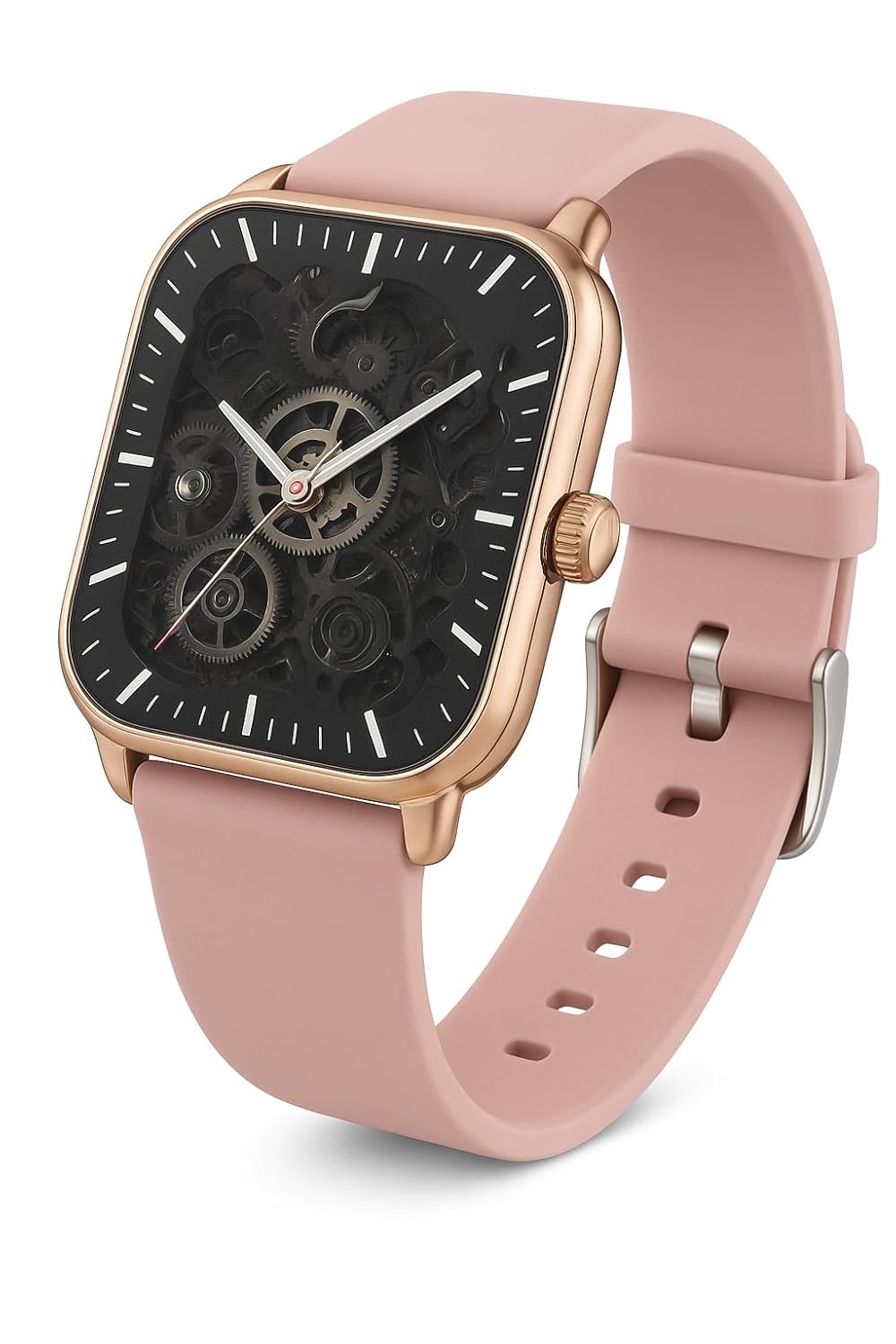
Сүрөт 2.1: LAXASFIT H9 Pro Max Smart Watch. This image shows the watch's square face with a rose gold-toned case and a pink silicone band. The display features a skeleton dial design, revealing internal mechanical elements, with white hour markers and sleek hands for time reading.
Негизги өзгөчөлүктөрү:
- Дисплей: 2.01" TFT Display for clear visuals.
- Байланыш: Bluetooth 5.0 for stable connection with smartphones.
- Ден соолук мониторинги: Integrated Heart Rate and Blood Oxygen Monitor.
- Спорт режимдери: Over 100 sports modes for comprehensive activity tracking.
- Эскертмелер: Compatible with Android & iOS for call and message alerts.
- Узактыгы: IP67 суу өткөрбөйт рейтинги.
3. Орнотуу
3.1. Акылдуу саатты кубаттоо
Before first use, fully charge your LAXASFIT H9 Pro Max Smart Watch. Connect the charging cable to the watch's charging port and a USB power adapter. A full charge typically takes approximately 2 hours.
- Заряддоо убактысы: Толук кубаттоо үчүн болжол менен 2 саат.
- Батареянын иштөө мөөнөтү: Up to 7 days under typical usage; approximately 1 day with heavy calling.

Сүрөт 3.1: Watch features including enhanced health sensor, IP68 waterproof rating, and battery life details. The image shows the watch face displaying health metrics and a visual representation of its water resistance.
3.2. Колдонмону орнотуу
To unlock the full potential of your smart watch, download and install the companion application on your smartphone. The app allows for data synchronization, watch face customization, and advanced settings management.
- Scan the QR code provided below or search for "Laxasfit" in your smartphone's app store (Google Play Store for Android or Apple App Store for iOS).
- Тиркемени орнотуу үчүн экрандагы нускамаларды аткарыңыз.

Сүрөт 3.2: Smart Sync feature with a QR code for downloading the companion application. This image illustrates the watch's ability to synchronize with a smartphone app for comprehensive health monitoring, customizable experiences, and fitness tracking.
Колдонмону жүктөп алуу үчүн бул QR кодун сканерлеңиз: https://me-qr.com/W37v4fPq

Сүрөт 3.3: Laxasfit App Preview on iOS. This image displays screenshots of the Laxasfit application interface on an iPhone, showing features like device search, bracelet settings, target steps, and historical data for health and movement tracking.

Сүрөт 3.4: Laxasfit App Preview on Android. This image shows the Laxasfit application's Google Play Store page, including app ratings, download size, and screenshots of the app's interface for health, data, and sports tracking.
3.3. Смартфонуңуз менен жупташуу
- Смартфонуңузда Bluetooth иштетилгенин текшериңиз.
- Open the Laxasfit application.
- Колдонмонун ичиндеги "Түзмөк" же "Түзмөк кошуу" бөлүмүнө өтүңүз.
- The app will search for available devices. Select "H9 Pro Max" from the list.
- Эгер суралса, жупташтыруу өтүнүчүн саатыңызда жана смартфонуңузда ырастаңыз.
- Жупташтырылгандан кийин, саат дайындарды колдонмо менен синхрондошот.
4. Акылдуу саатты иштетүү
4.1. Негизги навигация
The LAXASFIT H9 Pro Max Smart Watch features a responsive touchscreen interface. Swipe across the screen to navigate through menus and tap to select options. The side button typically serves as a power button or a return-to-home function.
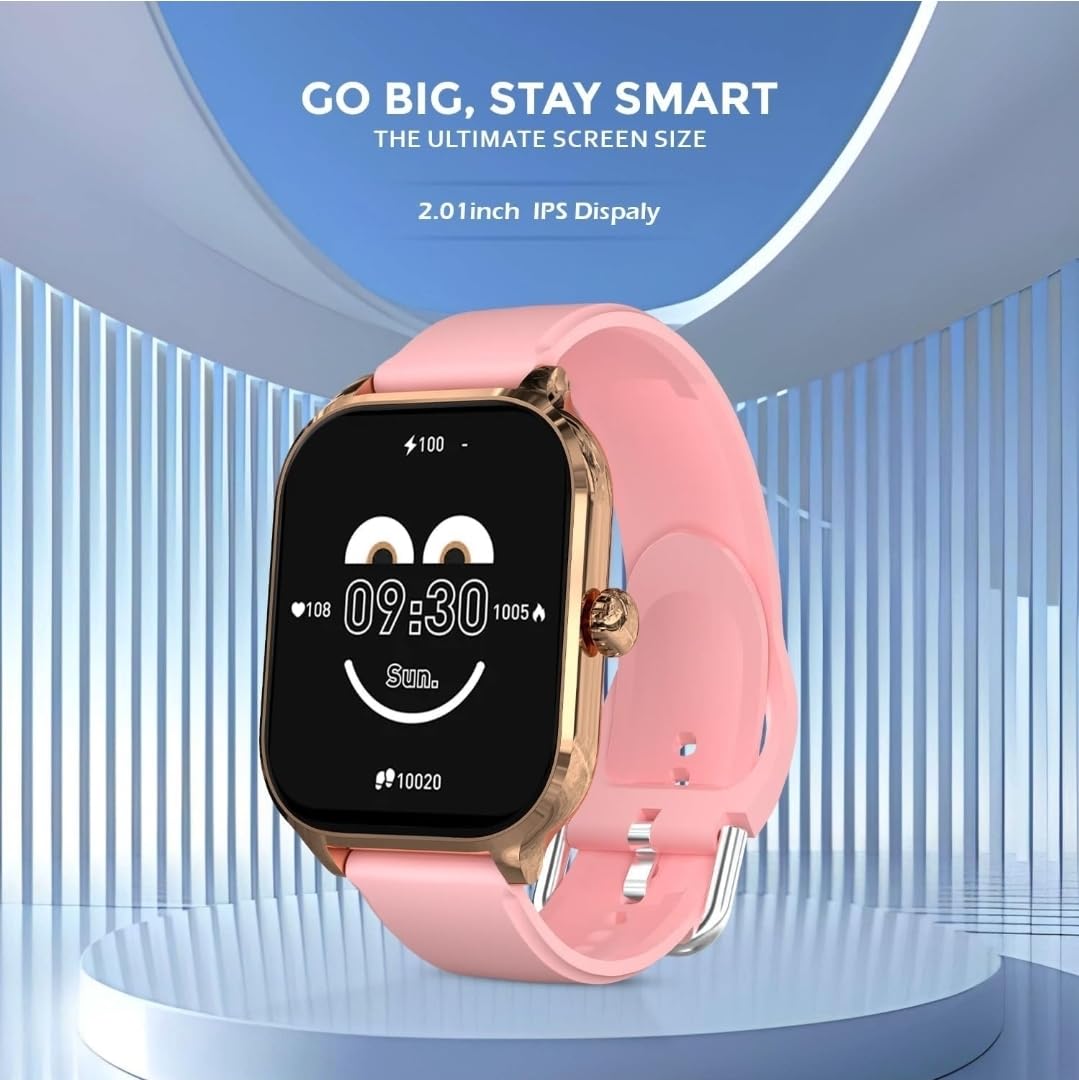
Сүрөт 4.1: Watch face displaying time, battery level, and health data. This image highlights the 2.01-inch IPS display, showing a customizable watch face with current time, heart rate, and step count.
4.2. Ден соолуктун мониторинги
The watch continuously monitors your heart rate and blood oxygen levels. Access these features through the health menu on the watch or view detailed historical data in the Laxasfit app.
- Жүрөктүн кагышын көзөмөлдөөчү: Чыныгы убакытта жүрөктүн кагышынын маалыматтарын берет.
- Кандагы кычкылтектин мониторинги: Measures blood oxygen saturation (SpO2).
4.3. Спорт режимдери
Engage in various physical activities with over 100 built-in sports modes. Select your activity to track duration, calories burned, distance, and other relevant metrics.

Сүрөт 4.2: Watch displaying "100+ Sports Mode" with icons for various activities. This image emphasizes the extensive range of sports tracking capabilities, showing icons for running, cycling, weightlifting, and more.
4.4. Call and Message Notifications
Once paired with your smartphone, the watch will display incoming call alerts and message notifications directly on your wrist. You can manage these settings within the Laxasfit app.
5. Техникалык тейлөө
5.1. Сууга туруктуулук
The LAXASFIT H9 Pro Max Smart Watch has an IP67 waterproof rating. This means it is protected against dust ingress and can withstand immersion in water up to 1 meter for up to 30 minutes. It is suitable for daily use, such as hand washing or light rain. Avoid prolonged immersion, hot water, or steam.
5.2. Тазалоо
To maintain your watch, regularly clean the device and strap with a soft, dry cloth. If necessary, use a slightly damp жумшак самын менен чүпүрөктү сүртүп, андан кийин кургатып сүртүңүз. Катуу химиялык заттарды же абразивдүү материалдарды колдонуудан алыс болуңуз.
6. Кыйынчылыктарды
- Күйгүзүлбөй жаткан саат: Саат толук заряддалганын текшериңиз. Аны заряддагычка кеминде 30 мүнөт туташтырыңыз.
- Смартфон менен жупташуу мүмкүн эмес:
- Телефонуңузда Bluetooth иштетилгенин текшериңиз.
- Саат телефонуңуздун диапазонунда экенин текшериңиз.
- Саатты да, телефонуңузду да өчүрүп күйгүзүңүз.
- Try unpairing and re-pairing through the Laxasfit app.
- Туура эмес ден соолук маалыматтары: Саат өтө тар же өтө бош эмес, билегиңизге бекем тагылганын текшериңиз. Сааттын артындагы сенсорду тазалаңыз.
- Эскертмелер көрүнбөй жатат: Check app permissions on your smartphone to ensure the Laxasfit app has access to notifications. Verify notification settings within the Laxasfit app.
7. Техникалык шарттар
| Өзгөчөлүк | Спецификация |
|---|---|
| Бренд | LAXASFIT |
| Модел | H9 Pro Max (H9proMaxPink) |
| Дисплей өлчөмү | 2.01 Inches (TFT/IPS) |
| Байланыш | Bluetooth 5.0 |
| Операция системасы | WatchOS (as per provided data, likely a custom OS) |
| Суу каршылык | IP67 |
| Батарея сыйымдуулугу | 220 мАч |
| Заряддоо убактысы | 2 саат |
| Батареянын орточо иштөө мөөнөтү | 1 Day (up to 7 days with light use) |
| Шайкеш түзмөктөр | Android, iOS |
| Материал | Silicone (Strap) |
| Элемент Салмагы | 200 г |
8. Кепилдик жана колдоо
For warranty information and customer support, please refer to the official LAXASFIT webсайтка же сатуучуга кайрылыңыз. Сатып алганыңыздын далили катары сатып алуу дүмүрчөгүңүздү сактаңыз.

Сүрөт 8.1: LAXASFIT brand logo, featuring colorful stylized letters and the tagline "LIVE IN A SMART LIFE".


