Introduction
This manual provides detailed instructions for the installation, operation, and maintenance of your PNI AGD1200 Garage Door Opener Automation Kit. Please read this manual thoroughly before beginning installation or operation to ensure safe and correct use of the product. This kit is designed for automating sectional garage doors up to 17 square meters.
Пакеттин мазмуну
Төмөндө тизмеленген бардык компоненттер пакетиңизде бар экенин текшериңиз:
- Мотор бирдиги
- Пульттар (2 бирдик)
- Rail Sections (3 x 110 cm)
- Rail Connection Pieces (2 units)
- Монтаждоочу аксессуарлар
- Колдонуучунун Колдонмосу (бул документ)

Image: Included mounting accessories for installation.

Image: Rail sections and chain mechanism.
Коопсуздук маалыматы
Always observe the following safety precautions to prevent injury or damage to the product and property:
- Орнотуудан жана колдонуудан мурун бардык нускамаларды кылдат окуп чыгыңыз.
- Ensure the garage door is balanced and in good working condition before installing the opener.
- Тейлөө же оңдоо иштерин жүргүзүүдөн мурун гараждын эшигин ачуучу рычагды электр тогунан ажыратыңыз.
- Keep children and pets away from the garage door area, especially during operation.
- Do not allow children to play with the remote controls.
- Install the wall control button at least 1.5 meters (5 feet) above the floor and away from all moving parts of the door.
- Never walk or stand under a moving garage door.
- Ensure the safety reversal system is tested monthly.
- Оригиналдуу запастык бөлүктөрдү жана аксессуарларды гана колдонуңуз.
Техникалык шарттар
| Өзгөчөлүк | Спецификация |
|---|---|
| Продукт коду | PNI-AGD1200 |
| Power Supply Voltage | 230 В AC 50/60 Гц |
| Motor Force (Closing/Opening) | 1200 Н |
| Алыстан башкаруу жыштыгы | 433 МГц |
| Remote Control Power | 27A 12V батарея |
| Signal Encoding | Динамикалык код |
| LED жарык | 3 В 0.045 Вт |
| LED Illumination Duration | 3 мүнөт |
| Иштөө температурасы | -26 ~ 80 °C |
| Product Dimensions (Motor Unit) | 21 x 11 x 37 см |
| Продукт Салмагы | 13.7 кг |
| Материал | Металл |
| Recommended Door Type | Sectional Garage Doors up to 17m² |
Орнотуу жана орнотуу
Орнотууга чейинки текшерүүлөр
- Ensure the garage door operates smoothly manually and is properly balanced.
- Check for any obstructions in the door's path.
- Verify that the power outlet is within reach and meets the specified voltagд талаптар.
Assembling the Rail
- Connect the three rail sections using the provided rail connection pieces. Ensure the chain is correctly threaded through the entire rail assembly.
- Secure all connections firmly with the appropriate hardware.

Image: Rail mounting brackets.
Мотор блогун монтаждоо
- Attach the assembled rail to the motor unit.
- Position the motor unit centrally above the garage door, ensuring it is level.
- Secure the motor unit to the ceiling joists or a sturdy mounting board using the provided mounting accessories.
- Connect the other end of the rail to the garage door header bracket.

Сүрөт: алдыңкы view мотор блогунун.
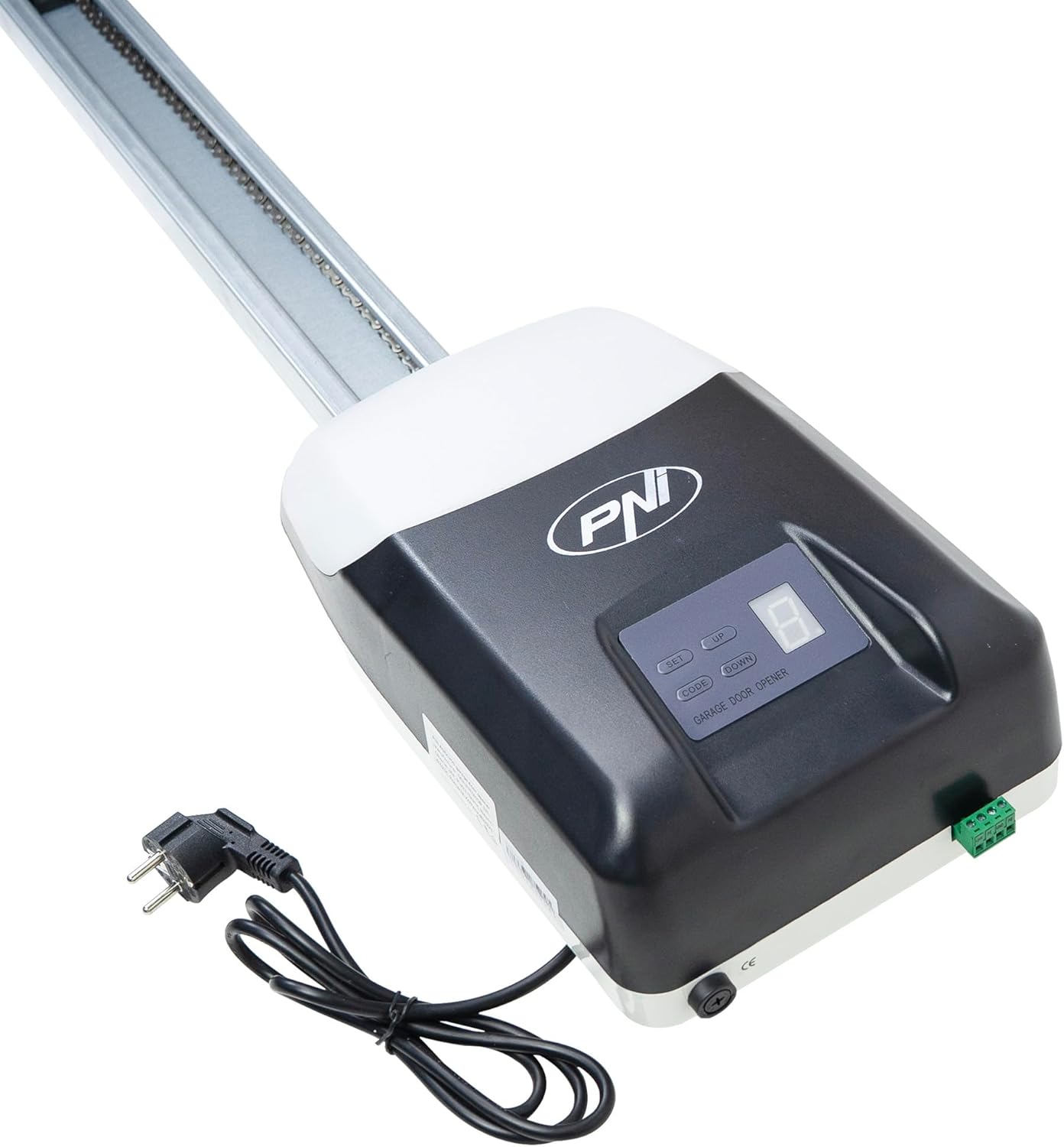
Image: Motor unit with rail and power cable.
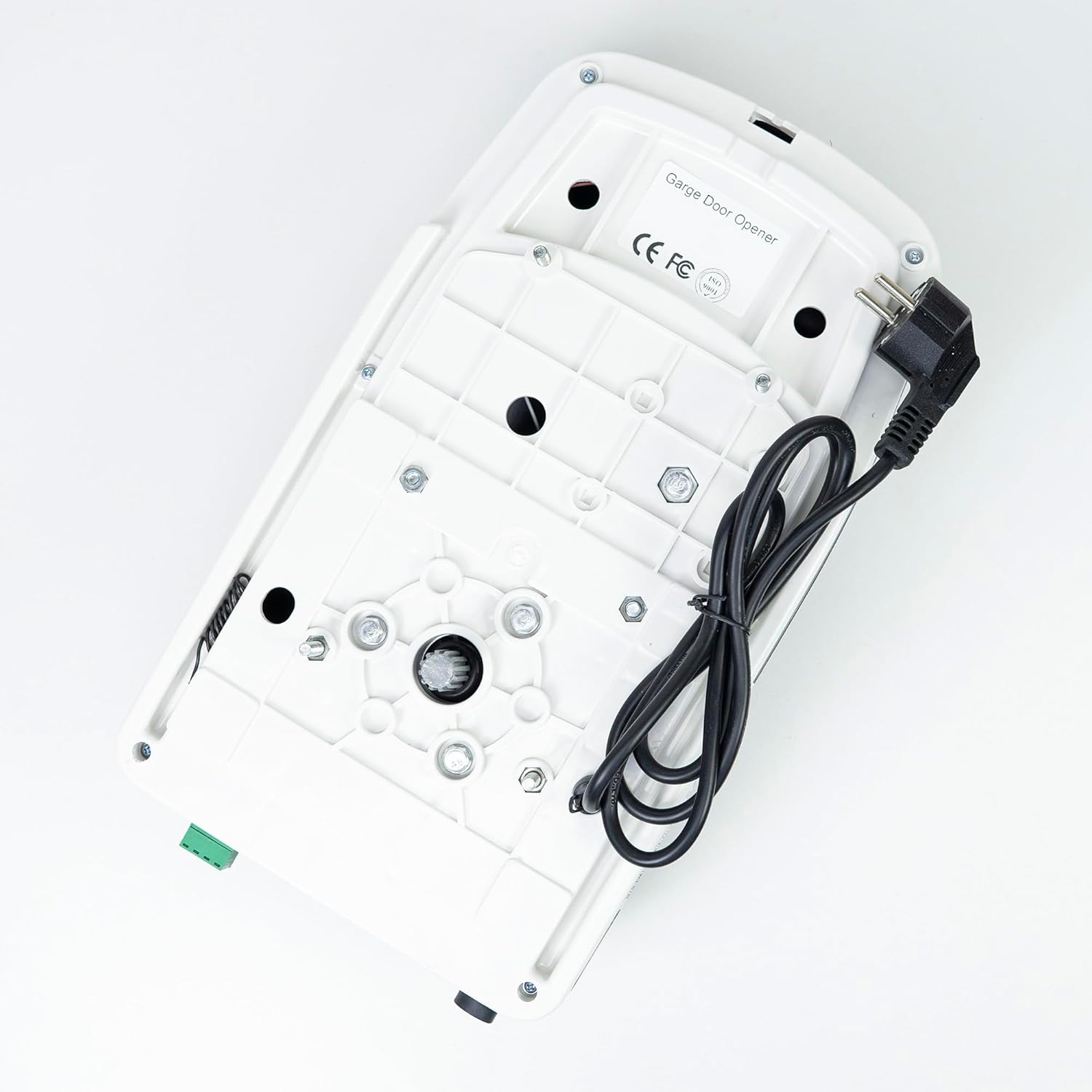
Сүрөт: Төмөнкү view of the motor unit, showing mounting points.
Электр байланышы
Once the motor unit and rail are securely mounted, plug the power cord into a grounded 230V AC outlet. Ensure the power cord is routed safely and not pinched by any moving parts.
Иштөө нускамалары
Алыстан башкарууну жупташтыруу
- Press and hold the 'CODE' button on the motor unit's control panel until the LED display shows 'P'.
- Within 30 seconds, press the desired button on your remote control. The LED display will flash to confirm successful pairing.
- Repeat for any additional remote controls.

Image: Motor unit with two remote controls.
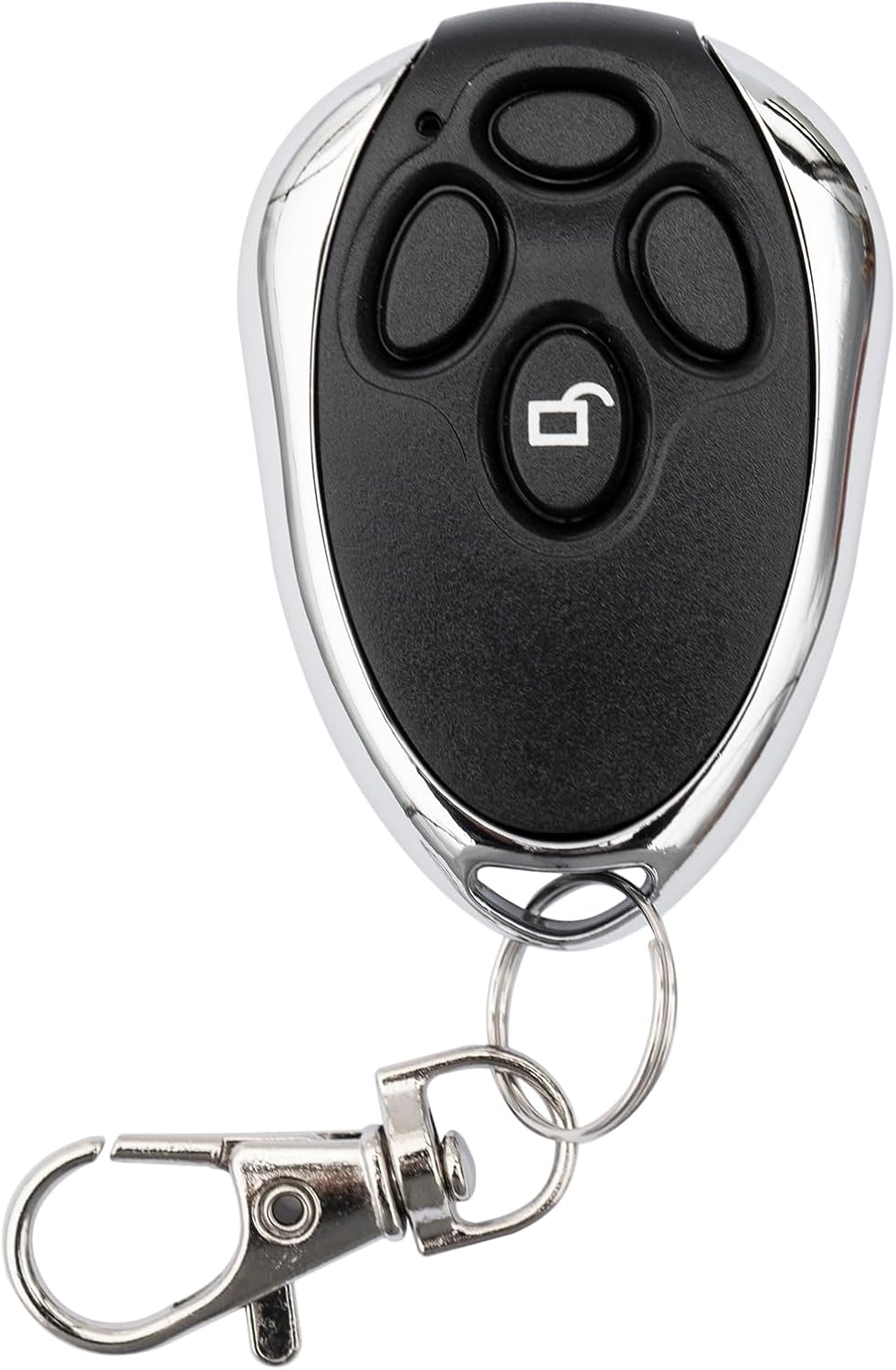
Image: Remote control for the garage door opener.
Негизги операция
- Ачык эшик: Press the programmed button on the remote control or the 'UP' button on the control panel.
- Жабуу: Press the programmed button on the remote control or the 'DOWN' button on the control panel.
- Stop Door: Press any button on the remote control or the 'SET' button on the control panel while the door is in motion.
Чектерди тууралоо
The opener automatically learns the door's travel limits during initial setup. If adjustments are needed:
- Press and hold the 'SET' button until the LED display shows '1' for the open limit or '2' for the close limit.
- Use the 'UP' and 'DOWN' buttons to move the door to the desired open or close position.
- Press 'SET' again to confirm the new limit.
Техникалык тейлөө
Гараж эшигин ачуучунун оптималдуу иштешин жана узак мөөнөттүү иштешин үзгүлтүксүз техникалык тейлөө камсыз кылат:
- Ай сайын: Test the safety reversal system. Place a 2x4 inch board flat on the floor in the door's path. The door should reverse upon contact. If it does not, adjust the force settings or consult a technician.
- Чейрек сайын: Lubricate the door's moving parts (rollers, hinges, bearings) with a garage door lubricant. Do not lubricate the rail or chain unless specifically instructed.
- Жыл сайын: Inspect all hardware for loose bolts, worn parts, or signs of damage. Tighten any loose fasteners.
- Keep the motor unit and rail clean from dust and debris.
Проблемаларды чечүү
Жалпы көйгөйлөр жана аларды чечүү жолдору үчүн төмөнкү таблицаны караңыз:
| Көйгөй | Мүмкүн себеп | Чечим |
|---|---|---|
| Opener does not respond to remote control. | Remote battery is dead; remote is not paired; signal interference. | Replace remote battery; re-pair remote control; check for sources of interference. |
| Door does not open or close completely. | Travel limits need adjustment; obstruction in door path. | Adjust travel limits as per instructions; remove any obstructions. |
| Эшик күтүлбөгөн жерден артка карай ачылып калат. | Safety reversal system activated by obstruction; force settings too high/low. | Check for obstructions; test safety reversal system; adjust force settings if necessary (consult manual for specific steps). |
| Motor runs but door does not move. | Trolley disengaged from door; chain/belt broken or loose. | Re-engage trolley; inspect chain/belt for damage or tension. |
| LED жарыгы күйбөйт. | LED bulb faulty; power issue. | Check power connection; if problem persists, contact support. |
Кепилдик жана колдоо
Your PNI AGD1200 Garage Door Opener Automation Kit is covered by a manufacturer's warranty against defects in materials and workmanship. Please retain your proof of purchase for warranty claims.
For technical assistance, troubleshooting beyond this manual, or warranty service, please contact PNI customer support through their official website or the retailer where the product was purchased. Provide your model number (AGD1200) and a detailed description of the issue when seeking support.


