1. Киришүү
This manual provides essential information for setting up, operating, maintaining, and troubleshooting your Google Pixel 10 Pro XL smartphone. Please read this guide thoroughly to ensure optimal performance and longevity of your device.
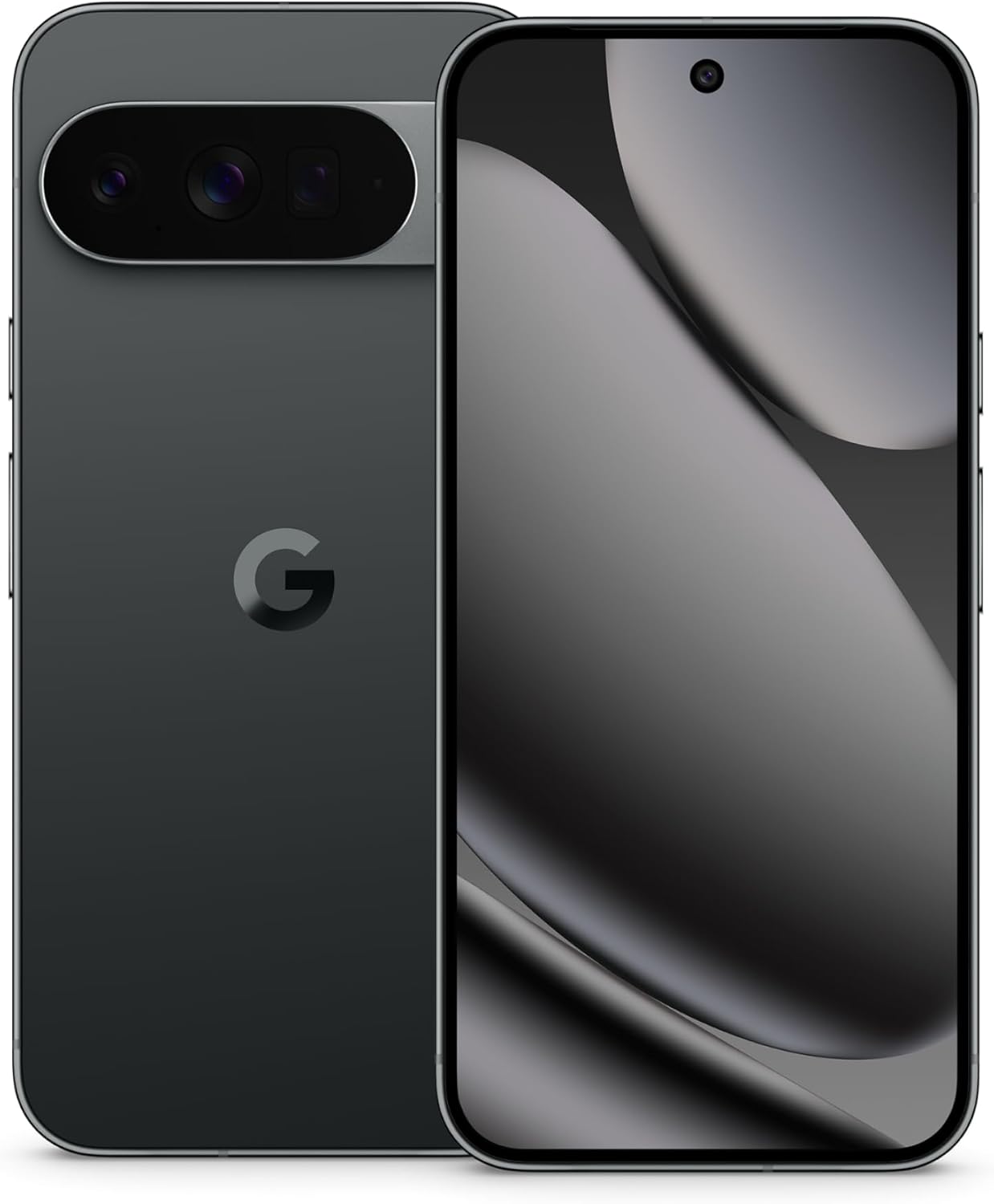
Image: The Google Pixel 10 Pro XL in Obsidian, showcasing анын кооз дизайны жана камера бар.
2. Орнотуу
2.1. Кутуда эмне бар
Upon opening your Google Pixel 10 Pro XL package, you should find the following items:
- Google Pixel 10 Pro XL Cell Phone
- USB Type-C кабели
Please note that other accessories, such as a power adapter or headphones, may be sold separately.
2.2. Кутудан чыгаруу жана алгачкы текшерүү
Carefully remove the phone and accessories from the packaging. Inspect the device for any visible damage before proceeding with setup.
Video: An unboxing demonstration of the Google Pixel 10 Pro XL. This video illustrates the packaging contents and the initial appearance of the device.
2.3. Күйгүзүү жана баштапкы орнотуу
- Google логотиби пайда болгонго чейин Кубат баскычын (түзмөктүн оң жагында жайгашкан) басып туруңуз.
- Тилди тандоо, Wi-Fi тармагына туташуу жана шарттарды кабыл алуу үчүн экрандагы көрсөтмөлөрдү аткарыңыз.
- Sign in with your Google Account or create a new one. This is essential for accessing Google services and the Play Store.
- Transfer data from your old device (optional). The setup wizard will guide you through options like Quick Switch Adapter or cloud backup.
2.4. SIM Card Activation (eSIM)
The Google Pixel 10 Pro XL supports eSIM technology, eliminating the need for a physical SIM card. During phone setup, you will be prompted to activate your eSIM. For more details, visit g.co/pixel/esim.
3. Аппаратыңызды иштетүү
3.1. Негизги навигация
Your Pixel 10 Pro XL runs on Android 16, offering intuitive gesture navigation. Swipe up from the bottom to go home, swipe up and hold for recent apps, and swipe from the left or right edge to go back.
3.2. Камера системасы
The device features a Triple Rear Camera System. Open the Camera app to access various modes, including Photo, Video, Portrait, and Night Sight.

Image: The Pixel 10 Pro XL's 100x Pro Res Zoom in action, capturing distant subjects with clarity.
колдонуу 100x Pro Res Zoom for detailed distant shots. The upgraded 50 MP camera also supports Super Steady Videos for stable cinematic footage.

Image: The Pixel 10 Pro XL's Super Steady Video feature, ensuring smooth recording even during dynamic scenes.
3.3. Эгиздер белгиси боюнча жасалма интеллект жардамчысы
Your Pixel 10 Pro XL integrates the Gemini AI Assistant. Access it by saying "Hey Google" or by swiping from a corner (configurable). Gemini can assist with tasks, answer questions, and provide real-time information.

Image: The Gemini Live feature on the Pixel 10 Pro XL, allowing users to share their camera view for real-time AI assistance.
3.4. Батареяны башкаруу
The device is equipped with a fast-charging battery designed to last 24 XNUMX+ саат on a single charge. To optimize battery life:
- Экран жарыктыгын тууралаңыз.
- Керек болгондо Батареяны үнөмдөгүч режимин иштетиңиз.
- Фондо иштеп жаткан колдонулбаган колдонмолорду жабыңыз.
For faster charging, use a compatible USB Type-C fast charger (sold separately).
3.5. Дисплей
Experience vibrant visuals on the 6.8" Super Actua Display. This display offers high brightness and clarity for various viewшарттар.

Image: Details of the Pixel 10 Pro XL's Super Actua display and its robust build quality.
4. Техникалык тейлөө
4.1. Аппаратыңызды тазалоо
To clean your Pixel 10 Pro XL:
- Түксүз, жумшак кездемени колдонуңуз.
- Абразивдүү материалдардан же катуу химиялык заттардан алыс болуңуз.
- өжөр тактар үчүн, бир аз гampчүпүрөктү суу менен.
4.2. Software Updates (Pixel Drops)
Google regularly releases software updates, known as "Pixel Drops," to enhance features, improve performance, and provide security patches. Ensure your device is connected to Wi-Fi and has sufficient battery life before installing updates.

Image: The Pixel Drops program, illustrating how the phone receives ongoing software enhancements.
4.3. Батареяга кам көрүү
Батареяңыздын иштөө мөөнөтүн узартуу үчүн:
- Ашыкча температурадан сактаныңыз.
- Do not consistently drain the battery to 0% or charge it to 100% if not necessary.
- Use certified charging accessories.
5. Кыйынчылыктарды
5.1. Жалпы маселелер
- Түзмөк жооп бербей жатат: Кайра иштетүүгө мажбурлоо үчүн кубат баскычын 30 секунддай басып туруңуз.
- Байланыш көйгөйлөрү (Wi-Fi/Bluetooth): Try toggling Wi-Fi or Bluetooth off and on. If the issue persists, restart your device or reset network settings.
- Колдонмолор бузулуп жатат: Clear the cache and data for the problematic app in Settings > Apps. If it continues, uninstall and reinstall the app.
5.2. Заводдук абалга кайтаруу
Заводдук жөндөөлөргө кайтаруу телефонуңуздагы бардык маалыматтарды өчүрүп, аны баштапкы заводдук жөндөөлөрүнө кайтарат. Бул программалык камсыздоонун туруктуу көйгөйлөрүн чече алат, бирок акыркы чара катары колдонулушу керек. Улантуудан мурун маалыматтарыңыздын камдык көчүрмөсүн сактаңыз.
- Орнотуулар > Система > Калыбына келтирүү параметрлерине өтүңүз.
- "Бардык маалыматтарды өчүрүү (заводдук абалга кайтаруу)" тандаңыз.
- Чечимиңизди ырастап, суралса, PIN/сырсөзүңүздү киргизиңиз.
6. Техникалык шарттар
The Google Pixel 10 Pro XL is engineered for advanced performance and user experience.

Image: An illustration of the Pixel 10 Pro XL's internal components, emphasizing its powerful processor and memory.
| Өзгөчөлүк | Деталь |
|---|---|
| Модель аты | Pixel 10 Pro XL |
| Операция системасы | Android 16 |
| Процессор | Google Tensor (3.78 GHz CPU Speed) |
| RAM | 16 ГБ |
| Ички сактагыч | 256 GB (Maximum 256 GB Flash Memory Supported) |
| Дисплей өлчөмү | 6.8 дюймдук Super Actua дисплей |
| Display Resolution | 3292 x 3292 |
| Батарея сыйымдуулугу | 5200 mAh (Battery Power Rating: 5200) |
| Байланыш | Bluetooth, NFC, Wi-Fi, USB Type-C |
| Өлчөмдөр (Продукт) | 6.4 x 3 x 0.3 дюйм |
| Элемент Салмагы | 12.3 унция (0.35 килограмм) |
| Түс | Обсидиан |
| Зымсыз оператор | Бардык операторлор үчүн кулпусу ачылды |
7. Кепилдик жана колдоо
7.1. Чектелген кепилдик
Your Google Pixel 10 Pro XL is covered by a limited warranty from Google. This warranty typically covers defects in materials and workmanship under normal use. For specific terms and conditions, including duration and coverage details, please refer to the warranty information provided with your purchase or visit the official Google support webсайт.
7.2. Кардарларды колдоо кызматы
For further assistance, technical support, or warranty claims, please contact Google Support:
- Онлайн колдоо: Visit the official Google Pixel Help Center (support.google.com/pixelphone).
- Коомчулук форумдары: Engage with other Pixel users and experts for solutions.
When contacting support, have your device's serial number and proof of purchase ready.


