1. Киришүү
Welcome to the LIGE DM6 Smartwatch user manual. This document provides essential information for the proper setup, operation, and maintenance of your new smartwatch. The LIGE DM6 is designed to enhance your daily life with features such as integrated GPS, a vibrant AMOLED display, Bluetooth calling, extensive sports tracking, and comprehensive health monitoring.
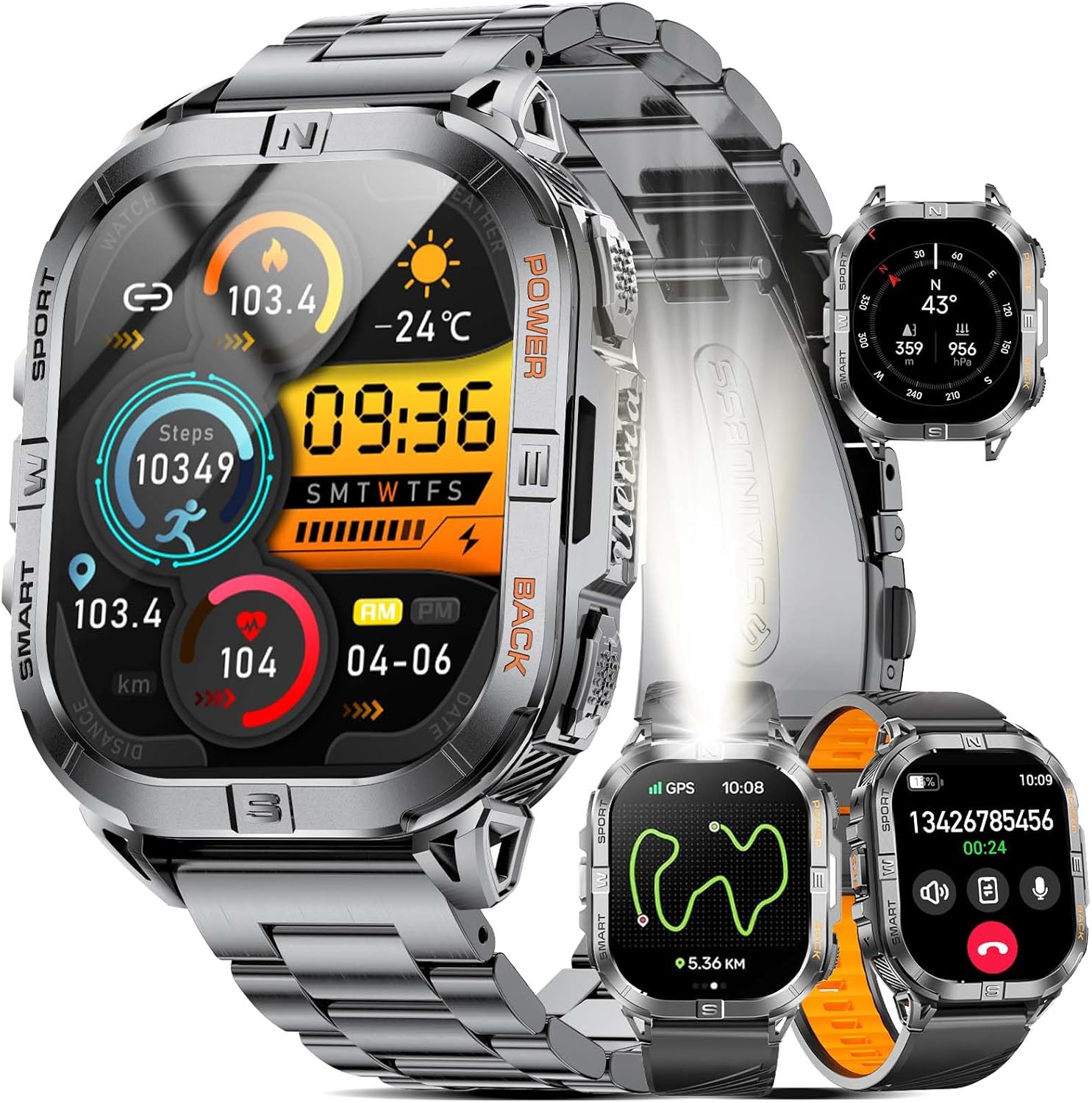
Image 1.1: LIGE DM6 Smartwatch showcasing its design and display capabilities.
2. Орнотуу
2.1. Кутудан чыгаруу жана компоненттер
Пакетти ачканда, төмөнкү компоненттердин бардыгы бар экенине ынаныңыз:
- LIGE DM6 Smartwatch
- Дат баспас болоттон жасалган кайыш
- Силикон кайыш
- USB заряддоо кабели
- C түрүндөгү кубаттоочу кабель
- Accessory Tools (for strap adjustment)
- User Manual
2.2. Акылдуу саатты заряддоо
Before initial use, fully charge your LIGE DM6 smartwatch. Connect either the USB or Type-C charging cable to the charging port on the back of the watch and to a compatible power source (e.g., computer USB port, wall adapter). A full charge typically takes approximately 2.5 hours.

Image 2.1: Charging the LIGE DM6 Smartwatch using the provided USB and Type-C cables.
2.3. Колдонмону орнотуу жана жупташтыруу
To unlock the full potential of your LIGE DM6, download and install the companion application on your smartphone. The app is compatible with iOS 11.0 and above (iOS 13+ for calls) and Android 5.0 and above.
- Scan the QR code in the included manual or search for the app name (usually specified in the manual) in your phone's app store.
- Тиркемени орнотуп, суралса каттоо эсебин түзүңүз.
- Смартфонуңузда Bluetooth'ду иштетиңиз.
- Open the app, navigate to the device pairing section, and follow the on-screen instructions to connect your LIGE DM6 smartwatch.
- Grant all necessary permissions to the app for optimal functionality, including notifications and location services.
3. Иштөө нускамалары
3.1. Негизги навигация
The LIGE DM6 features a 2.13-inch AMOLED touchscreen and physical buttons for navigation:
- Сенсордук экран: Ар кандай менюларга, эскертмелерге жана тез жөндөөлөргө кирүү үчүн өйдө, ылдый, солго же оңго сүрүңүз. Элементтерди тандоо үчүн таптаңыз.
- Физикалык баскычтар: Typically, one button serves as a power/back button, while others may provide quick access to sports modes or other functions. Refer to the specific button layout in your manual for exact functions.
3.2. Display Features and Watch Faces
The 2.13-inch AMOLED HD display offers a resolution of 410x502 pixels. You can customize your watch face through the companion app or directly on the watch to suit your style and display preferred information.

Image 3.1: Customizable watch faces and app interface on the LIGE DM6 AMOLED display.
3.3. Bluetooth чалуулары жана эскертмелери
With Bluetooth 5.3, the LIGE DM6 allows for stable and fast connections, enabling you to make and receive calls directly from your wrist. It also displays smart notifications from your connected smartphone.
- Чалууларды жасоо: Access the dialer or contacts list on your watch to initiate a call.
- Чалууларды кабыл алуу: Чакыруу келгенде, сиз ага түздөн-түз саат экранынан жооп бере аласыз же четке кага аласыз.
- Эскертмелер: Incoming messages and alerts from various applications will be displayed on your watch. Swipe down from the top of the screen to view сиздин эскертме таржымалы.
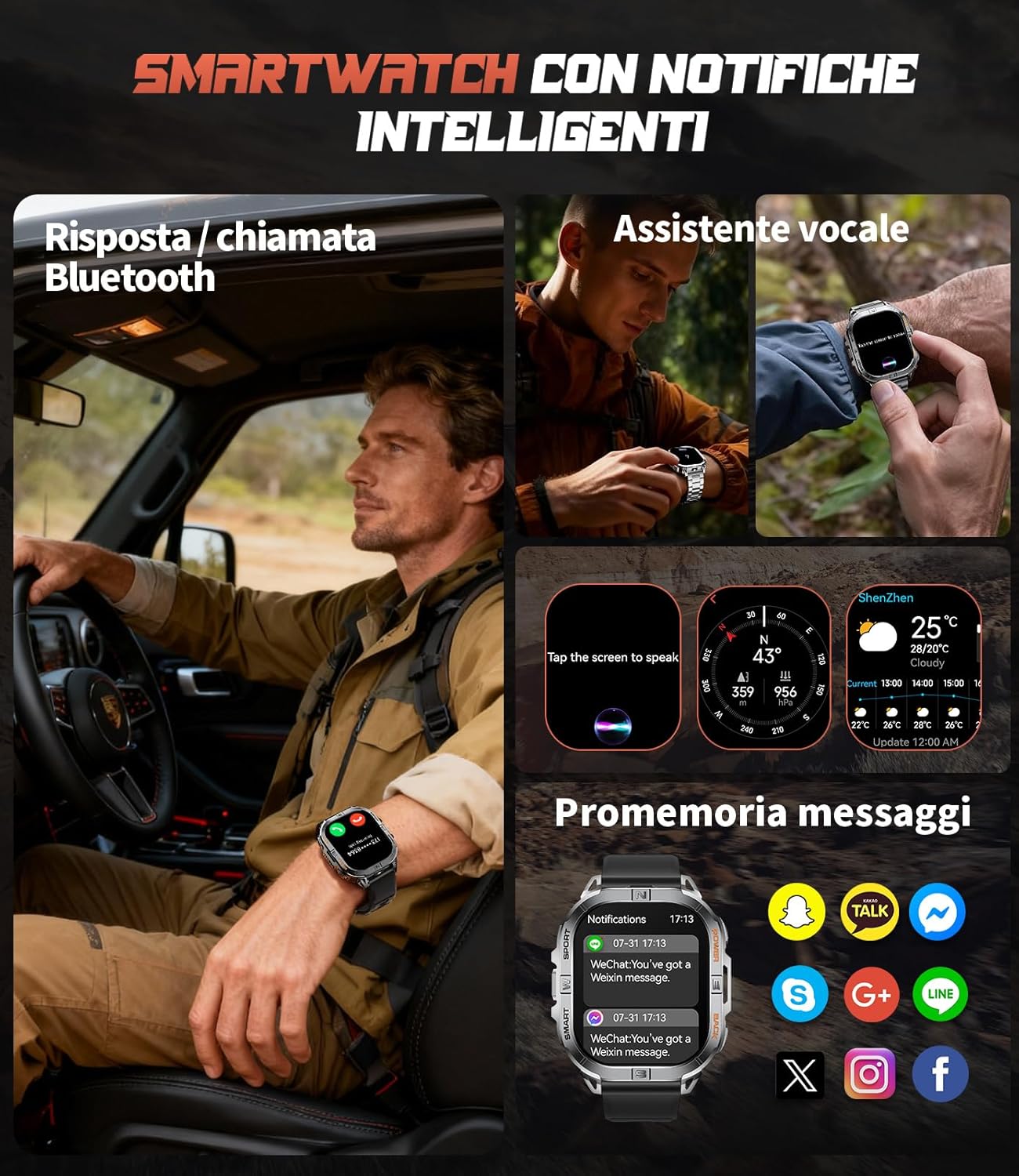
Image 3.2: Bluetooth calling and smart notification features in use.
3.4. GPS and Electronic Compass
The integrated GPS provides accurate positioning for outdoor activities, while the electronic compass helps you maintain direction. These features are particularly useful for trail running, hiking, and other adventures.
- GPS көз салуу: When starting an outdoor sport mode, the watch will automatically activate GPS to record your route, distance, and pace.
- Компас: Access the compass function from the main menu to view your current heading.
- Barometer & Altimeter: The watch also includes a barometer to track atmospheric pressure changes and an altimeter to measure current altitude, providing comprehensive outdoor data.

Image 3.3: GPS tracking and compass functionality for outdoor activities.

Image 3.4: Outdoor assistant features including compass, altimeter, and barometer.
3.5. Жарык диод
The LIGE DM6 includes a built-in LED flashlight for convenience in low-light conditions. To activate, press and hold the designated button (refer to your specific manual for button assignment) for approximately 3 seconds. This feature is useful during night runs, campинг, же күч уtages.
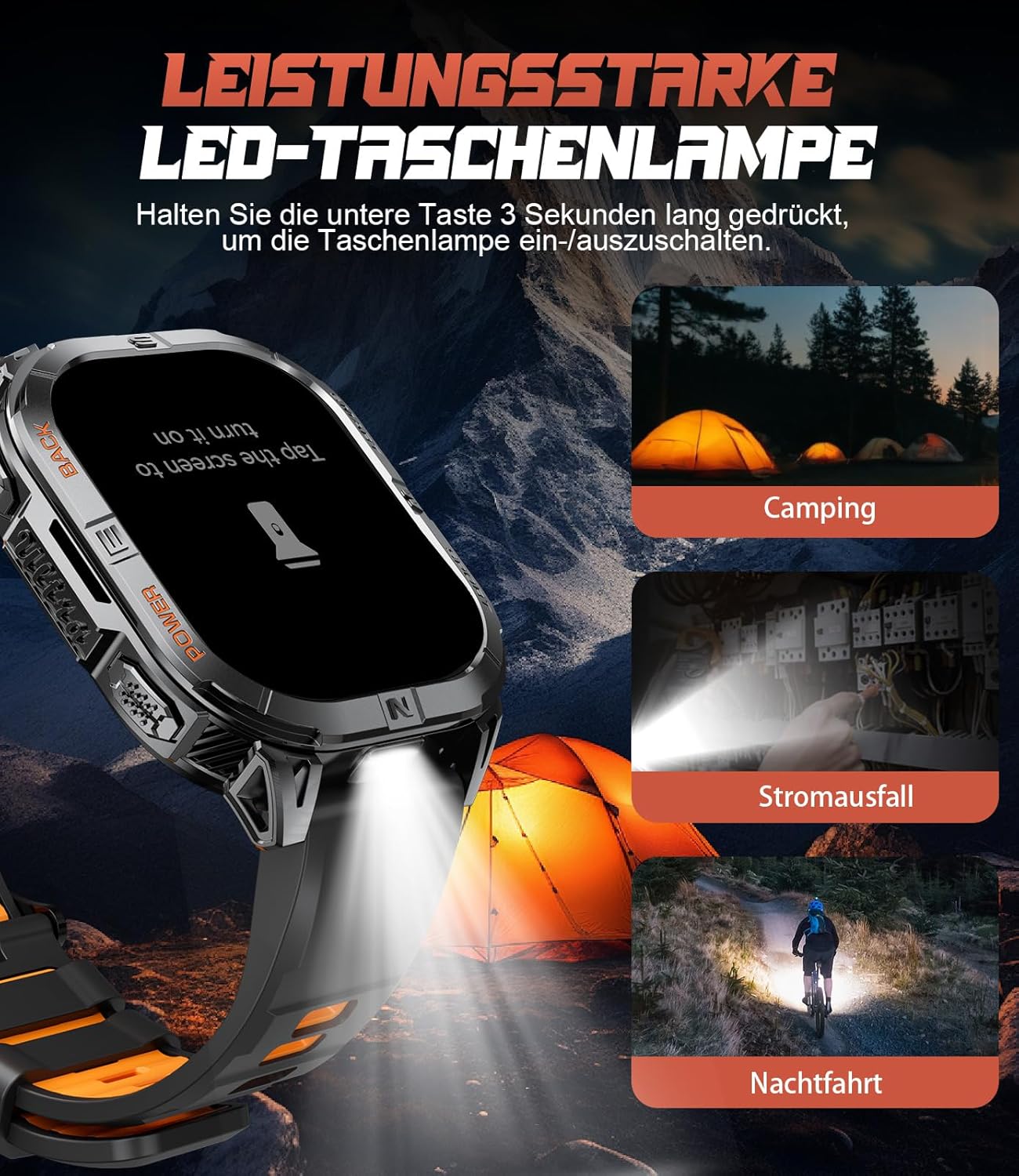
Image 3.5: The integrated LED flashlight in action.
3.6. Спорт режимдери
The smartwatch supports over 170 sports modes, allowing you to accurately track various activities. Data such as steps, distance, calories burned, and heart rate are recorded and can be reviewшериктик колдонмодо ed.
- Спорт режимин иштетүү: Navigate to the sports menu on your watch, select your desired activity, and tap to start.
- Data Review: After completing an activity, save the data. You can view detailed statistics on the watch or in the companion app.

Image 3.6: Tracking multiple sports activities with the LIGE DM6.
3.7. Ден соолуктун мониторинги
The LIGE DM6 provides continuous health monitoring features to help you stay informed about your well-being:
- Жүрөктүн кагышын көзөмөлдөө: Tracks your heart rate throughout the day and during workouts.
- Уйкуга көз салуу: Уйкуңуздун режимин, анын ичинде терең уйку, жеңил уйку жана ойгоо убакытты көзөмөлдөйт.
- Стресс мониторинги: Стресс деңгээлиңиз боюнча түшүнүктөрдү берет.
- Кандагы кычкылтек (SpO2): Сиздин кандын кычкылтек менен каныккандыгын өлчөйт.
- Отуруучу эскертүүлөр: Эгер сиз көптөн бери активдүү эмес болсоңуз, көчүп кетүү жөнүндө эскертет.
- Drink Water Reminders: Prompts you to stay hydrated.

Image 3.7: Health and fitness management features of the smartwatch.
4. Техникалык тейлөө
4.1. Сууга туруктуулук (IP68)
The LIGE DM6 smartwatch is IP68 waterproof, meaning it is resistant to dust and can withstand immersion in water up to 1.5 meters for up to 30 minutes. It is suitable for daily use, hand washing, and light rain. However, it is not recommended for hot showers, saunas, or diving, as steam and high water pressure can compromise the seals.
4.2. Тазалоо
To keep your smartwatch clean and functioning optimally:
- Экранды жана корпусту жумшак, d менен сүртүңүзamp, түксүз кездеме.
- Avoid using harsh chemicals, abrasive materials, or strong detergents.
- Туура заряддоону камсыз кылуу үчүн заряддоо контакттарын дайыма тазалаңыз.
4.3. Батареяга кам көрүү
600mAh батареяңыздын иштөө мөөнөтүн узартуу үчүн:
- Ашыкча температурадан сактаныңыз.
- Батареянын толук заряды көпкө чейин түгөнүп калышына жол бербеңиз.
- Саатты үзгүлтүксүз колдонбосоңуз да, аны үзгүлтүксүз кубаттап туруңуз.
5. Кыйынчылыктарды
If you encounter issues with your LIGE DM6 smartwatch, refer to the following common solutions:
| Көйгөй | Мүмкүн чечим |
|---|---|
| Саат күйбөй жатат | Саат толук заряддалганын текшериңиз. Кубат баскычын бир нече секунд басып, кармап туруңуз. |
| Телефон менен жупташтыруу мүмкүн эмес | Ensure Bluetooth is enabled on your phone. Restart both the watch and phone. Check app permissions. |
| Эскертмелер көрүнбөй жатат | Verify notification permissions in the app and your phone's settings. Ensure the watch is connected via Bluetooth. |
| Inaccurate GPS data | Ачык жерде экениңизди тактаңыз view of the sky. Allow the watch to acquire a GPS signal before starting an activity. |
| Батареянын иштөө мөөнөтү кыска | Reduce screen brightness, disable unnecessary features (e.g., always-on display), and limit frequent GPS use. |
Эгер көйгөй чечилбесе, кардарларды колдоо менен байланышыңыз.
6. Техникалык шарттар
Key technical specifications for the LIGE DM6 Smartwatch:
| Өзгөчөлүк | Деталь |
|---|---|
| Модел | DM6-A-FR |
| Дисплей | 2.13-inch AMOLED Touch Screen (410x502 resolution) |
| Байланыш | Bluetooth 5.3 |
| GPS | Интегралдык GPS |
| Батарея сыйымдуулугу | 600 мАч литий полимери |
| Батареянын иштөө мөөнөтү | 5 күнгө чейин |
| Заряддоо убактысы | Болжол менен 2.5 саат |
| Суу каршылык | IP68 |
| Эс | 512 MB |
| Шайкештик | iOS 11.0+ (iOS 13+ for calls), Android 5.0+ |
| Салмагы | 90 г |
| Өзгөчөлүктөр | LED Flashlight, Electronic Compass, Barometer, Altimeter, 170+ Sports Modes, Heart Rate, Sleep, Stress, SpO2 Monitoring, Bluetooth Calls, Smart Notifications, Find Phone, Alarm Clock, Camera Control, Calculator, Sedentary/Drink Reminders, Do Not Disturb Mode, Weather Forecast, Stopwatch, Pedometer, Timer, Music Control, Voice Assistant. |
7. Кепилдик жана колдоо
The LIGE DM6 smartwatch comes with a 24 айлык кепилдик сатып алынган күндөн тартып. Бул кепилдик өндүрүш кемчиликтерин жана нормалдуу колдонуудан келип чыккан маселелерди камтыйт.
For any questions regarding accessories, quality issues, operational problems, or charging concerns, please contact our customer support. We offer 24-hour online support and aim to provide a solution within 24 hours of your inquiry.
Please refer to the contact information provided in your product packaging or on the official LIGE webколдоо үчүн сайт.


