1. Киришүү
The ANTMINER BT606 is a compact and versatile mini WiFi security camera designed for discreet surveillance. It offers 1080P high-definition video recording, infrared night vision, and remote monitoring capabilities via a smartphone application. Its small size and various mounting options make it suitable for a wide range of indoor and outdoor applications, including home security, pet monitoring, child supervision, and evidence recording.
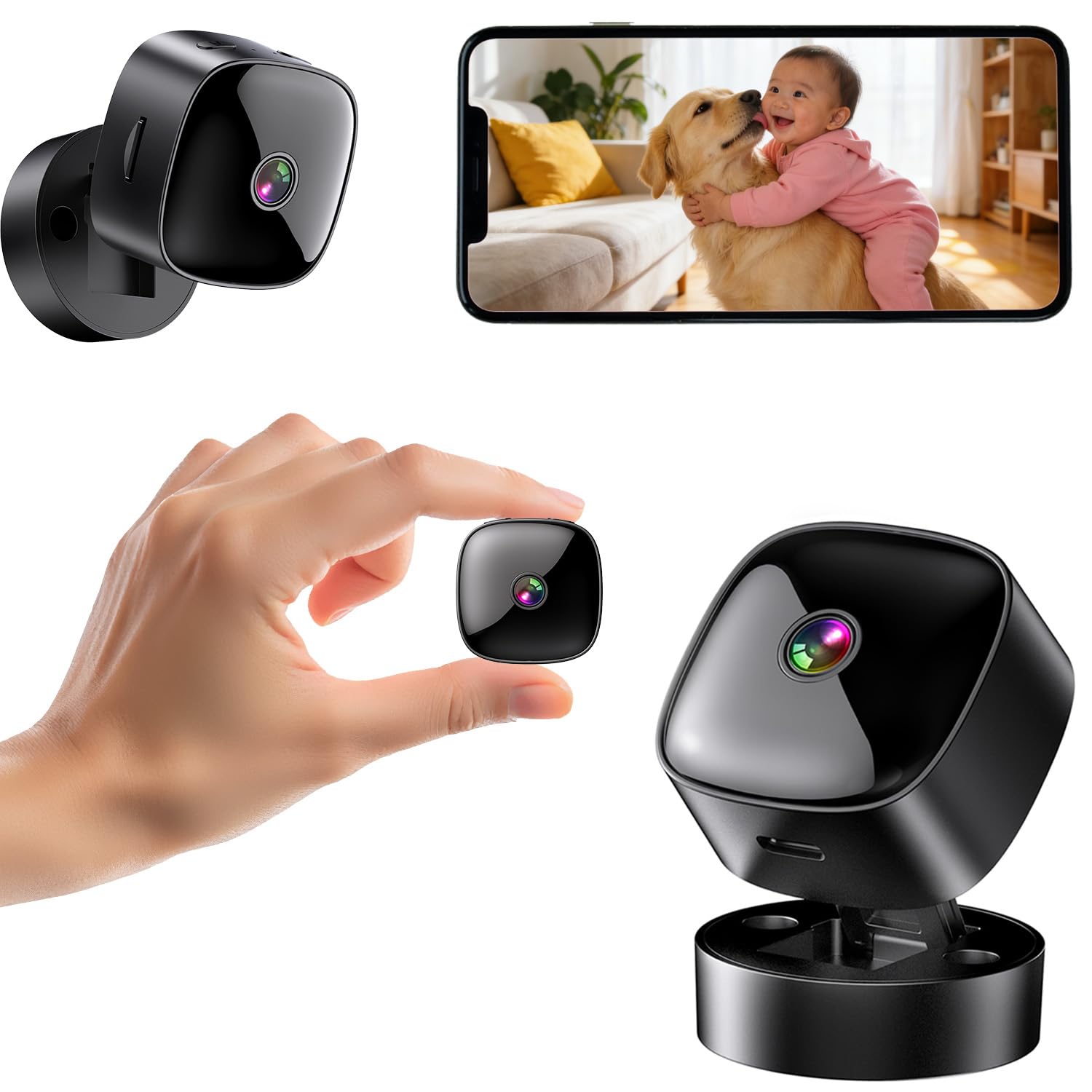
Figure 1: ANTMINER BT606 Mini WiFi Security Camera overview.
2. Пакеттин мазмуну
Сураныч, пакетте төмөнкү нерселерди текшериңиз:
- ANTMINER BT606 Mini Camera
- Магниттик Негизги
- Type-C USB кабели
- Монтаждоо бурамалар (2)
- Колдонуучунун колдонмосу (англисче)

Figure 2: Included components: camera, base, Type-C cable, screws, and manual.
3. Продукциянын өзгөчөлүктөрү
- Ультра компакт дизайн: Small size allows for discreet placement in various indoor and outdoor environments, such as furniture gaps, behind decorations, or in vehicles.
- 1080P жогорку сапаттагы видео: Так жана деталдуу фоону тартатtage, ensuring important details are visible.
- Инфракызыл түнкү көрүнүш: Equipped with infrared lights for clear recording in low-light conditions or complete darkness, providing 24/7 surveillance.
- WiFi Connectivity & Remote Monitoring: Connects to your home or office 2.4GHz WiFi network, enabling real-time viewing and control via a dedicated smartphone app (iOS/Android).
- Loop Recording & Long Recording: Эң эски тамак-ашты автоматтык түрдө кайра жазатtage when the memory card is full, ensuring continuous recording without manual deletion. Supports extended recording sessions, especially when powered via USB.
- Кең бурчтуу объектив: Features a 120-degree wide-angle lens to cover a broader area, minimizing blind spots.
- Жеңил операция: Simple one-button control for starting and stopping recording.
- Ар тараптуу монтаждоо: Includes a magnetic base for easy attachment to metal surfaces, a desktop stand, and options for wall or ceiling mounting using screws.
4. Орнотуу колдонмосу
4.1 Камераны заряддоо
Before first use, fully charge the camera using the provided Type-C USB cable and a standard USB power adapter (not included). The camera can also record while charging, enabling 24-hour continuous surveillance.
4.2 MicroSD картасын салуу
Insert a MicroSD card (up to 128GB, Class 10 or higher recommended) into the card slot. Ensure the card is inserted correctly. The camera supports loop recording, which will automatically overwrite old footagкарта толгондо.
4.3 Колдонмону жүктөп алуу жана орнотуу
Download the dedicated smartphone application for iOS or Android devices. Издөө the app name (usually indicated in the included manual or on the product packaging) in your device's app store. Install the app and create an account if prompted.
4.4 WiFi туташууда
- Камераны күйгүзүңүз.
- Open the installed app on your smartphone.
- Follow the in-app instructions to add a new device. This typically involves scanning a QR code displayed on the camera or connecting to the camera's temporary WiFi hotspot.
- Select your 2.4GHz WiFi network (5GHz networks are not supported) and enter the password.
- Once connected, the camera's status indicator will change, and you will see the live feed in the app.

Figure 3: WiFi connection process and multi-user sharing via QR code. Note: Only 2.4GHz WiFi is supported.
4.5 Камераны орнотуу
Камера ийкемдүү орнотуу параметрлерин сунуштайт:
- Иш тактада жайгаштыруу: Place the camera on its magnetic base on any flat surface.
- Магниттик тиркеме: The camera's back has a magnet, allowing direct attachment to suitable metal surfaces.
- Дубалга/Шыпка орнотуу: Use the provided screws to attach the magnetic base to a wall or ceiling, then attach the camera to the base. Adjust the camera angle as needed.

4-сүрөт: Мисamples of desktop, wall, and ceiling installation methods.
5. Иштөө нускамалары
5.1 Күйгүзүү/өчүрүү
Press and hold the power button to turn the camera on or off. Refer to the indicator light for status.
5.2 Видеону жаздыруу
Once powered on and a MicroSD card is inserted, the camera will typically begin recording automatically. You can also manually start/stop recording via the dedicated button on the camera or through the smartphone app.
5.3 Real-time Viewing жана Ойнотуу
Open the smartphone app to view камераңыздан түз эфир. Ошондой эле жаздырылган тамак-ашка кире аласызtage stored on the MicroSD card through the app for playback.
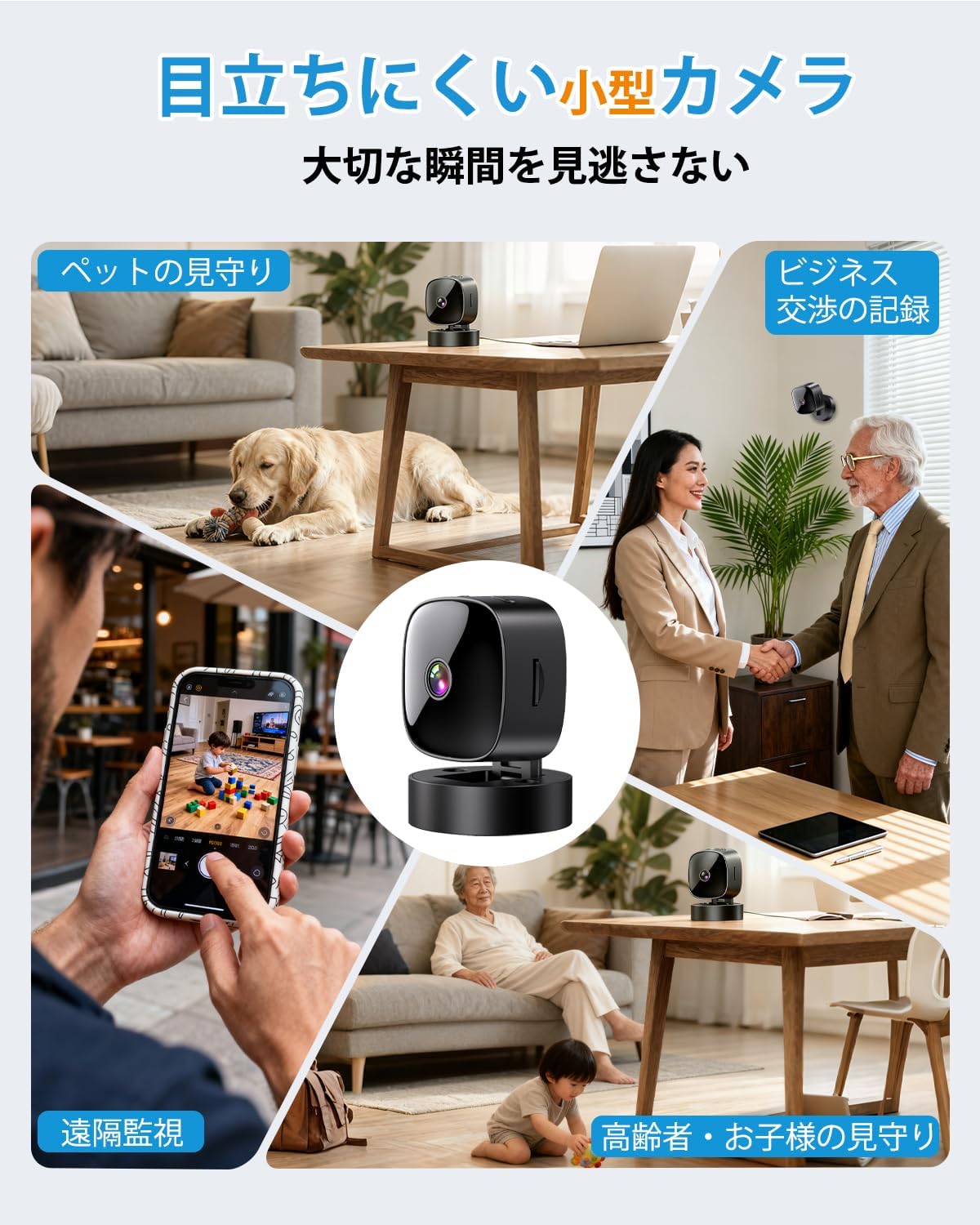
Figure 5: Various applications such as pet monitoring, business recording, remote surveillance, and care for children or the elderly.
5.4 Түнкү көрүнүш
The camera automatically switches to infrared night vision mode in low-light conditions. This ensures clear black-and-white video recording even in complete darkness.
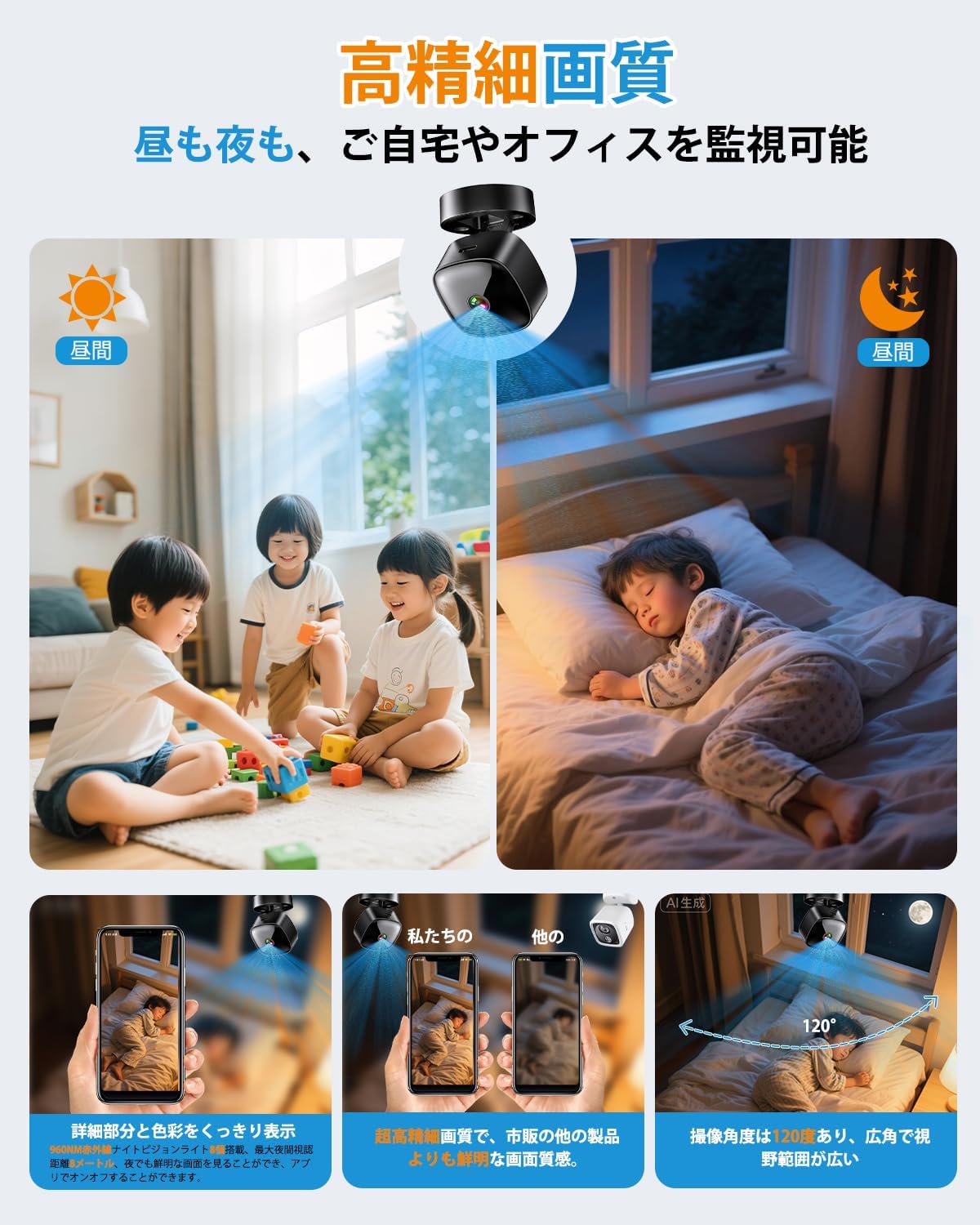
Figure 6: High-definition day and night vision, showcasing clear images in both bright and dark environments with a 120-degree wide-angle.
5.5 Цикл жаздыруу
The loop recording feature ensures that the camera continues to record even when the MicroSD card is full. It automatically deletes the oldest fileс жаңы жазуулар үчүн орун бошотуп.
6. Техникалык тейлөө
- Тазалоо: Камера линзасын жана корпусун тазалоо үчүн жумшак, кургак чүпүрөктү колдонуңуз. Катуу химиялык заттарды же абразивдүү материалдарды колдонуудан алыс болуңуз.
- Батареяга кам көрүү: For optimal battery life, avoid fully discharging the camera frequently. Charge the camera regularly, especially if it's used for continuous surveillance.
- SD Card башкаруу: Periodically format the MicroSD card through the app or on a computer to maintain performance and prevent data corruption. Back up important footage форматтоодон мурун.
- Программалык камсыздоонун жаңыртуулары: Check the app periodically for any available firmware updates for the camera. Keeping the firmware updated ensures optimal performance and security.
7. Кыйынчылыктарды
| Көйгөй | Мүмкүн болгон себеп / Чечим |
|---|---|
| Камера күйбөй жатат | Battery may be depleted. Charge the camera for at least 2 hours. Ensure the power button is pressed and held correctly. |
| WiFi'га туташуу мүмкүн эмес |
|
| No recording or footage жок |
|
| Видеонун сапаты начар |
|
8. Техникалык шарттар
| Өзгөчөлүк | Деталь |
|---|---|
| Модель аты | BT606 |
| Бренд | ANTMINER |
| Video Resolution | 1080p |
| Байланыш | WiFi (2.4 ГГц гана) |
| Түнкү көрүнүш | Инфракызыл |
| Сактагыч | MicroSD карта (128 ГБ чейин) |
| Loop жаздыруу | Колдоого алынган |
| Power Source | USB rechargeable (can record while charging) |
| Продукциянын өлчөмдөрү | 30 x 30 x 30 мм (болжол менен 1.2 x 1.2 x 1.2 дюйм) |
| Продукт Салмагы | 70 г (болжол менен 2.5 унция) |
| Түс | Dark Black |
| Монтаж түрү | Magnetic, Desktop Stand, Wall/Ceiling Mount |
| Колдонмо колдоо | iOS, Android |
9. Кепилдик жана колдоо
This product comes with a standard manufacturer's warranty. For specific warranty details, please refer to the product packaging or contact the retailer where you purchased the device. For technical support or further assistance, please refer to the contact information provided with your purchase or visit the official ANTMINER webсайт.


