1. Киришүү
Welcome to the user manual for your LAXASFIT T900 Ultra2 Smartwatch. This guide provides essential information on setting up, operating, and maintaining your device. The T900 Ultra2 is designed to be a comprehensive fitness companion and personal assistant, featuring a 2.19-inch HD IPS display and various health monitoring capabilities.
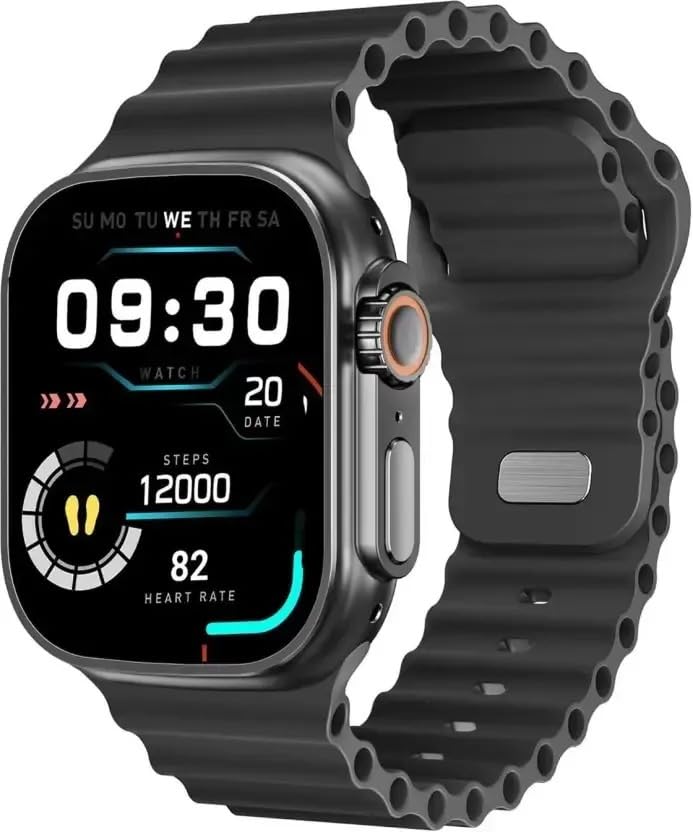
Figure 1: LAXASFIT T900 Ultra2 Smartwatch with main display showing time, steps, and heart rate.
2. Коопсуздук маалыматы
- Do not attempt to disassemble or modify the smartwatch.
- Аппаратты экстремалдык температурадан жана тике күн нурунан алыс кармаңыз.
- Акылдуу саатты катуу соккуларга же кулап түшүүлөргө дуушар кылбаңыз.
- Кандайдыр бир жаңы көнүгүү режимин баштоодон мурун, айрыкча, ден-соолукка байланыштуу шарттарыңыз бар болсо, дарыгер менен кеңешиңиз.
- This device is not a medical instrument and should not be used for diagnostic purposes.
- Ensure the charging cable is used correctly to prevent damage to the device or charger.
3. Кутуда эмне бар
Upon opening your LAXASFIT T900 Ultra2 Smartwatch package, you should find the following items:
- LAXASFIT T900 Ultra2 Smartwatch
- Заряддоо кабели
- Колдонуучунун Колдонмосу (бул документ)
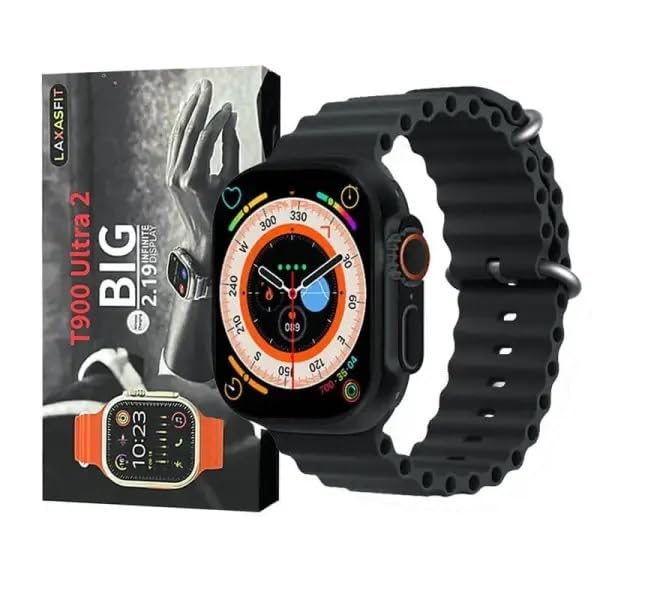
Figure 2: Contents of the LAXASFIT T900 Ultra2 Smartwatch package, including the smartwatch and its box.
4. Орнотуу
4.1 Акылдуу саатты кубаттоо
- Connect the charging cable to a compatible USB power adapter (not included).
- Attach the magnetic end of the charging cable to the charging contacts on the back of the smartwatch. Ensure a secure connection.
- The smartwatch display will indicate charging status. A full charge typically takes approximately 2 hours.
4.2 Күйгүзүү/өчүрүү
- Күйгүзүү үчүн: Press and hold the side button until the LAXASFIT logo appears on the screen.
- Өчүрүү үчүн: Капталдагы баскычты басып, кармап туруңуз, андан кийин экрандагы "Өчүрүү" опциясын тандаңыз.
4.3 Мобилдик түзмөгүңүз менен жупташтыруу
To unlock the full functionality of your T900 Ultra2 Smartwatch, pair it with your smartphone via Bluetooth.
- Акылдуу саатыңыздын кубатталганын жана күйүп турганын текшериңиз.
- Уюлдук телефонуңузда Bluetoothду иштетүү.
- Download and install the companion application (refer to the smartwatch display or packaging for app name, typically found by scanning a QR code).
- Open the companion app and follow the on-screen instructions to search for and connect to your LAXASFIT T900 Ultra2.
- Confirm the pairing request on both your phone and smartwatch.
5. Иштөө нускамалары
5.1 Интерфейсте навигация
- Сенсордук экран: Менюлар жана экрандар аркылуу өтүү үчүн солго, оңго, өйдө же ылдый серпиңиз. Элементтерди тандоо үчүн таптаңыз.
- Каптал баскычы: Press to return to the home screen or wake the device. Press and hold for power options.
- Digital Crown: Rotate to scroll through lists or zoom in/out (functionality may vary by app). Press to access the app menu.
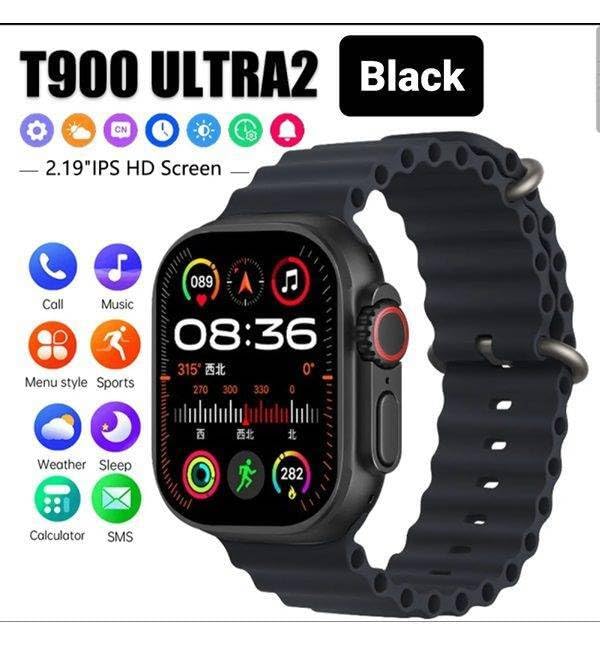
Figure 3: Smartwatch display illustrating various functions such as call, music, sports, weather, sleep, and calculator.
5.2 Негизги өзгөчөлүктөрү
The LAXASFIT T900 Ultra2 Smartwatch offers a range of features to enhance your daily life and fitness routine:
- Жүрөктүн кагышын көзөмөлдөөчү: Continuously tracks your heart rate. Access historical data through the companion app.
- Активдүүлүккө көз салгыч: Records steps, distance, and calories burned. Supports various sports modes (e.g., running, cycling, swimming).
- Уйкуга көз салуу: Уйкунун сапатын жана режимин көзөмөлдөйт.
- Музыкалык башкаруу: Жупташкан смартфонуңуздагы музыканы ойнотууну түздөн-түз акылдуу саатыңыздан башкарыңыз.
- Аба ырайы дисплей: Provides current weather conditions and forecasts.
- Эскертмелер: Receive call, SMS, and app notifications from your paired smartphone.
- Калькулятор: Basic arithmetic functions available on your wrist.
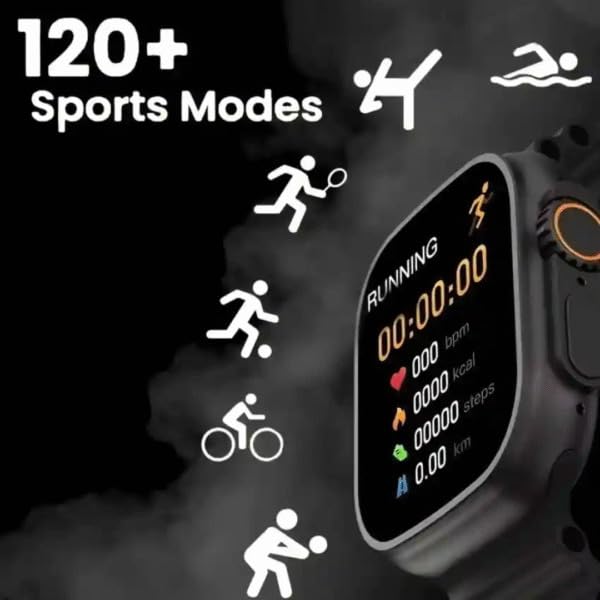
Figure 4: Smartwatch screen showing active sports tracking for running, including duration, heart rate, calories, steps, and distance.
6. Техникалык тейлөө
6.1 Акылдуу саатыңызды тазалоо
- Wipe the screen and body of the smartwatch with a soft, lint-free cloth.
- өжөр белгилери үчүн, бир аз гampчүпүрөктү суу менен. Катуу химиялык заттарды же абразивдүү материалдарды колдонуудан алыс болуңуз.
- Заряддоодон мурун заряддоо контакттары таза жана кургак экенин текшериңиз.
6.2 Тизеге кам көрүү
- Clean the sport band regularly with a damp терди жана кирди кетирүү үчүн кездеме.
- Allow the band to air dry completely before wearing.
7. Кыйынчылыктарды
| Көйгөй | Мүмкүн чечим |
|---|---|
| Smartwatch does not power on. | Ensure the device is fully charged. Press and hold the side button for at least 10 seconds. |
| Телефон менен жупташтыруу мүмкүн эмес. |
|
| Жүрөктүн кагышын көрсөткүчтөрү так эмес. | Ensure the smartwatch is worn snugly on your wrist, not too tight or too loose. Clean the sensor on the back of the device. |
| Билдирмелер алынган жок. |
|
8. Техникалык шарттар
| Өзгөчөлүк | Деталь |
|---|---|
| Модел | T900 Ultra2 |
| Дисплей | 2.19 Inches IPS HD |
| Операция системасы | Менчик OS |
| Эстутум сактоо сыйымдуулугу | 256 MB |
| Байланыш | Bluetooth, GPS |
| Батарея сыйымдуулугу | 1200 миллионamp Саат |
| Заряддоо убактысы | Болжол менен 2 саат |
| Батареянын орточо иштөө мөөнөтү | Up to 8 Hours (usage dependent) |
| Өзгөчөлүктөр | Activity Tracker, Heart Rate Monitor, Music Player, Sleep Tracking, Weather Display |
| Шайкеш түзмөктөр | Mobile Phones, Smartphones |
| Материал | Металл, силикон |
| Элемент Салмагы | 100 г |
| Келип чыккан өлкө | Кытай |
9. Кепилдик жана колдоо
For warranty information and customer support, please refer to the documentation provided with your purchase or contact the retailer. Keep your proof of purchase for warranty claims.
Manufacturer: Retailix Solution
Importer: Retailix Solution Basti Uttar Pradesh 272170


