1. Продукт бүтүп калдыview
The VENTION 6-in-1 USB C Docking Station is a versatile adapter designed to expand the connectivity of your USB-C enabled laptop or device. It integrates multiple essential ports into a single, compact unit, making it ideal for mobile professionals and streamlined workstations.

Figure 1: VENTION 6-in-1 USB C Docking Station with various connected devices.
Негизги өзгөчөлүктөрү:
- 4K HDMI чыгышы: Жогорку чечилиштеги видео чыгаруу үчүн тышкы дисплейлерге туташыңыз.
- 100 Вт кубаттуулукту жеткирүү (PD): Charge your host device while using the hub.
- USB 3.0 Маалыматтарды өткөрүү: Two USB-A ports for high-speed peripheral connections.
- SD/TF картаны окугучтар: Direct access to photos and fileэстутум карталарынан.
- Туруктуу дизайн: Constructed with an aluminum body for effective heat dissipation and portability.

2-сүрөт: Детальдуу view of the VENTION 6-in-1 USB C Docking Station ports.
2. Орнотуу нускамалары
2.1 Пакеттин мазмуну
Баштоодон мурун, бардык буюмдардын бар экенине ынаныңыз:
- VENTION 6-in-1 USB C Docking Station (Model THJHB)
- Интеграцияланган USB-C хост кабели
2.2 Док станциясын туташтыруу
- Connect the integrated USB-C host cable from the docking station to a compatible USB-C port on your laptop or device. Ensure your device's USB-C port supports DisplayPort Alternate Mode (DP Alt Mode) for video output and Power Delivery for charging.
- For Power Delivery (PD) charging, connect your laptop's original USB-C power adapter to the USB-C PD IN port on the docking station. This allows the hub to pass power through to your host device while providing power to connected peripherals.
- The docking station is plug-and-play and typically does not require driver installation for basic functionality.

Figure 3: Connecting the docking station for 100W Power Delivery.
2.3 Шайкештик
The VENTION 6-in-1 USB C Docking Station is widely compatible with various operating systems and devices:
- Операциялык системалар: Windows, Mac OS, iPad OS, Chrome OS, Android.
- Шайкеш түзмөктөр: MacBook Air, MacBook Pro, iMac, Mac mini, iPad Pro, iPad Air, iPad, iPad mini, Galaxy Tab, Surface Pro, Samsung S22/S21, OnePlus 11, Steam Deck, and other USB-C devices that support DP Alt Mode.
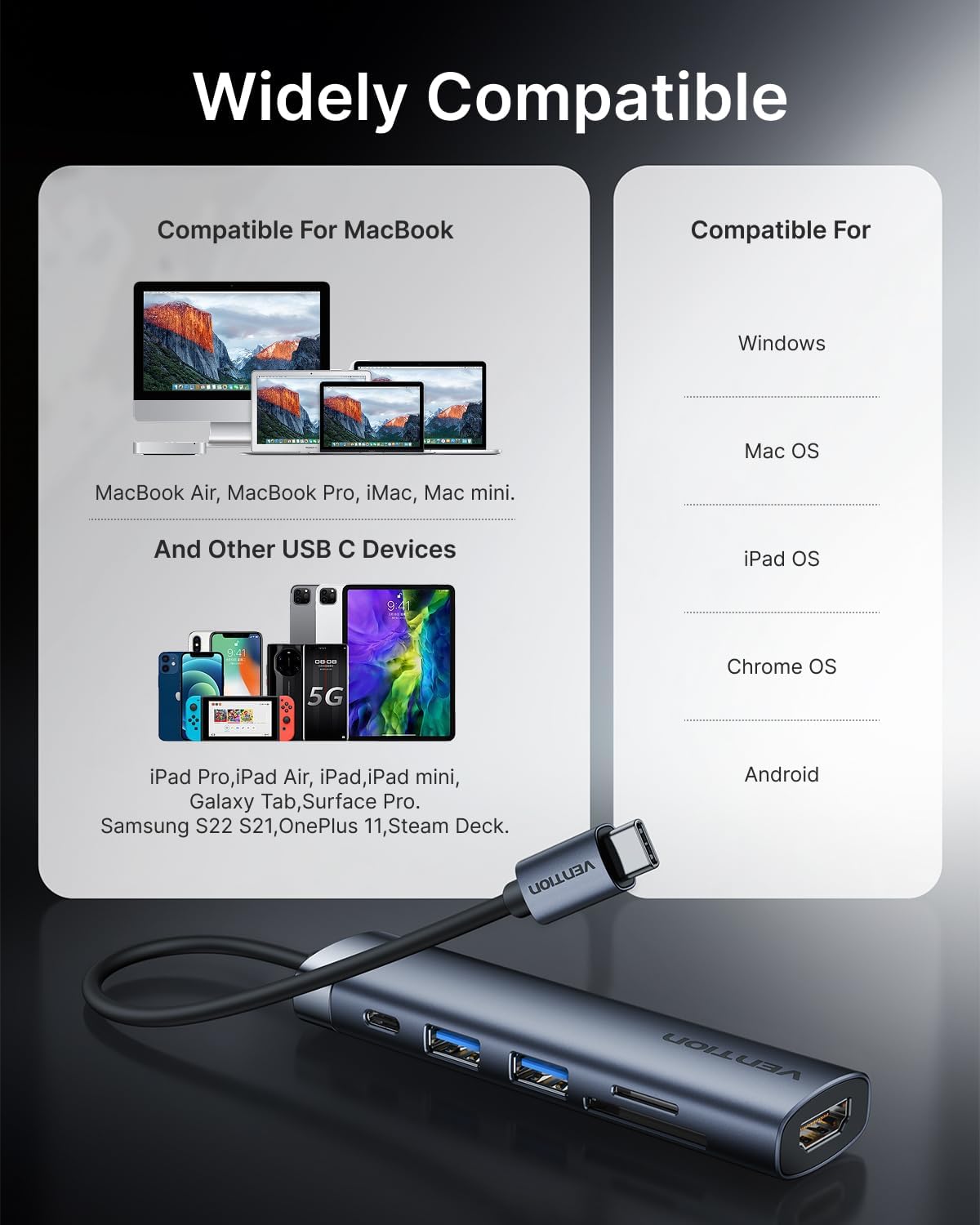
4-сүрөт: Шайкештик аяктадыview for the docking station.
Маанилүү: For full functionality, especially video output and Power Delivery, ensure your host device's USB-C port supports DisplayPort Alternate Mode (DP Alt Mode) and Power Delivery. Refer to your device's specifications or user manual.
3. Док станциясын иштетүү
3.1 HDMI видео чыгышы
Connect an HDMI cable from the docking station's HDMI port to your external monitor, TV, or projector. The hub supports resolutions up to 4K at 30Hz.
- MirrorMode: Duplicate your laptop's screen on the external display.
- Узартуу режими: Жумуш мейкиндигин көбөйтүү үчүн жумушчу столуңузду бир нече экранга кеңейтиңиз.
Adjust display settings through your operating system's display preferences.
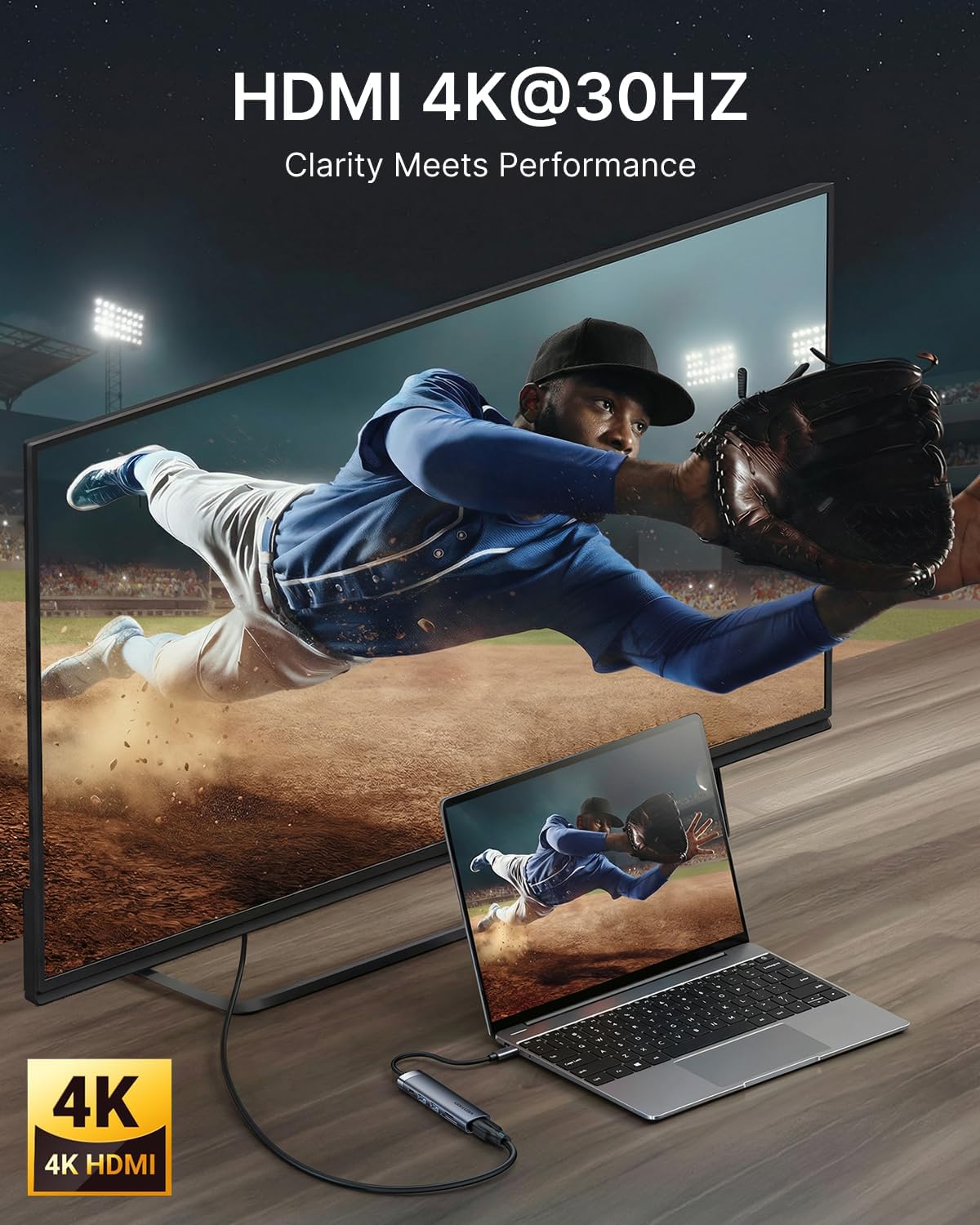
Figure 5: 4K HDMI output connection.
3.2 USB аркылуу маалыматтарды өткөрүү
The docking station features two USB 3.0 ports, offering data transfer speeds up to 5Gbps. These ports are suitable for connecting a variety of USB peripherals:
- Тышкы катуу дисктер
- USB флеш дисктер
- Баскычтоптор жана чычкандар
- Printers and other USB-enabled accessories

Figure 6: USB 3.0 ports for high-speed data transfer.
3.3 SD/TF картаны окугуч
Insert your SD or microSD (TF) card into the corresponding slot for quick access to your media files. The card readers support various card types and offer fast data transfer speeds (up to 104MB/s).

Figure 7: Using the integrated SD and TF card readers.
4. Техникалык тейлөө
4.1 Тазалоо
To maintain optimal performance and appearance, clean the docking station regularly:
- Disconnect the device from all power sources and host devices before cleaning.
- Сыртын сүртүү үчүн жумшак, кургак, мамыксыз чүпүрөктү колдонуңуз.
- Катуу химиялык заттарды, абразивдүү тазалоочу каражаттарды же эриткичтерди колдонуудан алыс болуңуз, анткени алар жасалгага зыян келтириши мүмкүн.
- For ports, use compressed air to gently remove dust and debris.
4.2 Сактоо жана иштетүү
Proper storage and handling will extend the life of your docking station:
- Аппаратты түз күн нурунан жана экстремалдык температурадан алыс салкын, кургак жерде сактаңыз.
- Avoid bending or twisting the integrated USB-C cable excessively.
- The aluminum body is designed for heat dissipation; ensure adequate airflow around the device during operation.
5. Кыйынчылыктарды
If you encounter issues with your VENTION 6-in-1 USB C Docking Station, refer to the following common problems and solutions:
5.1 Тышкы монитордо дисплей жок
- Кабель туташууларын текшерүү: Ensure the HDMI cable is securely connected to both the docking station and the monitor.
- Verify USB-C Port: Confirm that your laptop's USB-C port supports DisplayPort Alternate Mode (DP Alt Mode). Not all USB-C ports support video output.
- Монитор киргизүү: Select the correct HDMI input source on your monitor.
- Резолюция орнотуулары: Try lowering the display resolution on your laptop to see if the monitor detects the signal.
- Түзмөктөрдү кайра иштетүү: Disconnect and reconnect the docking station, then restart your laptop and monitor.
5.2 USB түзмөктөрү таанылган жок
- Кайра туташуу: Unplug and re-plug the USB device into the docking station.
- Башка портту сыноо: Try connecting the USB device to a different USB port on the docking station or directly to your laptop.
- Электр камсыздоо: If using power-hungry USB devices (e.g., external hard drives), ensure your laptop's power adapter is connected to the docking station's USB-C PD IN port.
- Драйвер жаңыртуулары: Ensure your laptop's USB-C drivers are up to date.
5.3 Жай маалымат берүү ылдамдыгы
- USB 3.0 шайкештиги: Ensure both the connected device and your laptop's USB-C port support USB 3.0 or higher for optimal speeds.
- Интерференция: Avoid placing the docking station near sources of electromagnetic interference.
5.4 Charging Issues (PD)
- Кубаттуу адаптер: Use your laptop's original power adapter or a certified USB-C PD charger with sufficient wattage (100 Вт чейин колдоого алынат).
- USB-C порту: Ноутбугуңуздун USB-C порту Power Delivery функциясын колдой турганын текшериңиз.
- Кабелдин сапаты: Ensure the USB-C cable connecting your power adapter to the hub is rated for Power Delivery.
6. Техникалык шарттар
| Өзгөчөлүк | Деталь |
|---|---|
| Продукциянын өлчөмдөрү | 4.34 x 1.12 x 0.59 дюйм |
| Элемент Салмагы | 2.08 унция |
| Элемент моделинин номери | THJHB |
| Бренд | ВЕНЦИЯ |
| Түс | Боз |
| Маалыматтарды өткөрүү ылдамдыгы | 5 Gigabits Per Second (USB 3.0) |
| Материал | Алюминий |
| Өзгөчөлүктөр | Тез маалыматтарды өткөрүү, жеңил, кубаттоодон өтүү, сайып иштетүү, көчмө |
| HDMI чыгышы | 4K@30Hz |
| USB-C PD киргизүү | 100 Вт чейин |
| Card Reader | SD, MicroSD (TF) |
7. Кепилдик жана колдоо
For warranty information or technical support, please refer to the documentation included with your purchase or visit the official VENTION website. Contact details for customer service can typically be found on the product packaging or the manufacturer's support page.


