1. Киришүү
This manual provides comprehensive instructions for the realme C71 4G Smartphone. It covers essential information regarding device setup, operation, maintenance, and troubleshooting to ensure optimal performance and user experience. Please read this manual thoroughly before using your device.
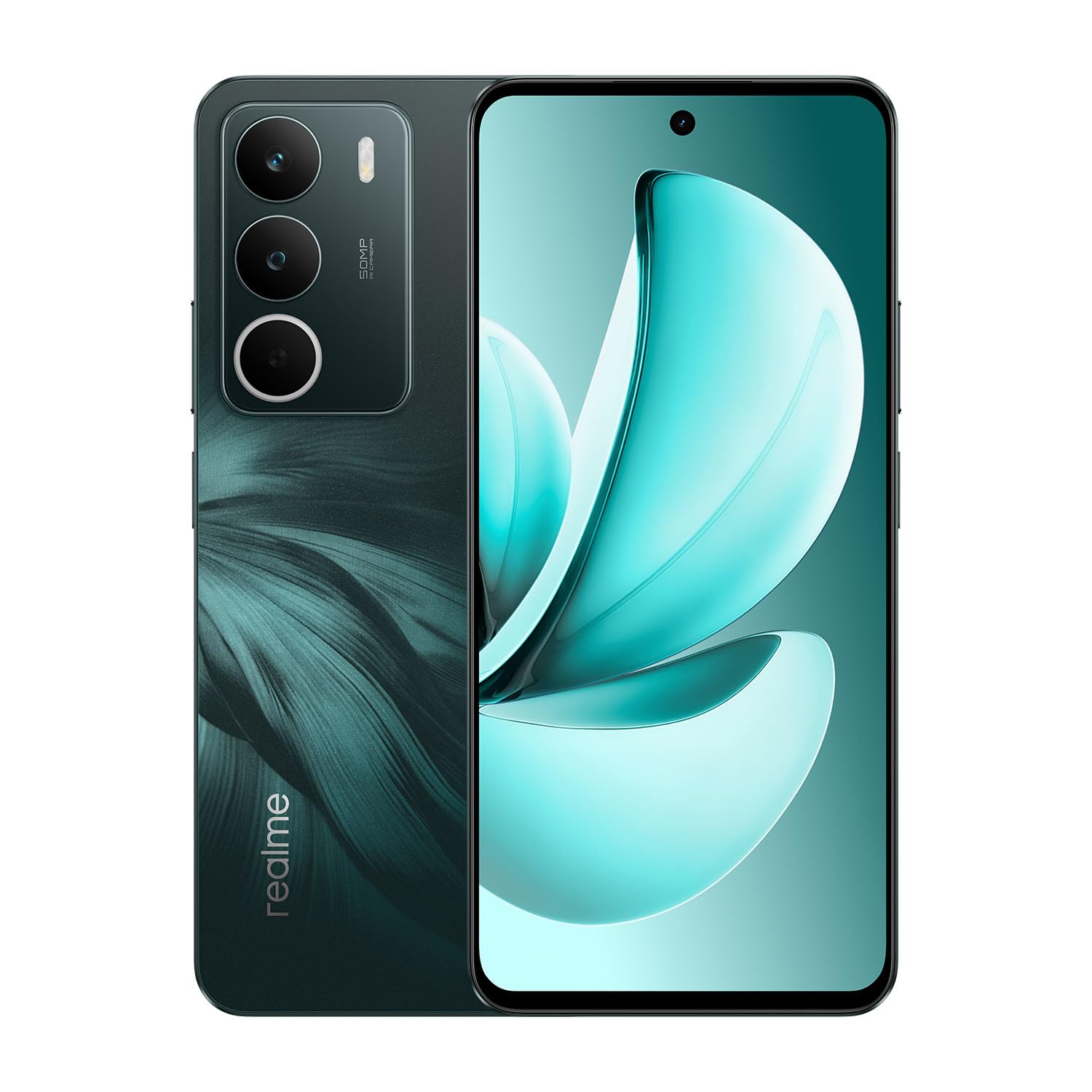
Image: realme C71 4G Smartphone in Forest Owl color, showcasing анын кооз дизайны.

Image: An infographic highlighting key features of the realme C71, such as its 6000mAh battery, 45W fast charging, military-grade shock resistance, 120Hz display, and octa-core chipset.
2. Кутуда эмне бар
Продукттун таңгагында бардык элементтер бар экенин текшериңиз:
- realme C71 4G Smartphone
- Телефон корпусу
- SIM лоток чыгаруучу
- USB кабели
3. Орнотуу
3.1. SIM жана SD картаны салуу
- Аппараттын капталындагы SIM карта салгычын табыңыз.
- SIM лоток чыгаруучу куралды лотоктун жанындагы кичинекей тешикке киргизип, лоток чыгып кеткенче бекем басыңыз.
- Nano-SIM картаңызды(ларыңызды) жана/же microSD картаңызды лотоктогу белгиленген уячаларга салыңыз. Алтын контакттары ылдый карасын.
- Табаны телефондун ичине кылдаттык менен кайра кыстарыңыз.
3.2. Баштапкы күйгүзүү
- Экранда realme логотиби пайда болгонго чейин Кубат баскычын (оң жагында жайгашкан) басып туруңуз.
- Follow the on-screen prompts to complete the initial setup, including language selection, Wi-Fi connection, and Google account login.
3.3. Аппаратты заряддоо
Connect the USB cable to the phone's charging port and the other end to a compatible power adapter. The device supports 45W fast charging.
4. Аппаратты иштетүү
4.1. Дисплей өзгөчөлүктөрү
The realme C71 features a 6.67-inch display with a 120Hz refresh rate for smooth visuals and an Eye Comfort Display with Real DC-Dimming technology to reduce eye strain.

Image: The realme C71 display showcasing its 120Hz refresh rate, 725 nit maximum brightness, 6.67-inch screen size, and up to 240Hz touch sampылдамдыгы.

Image: An illustration emphasizing the 120Hz Eye Comfort Display and Real DC-Dimming feature of the realme C71.
4.2. Камера
The device is equipped with a 50MP AI Camera, designed to capture detailed and clear photos in various environments. It includes features like Film Simulations for creative photography.

Image: A visual representation of the realme C71's 50MP AI Camera capabilities, including various film simulation options and example сүрөттөр.
4.3. Батарея жана заряддоо
The realme C71 features a 6000mAh battery, providing extended usage time. It supports 45W fast charging, allowing for quick recharges.

Image: The realme C71 in two colors, highlighting its 6000mAh massive battery and 45W fast charging, capable of providing 2 days of usage from a 1-hour charge.

Image: An illustration demonstrating the realme C71's 6000mAh battery life, indicating over 8 hours of gaming and up to 2 days of heavy usage on a full charge.

Image: The realme C71 being charged, illustrating its 45W fast charging capability which can achieve 50% charge in 35 minutes.
4.4. Performance
The device is powered by a robust 8-core processor (UNISOC T7250) with advanced architecture, ensuring smooth multitasking and efficient daily operations.

Image: A graphic representing the UNISOC T7250 8-core processor, highlighting its advanced architecture and 12nm process for exceptional performance.
4.5. Узактыгы
The realme C71 offers IP54 water and dust resistance for everyday use, providing protection against splashes and dust. It also features military-grade shock resistance with tough corner protection, a reinforced aluminum structure, and foam protection.

Image: The realme C71 being splashed with water, illustrating its IP54 water and dust resistance for daily use.

Сүрөт: жарылган view of the realme C71's internal structure, detailing its military-grade shock resistance with tough corner protection, reinforced aluminum structure, and foam protection, designed for a maximum drop height of 1.5 meters.
4.6. Pulse Light
The Pulse Light feature provides visual notifications and interactions through glowing modes, enhancing the user experience.

Image: Close-up of the realme C71's rear camera module, illustrating the Pulse Light feature with its vivid glowing modes for notifications.
5. Техникалык тейлөө
5.1. Аппаратыңызды тазалоо
- Телефондун экранын жана корпусун тазалоо үчүн жумшак, түксүз чүпүрөктү колдонуңуз.
- Катуу химиялык заттарды, абразивдүү тазалагычтарды же аэрозолдук спрейлерди колдонуудан алыс болуңуз.
- Аксессуарларды заряддоо же туташтыруудан мурун бардык порттор кургак экенин текшериңиз.
5.2. Программалык камсыздоону жаңыртуу
Түзмөгүңүздө эң акыркы функциялар, коопсуздук жаңыртуулары жана иштеши жакшыртылганын текшерүү үчүн программалык камсыздоо жаңыртууларын дайыма текшерип, орнотуп алыңыз. багыттоо Орнотуулар > Телефон жөнүндө > Программаны жаңыртуу жеткиликтүү жаңыртууларды текшерүү үчүн.
6. Кыйынчылыктарды
If you encounter issues with your realme C71, refer to the following common troubleshooting steps:
- Түзмөк күйбөй жатат: Батарея заряддалганын текшериңиз. Заряддагычты туташтырыңыз жана кайра күйгүзүү аракетинен мурун бир нече мүнөт күтүңүз.
- Колдонмолор бузулуп же катып жатат: Көйгөйлүү колдонмону жаап, кайра ачыңыз. Эгер маселе чечилбесе, телефонду өчүрүп күйгүзүңүз.
- Начар тармак сигналы: SIM картаңыз туура салынганын текшериңиз. Тармактык камтуусу жакшыраак аймакка көчүңүз.
- Батареянын бат түгөнүп калышы: Экран жарыктыгын азайтыңыз, фондо иштеп жаткан пайдаланылбаган колдонмолорду жабыңыз жана колдонулбаганда GPS же Bluetooth сыяктуу керексиз функцияларды өчүрүңүз.
- Сенсордук экран жооп бербейт: Restart the device. If the issue continues, contact customer support.
7. Техникалык шарттар
Key technical specifications for the realme C71 4G Smartphone:

Image: A visual representation of the realme C71's memory, indicating up to 6GB of dynamic RAM and 128GB of ROM.

Image: A hand holding the realme C71, emphasizing its slim profile of 7.79mm thickness and 196g weight.
| Өзгөчөлүк | Спецификация |
|---|---|
| Модель номери | RMX5303 |
| Операция системасы | Android 15 |
| Дисплей өлчөмү | 6.67 дюйм |
| Жаңыртуу ылдамдыгы | 120Hz |
| Процессор | 8-Core (UNISOC T7250), 1.8 GHz |
| RAM эс тутуму | 6 ГБ |
| Сактоо сыйымдуулугу | 128 ГБ |
| Арткы камера | 50MP |
| Батарея сыйымдуулугу | 10 000 мАч (5830 Миллиamp Саат) |
| Заряддоо | 45W тез заряддоо |
| Байланыш | Bluetooth, USB, Wi-Fi, GPS |
| Суу/чаңга туруктуулук | IP54 |
| Өлчөмдөрү (L x W x Y) | 6.53 x 2.99 x 0.31 дюйм |
| Салмагы | 6.9 унция (196 грамм) |
| Түс | Forest Owl |
8. Коопсуздук маалыматы
Түзмөгүңүзгө зыян келтирбөө же өзүңүзгө жаракат келтирбөө үчүн төмөнкү коопсуздук көрсөтмөлөрүн аткарыңыз:
- Аппаратты экстремалдык температурага, тике күн нуруна же ашыкча нымдуулукка дуушар кылбаңыз.
- Realme тарабынан бекитилген кубаттагычтарды жана аксессуарларды гана колдонуңуз.
- Аппаратты ажыратуудан же өзгөртүүдөн качыңыз.
- Аппаратты медициналык имплантаттардан жана шаймандардан алыс кармаңыз.
- Аппаратты жана анын батареясын жергиликтүү эрежелерге ылайык таштаңыз.
9. Кепилдик жана колдоо
9.1. Кепилдик маалыматы
Your realme C71 Smartphone is covered by a limited warranty. Please refer to the warranty card included in your product packaging or visit the official realme website for detailed terms and conditions. The warranty typically covers manufacturing defects but does not cover damage caused by misuse, accidents, or unauthorized repairs.
9.2. Кардарларды колдоо кызматы
For technical assistance, service, or further inquiries, please visit the official realme support website or contact their customer service hotline. Contact information can usually be found on the realme official webсайтында же кепилдик документтеринде.
Онлайн колдоо: https://www.realme.com/global/support


