1. Киришүү
This manual provides essential instructions for setting up, operating, maintaining, and troubleshooting your Itel A100c smartphone. Please read this guide thoroughly to ensure proper use and to maximize the device's capabilities.
The Itel A100c smartphone features a 6.6-inch FHD+ IPS LCD display with a 90Hz refresh rate, an 8MP main camera, a 5MP front camera, 3GB RAM, 128GB internal storage (expandable up to 1TB via microSD), and a 5000mAh battery with Type-C charging. It operates on Android 14 and is powered by an octa-core Unisoc T7100 processor. Security features include a side-mounted fingerprint scanner and face unlock. It also supports Dual Nano SIM and 4G LTE connectivity, and includes an integrated infrared remote control.
2. Орнотуу
2.1. SIM карталарды жана MicroSD картасын салуу
Locate the SIM tray on the side of your device. Use the provided SIM ejector tool to open the tray. Carefully place your Nano SIM cards and/or microSD card into the designated slots. Ensure the cards are correctly oriented as indicated on the tray. Gently push the tray back into the device until it clicks into place.

Сүрөт: каптал view of the Itel A100c, illustrating the location of the SIM/microSD card tray and power/volume buttons.
2.2. Баштапкы күйгүзүү жана заряддоо
Press and hold the Power button (located on the side) until the Itel logo appears. Follow the on-screen instructions to complete the initial setup, including language selection, Wi-Fi connection, and Google account login. Before first use, it is recommended to fully charge the device using the provided Type-C charger.

Image: The Itel A100c smartphone being charged via its Type-C port, emphasizing its 5000mAh battery.
2.3. Setting Up Security Features
To enhance device security, navigate to Орнотуулар > Коопсуздук > Манжа изи to register your fingerprints using the side-mounted sensor. For Face Unlock, go to Орнотуулар > Коопсуздук > Жүзүнөн ачуу and follow the prompts to register your face.
3. Иштөө нускамалары
3.1. Негизги навигация
The Itel A100c features a responsive touchscreen. Use gestures such as tap, swipe, pinch-to-zoom, and long-press to interact with the interface. The navigation bar at the bottom of the screen typically includes Back, Home, and Recent Apps buttons.

Image: The Itel A100c screen displaying a grid of application icons, representing the phone's user interface.
3.2. Чалууларды жасоо жана билдирүүлөрдү жөнөтүү
- Чалуулар: Open the Phone app, enter the number, and tap the call icon. To answer an incoming call, swipe up on the screen.
- Messages: "Билдирүүлөр" колдонмосун ачыңыз, жаңы билдирүү сүрөтчөсүн таптаңыз, алуучунун номерин киргизиңиз же байланыштардан тандаңыз, билдирүүңүздү терип, "Жөнөтүү" баскычын басыңыз.
3.3. Камераны колдонуу
Open the Camera app. The rear camera features an 8MP main sensor, while the front camera is 5MP. Tap the shutter button to take a photo. Swipe left or right to switch between photo, video, and other modes. Tap the camera switch icon to toggle between front and rear cameras.
3.4. Байланыш
- Wi-Fi: барыңыз Орнотуулар > Тармак жана интернет > Wi-Fi жеткиликтүү тармактарга туташуу үчүн.
- Bluetooth: барыңыз Орнотуулар > Туташкан түзмөктөр > Bluetooth to pair with other Bluetooth devices. The UltraLink Free Call feature allows free connections via Bluetooth.
- Мобилдик интернет (4G LTE): SIM картаңыз активдүү жана мобилдик маалымат иштетилгенин текшериңиз Орнотуулар > Тармак жана интернет > Мобилдик тармак.
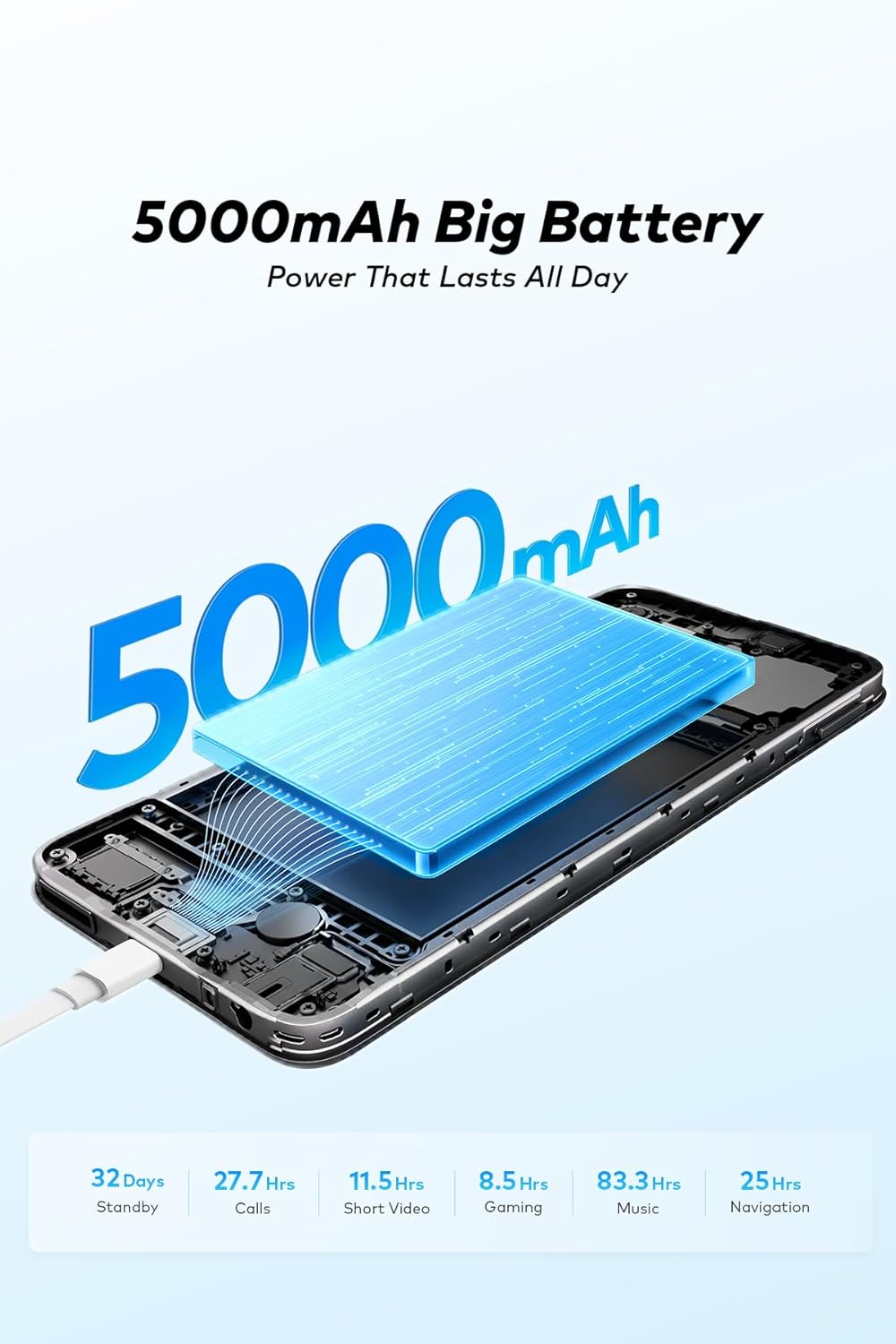
Image: Two Itel A100c smartphones demonstrating the UltraLink Free Call feature, connected wirelessly via Bluetooth.
3.5. Инфракызыл алыстан башкаруу
The integrated infrared remote control allows you to control compatible home appliances. Open the pre-installed remote control application and follow the instructions to pair and manage your devices.
4. Техникалык тейлөө
4.1. Аспапты тазалоо
Use a soft, lint-free cloth to clean the screen and body of your phone. Avoid using harsh chemicals or abrasive materials that could damage the finish. Do not expose the device to excessive moisture.
4.2. Батареяга кам көрүү
To prolong battery life, avoid extreme temperatures. Do not leave the phone charging for extended periods after it reaches 100%. For optimal performance, use the original charger and cable.
4.3. Программалык камсыздоону жаңыртуу
Regularly check for software updates by going to Орнотуулар > Система > Системаны жаңыртуу. Updates can improve performance, add new features, and enhance security.
4.4. Сактагычты башкаруу
Your device has 128GB of internal storage, expandable up to 1TB with a microSD card. To manage storage, go to Орнотуулар > Сактагыч. Дайыма тазалануу керексиз files, cache data, and uninstall unused applications to maintain optimal performance.
5. Кыйынчылыктарды
5.1. Түзмөк күйбөй жатат
- Батарея заряддалганын текшериңиз. Заряддагычты туташтырыңыз жана күйгүзүүгө аракет кылуудан мурун бир нече мүнөт күтүңүз.
- Мажбурлап өчүрүп күйгүзүү үчүн Кубат баскычын жок дегенде 10-15 секунд басып туруңуз.
5.2. Заряддоо көйгөйлөрү
- Check if the charger and USB cable are securely connected to both the phone and the power outlet.
- Try using a different compatible charger and cable to rule out faulty accessories.
- Заряддоо портун сынык же бузулуу бар-жоктугун текшериңиз.
5.3. Тармакка туташуу маселелери
- Аппаратты кайра иштетиңиз.
- Toggle Airplane Mode on and off in Quick Settings.
- Check if your SIM card is properly inserted and active.
- Тармак жөндөөлөрүн баштапкы абалга келтирүү: Орнотуулар > Система > Параметрлерди кайра орнотуу > Wi-Fi, мобилдик жана Bluetooth.
5.4. Заводдук абалга кайтаруу
Эгерде туруктуу көйгөйлөр пайда болсо, аларды баштапкы абалга кайтаруу чечиши мүмкүн. Эскертүү: Бул телефонуңуздагы бардык дайындарды жок кылат. Улантуудан мурун маанилүү маалыматтардын камдык көчүрмөсүн сактаңыз. барыңыз Орнотуулар > Система > Параметрлерди баштапкы абалга келтирүү > Бардык дайындарды тазалоо (деск. баштапкы абалга келтирүү).
6. Техникалык шарттар
| Өзгөчөлүк | Спецификация |
|---|---|
| Модель аты | A100c |
| Элемент моделинин номери | П673л |
| Дисплей | 6.6-inch FHD+ IPS LCD, 90Hz Refresh Rate |
| Резолюция | 1570 x 720 пиксель |
| Жарыктык | 400 nit (typical) |
| Процессор | Unisoc T7100 сегиз ядролуу |
| RAM | 3 ГБ |
| Ички сактагыч | 128 ГБ |
| Кеңейтүүчү сактагыч | microSD карта аркылуу 1 ТБ чейин |
| Арткы камера | 8MP Main Sensor |
| Алдыңкы камера | 5MP |
| Батарея сыйымдуулугу | 5000mAh |
| Заряддоо порту | Type-C |
| Операция системасы | Android 14 |
| Уюлдук технология | 4G LTE |
| SIM түрү | Кош Nano SIM |
| Коопсуздук | Side-mounted Fingerprint, Face Unlock |
| Өзгөчөлүктөр | Infrared Remote Control, UltraLink Free Call (Bluetooth) |
| Өлчөмдөр | 18 x 9 x 4.6 см |
| Салмагы | 340 грамм |
| Келип чыккан өлкө | Кытай |
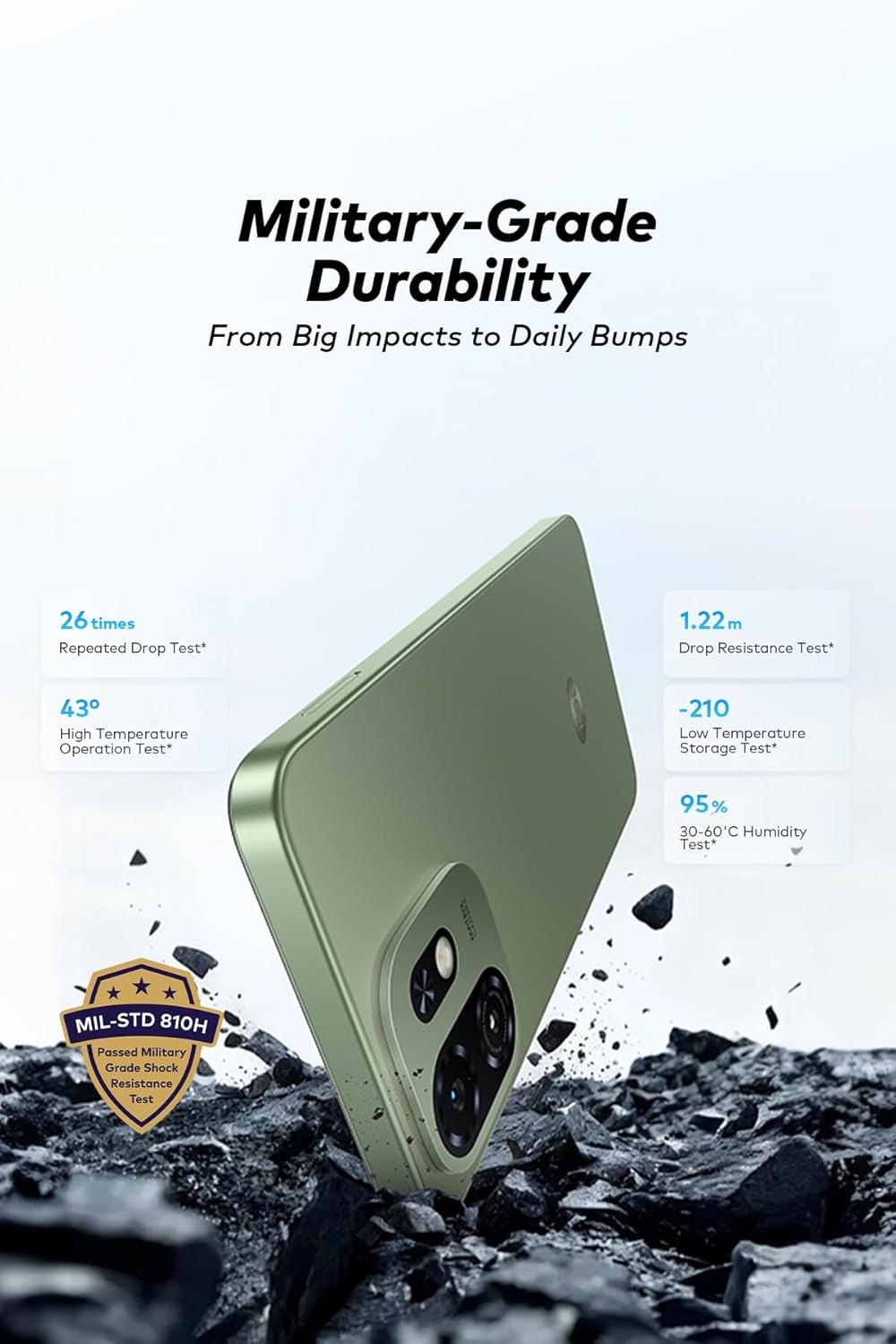
Image: Detailed display specifications for the Itel A100c, showing resolution, color depth, brightness, contrast ratio, and screen-to-body ratio.

Image: The Itel A100c emphasizing its military-grade durability, with details on drop resistance, high/low temperature operation, and humidity tests.
7. Кепилдик жана колдоо
Your Itel A100c smartphone comes with a standard manufacturer's warranty. For specific warranty terms, duration, and conditions, please refer to the warranty card included in the product packaging or visit the official Itel webсайт. Кепилдик дооматтар үчүн сатып алганыңыздын далилин сактаңыз.
For technical support, service, or further inquiries, please contact Itel customer service through their official webсайт же продукт документациясында көрсөтүлгөн байланыш маалыматы.


