1. Продукт бүтүп калдыview
The Thunderobot Radiant 16 is a high-performance gaming laptop designed for demanding applications and immersive gaming experiences. It features an Intel Core i9-13900HX processor, NVIDIA GeForce RTX 5080 graphics, a 16-inch QHD+ 300Hz display, 16GB DDR5 RAM, and a 1TB PCIe M.2 SSD. This manual provides essential information for setup, operation, maintenance, and troubleshooting.

Figure 1: Thunderobot Radiant 16 Gaming Laptop
2. Баштапкы орнотуу
2.1 Кутудан чыгаруу жана Мазмуну
Бардык компоненттерди таңгактан кылдаттык менен алып салыңыз. Куту төмөнкүлөрдү камтышы керек:
- Thunderobot Radiant 16 оюн ноутбугу
- Кубаттуу адаптер жана кабель
- Колдонуучунун Колдонмосу (бул документ)
2.2 Кубатты туташтыруу
Connect the power adapter to the laptop's AC power input port and then plug the power cable into a wall outlet. It is recommended to fully charge the laptop before initial use.
2.3 Биринчи күйгүзүү
Press the power button located on the laptop. The system will guide you through the initial Windows 11 Home setup process. Follow the on-screen instructions to configure your operating system, network, and user account.
2.4 Перифериялык түзүлүштөрдү жана тармакты туташтыруу
Utilize the available ports to connect external devices such as a mouse, keyboard, or external display. The laptop supports Wi-Fi 6 for wireless network connectivity and also includes an RJ45 port for wired Ethernet connections.
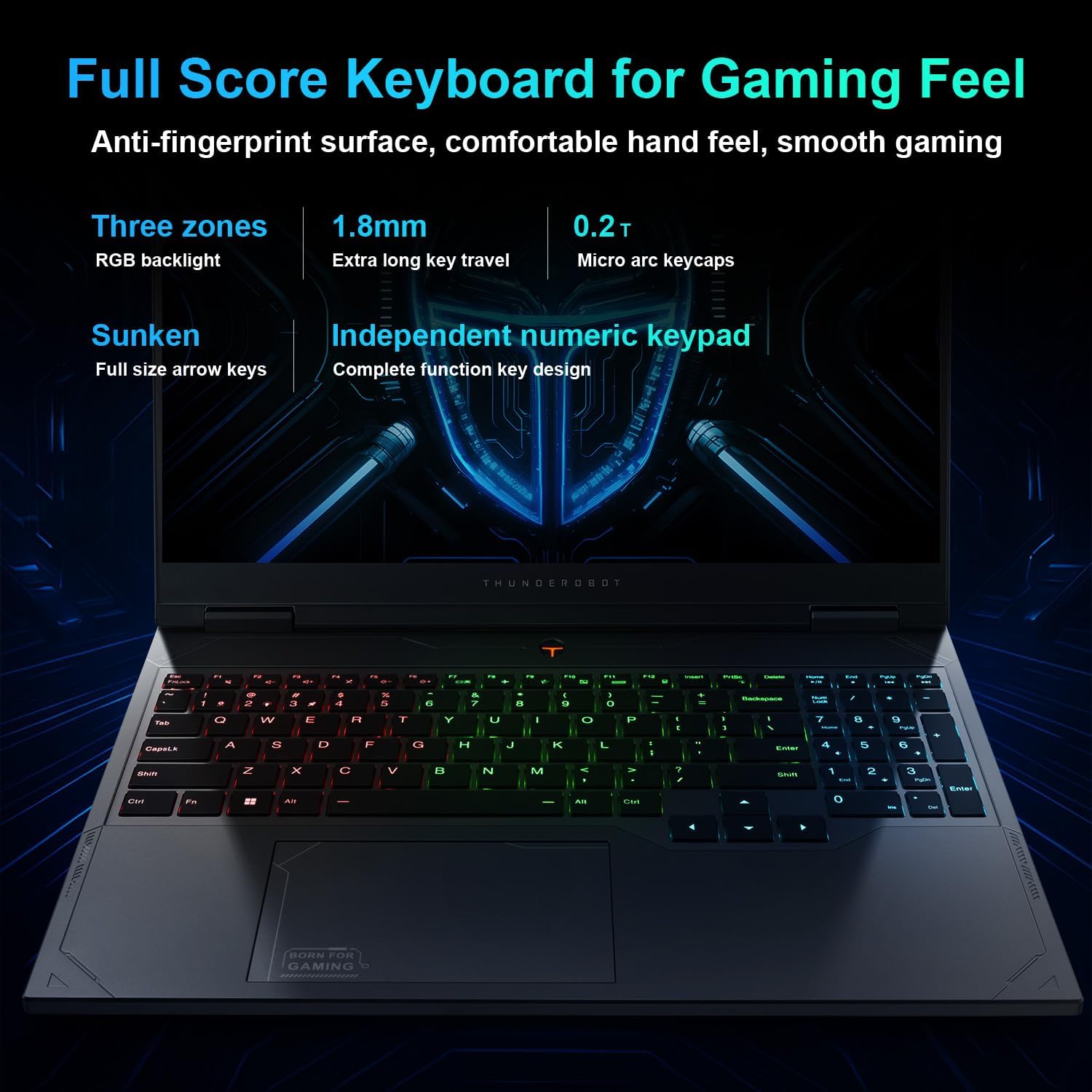
Figure 2: Laptop Ports and Slots
The laptop features multiple connectivity options:
- USB 3.1 Gen1 Type-A: Three ports for standard USB devices.
- USB 3.1 Gen 2 Type-C: One port for high-speed data transfer and display output.
- HDMI2.1: Тышкы мониторлорго же сыналгыларга туташуу үчүн.
- RJ45: Зымдуу тармакка туташуу үчүн Ethernet порту.
- Аудио Jack: Наушник же тышкы динамиктер үчүн.
- AC электр менен камсыздоо: Кубат адаптерин туташтыруу үчүн.
3. Иштөө нускамалары
3.1 Электр энергиясын башкаруу
To power on the laptop, press the power button. To shut down, click the Start button in Windows, then select Power > Shut down. You can also use sleep or hibernate modes for quick resume.
3.2 Баскычтоп жана сенсордук такта
The laptop is equipped with an RGB backlit keyboard and an independent numeric keypad. The keys feature 1.8mm extra long key travel for comfortable typing. The touchpad supports multi-touch gestures for navigation.
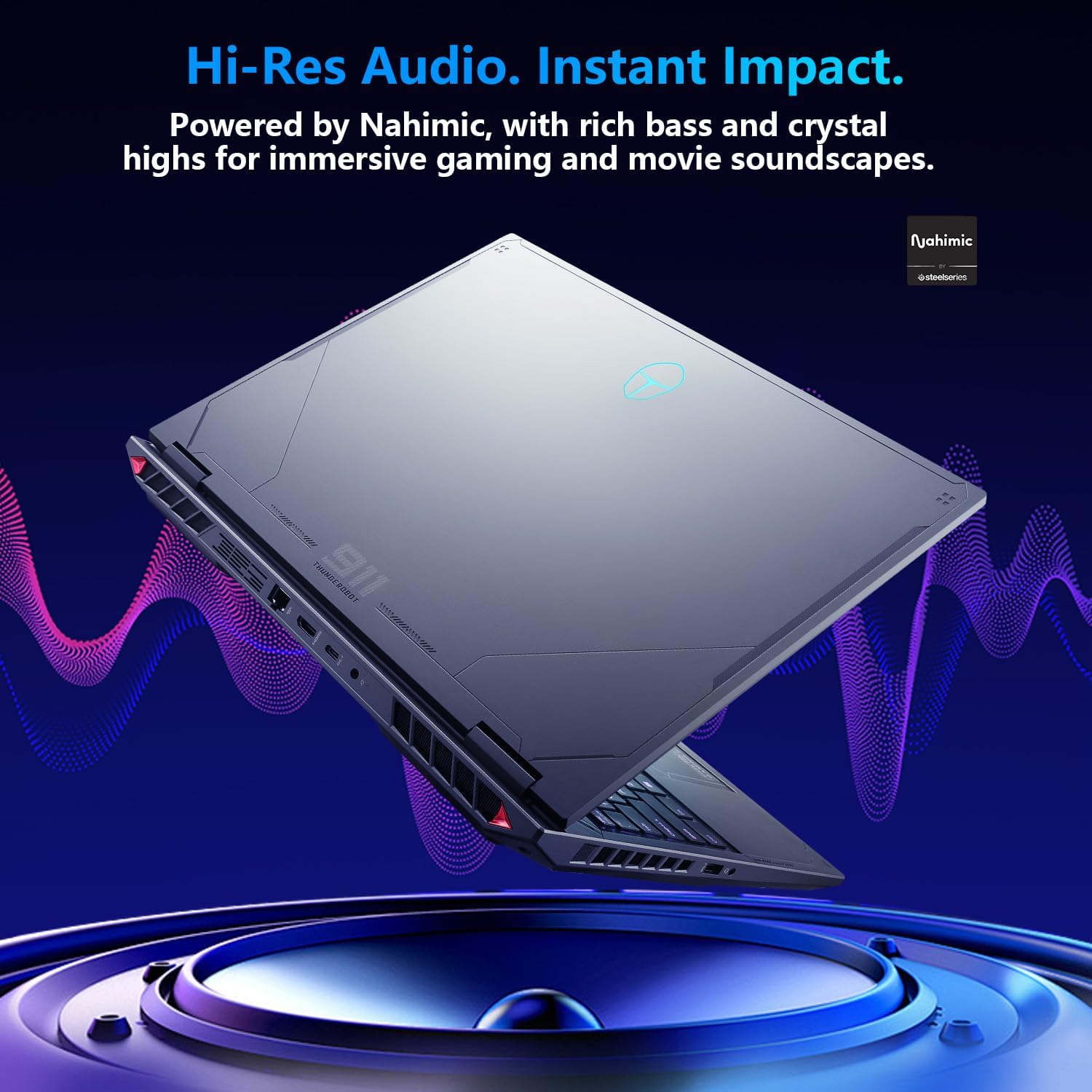
Figure 3: RGB Backlit Keyboard
3.3 Дисплей орнотуулары
The 16-inch QHD+ (2560x1600) display offers a 300Hz refresh rate for smooth visuals. To achieve the highest refresh rate, ensure the dedicated graphics direct connection mode is enabled in the Control Center. Adjust display settings via Windows Display Settings.

Figure 4: High Refresh Rate Display
3.4 Башкаруу борбору
The Thunderobot Control Center software allows you to manage performance modes, fan speeds, and RGB lighting. It offers three primary performance modes:
- Берсерк режими: Full performance release for maximum power.
- Оюн режими: Optimized for smooth gaming performance.
- Аудио жана видео кеңсе режими: Balances performance with battery life for productivity.
Эскертүү: Башкаруу борборунда системанын режимин которуу үчүн түзмөк кубат булагына туташтырылышы керек.

Figure 5: Control Center Interface
3.5 Аудио системасы
The laptop features Nahimic Audio for enhanced sound quality, providing 3D surround sound, treble stabilization, and noise reduction for an immersive audio experience.

Figure 6: Nahimic Audio System
4. Техникалык тейлөө
4.1 Тазалоо
Regularly clean the laptop's screen with a soft, lint-free cloth and a screen-safe cleaning solution. Use compressed air to clear dust from keyboard keys and ventilation grilles. Ensure the laptop is powered off and unplugged before cleaning.
4.2 Программалык камсыздоо жаңыртуулары
Keep your operating system, drivers, and applications updated to ensure optimal performance and security. Check for Windows updates regularly and visit the Thunderobot support website for the latest driver versions.
4.3 Батареяга кам көрүү
To prolong battery life, avoid extreme temperatures and do not leave the laptop fully charged or fully discharged for extended periods. For long-term storage, charge the battery to approximately 50-60%.
4.4 Муздатуу системасы
The Radiant 16 features an advanced cooling system with dual 12V fans, Glacier Six copper tubes, and 3D heat pipes. Ensure ventilation grilles are unobstructed to maintain efficient cooling. The Control Center allows for one-click turbo cooling activation for maximum performance.

Figure 7: Wind-Driven Thermal Mastery Cooling System
5. Кыйынчылыктарды
This section addresses common issues you might encounter. For more complex problems, refer to the Thunderobot support webсайтка же кардарларды тейлөөгө кайрылыңыз.
5.1 Күч жок
- Кубат адаптери ноутбукка да, иштеген электр розеткасына да бекем туташып турганын текшериңиз.
- Башка аспапка сайып, розетка иштеп жатканын текшериңиз.
- Эгер батарейка толугу менен түгөнүп калса, аны күйгүзүүгө аракет кылуудан мурун бир нече мүнөткө заряддаңыз.
5.2 Дисплей маселелери
- If the screen is blank, try connecting an external monitor to check if the issue is with the laptop's display or the graphics output.
- Ensure display drivers are up to date.
- Check display settings in Windows to confirm resolution and refresh rate.
5.3 Ишти аткаруу көйгөйлөрү
- Check the Control Center to ensure the laptop is in the appropriate performance mode (e.g., Berserk or Game Mode for demanding tasks).
- Monitor CPU and GPU temperatures. Excessive heat can lead to performance throttling. Ensure cooling vents are clear.
- Керексиз фон колдонмолорун жабуу.
- Ensure graphics drivers are updated to the latest version.
6. Техникалык шарттар
Detailed technical specifications for the Thunderobot Radiant 16 Gaming Laptop:
| Өзгөчөлүк | Спецификация |
|---|---|
| Модель аты | Радиант 16 |
| Процессор | Intel Core i9-13900HX (5.4 GHz Max Turbo, 24 Cores, 32 Threads, 36 MB Cache) |
| Графика | NVIDIA GeForce RTX 5080 ноутбук GPU (16 ГБ GDDR7) |
| Дисплей | 16-inch QHD+ (2560x1600) IPS, 300Hz Refresh Rate, 100% sRGB, 500 Nits |
| RAM | 16 ГБ DDR5 4800 МГц |
| Сактагыч | 1 ТБ PCIe M.2 SSD |
| Операция системасы | Windows 11 Home |
| Зымсыз байланыш | Wi-Fi 6, Bluetooth |
| Порттар | 3x USB 3.1 Gen1 Type-A, 1x USB 3.1 Gen2 Type-C, 1x HDMI 2.1, 1x RJ45, 1x Audio Jack |
| Баскычтоп | RGB Backlit, Numeric Keypad, 1.8mm Key Travel |
| Аудио | Nahimic Audio |
| Өлчөмдөрү (LxWxH) | 14.09 x 10 x 0.82 дюйм |
| Салмагы | Болжол менен 12 фунт |

Figure 8: Core Component Specifications
7. Кепилдик жана колдоо
Ар бир Thunderobot ноутбугунда төмөнкүлөр бар: 12 айлык кепилдик, оңдоо керек болгон учурда эксперттик колдоо, кылдат диагностика жана оригиналдуу тетиктерди сунуштайт. Мындан тышкары, 90 күндүк кепилдик бардык кепилдик алмаштыруучу тетиктерде камтылган, бул оңдоо иштерин кыйынчылыксыз жүргүзүүнү камсыз кылат.
Техникалык жардам, драйверлерди жүктөп алуу же кепилдик боюнча дооматтар үчүн, Thunderobotтун расмий колдоо кызматына кайрылыңыз website or contact their customer service department. Refer to your product packaging or the Thunderobot webконкреттүү байланыш маалыматы үчүн сайт.


