1. Киришүү
This manual provides essential instructions for the safe and efficient operation of your Retevis RT628 and H-777 two-way radios. Please read this manual thoroughly before using the product to ensure proper function and to prevent damage.
The Retevis RT628 and H-777 radios are designed for reliable communication, featuring clear voice transmission, multiple channels, and user-friendly controls. They are suitable for various activities where staying connected is important.
2. Продукт бүтүп калдыview
2.1 Негизги өзгөчөлүктөрү
- 22 канал: Provides multiple communication options to avoid interference.
- CTCSS/DCS: Offers additional privacy codes for secure communication.
- VOX функциясы: Enables hands-free operation for voice-activated transmission.
- LCD арткы жарык дисплей: Clearly shows channel, battery status, and other functions.
- LED фонарик: Integrated light source for use in low-light conditions.
- Шашылыш сигнализация: Allows users to quickly signal for help.
- Жеңил жана бышык: Designed for portability and extended service life.
- Power Saving System: Automatically conserves battery life.
2.2 Радио компоненттери
Familiarize yourself with the various parts of your Retevis two-way radio:

Сүрөт: деталдуу view of the Retevis RT628 radio highlighting its components such as the wider LCD screen, earphone jack, battery compartment, non-slip handle, speaker, and novel buttons.
- Антенна: Сигналдарды берүү жана кабыл алуу үчүн.
- LCD экран: Displays channel, battery level, and other settings.
- Кубат/Меню баскычы: Радиону күйгүзөт/өчүрөт жана меню параметрлерине кире алат.
- Өйдө/ылдый баскычтары: Navigates menu and adjusts settings like channel.
- Monitor Button (MON): Temporarily disables squelch to listen to weak signals.
- PTT (баскыч менен сүйлөшүү) баскычы: Үнүңүздү өткөрүү үчүн басып туруңуз.
- Баяндамачы: Алынган аудиону чыгаруу.
- Микрофон: Captures your voice for transmission.
- Наушник джек: For connecting an external earphone/headset.
- Батарея бөлүмү: Батареяларды сактайт.
- Кур клип: Ыңгайлуу алып жүрүү үчүн.
3. Орнотуу
3.1 Батареяны орнотуу
The Retevis RT628 and H-777 radios require 3 x AA batteries (not included in the package). Follow these steps to install them:
- Радионун артындагы батарея бөлүкчөсүнүн капкагын табыңыз.
- Бөлүктү ачуу үчүн капкакты жылдырыңыз же ачыңыз.
- Бөлүмдүн ичинде көрсөтүлгөндөй, туура полярдуулукту (+ жана -) текшерип, 3 AA батарейкасын салыңыз.
- Батарея бөлүкчөсүнүн капкагын бекем чыккыча ордуна коюңуз.

Image: The open battery compartment of the radio, illustrating where three AA batteries should be inserted. The image also shows icons for ordinary and rechargeable batteries.
3.2 Charging (for rechargeable batteries)
If using rechargeable AA batteries, you can charge them using a Type-C cable or a desktop charger (if provided with your specific model). Ensure the batteries are suitable for recharging.
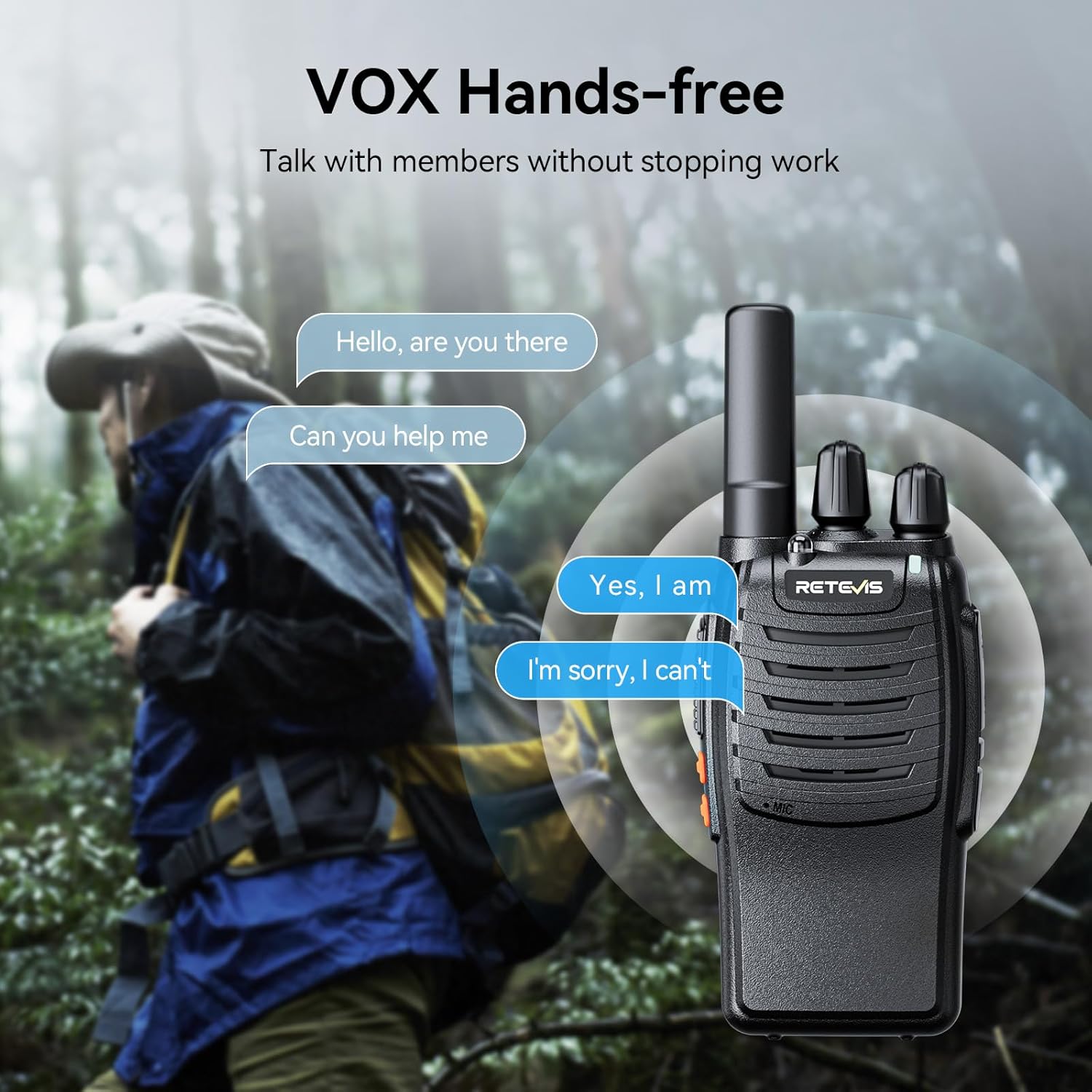
Image: Two radios illustrating charging methods: one connected directly via a Type-C cable, and another placed in a desktop charging cradle.
4. Иштөө нускамалары
4.1 Күйгүзүү/өчүрүү
- Күйгүзүү үчүн: басып, кармап туруңуз Күч/Меню LCD экраны күйгөнгө чейин баскычын басыңыз.
- Өчүрүү үчүн: басып, кармап туруңуз Күч/Меню баскычын экран өчүп калганга чейин басыңыз.
4.2 Үндү тууралоо
колдонуу Up жана Төмөн buttons to adjust the listening volume. The volume level will be displayed on the LCD screen.
4.3 Канал тандоо
- басыңыз Меню button once. The channel number on the LCD screen will flash.
- колдонуу Up or Төмөн каалаган каналды тандоо үчүн баскычтар (1-22).
- басыңыз Меню button again to confirm your selection, or wait a few seconds for it to automatically confirm.
4.4 Берүү жана кабыл алуу
- Өткөрүш үчүн: басып, кармап туруңуз PTT баскычын басыңыз. Микрофонго так сүйлөңүз. Коё бериңиз PTT button to stop transmitting.
- Кабыл алуу үчүн: камсыз кылуу PTT button is not pressed. The radio will automatically receive signals on the selected channel.
4.5 VOX (Үн менен башкарылуучу алмашуу) функциясы
The VOX function allows for hands-free communication. When activated, the radio will automatically transmit when it detects your voice, without needing to press the PTT button.
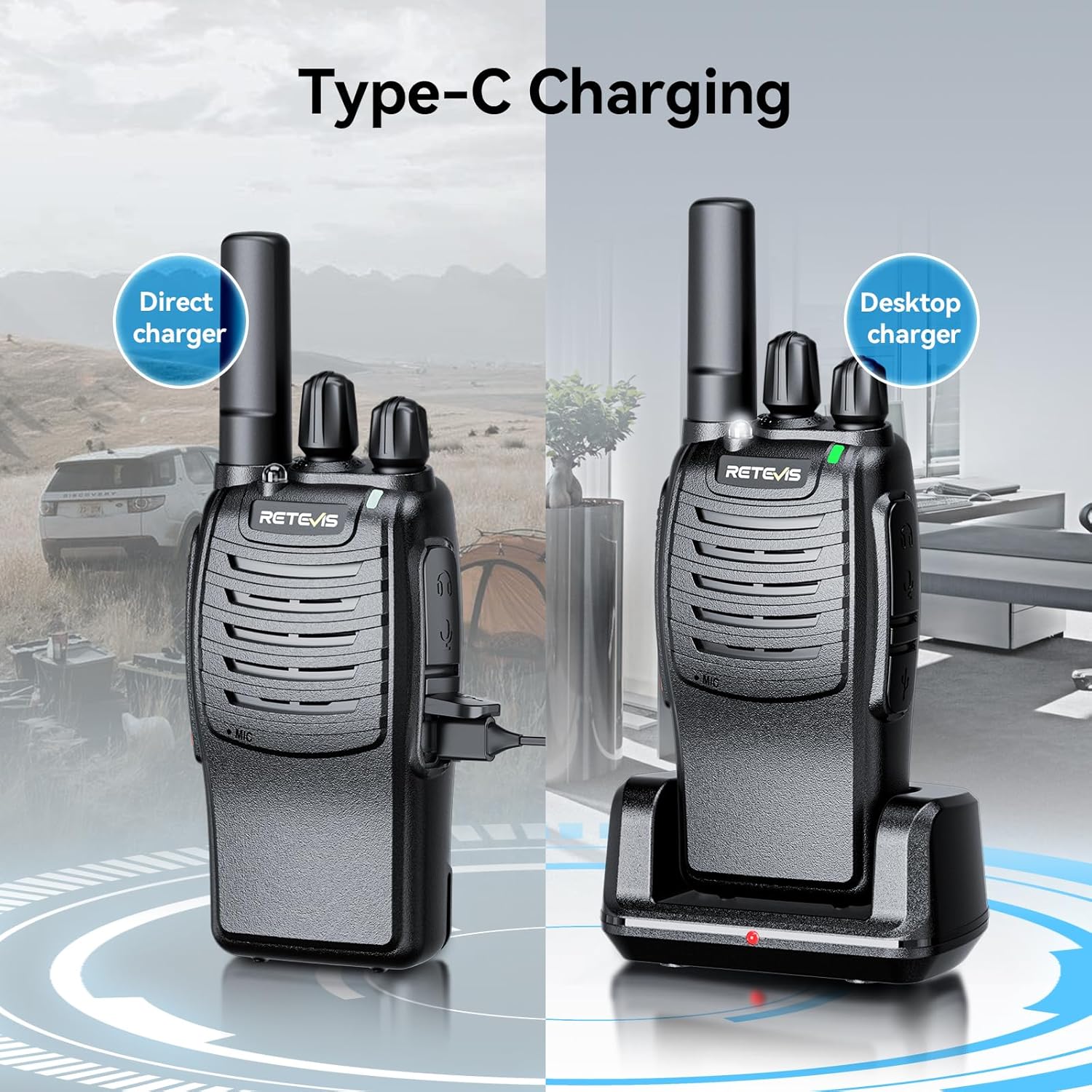
Image: A visual representation of the VOX hands-free feature, showing a person communicating while engaged in an activity, with speech bubbles indicating conversation.
- басыңыз Меню button multiple times until the VOX icon flashes on the LCD screen.
- колдонуу Up or Төмөн buttons to select a VOX sensitivity level (e.g., 1-3, with 1 being most sensitive).
- Басыңыз Меню ырастоо үчүн.
4.6 LED чырак
Your radio is equipped with an LED flashlight for convenience in dark environments.

Image: The radio's LED flashlight in operation, casting light in a dark outdoor scene, demonstrating its utility.
- Күйгүзүү/өчүрүү үчүн: арналган баскычын басыңыз Кол чырак button (if available) or refer to your specific model's button layout for this function.
4.7 Шашылыш сигнал
In an emergency, you can activate the alarm function to alert others.
- Жандыруу үчүн: Long press the side key 1 (or designated emergency button) to turn on the alarm function.
5. Техникалык тейлөө
- Тазалоо: Радиону жумшак менен сүртүңүз, гamp кездеме. Катуу химиялык заттарды же абразивдүү тазалагычтарды колдонбоңуз.
- Сактагыч: Store the radio in a cool, dry place when not in use. Remove batteries if storing for extended periods to prevent leakage.
- Экстремалдуу шарттарды болтурбоо: Do not expose the radio to extreme temperatures, direct sunlight, or excessive moisture.
6. Кыйынчылыктарды
| Көйгөй | Мүмкүн себеп | Чечим |
|---|---|---|
| Радио күйбөйт. | Төмөн же өлүп калган батарейкалар; туура эмес орнотулган батареялар. | Replace or recharge batteries; check battery polarity. |
| Өткөрүп же кабыл албайт. | Incorrect channel; out of range; low battery. | Ensure both radios are on the same channel; move closer to the other radio; replace/recharge batteries. |
| Аудио сапаты начар. | Weak signal; interference; volume too low. | Move to an open area; check for obstructions; adjust volume. |
| VOX not working. | VOX sensitivity too low; microphone blocked. | Increase VOX sensitivity; ensure microphone is clear. |
7. Техникалык шарттар
- Модель номерлери: RT628, H-777
- Каналдар: 22 FRS/GMRS каналдары
- Купуялык коддору: CTCSS/DCS (specific numbers may vary by model)
- Кубат булагы: 3 x AA батарейкалар (киргизилген эмес)
- Өзгөчөлүктөрү: VOX, LCD Backlit Display, LED Flashlight, Emergency Alarm, Auto Power Save
- Өндүрүүчү: Retevis
8. Кепилдик жана колдоо
For warranty information, technical support, or service inquiries, please refer to the contact information provided with your purchase or visit the official Retevis webсайт. Сатып алуу квитанциясын кепилдик дооматтары үчүн сатып алуунун далили катары сактаңыз.


