1. Киришүү
The OTTOCAST Mini Cube 3.0 is a compact adapter designed to convert your vehicle's wired CarPlay or Android Auto system into a wireless experience. This device eliminates the need for physical cable connections, providing seamless access to navigation, music, calls, and messages directly on your car's infotainment screen. It features fast connection speeds and automatic re-connection for convenience.
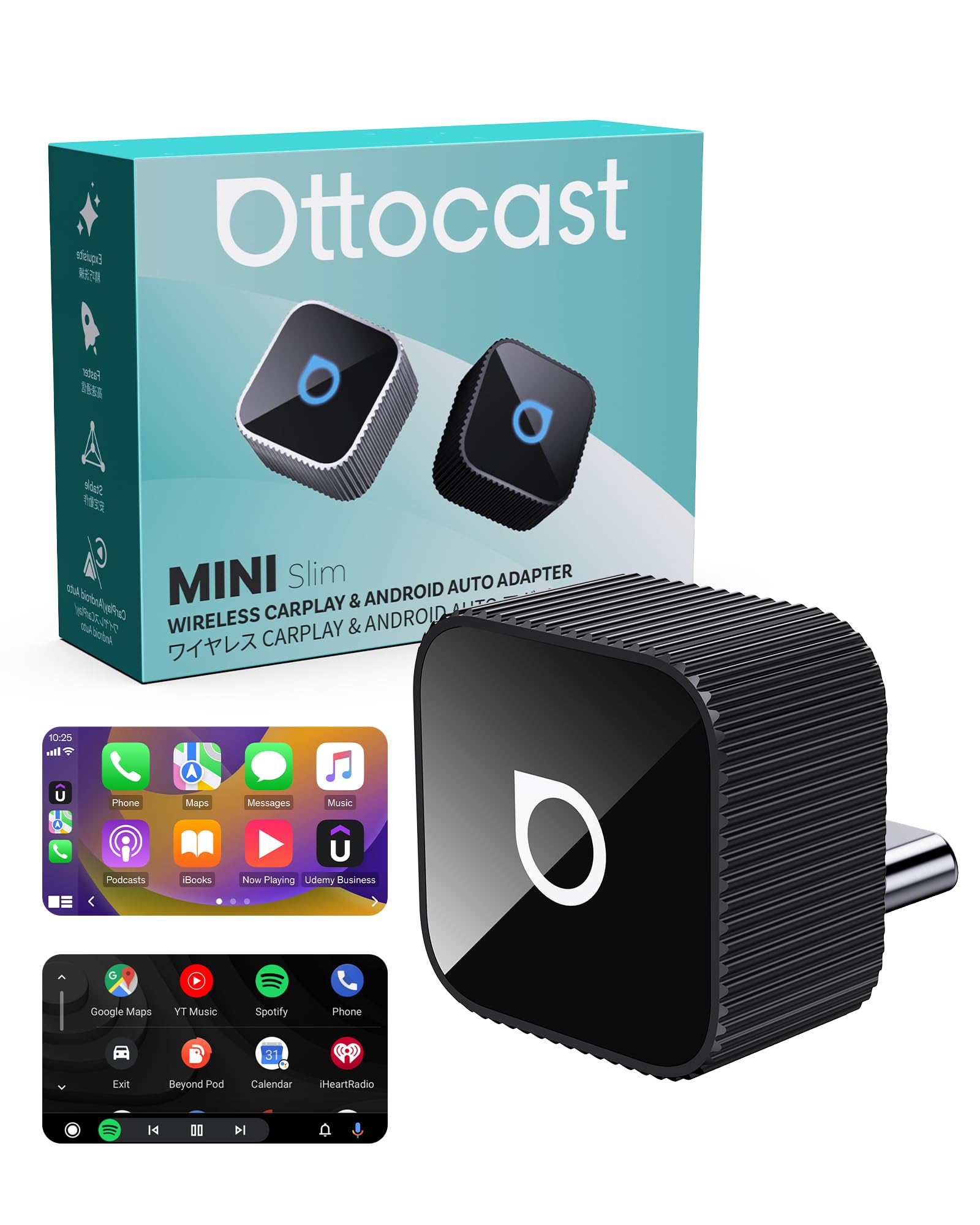
Image 1.1: The OTTOCAST Mini Cube 3.0 adapter, a compact device for wireless CarPlay and Android Auto.
2. Продукт бүтүп калдыview
The Mini Cube 3.0 adapter is engineered for both performance and aesthetics. Its sleek, compact design integrates discreetly into your car's interior, minimizing clutter. The device is built with durable aluminum alloy for heat dissipation and stable, long-lasting performance. It supports both wireless CarPlay and Android Auto functionalities.

Image 2.1: The OTTOCAST Mini Cube 3.0 adapter showcasing its compatibility with both Wireless CarPlay and Android Auto.

Сүрөт 2.2: Жакын план view of the OTTOCAST Mini Cube 3.0, emphasizing its sleek and compact design.
3. Орнотуу нускамалары
Setting up your OTTOCAST Mini Cube 3.0 is a simple, three-step process:
- Step 1: Plug in the adapter. Connect the OTTOCAST Mini Cube 3.0 into your car's USB-C port. If your car uses a USB-A port, use the provided USB-A to USB-C adapter.
- Step 2: Enable Bluetooth and Wi-Fi on your phone. Ensure both Bluetooth and Wi-Fi are active on your smartphone.
- Step 3: Pair your phone. On your car's infotainment screen, navigate to the Bluetooth settings and select the OTTOCAST device (e.g., "CAR2-A346" or similar). Confirm the pairing request on your phone.
Once successfully paired, the adapter will automatically connect to your phone every time you start your car, providing a hassle-free experience.

Image 3.1: Visual representation of the simple plug-and-play setup process for the OTTOCAST Mini Cube 3.0.

Image 3.2: The adapter automatically connects to your phone when you start the car after the initial setup.
4. Иштөө нускамалары
After successful connection, your car's infotainment system will display the CarPlay or Android Auto interface. You can interact with your phone's applications (maps, music, messages, etc.) using your car's original controls, including:
- Сенсордук экранды башкаруу: Directly interact with the display.
- Руль башкаруусу: Use your vehicle's steering wheel buttons for audio and call management.
- Үн менен башкаруу: Utilize Siri or Google Assistant for hands-free operation.
- OEM баскычын башкаруу: Navigate menus using your car's factory control knobs.
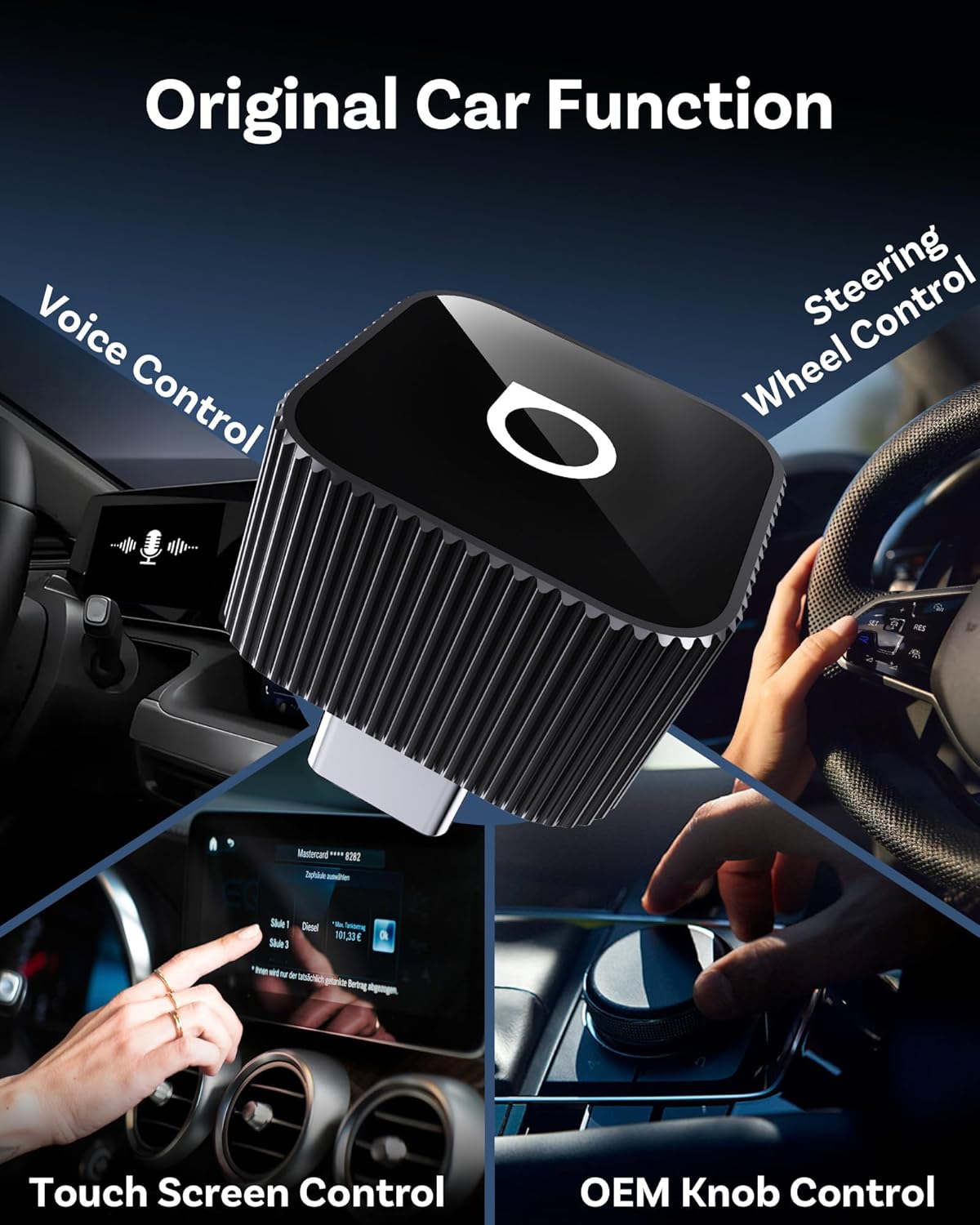
Image 4.1: The OTTOCAST Mini Cube 3.0 maintains compatibility with your car's original control methods.
5. Шайкештик
The OTTOCAST Mini Cube 3.0 is compatible with over 98% of vehicles equipped with factory-wired CarPlay or Android Auto. It supports:
- iOS түзмөктөрү: iOS 10.0 and above (including iPhone 17).
- Android түзмөктөрү: Android 11.0 жана андан жогору.
Эскертүү: This adapter is not compatible with BMW or Tesla vehicles.
For a detailed list of compatible vehicle models, please scan the QR code below or visit the provided link:

Image 5.1: Compatibility information for the OTTOCAST Mini Cube 3.0, including a QR code for checking specific vehicle models.
Шайкештикти текшерүү: https://check.adaptermanual.com/AMZ/
6. Кыйынчылыктарды
- Туташуу маселелери:
- Ensure your car supports wired CarPlay or Android Auto from the factory.
- Смартфонуңузда Bluetooth жана Wi-Fi күйгүзүлгөнүн текшериңиз.
- If you have previously connected other devices, delete them from your car's device list and your phone's Bluetooth settings before attempting to pair the OTTOCAST adapter.
- Restart your car and phone, then try the pairing process again.
- Артта калуу же аткаруу көйгөйлөрү:
- Телефонуңуздун операциялык системасы жаңыртылганын текшериңиз.
- Close unnecessary background applications on your phone to free up resources.
- The adapter uses 5GHz Wi-Fi for data transmission; ensure there are no strong interferences in the vehicle.
- Түзмөк жылып баратат:
- It is normal for the adapter to become warm during operation, especially during prolonged use. The aluminum alloy casing is designed to dissipate heat effectively. If it becomes excessively hot or causes system instability, discontinue use and contact support.
7. Техникалык шарттар
| Өзгөчөлүк | Деталь |
|---|---|
| Продукциянын өлчөмдөрү | 0.79 x 0.79 x 0.79 дюйм |
| Элемент Салмагы | 0.268 унция |
| Элемент моделинин номери | CP88 |
| Шайкеш түзмөктөр | Android 11+, Car with factory wired CarPlay, iOS 10+, iPhone 17 |
| Туташтыргыч түрү | Auxiliary, USB Type C |
| Түс | Кара |
| Өндүрүүчү | OTTOCAST |
8. Пакеттин мазмуну
Продукт пакети төмөнкү элементтерди камтыйт:
- 1 x OTTOCAST Mini Slim adapter
- 1 x User Manual
- Продукт таңгактоо

Image 8.1: The items included in the OTTOCAST Mini Cube 3.0 product package.
9. Техникалык тейлөө
To ensure the longevity and optimal performance of your OTTOCAST Mini Cube 3.0 adapter, follow these maintenance guidelines:
- Аппаратты чаңдан жана таштандылардан таза жана таза кармаңыз. Тазалоо үчүн жумшак, кургак чүпүрөктү колдонуңуз.
- Адаптерди өтө жогорку температурага, узак убакыт бою түз күн нуруна же ашыкча нымдуулукка дуушар кылбаңыз.
- Физикалык зыянды болтурбоо үчүн аппаратты этияттык менен колдонуңуз.
10. Кепилдик жана колдоо
For warranty information, technical support, or any inquiries regarding your OTTOCAST Mini Cube 3.0 adapter, please refer to the contact details provided in the product packaging or visit the official OTTOCAST webсайт. Кепилдик дооматтары үчүн сатып алуу дүмүрчөгүңүздү сактаңыз.


