1. Киришүү
Thank you for choosing the Thomson Go Plus Pro 4K UHD Smart Display. This 27-inch intelligent touchscreen device combines innovative mobile design with high-performance technology, offering an exceptional experience for streaming, working, and video calls. This manual provides essential information for the safe and efficient use of your new smart display.
Key features include a responsive 4K UHD (3840 x 2160) touchscreen, Dolby Audio with an integrated subwoofer, Android operating system, Google Assistant voice control, Google Cast, Wi-Fi 6, Bluetooth 5.2, a 5MP camera, and a 9000 mAh battery for up to 4 hours of autonomy. Its adjustable stand with five wheels allows for effortless movement and 360-degree rotation.
2. Коопсуздук маалыматы
Please read all safety instructions before using the device. Keep this manual for future reference.
- Кубат булагы: Берилген кубат адаптерин гана колдонуңуз. Voltage аппаратта көрсөтүлгөн талаптарга дал келет.
- Жайгашкан жери: Place the device on a stable, level surface. Avoid direct sunlight, heat sources, and areas with high humidity or dust.
- Вентиляция: Желдетүүчү тешиктерди жаппаңыз. Ашыкча ысып кетүүнүн алдын алуу үчүн түзмөктүн айланасында жетиштүү аба айланышын камсыз кылыңыз.
- Суу жана ным: Do not expose the device to rain, moisture, or liquids. Do not place objects filled with liquids, such as vases, on or near the device.
- Тазалоо: Тазалоодон мурун электр кубатынан ажыратыңыз. Жумшак, кургак чүпүрөктү колдонуңуз. Суюк же аэрозоль тазалагычтарды колдонбоңуз.
- Батарея: The device contains a Lithium-ion battery. Do not attempt to replace the battery yourself. Refer to qualified service personnel for battery replacement.
- Балдар: Аппаратты жана анын аксессуарларын балдар жетпеген жерде сактаңыз.
- Тейлөө: Аспапты өзүңүз тейлөөгө аракет кылбаңыз. Бардык тейлөөнү квалификациялуу тейлөө кызматкерлерине тапшырыңыз.
3. Пакеттин мазмуну
Пакетте бардык буюмдар бар экенин текшериңиз:
- Thomson Go Plus Pro 4K UHD Smart Display
- Portable Stand with Wheels
- Алыстан башкаруу
- Электр кабели
- Колдонуучунун Колдонмосу (бул документ)
4. Продукт бүтүп калдыview
4.1 Компоненттери жана өзгөчөлүктөрү
- 27-inch 4K UHD Touchscreen: High-resolution (3840 x 2160) display with touch functionality.
- Android операциялык системасы: Access to Google Play Store, streaming apps, and personalized recommendations.
- Integrated Subwoofer & Dolby Audio: Rich, immersive sound experience (20W Basses + 20W Mediums).
- 5MP Built-in Camera: For video calls and conferences.
- 9000 мАч Батарея: Provides up to 4 hours of wireless operation.
- Portable Stand with 5 Wheels: Allows for easy movement and 360-degree rotation.
- Google Жардамчысы: Voice control for content search and device operation.
- Google Cast & Hotspot: Share content from your smartphone or tablet.
- Байланыш: Wi-Fi 6 and Bluetooth 5.2 for fast and stable wireless connections.
- Storage & RAM: 64 GB internal storage and 8 GB RAM for smooth performance.
4.2 Түзмөктүн жайгашуусу жана порттору
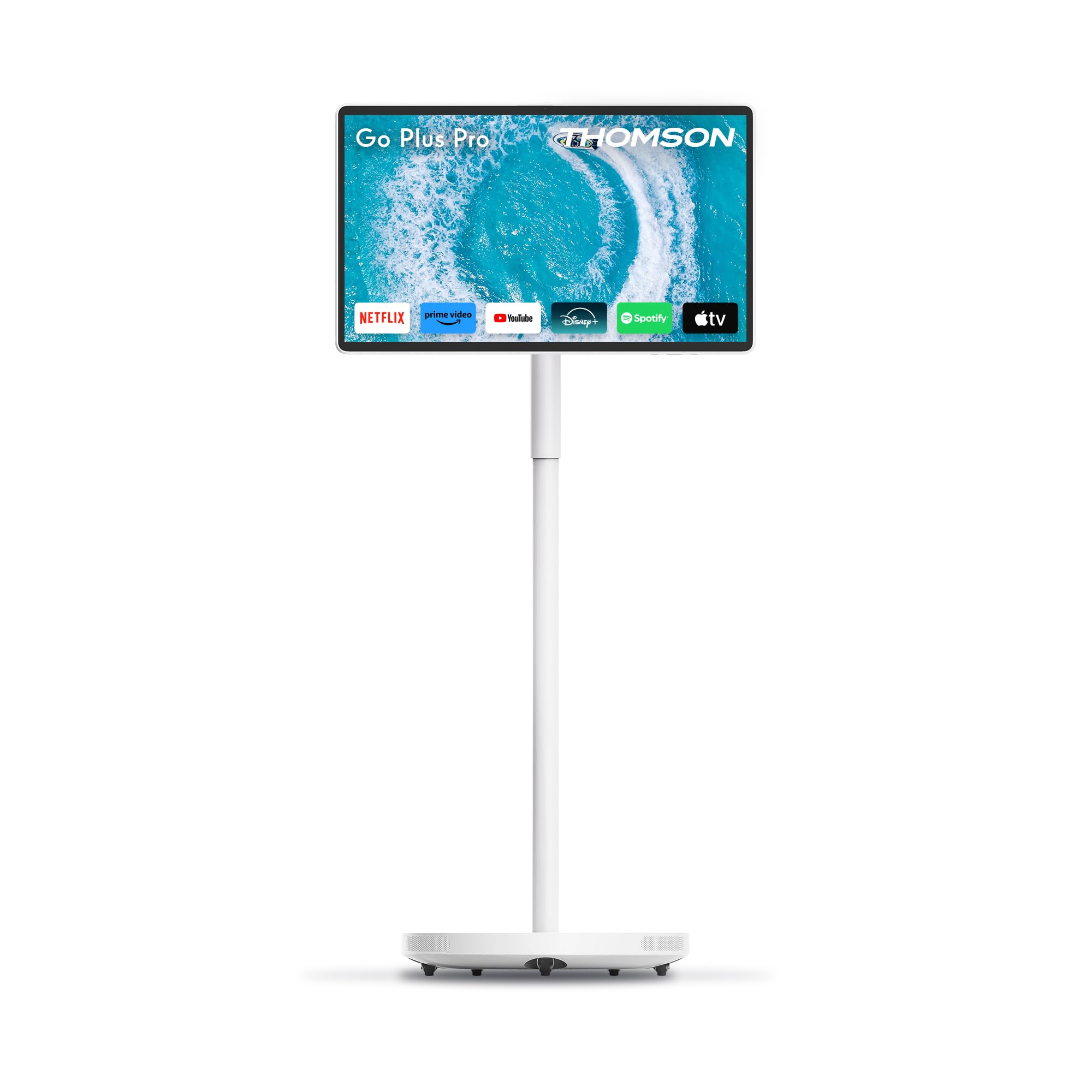
Сүрөт 4.2.1: Алдыңкы view of the Thomson Go Plus Pro 4K UHD Smart Display.

4.2.2-сүрөт: Арткы view байланыш портторун көрсөтөт.
The rear of the display features the following ports:
- 1x HDMI 2.0: Тышкы видео булактарын туташтыруу үчүн.
- 1x USB 3.0: For connecting USB devices like external storage or peripherals.
- 1x Type-C: For additional connectivity options.
- DC IN: Power input for the provided power adapter.

Figure 4.2.3: Base with five integrated wheels for mobility.

Figure 4.2.4: Built-in 5MP camera for video communication.
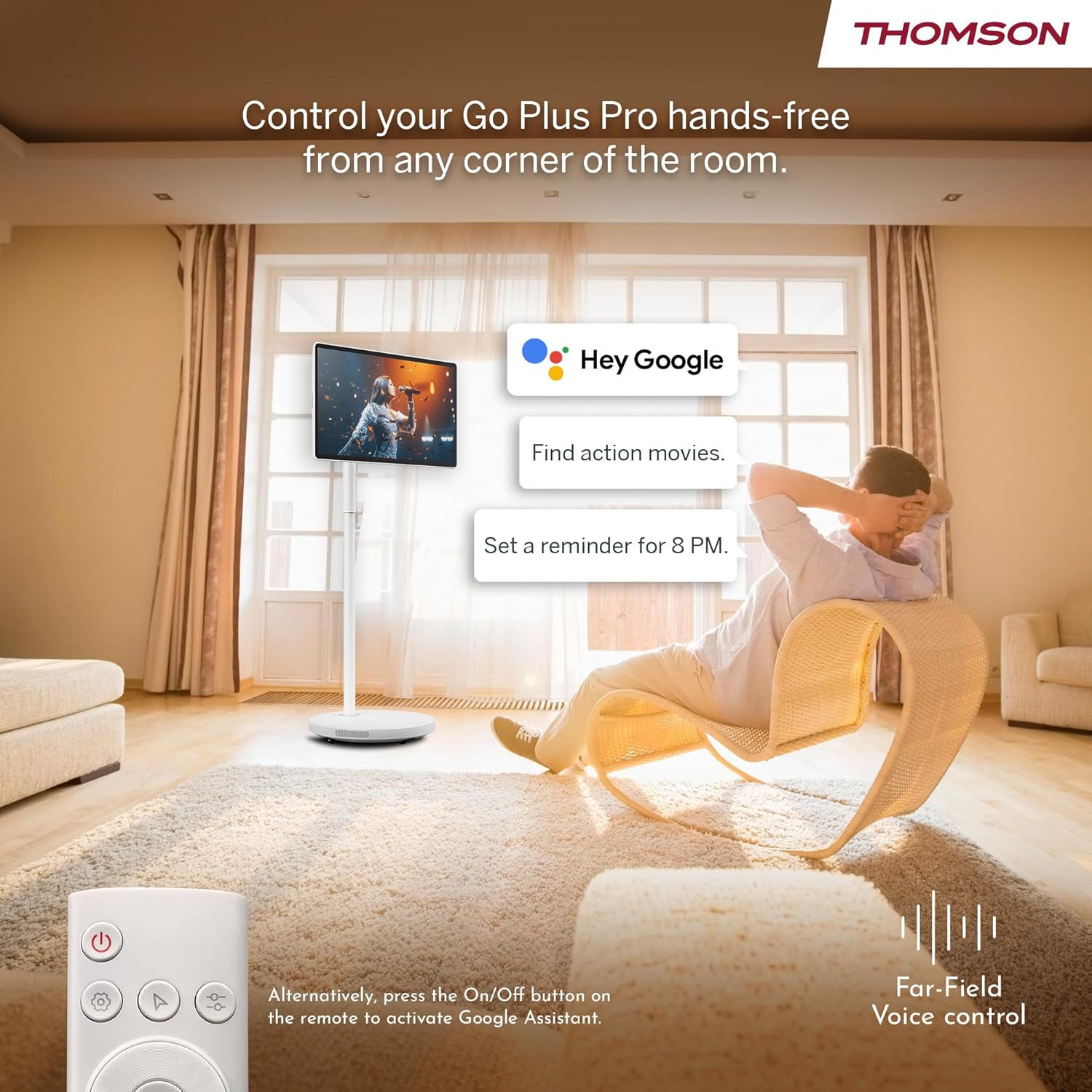
Figure 4.2.5: Location of the integrated subwoofer.
5. Орнотуу
5.1 Ассамблея
The Thomson Go Plus Pro comes with a pre-assembled stand. No complex assembly is required. Simply ensure the display is securely attached to the stand and the base is stable on a flat surface.
5.2 Кубат туташтыруу
- Connect the power cable to the DC IN port on the back of the display.
- Электр кабелинин экинчи учун ылайыктуу розеткага сайыңыз.
5.3 Android'ди баштапкы күйгүзүү жана орнотуу
- Press the Power button on the display or the remote control to turn on the device.
- Follow the on-screen instructions to complete the initial Android setup. This typically includes:
- Тил тандоо.
- Connecting to a Wi-Fi network (Wi-Fi 6 supported).
- Google аккаунтуңуз менен кирүү.
- Шарттарды жана шарттарды кабыл алуу.
- Once setup is complete, you will be presented with the Android home screen.
6. Иштөө нускамалары
6.1 Күйгүзүү/өчүрүү
- Күйгүзүү үчүн: Press the Power button on the display or the remote control.
- Өчүрүү үчүн: Press and hold the Power button on the remote control, then select 'Power Off' from the on-screen menu. A short press will put the device into standby mode.
6.2 Сенсордук экрандын иштеши
The 27-inch display is fully touch-enabled. Interact with the interface by tapping, swiping, and pinching as you would on a tablet or smartphone.

Figure 6.2.1: Touchscreen interaction.
6.3 Үн менен башкаруу (Google Жардамчысы)
Your device integrates Google Assistant for hands-free control.
- Иштетүү: Say "Hey Google" or "Ok Google" to activate the voice assistant. Alternatively, press the dedicated Google Assistant button on your remote control.
- Буйруктар: Use voice commands to search for content, launch applications, control playback, set reminders, and more.

Figure 6.3.1: Hands-free voice control with Google Assistant.
6.4 Агым жана тиркемелер
Access a wide range of entertainment through the Android operating system.
- Google Play дүкөнү: Download and install your favorite streaming services (Netflix, Prime Video, Disney+, YouTube, Spotify, etc.) and other applications.
- Навигация: Use the touchscreen or remote control to navigate the Android interface and launch apps.

Figure 6.4.1: Android interface with popular streaming applications.
6.5 Casting and Hotspot
- Google Cast: Wirelessly cast content (photos, videos, music) from your compatible smartphone or tablet directly to the Go Plus Pro display.
- Хотспот: Utilize the device's hotspot functionality to share its internet connection with other devices.
6.6 Видео чалуулар
The integrated 5MP camera allows for convenient video calls.
- Launch your preferred video calling application (e.g., Google Meet, Zoom) from the Google Play Store.
- Туруктуу интернет байланышы бар экенине ынаныңыз.
Figure 6.6.1: Using the built-in camera for video calls.
6.7 Screen Adjustment and Portability
The display offers flexibility in positioning and movement.
- Айлануу жана жантайтуу: The screen can be rotated 360 degrees and tilted to achieve the optimal viewбурч.
- Мобилдүүлүк: The five integrated wheels on the base allow you to easily move the Go Plus Pro between rooms.

Figure 6.7.1: Screen rotation and tilt functionality.

Figure 6.7.2: Portability of the smart display.
6.8 Батареяны башкаруу
The built-in 9000 mAh battery provides up to 4 hours of autonomy.
- Заряддоо: Connect the power cable to charge the battery. The battery indicator on the screen will show the charging status.
- Батареянын иштөө мөөнөтү: Actual battery life may vary depending on usage, screen brightness, and connected devices.

Figure 6.8.1: Enjoying content with battery power.
6.9 Алыстан башкаруу
Камтылган алыстан башкаруу алыстан ыңгайлуу иштөөгө мүмкүндүк берет.
- Навигация: Use the directional pad and selection buttons to navigate the interface.
- Үн жардамчысы: Press the dedicated button to activate Google Assistant.
- Күч: Аппаратты күйгүзүңүз же өчүрүңүз.

Figure 6.9.1: Convenient remote control storage.
7. Техникалык тейлөө
7.1 Дисплейди тазалоо
- Тазалоодон мурун ар дайым аппаратты сууруп коюңуз.
- Экранды жана сырткы беттерди акырын сүртүү үчүн жумшак, түксүз чүпүрөктү колдонуңуз.
- өжөр белгилери үчүн, бир аз гampen the cloth with water or a screen-safe cleaning solution (do not spray directly onto the screen).
- Avoid using abrasive cleaners, solvents, or alcohol-based products.
7.2 Батареяга кам көрүү
- Батареянын иштөө мөөнөтүн узартуу үчүн, бат-баттан батарейканы толук зарядсыздандырбаңыз.
- Эгерде түзмөк көпкө колдонулбаса, аны салкын, кургак жерде сактаңыз.
8. Кыйынчылыктарды
If you encounter issues with your Thomson Go Plus Pro, refer to the following common solutions:
| Көйгөй | Мүмкүн себеп | Чечим |
|---|---|---|
| Түзмөк күйбөйт. | No power, low battery. | Ensure the power cable is securely connected and plugged into a working outlet. Charge the battery if operating wirelessly. |
| Wi-Fi байланышы жок. | Router issue, incorrect password, out of range. | Check your Wi-Fi router. Re-enter the Wi-Fi password. Move the device closer to the router. |
| Пульт иштебей жатат. | Low battery, obstruction, pairing issue. | Replace remote control batteries. Ensure no obstructions between remote and device. Re-pair the remote if necessary (refer to Android settings). |
| Сүрөттүн сапаты начар. | Low resolution content, network speed. | Ensure you are streaming 4K content. Check your internet connection speed. Some apps may only support FHD quality. |
| Үн жок. | Volume too low, muted, external audio device connected. | Increase volume. Check if muted. Disconnect any external Bluetooth audio devices if sound is desired from the internal speakers. |
Эгер көйгөй чечилбесе, кардарларды колдоо менен байланышыңыз.
9. Техникалык шарттар
The following table details the technical specifications of the Thomson Go Plus Pro 4K UHD Smart Display:
| Өзгөчөлүк | Спецификация |
|---|---|
| Бренд | Томсон |
| Модель номери | 27UE7M45 |
| Screen Size | 27 дюйм (69 см) |
| Дисплей технологиясы | LED |
| Резолюция | 4K UHD (3840 x 2160p) |
| Жаңыртуу ылдамдыгы | 120 Гц |
| Операция системасы | Android |
| Байланыш | Bluetooth 5.2, Wi-Fi 6, USB, HDMI |
| Порттар | 1x HDMI 2.0, 1x USB 3.0, 1x Type-C, DC IN |
| Өзгөчөлүктөр | Browser, Disney+, Netflix, Prime Video, Google Assistant, Google Cast, Hotspot, Built-in Camera, Built-in Subwoofer |
| Камера | 5MP |
| Батарея түрү | Литий-ион (9000 мАч) |
| Батареянын иштөө мөөнөтү | 4 саатка чейин |
| Ички сактагыч | 64 ГБ |
| RAM | 8 ГБ |
| Процессор | Quad-Core |
| Аспект катышы | 16:9 |
| Продукциянын өлчөмдөрү (DxWxH) | 5.8 x 62.8 x 37.6 cm (Display only) |
| Түс | Ак |
| Өндүрүүчү | STREAMVIEW GMBH |
| Келип чыккан өлкө | Кытай |

Figure 9.1: 4K UHD Resolution Detail.

Figure 9.2: Energy Label for Model 27UE7M45. For more details, visit EPREL маалымат базасы.
10. Кепилдик жана колдоо
Your Thomson Go Plus Pro 4K UHD Smart Display comes with a manufacturer's warranty.
- Өндүрүүчүнүн Кепилдиги: 3 жыл.
- Өндүрүүчү: STREAMVIEW GMBH
- Webсайт: www.streamview.com
- Электрондук почта дареги: contact@streamview.com
- Телефон: +4318900066
For detailed warranty terms and conditions, please refer to the documentation provided with your purchase or contact the manufacturer directly.


