Introduction
This manual provides detailed instructions for the setup, operation, maintenance, and troubleshooting of your Hwagol Smart Watch. Please read this manual thoroughly before using the device to ensure proper function and longevity.
Кутуда эмне бар
Пакетте бардык буюмдар бар экенин текшериңиз:
- Hwagol Smart Watch (Model 619704314148)
- Заряддоо кабели
- Interchangeable Straps (typically one stainless steel and two silicone straps)
- Колдонуучунун Колдонмосу (бул документ)
Жайгашуу
1. Аппаратты заряддоо
Before first use, fully charge your Hwagol Smart Watch. Connect the provided charging cable to the charging port on the back of the watch and to a standard USB power adapter (not included). The watch display will indicate charging status.

Image: The Hwagol Smart Watch connected to its charging cable, illustrating the charging process.
2. Колдонмону орнотуу жана жупташтыруу
Акылдуу саатыңыздын толук функцияларын ачуу үчүн, смартфонуңузга коштоочу тиркемени орнотушуңуз керек.
- Колдонмону жүктөп алыңыз: Издөө the recommended companion app (e.g., 'FitCloudPro' or similar, as indicated in the watch's quick start guide or packaging) in your smartphone's app store (Google Play Store for Android, Apple App Store for iOS).
- Орнотуу жана ачуу: Install the app and open it. Follow the on-screen prompts to create an account or log in.
- Bluetooth иштетүү: Смартфонуңузда Bluetooth иштетилгенин текшериңиз.
- Саатты жупташтыруу: In the app, navigate to the device pairing section. Select your Hwagol Smart Watch from the list of available devices. Confirm the pairing request on both your phone and the watch if prompted.
3. Баштапкы конфигурация
After successful pairing, configure basic settings:
- Жеке маалымат: Enter your age, height, weight, and gender in the app for accurate health tracking.
- Уруксаттар: Grant necessary permissions to the app (e.g., notification access, location services) for full functionality.
- Бетти көрүү: Customize your watch face through the app or directly on the watch. Over 200 online UI options are available.
Иштөө нускамалары
1. Негизги навигация
The Hwagol Smart Watch features a 1.52-inch HD touch screen with 360*360 resolution.
- Өйдө/ылдый сүрүү: Ыкчам орнотууларга же эскертмелерге кириңиз.
- Солго/Оңго сүрүү: Navigate through widgets and main functions (e.g., activity, heart rate, weather).
- таптаңыз: Бир нерсени тандаңыз же аракетти ырастаңыз.
- Каптал баскычтарды басыңыз: The watch typically has side buttons for power, back, or quick access to sport modes. Refer to the watch's on-screen prompts for specific button functions.
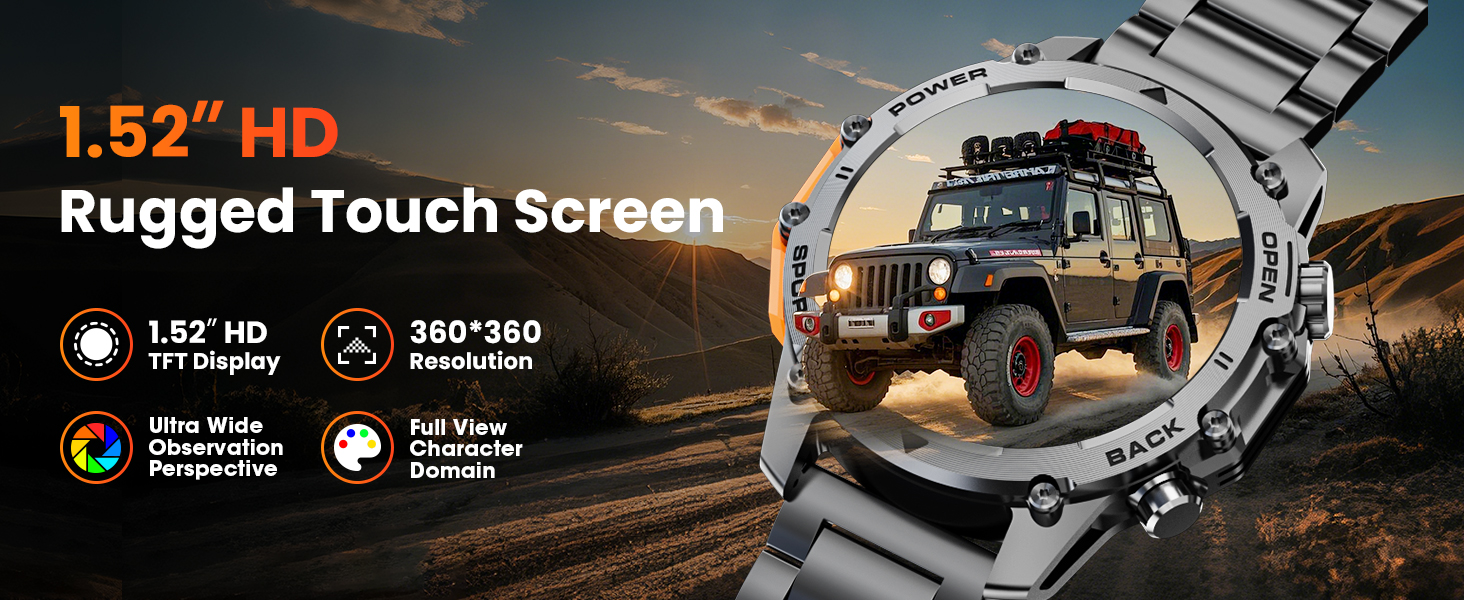
Image: A close-up of the Hwagol Smart Watch display, highlighting its 1.52-inch HD screen and resolution.
2. Bluetooth чалуу
Смартфонуңуз менен жупташтырылгандан кийин, сиз саатыңыздан түз чалууларды жасай жана кабыл ала аласыз.
- Чалууларды жасоо: Access the dial pad or contact list on the watch to initiate a call.
- Чалууларды кабыл алуу: Чалуу келгенде, саат чалуучунун идентификаторун көрсөтөт. Жооп берүү үчүн жашыл сөлөкөттү, ал эми четке кагуу үчүн кызыл сөлөкөттү басыңыз.
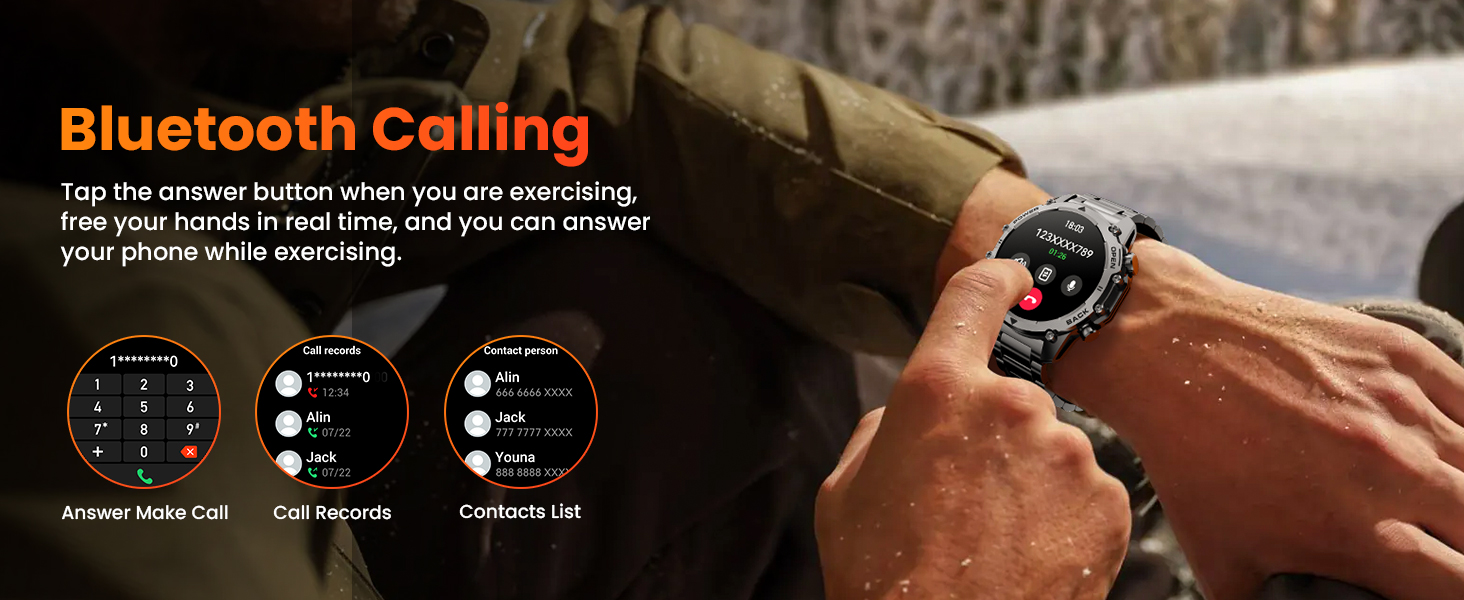
Image: The Hwagol Smart Watch displaying an incoming call, demonstrating the Bluetooth calling function.
3. Акылдуу эскертмелер
Эскертмелерди түз эле смартфонуңуздан саатыңызга алыңыз.
- Ensure notification permissions are granted to the app on your smartphone.
- Notifications for calls, messages, and various social media apps will be displayed on the watch screen.
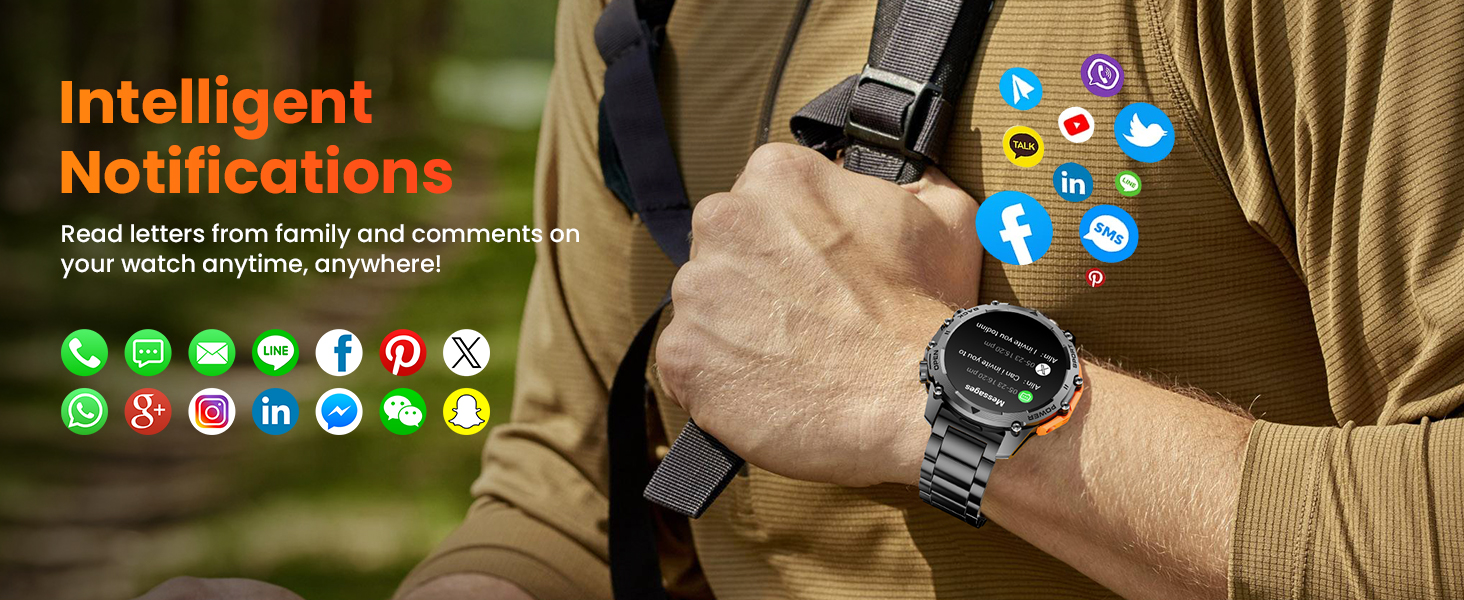
Image: The Hwagol Smart Watch showing various app notification icons, illustrating the intelligent notification feature.
4. Спорт режимдери
The watch supports over 100 sport modes for tracking various physical activities.
- Access the 'Sport' menu on the watch.
- Select your desired activity (e.g., running, cycling, mountaineering).
- The watch will track metrics such as steps, distance, calories burned, and heart rate during your workout.
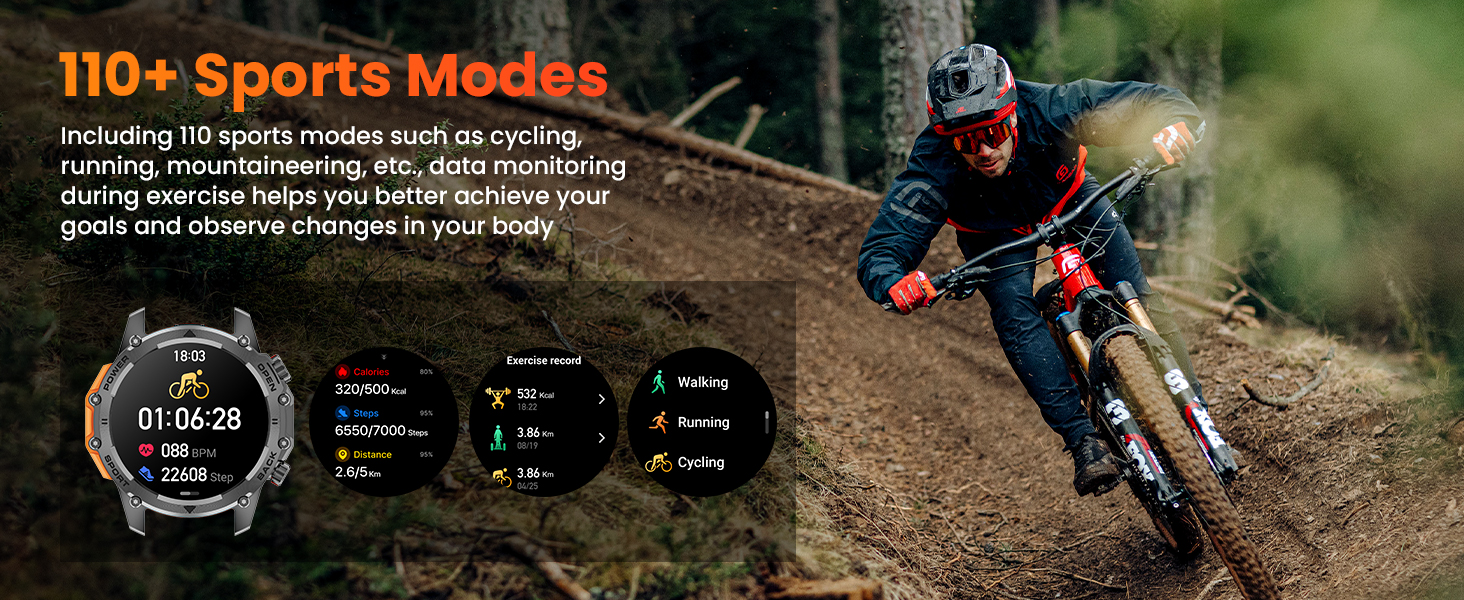
Image: The Hwagol Smart Watch displaying various sport mode icons and activity tracking data.
5. 24/7 Health Monitoring
The watch continuously monitors key health metrics.
- Жүрөктүн кагышын көзөмөлдөөчү: Чыныгы убакытта жүрөктүн кагышынын маалыматтарын берет.
- Кандын кычкылтек монитору (SpO2): Кандын кычкылтек менен каныккандыгын өлчөйт.
- Уйкунун сапатын көзөмөлдөө: Уйкуңузга, анын ичинде терең уйкуга, жеңил уйкуга жана ойгонуу убакыттарына көз салат.
- View detailed historical data for all health metrics within the companion app.
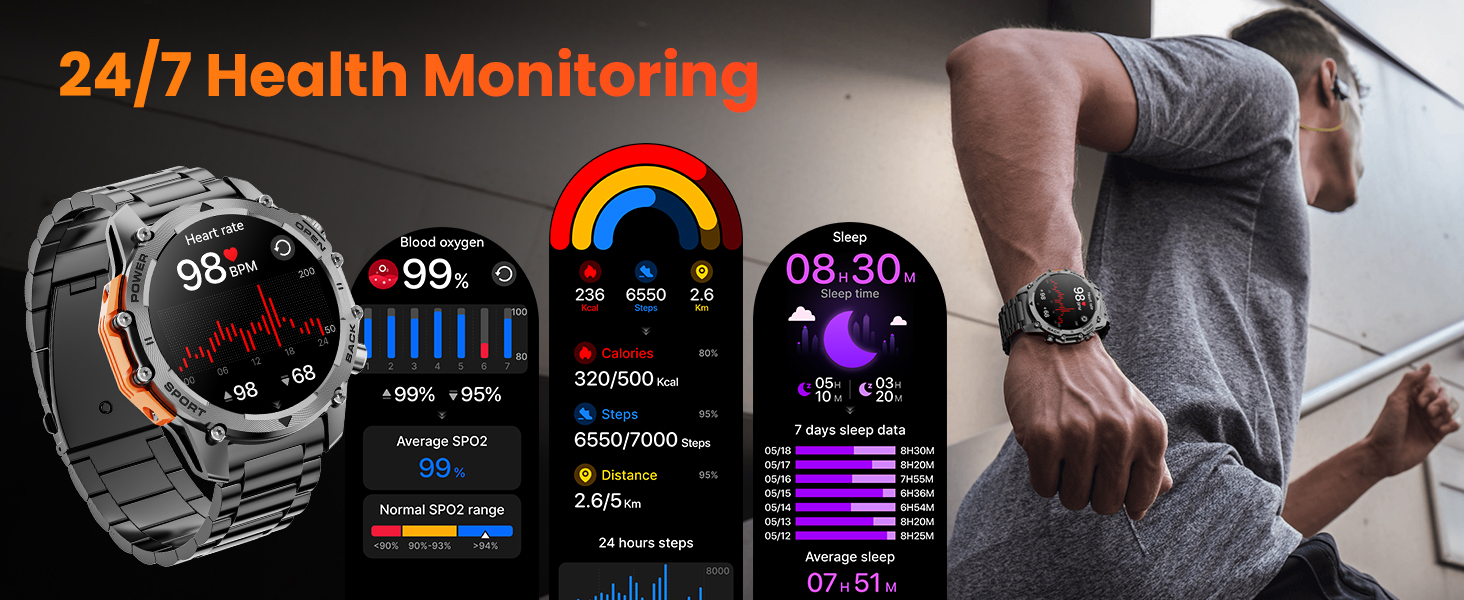
Image: The Hwagol Smart Watch displaying heart rate, blood oxygen, and sleep tracking data.
6. Фонар
Activate the super bright flashlight feature for illumination in dark environments.
- Access the flashlight function from the quick settings menu or a dedicated app on the watch.
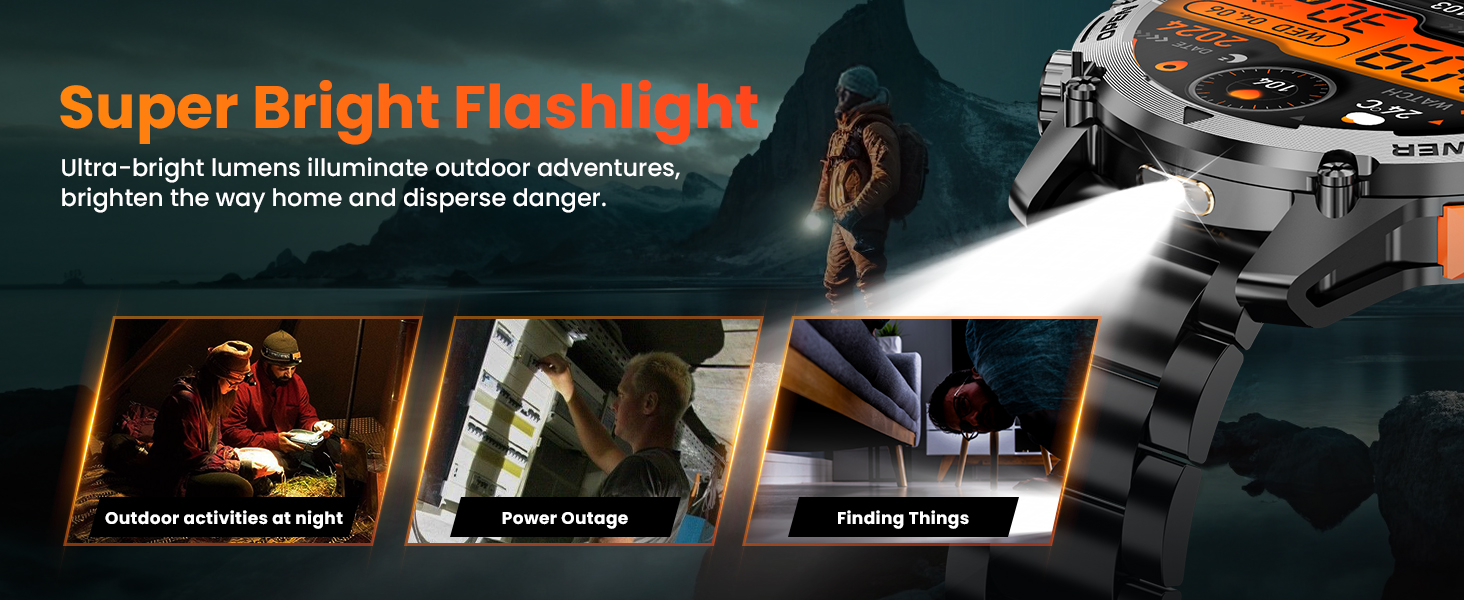
Image: The Hwagol Smart Watch with its flashlight activated, showing its utility in various scenarios.
7. Башка өзгөчөлүктөр
The Hwagol Smart Watch includes several additional useful functions:
- Музыка ойноткучту башкаруу: Смартфонуңузда музыканы ойнотууну көзөмөлдөңүз (ойнотуу, тындыруу, тректерди өткөрүп жиберүү).
- Remote Photo Taking: Саатыңызды смартфонуңуздун камерасы үчүн алыстан башкаруучу жапкыч катары колдонуңуз.
- Аба ырайы: View учурдагы аба ырайы жана божомолдор.
- Калькулятор: Негизги эсептөөлөрдү жүргүзүү.
- Үн жардамчысы: Смартфонуңуздун үн жардамчысы менен өз ара аракеттениңиз.
- Ойготкуч саат: Ойготкучтарды түз саатыңыздан коюңуз.
- Water Drinking Reminder: Receive reminders to stay hydrated.
- Дем алуу тренинги: Эс алуу үчүн дем алуу көнүгүүлөрүн жасоо.
- Mobile Phone Search: Жупташкан смартфонуңузду шыңгыратып, аны табыңыз.
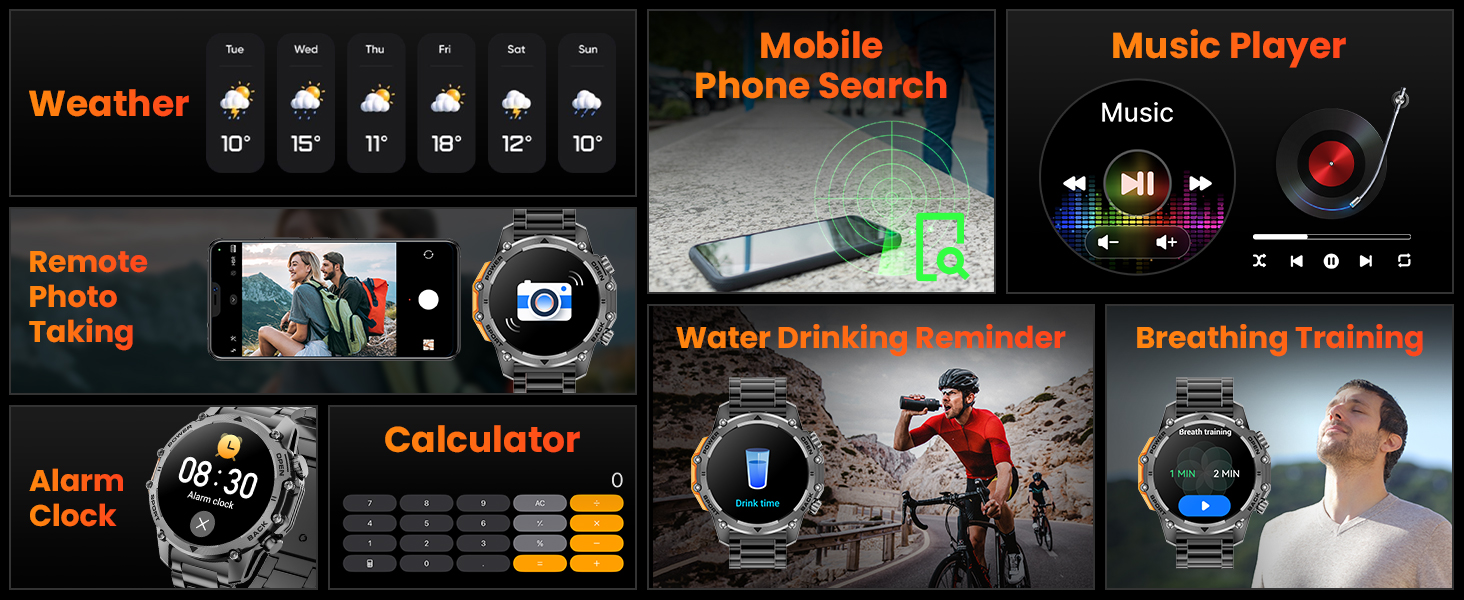
Image: A collage of the Hwagol Smart Watch's various features including weather, music control, remote camera, calculator, and health reminders.
Техникалык тейлөө
1. Тазалоо
Үзгүлтүксүз тазалоо сааттын көрүнүшүн жана иштешин сактоого жардам берет.
- Сааттын экранын жана корпусун жумшак менен сүртүңүз, damp, түксүз кездеме.
- For silicone straps, wash with mild soap and water, then rinse thoroughly and dry.
- For metal straps, use a soft brush to remove debris from links, then wipe with a damp кездеме.
- Катуу химиялык заттарды же абразивдүү материалдарды колдонуудан алыс болуңуз.
2. Боону алмаштыруу
The Hwagol Smart Watch comes with interchangeable straps (stainless steel and silicone) to suit different occasions.
- To remove a strap, locate the quick-release pins on the underside of the strap where it connects to the watch body.
- Боону ажыратуу үчүн төөнөгүчтү ичкери жылдырыңыз.
- To attach a new strap, align one end of the pin with the watch lug hole, then slide the other end of the pin inwards and guide it into the opposite lug hole. Release the pin to secure the strap.

Image: The Hwagol Smart Watch with its various interchangeable straps and a tool for replacement.
3. Сууга туруктуулук
The watch is designed to be water-resistant. However, it is not suitable for deep diving or high-pressure water activities. Avoid prolonged exposure to hot water or steam.
Проблемаларды чечүү
If you encounter issues with your Hwagol Smart Watch, refer to the following common solutions:
| Маселе | Мүмкүн чечим |
|---|---|
| Саат күйбөйт | Саат толук заряддалганын текшериңиз. Аны заряддагычка кеминде 30 мүнөт туташтырыңыз. |
| Смартфон менен жупташтыруу мүмкүн эмес | Ensure Bluetooth is enabled on your phone. Restart both the watch and phone. Make sure the watch is not already paired with another device. Try resetting the watch to factory settings. |
| Билдирмелер алынган жок | Check app permissions on your phone for notification access. Ensure the app is running in the background. Disable 'Do Not Disturb' mode on both devices. Verify that notifications are enabled within the watch app settings. |
| Туура эмес ден соолук маалыматы | Ensure the watch is worn snugly on your wrist, not too tight or too loose. Update your personal information (age, height, weight) in the app. Clean the sensor on the back of the watch. |
| Батареянын иштөө мөөнөтү кыска | Reduce screen brightness. Turn off continuous heart rate monitoring if not needed. Limit frequent use of power-intensive features like Bluetooth calling. Ensure the watch is fully charged. |
Техникалык шарттар
- Модель номери: 619704314148
- Бренд: Hwagol
- Экрандын өлчөмү: 1.52 дюйм
- Дисплей түрү: TFT HD, 360*360 Resolution
- Батарея сыйымдуулугу: 500mAh
- Батареянын иштөө мөөнөтү: 4-6 days (heavy use), 20 days (standby)
- Байланыш: Bluetooth
- Операциялык системанын шайкештиги: Android, iOS
- GPS: Смартфон аркылуу
- Ден соолук мониторинги: Жүрөктүн кагышы, кандын кычкылтек деңгээли (SpO2), уйкуну көзөмөлдөө
- Спорт режимдери: 100+
- Узактыгы: Military-grade (wear-resistant, shock-resistant, water-resistant, sand-resistant)
- Элемент Салмагы: 0.634 унция
- Пакеттин өлчөмдөрү: 6.73 x 3.74 x 1.34 дюйм

Image: The Hwagol Smart Watch highlighting its 3-proof military-grade durability against impact, dust, high, and low temperatures.
Кепилдик жана колдоо
For warranty information and customer support, please refer to the documentation included with your purchase or contact Hwagol customer service through their official webсайт. Кепилдик дооматтар үчүн сатып алганыңыздын далилин сактаңыз.
- Өндүрүүчү: Hwagol
- ASIN: B0G5MSRRTG