1. Киришүү
The Strong 4G LTE N300 WiFi Router provides high-speed internet access using a 4G SIM card, offering reliable Cat4 LTE speeds up to 150 Mbps and stable N300 Mbps Wi-Fi coverage. This device is designed for easy setup and use, supporting up to 32 devices simultaneously, making it suitable for both home and small office environments where wired broadband may not be available.
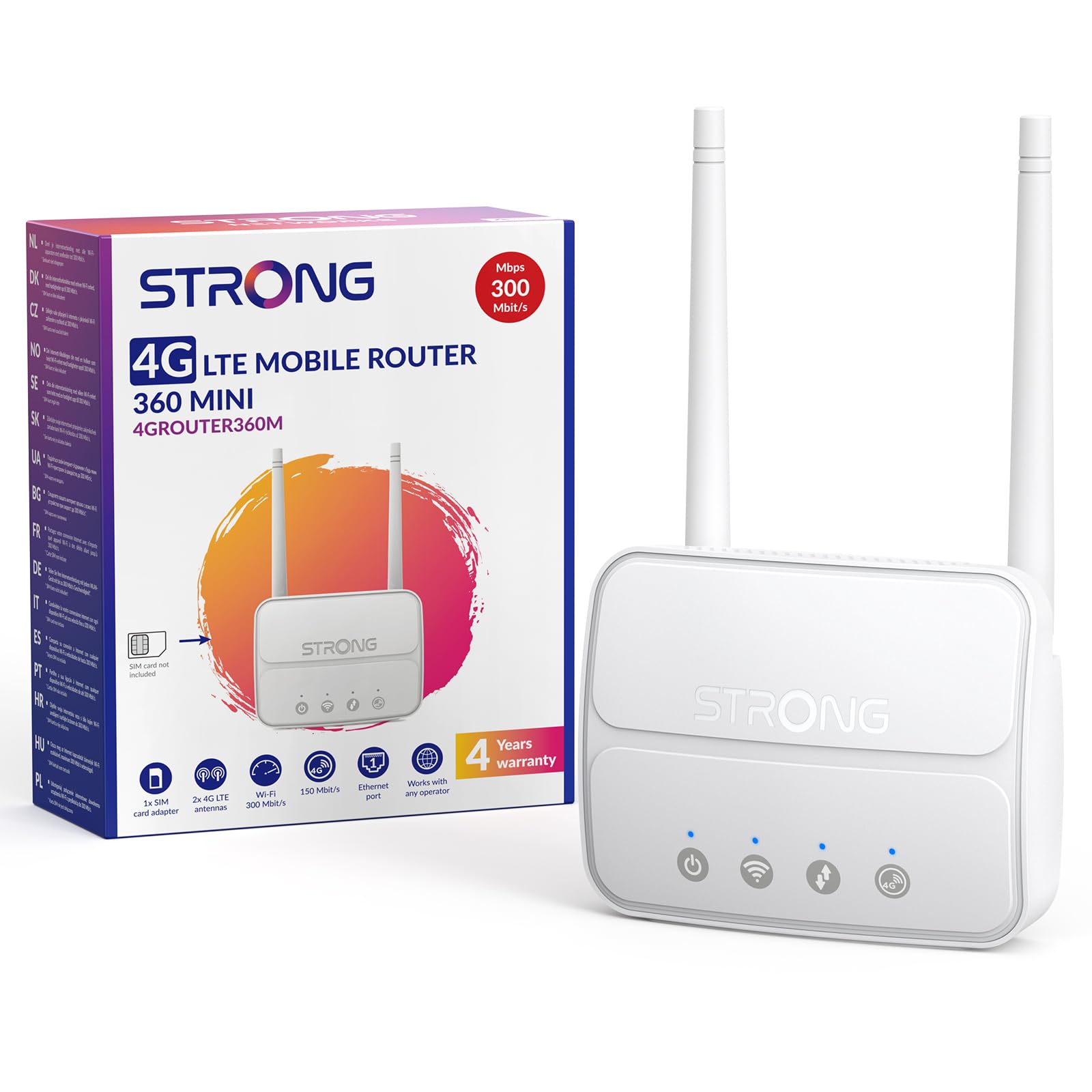
Image 1: The Strong 4G LTE N300 WiFi Router, a compact device with two external antennas for enhanced signal reception.
2. Кутуда эмне бар
Сураныч, таңгактын ичиндегисин кылдаттык менен текшериңиз. Эгерде кандайдыр бир буюмдар жок болсо же бузулуп калса, кардарларды колдоо кызматына кайрылыңыз.
- Strong 4G LTE N300 WiFi Router
- External Antennas (2 units)
- RJ45 Ethernet кабели
- Тышкы энергия менен камсыздоо
- Nano to Micro SIM Card Adapter
- Ыкчам орнотуу колдонмосу
- Коопсуздук жана кепилдик картасы
3. Орнотуу колдонмосу
Follow these steps for a quick and easy setup of your Strong 4G LTE N300 WiFi Router.
3.1. Prepare Your SIM Card
Before inserting your SIM card, ensure that any PIN protection is disabled. You can do this by inserting the SIM card into a smartphone and disabling the PIN request through the phone's settings.
3.2. Insert the SIM Card
- Роутердеги SIM карта уячасын табыңыз.
- If you have a Nano SIM, use the provided Nano to Micro SIM adapter to fit it into the standard SIM slot.
- Gently insert the prepared SIM card into the slot until it clicks into place.
3.3. Attach External Antennas
Screw the two external 4G antennas onto the designated connectors at the back of the router. Adjust their orientation for optimal signal reception.
3.4. Power On the Router
Connect the external power supply to the router's DC-in port and then plug it into a power outlet. The router will automatically power on and begin the startup sequence.
3.5. Connect to the Network (Plug & Play)
The router is designed for Plug & Play operation. Once powered on and with a valid SIM card, it will automatically connect to the 4G LTE network. You can then connect your devices via Wi-Fi or Ethernet.

Image 2: Visual guide for SIM card insertion and powering on the router for instant connection. The image also shows the SIM card slot supporting standard, micro, and nano SIMs with an adapter.
3.6. кирүү Web Интерфейс
Өркүндөтүлгөн жөндөөлөр жана тармакты башкаруу үчүн, роутердин веб-сайтына кириңиз web терүү менен интерфейс 192.168.188.1 сиздин ичине web browser's address bar. Refer to the Quick Installation Guide for default login credentials.
4. Иштөө нускамалары
This section details how to use your Strong 4G LTE N300 WiFi Router for optimal performance.
4.1. Түзмөктөрдү туташтыруу
The router supports connections for up to 32 devices simultaneously.
- Wi-Fi туташуусу: Locate the Wi-Fi network name (SSID) and password printed on the label at the bottom of the router. Select this network on your device and enter the password to connect.
- Ethernet туташуусу: Use an RJ45 Ethernet cable to connect devices such as PCs, game consoles, or Smart TVs to the router's 100 Mbps LAN port for a stable wired connection.
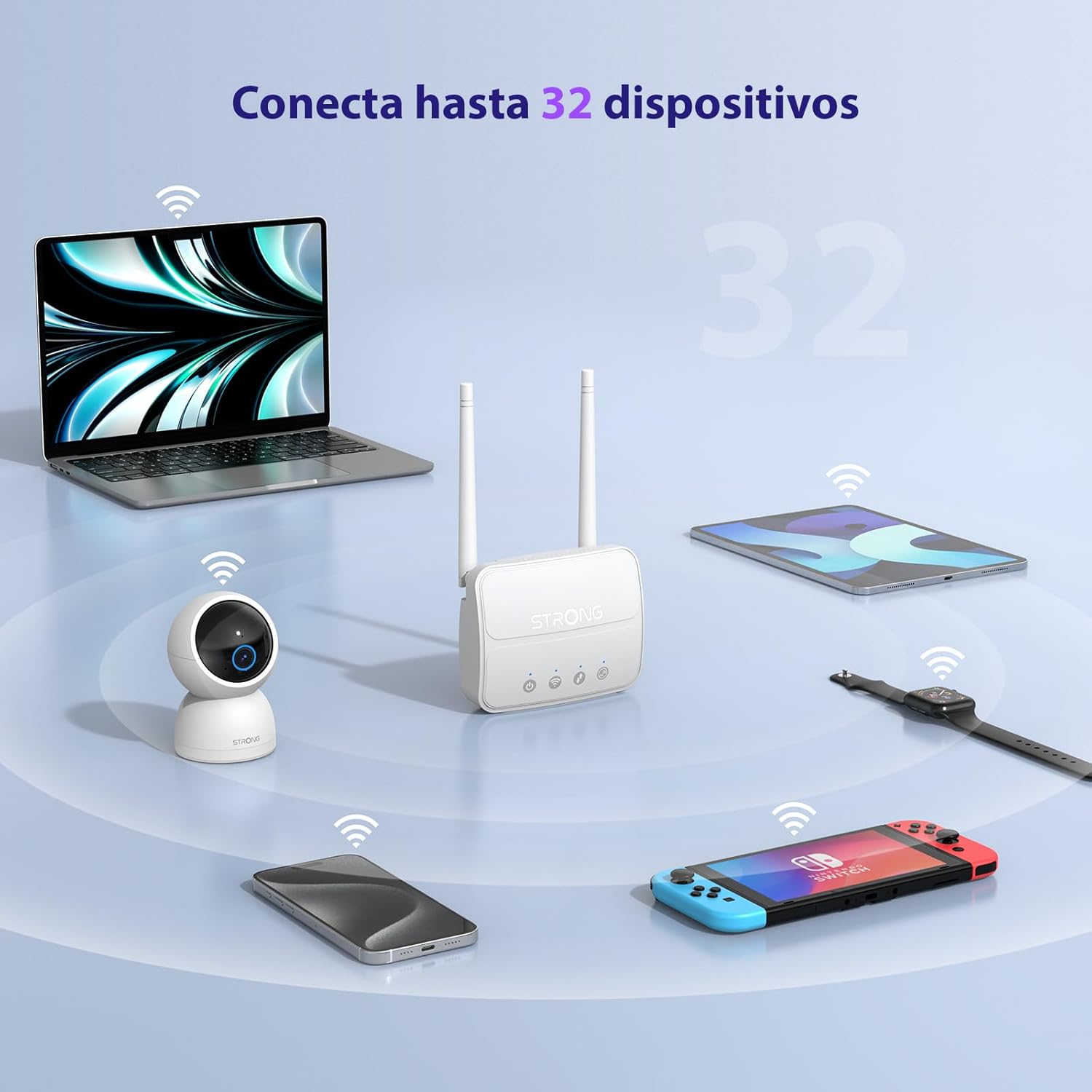
Image 3: The router connecting various devices including laptops, tablets, smartphones, and gaming consoles, demonstrating its capacity for up to 32 simultaneous connections.
4.2. Network Management and Security
The router offers robust security features to protect your network:
- WPA/WPA2 шифрлөө: Ensures secure wireless communication.
- PIN Control: Manage SIM card PIN settings.
- MAC чыпкалоо: Control which devices can connect to your network based on their MAC addresses.
- Advanced Firewall Settings: Customize firewall rules for enhanced protection.
All these settings can be managed through the easy-to-use web интерфейс (192.168.188.1).

Image 4: A user managing network settings on a laptop, illustrating the router's WPA/WPA2 encryption and PIN control features for secure network management.
5. Техникалык тейлөө
Туура тейлөө сиздин роутериңиздин узак иштөөсүн жана оптималдуу иштешин камсыз кылат.
- Тазалоо: Use a soft, dry cloth to clean the router's exterior. Do not use liquid cleaners or aerosols.
- Жайгашкан жери: Place the router in a well-ventilated area, away from direct sunlight, heat sources, and strong electromagnetic fields.
- Программалык камсыздоонун жаңыртуулары: The router features a USB port specifically for firmware updates. Regularly check the Strong official website for the latest firmware versions to ensure improved performance and security. Follow the instructions provided with the firmware update package carefully.
6. Кыйынчылыктарды
Эгер сиз роутериңизде көйгөйлөргө туш болсоңуз, төмөнкү жалпы көйгөйлөрдү чечүү кадамдарын караңыз:
- Интернет байланышы жок:
- SIM карта туура салынганын жана активдүү маалымат планы бар экенин текшериңиз.
- Verify that the SIM card's PIN protection is disabled.
- Check the signal strength indicators on the router. If the signal is weak, try adjusting the external antennas or relocating the router.
- Restart the router by unplugging and replugging the power adapter.
- Wi-Fi көрүнбөйт же туташпай жатат:
- Ensure the Wi-Fi function is enabled (check the router's LED indicators).
- Verify you are entering the correct Wi-Fi password (SSID and password are on the router's label).
- Try connecting a device via Ethernet to confirm the router has internet access.
- Жай ылдамдыктар:
- Check the 4G signal strength. Weak signal can lead to slower speeds.
- Ensure no other applications or devices are consuming excessive bandwidth.
- Consider the number of connected devices; the router supports up to 32, but performance may vary with heavy usage.
- Кирүү мүмкүн эмес Web Интерфейс:
- Түзмөгүңүз роутердин тармагына (Wi-Fi же Ethernet) туташып турганын текшериңиз.
- Confirm you are typing the correct IP address: 192.168.188.1.
- Башкасын байкап көрүңүз web браузер.
If these steps do not resolve the issue, please contact Strong customer support.
7. Техникалык шарттар
Detailed technical specifications for the Strong 4G LTE N300 WiFi Router (Model 4GROUTER360M).
| Өзгөчөлүк | Спецификация |
|---|---|
| Бренд | Күчтүү |
| Модель аты | 4GROUTER360M |
| Байланыш технологиясы | 4G, Ethernet, LTE, Wi-Fi |
| Зымсыз стандарт | 802.11n (N300 Mbps) |
| 4G LTE ылдамдыгы | Up to 150 Mbps (Cat4) |
| Ethernet порттору | 1 x 100 Mbps LAN Port |
| SIM карта уячасы | Standard (2FF), includes Nano to Micro adapter |
| Антенна түрү | 2 x External, Detachable 4G Antennas; 2 x Internal Wi-Fi Antennas |
| Максималдуу туташкан түзмөктөр | 32ге чейин |
| Коопсуздук өзгөчөлүктөрү | WPA/WPA2 Encryption, PIN Control, MAC Filtering, Firewall |
| Операция системасы | StrongOS |
| Өлчөмдөрү (пакет) | 18.1 x 15.6 x 7.3 см |
| Продукт Салмагы | 204 г |
| Электр камсыздоо | Тышкы адаптер |
| Өзгөчөлүктөр | Secure Network Management, Plug & Play, Connect up to 32 devices, USB port for firmware updates |
8. Кепилдик жана колдоо
Strong is committed to providing reliable products and excellent customer service.
8.1. Кепилдик маалыматы
Your Strong 4G LTE N300 WiFi Router comes with a 4-year protection plan, ensuring long-term peace of mind. Please refer to the included Safety and Warranty Card for detailed terms and conditions.
8.2. Кардарларды колдоо кызматы
For any technical assistance, troubleshooting, or warranty inquiries, please contact our expert support team:
- Электрондук почта: support_at@strong-eu.com
Our support team offers solid service and extended coverage to assist you.

Image 5: Visual representation of Strong's reliable support, highlighting the 4-year protection and contact email for assistance.


