1. Киришүү
This manual provides essential information for setting up, operating, and maintaining your OPPO Reno15 5G smartphone. Please read this guide thoroughly to ensure optimal performance and longevity of your device. The OPPO Reno15 5G combines advanced technology with elegant design, offering a sophisticated smartphone experience.
2. Кутуда эмне бар
OPPO Reno15 5G кутусунан чыгаргандан кийин, төмөнкү нерселердин бардыгы камтылганын текшериңиз:
- OPPO Reno15 5G смартфону
- Кубат адаптери (80 Вт SuperVOOC)
- USB кабели (Type-C)
- Телефон корпусу
- SIM лоток чыгаруучу
- Ыкчам жетекчилик (бул документ)
Video Description: An unboxing video demonstrating the contents of the OPPO Reno15 5G retail package, including the phone, charger, USB cable, protective case, and SIM ejector tool.
3. Түзмөк бүттүview
OPPO Reno15 5G физикалык компоненттери менен таанышыңыз.

Сүрөттүн сүрөттөлүшү: Фронт view of the OPPO Reno15 5G smartphone, showcasing its display and front camera.

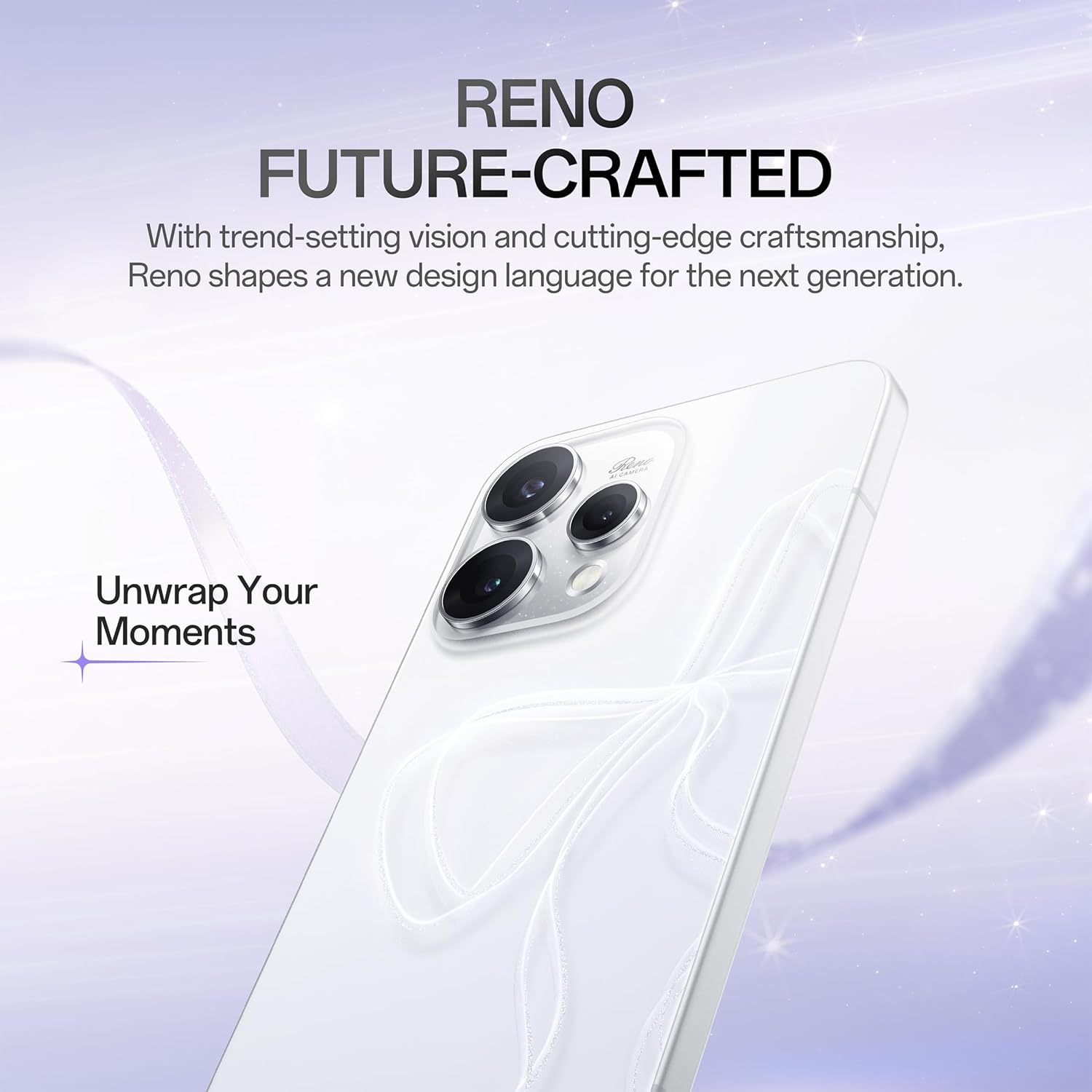
Сүрөттүн сүрөттөлүшү: Артка view of the OPPO Reno15 5G smartphone, highlighting the camera module and the OPPO logo.
Сүрөттүн сүрөттөлүшү: Side view of the OPPO Reno15 5G smartphone, showing the power and volume buttons, and the SIM card slot.
4. Баштапкы орнотуу
4.1 SIM картаны салуу
- Түзмөгүңүздүн капталындагы SIM карта салгычын табыңыз.
- SIM чыгаруучу куралды лотоктун жанындагы кичинекей тешикке кыстарыңыз жана лоток чыкканча акырын басыңыз.
- Place your Nano-SIM card(s) onto the tray with the gold contacts facing down. Ensure proper orientation.
- Табаны кылдаттык менен кайра оюкка түртүңүз, ал чыкылдагыча.
4.2 Күйгүзүү/өчүрүү
- Күйгүзүү үчүн: OPPO логотиби пайда болгонго чейин Кубат баскычын (оң жакта жайгашкан) басып, кармап туруңуз.
- Өчүрүү үчүн: Кубат баскычын басып, кармап туруңуз, андан кийин экрандагы "Өчүрүү" баскычын таптаңыз.
- Кайра баштоо үчүн: Кубат баскычын басып, кармап туруңуз, андан кийин экранда "Кайра баштоо" баскычын таптаңыз.
5. Негизги өзгөчөлүктөрү
5.1 Дизайн
The OPPO Reno15 5G features a stunning Dancing Aurora Design with a shaped glass back that displays flowing light patterns. It incorporates Glacier Glow Glass жана ан Aerospace-grade Aluminum Frame for a premium and artistic look.

Сүрөттүн сүрөттөлүшү: Close-up of the OPPO Reno15 5G's back panel, highlighting the intricate Glacier Glow Glass design and the 'Reno AI Camera' branding.
5.2 Камера тутуму
Capture exceptional photos and videos with the advanced triple-camera system:
- 50MP Негизги камера: Features optical image stabilization (OIS) to reduce blur from handshakes, ensuring clear portraits and landscapes.
- 50 мегапикселдүү телефото камера: Offers 3.5x optical zoom for detailed shots without quality loss.
- Ultra-Wide Selfie Camera: Allows you to fit more into your self-portraits.
- AI оптималдаштыруу: Smart AI recognizes subjects (people, food, sunset) and automatically enhances colors, details, and lighting.
- 4K 60fps HDR Ultra-Steady Video: Record smooth, high-quality videos with enhanced dynamic range.

Сүрөттүн сүрөттөлүшү: Comparison shots demonstrating the 3.5x telephoto portrait camera capability of the OPPO Reno15 5G, showing a subject at 1x and 3.5x zoom.

Сүрөттүн сүрөттөлүшү: Comparison shots illustrating the wide-angle capability of the 50MP Ultra Wide Selfie Camera on the OPPO Reno15 5G, showing a subject at 1x and 0.6x zoom.

Сүрөттүн сүрөттөлүшү: A visual representation of the OPPO Reno15 5G recording 4K 60fps HDR Ultra-Steady Video, emphasizing its cinematic quality.
Video Description: A short demonstration of the 'Popout Click. Arrange. Popout.' camera feature, showing how to create dynamic visual content.
5.3 Дисплей
Enjoy a large 6.59 дюймдук экран үчүн иштелип чыккан viewing comfort with clear and bright visuals. The 120 Гц жаңылоо ылдамдыгы ensures incredibly fluid and fast scrolling, web browsing, and gaming experiences.
5.4 Аткаруу
The Reno15 5G is powered by the efficient Snapdragon 7 Gen 4 мобилдик платформасы, providing reliable speed for everyday applications, social media, entertainment, and casual gaming. With 8 ГБ RAM, it handles multiple tasks smoothly while optimizing battery power. It also features AI LinkBoost 3.0 өркүндөтүлгөн байланыш үчүн.

Сүрөттүн сүрөттөлүшү: An illustration highlighting the Snapdragon 7 Gen 4 Mobile Platform, emphasizing its 4nm chip manufacturing process, CPU improvement, GPU boost, and NPU increase for smooth high-FPS gaming.

Сүрөттүн сүрөттөлүшү: Visual representation of AI LinkBoost 3.0 features, including AI Super Wi-Fi Booster, AI Gaming Antenna System Acceleration, and AI Network Booster for Teamfights, ensuring fluid and decisive connectivity.
5.5 Батарея жана заряддоо
А чоң 6500 мАч батарейка ensures extended usage for work and entertainment. When the battery is low, 80W SuperVOOC Flash заряды quickly replenishes power, minimizing downtime.

Сүрөттүн сүрөттөлүшү: An infographic detailing the 6500mAh large battery and 80W SUPERVOOC Flash Charge, showing usage times like 2.42 days of typical use, 50 minutes for 1-100% charge, and 5.8 hours of video streaming from a 10-minute charge.
5.6 Software (ColorOS 16)
The OPPO Reno15 5G runs on ColorOS 16, offering a smooth, smart, and secure user experience. It features the All-New Trinity Engine, powered by OPPO's self-developed AI All-Scenario Scheduler, which delivers smoothness tailored to your habits. The Luminous Rendering Engine ensures every interaction feels alive and frames flow effortlessly. Additionally, AI Mind Space acts as your second brain, always in sync.

Сүрөттүн сүрөттөлүшү: A graphic introducing the All-New Trinity Engine within ColorOS 16, emphasizing its AI All-Scenario Scheduler for personalized smoothness.

Сүрөттүн сүрөттөлүшү: Screenshots of the OPPO Reno15 5G's interface, demonstrating the smooth and responsive experience provided by the All-New Luminous Rendering Engine in ColorOS 16.

Сүрөттүн сүрөттөлүшү: A visual depicting the AI Mind Space feature on the OPPO Reno15 5G, showing various AI-powered suggestions and information cards for travel, communication, and daily tasks.
6. Аппаратыңызды иштетүү
6.1 Негизги навигация
- Башкы экран: Ар кандай үй экрандарына кирүү үчүн солго же оңго сүрүңүз.
- Колдонмо тартмасы: Колдонмо суурмасын ачуу үчүн экрандын ылдый жагынан өйдө сүрүңүз.
- Акыркы колдонмолор: Экранды ылдый жагынан өйдө сүрүп, кармап туруңуз view жакында колдонулган колдонмолор.
- Артка: Swipe inward from the left or right edge of the screen to go back.
6.2 Эскертмелер жана Ыкчам орнотуулар
- Эскертмелер: Экрандын өйдө жагынан төмөн карай сүрүңүз view эскертмелер.
- Ыкчам орнотуулар: Swipe down again to access quick settings toggles for Wi-Fi, Bluetooth, brightness, etc.
6.3 Volume and Sound
- Use the Volume Up/Down buttons on the left side of the device to adjust media volume.
- Access sound settings in the Settings app to customize ringtones, notification sounds, and vibration patterns.
7. Техникалык тейлөө жана кам көрүү
- Тазалоо: Телефондун экранын жана корпусун тазалоо үчүн жумшак, түксүз чүпүрөктү колдонуңуз. Катуу химиялык заттардан алыс болуңуз.
- Программалык камсыздоо жаңыртуулары: Түзмөгүңүздө эң акыркы функциялар жана коопсуздук тактары бар экенин текшерүү үчүн программалык камсыздоо жаңыртууларын дайыма текшерип, орнотуп алыңыз. барыңыз Settings > System & update > Software update.
- Сактагычты башкаруу: Мезгил-мезгили менен ачык-айкын керексиз fileжана колдонмолор оптималдуу иштөөсүн сактоо үчүн.
- Экстремалдуу шарттарды болтурбоо: Do not expose your phone to extreme temperatures, direct sunlight for prolonged periods, or excessive moisture.
8. Кыйынчылыктарды
- Түзмөк жооп бербейт: If your device becomes unresponsive, press and hold the Power button for about 10 seconds to force a restart.
- Батареянын бат түгөнүп калышы: Фондук колдонмонун колдонулушун текшериңиз Орнотуулар > Батарея. Reduce screen brightness and disable unnecessary features like GPS or Bluetooth when not in use.
- Тармак маселелери: Try restarting your device or toggling Airplane Mode on and off. Ensure your SIM card is correctly inserted.
- Колдонмонун бузулушу: Көйгөйлүү колдонмонун кэшин жана дайындарын тазалаңыз Орнотуулар > Колдонмолор > [Колдонмонун аталышы] > СактооЭгер көйгөй чечилбесе, колдонмону кайра орнотуңуз.
9. Техникалык шарттар
OPPO Reno15 5G үчүн толук техникалык мүнөздөмөлөр (Модель: CPH2825).
| Өзгөчөлүк | Спецификация |
|---|---|
| OS | Android 15 (ColorOS 16) |
| Продукциянын өлчөмдөрү | 15.8 x 7.5 x 0.7 см |
| Элемент Салмагы | 197 г |
| Элемент моделинин номери | CPH2825 |
| Connectivity Technologies | Bluetooth, USB, Wi-Fi (5G Capable) |
| Форма фактору | Шифер |
| Түс | Glacier White (other variants available) |
| Батарея кубаттуулугунун рейтинги | 6500 мАч |
| RAM эстутум орнотулган өлчөмү | 8 ГБ |
| Эстутум сактоо сыйымдуулугу | 256 ГБ |
| Screen Size | 6.59 дюйм |
| Процессор | Snapdragon 7 Gen 4 мобилдик платформасы |
| Башкы камера | 50MP (with OIS) + 50MP (Telephoto) |
| Алдыңкы камера | 50MP Ultra Wide Selfie Camera |
| Заряддоо | 80W SuperVOOC Flash заряды |
10. Кепилдик жана колдоо
Your OPPO Reno15 5G comes with a standard manufacturer's warranty. For detailed warranty terms and conditions, please refer to the warranty card included in your product packaging or visit the official OPPO website. For technical support, service, or further assistance, please contact OPPO customer service or visit an authorized service center.


