1. Киришүү
The Portronics Soundflow is a versatile 4-in-1 device designed to enhance your daily routine. It integrates a 5W Bluetooth 5.3 speaker, a 15W fast wireless charging pad, a digital clock with alarm settings, and a built-in white noise generator. This manual provides detailed instructions for setting up, operating, and maintaining your Soundflow device.
2. Пакеттин мазмуну
- Portable Speaker (1N)
- Charging Cable (1N)
- Documentation (1N)
3. Продукциянын өзгөчөлүктөрү
- 4-in-1 көп функциялуулугу: Combines a Bluetooth speaker, 15W wireless charger, digital clock, and white noise generator.
- 5W HD Bluetooth Audio: Features Bluetooth 5.3 for stable connectivity and clear sound.
- 15W тез зымсыз кубаттоо: Conveniently charge compatible smartphones. (Note: Requires a 25W power adapter for optimal performance; wireless charging does not function on battery mode.)
- Digital Clock with Alarm: Displays time and includes alarm setting capabilities.
- Built-in White Noise: Offers soothing sounds for improved sleep, concentration, and relaxation.
- RGB LED чырактары: Provides ambient lighting for various moods.
- TWS режими: Allows pairing two Soundflow units for immersive stereo sound.
- Бир нече киргизүү параметрлери: Supports USB, SD card, and AUX-in for flexible audio playback.
- Up to 4 Hours Playback: Enjoy wireless audio on the go.
4. Орнотуу
4.1 Баштапкы электр туташуу
Connect the provided Type-C charging cable to the Soundflow device and a suitable power adapter. For wireless charging functionality, a 25W power adapter is required. Ensure the device is connected to power for all features to operate efficiently, especially wireless charging.
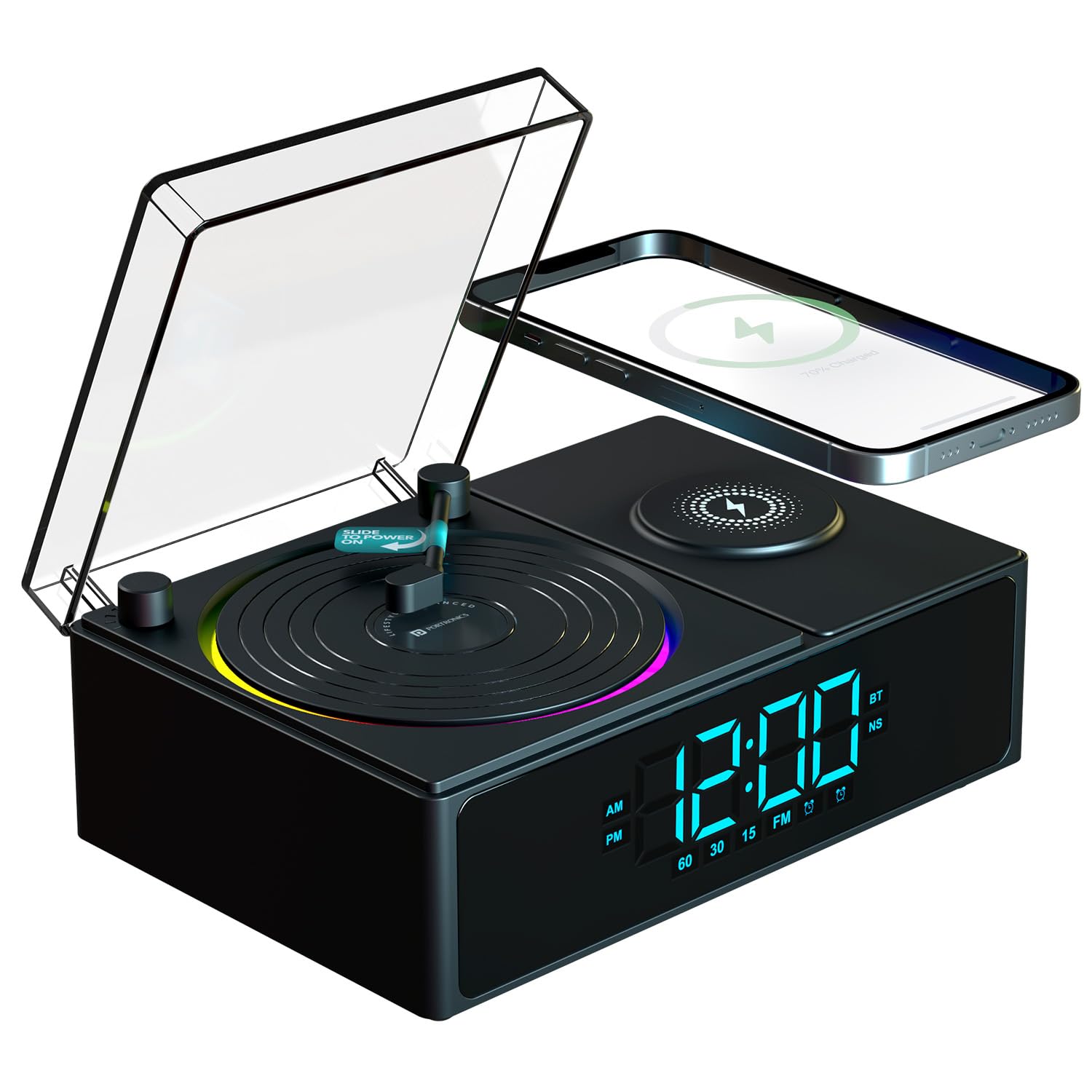
Image: Portronics Soundflow device displaying the digital clock and showing a phone wirelessly charging on the pad.

Image: Close-up of the Portronics Soundflow's wireless charging pad with a smartphone actively charging, emphasizing its 15W capability.
5. Иштөө нускамалары
5.1 Күйгүзүү/өчүрүү
Locate the power button, typically on the side or back of the device. Press and hold to power on or off. The digital display will illuminate upon powering on.
5.2 Bluetooth жупташтыруу
When powered on, the Soundflow will automatically enter Bluetooth pairing mode. On your smartphone or other Bluetooth-enabled device, search for 'Portronics Soundflow' in the Bluetooth settings and select it to connect. A confirmation sound will indicate successful pairing.

Image: The Portronics Soundflow device showcasing its 5W Bluetooth speaker functionality, with a vintagэлектрондук рухтун жетеги менен дизайн.
5.3 Зымсыз заряддоо
Place your Qi-compatible smartphone on the designated wireless charging pad. Ensure the phone is centered for optimal charging. The charging indicator on your phone will confirm charging has begun. Remember, a 25W adapter is necessary for wireless charging, and it will not work when the device is running on battery power alone.
5.4 Digital Clock and Alarm Setting
The digital display shows the current time. Refer to the device's physical buttons (usually labeled 'Time Set' or 'Alarm Set') to adjust the time and set alarms. The clock supports both 12-hour and 24-hour formats.

Image: The Portronics Soundflow displaying the digital clock, indicating its 12/24H format and alarm clock features.
5.5 White Noise Generator
Press the dedicated 'White Noise' button (or cycle through modes using a 'Mode' button) to activate the built-in white noise sounds. Options may include bird, water, fire, forest, clock tick, and alarm beep sounds to aid relaxation or concentration.

Image: Visual representation of the Portronics Soundflow's built-in white noise feature, showing icons for various sounds like bird, water, fire, forest, clock tick, and alarm beep.
5.6 RGB LED жарыктары
The Soundflow features RGB LED ambient lighting. Use the designated button (often labeled 'Light' or 'RGB') to cycle through different light modes or turn them off. The lights can create a cozy ambiance.
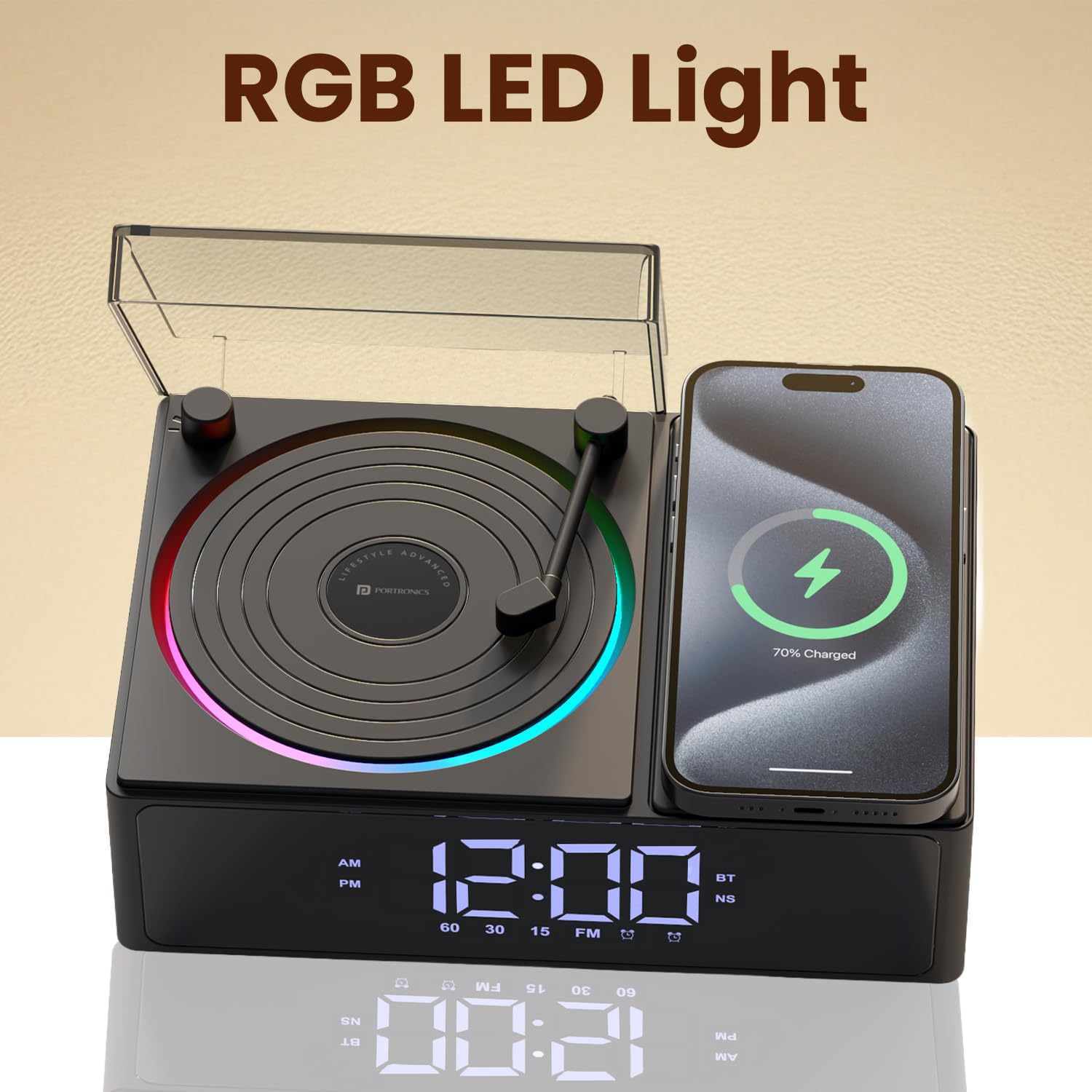
Image: The Portronics Soundflow device with its RGB LED lights illuminated, showcasing Айланадагы жарыктандыруу функциясы.
5.7 TWS Mode (True Wireless Stereo)
To achieve immersive stereo sound, you can pair two Soundflow units together. Power on both devices. On one device, initiate TWS pairing (refer to specific button instructions in the included documentation). The two units will connect, and audio will play in stereo across both speakers.

Image: Two Portronics Soundflow devices shown together, illustrating the TWS (True Wireless Stereo) mode for synchronized audio playback.
5.8 USB, SD Card, and AUX Playback
Insert a USB drive or SD card into the respective ports to play audio files directly. Connect an external audio device using a 3.5mm AUX cable to the AUX-in port. Use the 'Mode' button to switch between input sources (Bluetooth, USB, SD, AUX).

Image: Diagram showing the Portronics Soundflow's various input ports, including USB-IN, SD Card Slot, and AUX-in, highlighting its wide compatibility.
5.9 Продукт бүттүview Video
Video: A short demonstration of the Portronics Soundflow's key features, including setting an alarm, wireless charging a phone, playing music, adjusting volume, and showcasing the RGB lighting. It also briefly shows the unboxing process.
6. Техникалык тейлөө
To ensure the longevity and optimal performance of your Portronics Soundflow, follow these maintenance guidelines:
- Тазалоо: Use a soft, dry cloth to wipe the device. Avoid using abrasive cleaners, solvents, or strong chemicals, as these can damage the surface.
- Сактагыч: Аппаратты түз күн нурунан жана экстремалдык температурадан алыс салкын, кургак жерде сактаңыз.
- Суу таасири: Бул аппарат суу өткөрбөйт. Суунун же жогорку нымдуулуктун таасиринен алыс болуңуз.
- Колдонуу: Физикалык зыянды болтурбоо үчүн аппаратты этияттык менен колдонуңуз.
7. Кыйынчылыктарды
| Көйгөй | Мүмкүн себеп | Чечим |
|---|---|---|
| Түзмөк күйбөйт. | Батареянын кубаты аз же электр кубатына туташуу жок. | Connect the device to a power source using the provided Type-C cable. Ensure the power adapter is working. |
| Зымсыз кубаттоо иштебей жатат. | Incorrect power adapter, phone not centered, or device running on battery. | камсыз кылуу а 25W кубат адаптери is used and the device is connected to power. Reposition your phone on the charging pad. Wireless charging does not work when the Soundflow is operating on its internal battery. |
| Bluetooth жупташуусу болбой жатат. | Түзмөк жупташтыруу режиминде эмес же булактан өтө алыс. | Ensure the Soundflow is powered on and in Bluetooth mode. Move your audio source closer to the speaker. Restart both devices and try pairing again. |
| Динамиктен үн жок. | Volume too low, incorrect input mode, or disconnected. | Increase the volume on both the Soundflow and your connected device. Verify the correct input mode (Bluetooth, USB, SD, AUX) is selected. Re-establish Bluetooth connection if necessary. |
8. Техникалык шарттар
| Өзгөчөлүк | Деталь |
|---|---|
| Бренд | Портроника |
| Модель номери | POR-3303 |
| Байланыш технологиясы | Bluetooth 5.3 |
| Үн чыгаруу | 5 Ватт |
| Зымсыз кубаттоо чыгышы | 15 Watts (requires 25W adapter) |
| Дисплей түрү | Санарип |
| Өзгөчөлүктөр | Digital Alarm Clock, RGB LED Lights, Built-in White Noise, USB-A/SD Card/AUX in |
| Power Source | Battery Powered / Electrical |
| Батарея түрү | 1 стандарттуу эмес батарея (кошулган) |
| Батареянын энергия мазмуну | 2000 миллионampere Саат (мАч) |
| Элемент Салмагы | 889 грамм |
| Продукциянын өлчөмдөрү (LxWxH) | 15.3 x 9 x 21.9 см |
| Материал | ABS пластик |
9. Кепилдик жана колдоо
Your Portronics Soundflow POR-3303 comes with a standard manufacturer's warranty. For specific warranty terms and conditions, please refer to the documentation included in your package or visit the official Portronics webсайт.
For technical support, troubleshooting assistance, or any product-related queries, please contact Portronics customer service:
- Электрондук почта: help@portronics.com
- Телефон: +91 9555-245-245


