Introduction
The LOFREE Pudding Dual Mode Wireless Mouse (Model OE929) is designed for versatile use across various operating systems and devices. It offers both Bluetooth and 2.4G wireless connectivity, adjustable DPI settings, and a comfortable, ergonomic design. This manual provides instructions for setup, operation, maintenance, and troubleshooting to ensure optimal performance of your device.
Пакеттин мазмуну
- LOFREE Pudding Dual Mode Wireless Mouse
- USB кабыл алгыч (2.4G)
- Charging Cable (USB-C to USB-A, typically)
- User Manual
Продукт бүттүview
The LOFREE Pudding mouse features a unique transparent texture and an ergonomic design for comfortable use. It includes an adjustable ambient light feature and a scroll wheel with integrated button functionality.

Сүрөт: The LOFREE Pudding mouse showcasing its high transparency texture and sleek design.

Сүрөт: A hand holding the LOFREE Pudding mouse, illustrating its comfortable, skin-like touch and ergonomic grip.
Жайгашуу
1. Чычканды заряддоо
Before first use, ensure the mouse is fully charged. Connect the provided charging cable to the mouse's charging port and to a USB power source. The ambient light may indicate charging status (e.g., breathing light while charging, solid when full).

Сүрөт: The LOFREE Pudding mouse, highlighting its approximately 100 hours of battery life on a single charge.
2. Dual-Mode Connection
The mouse supports two wireless connection methods: 2.4G via USB receiver and Bluetooth.
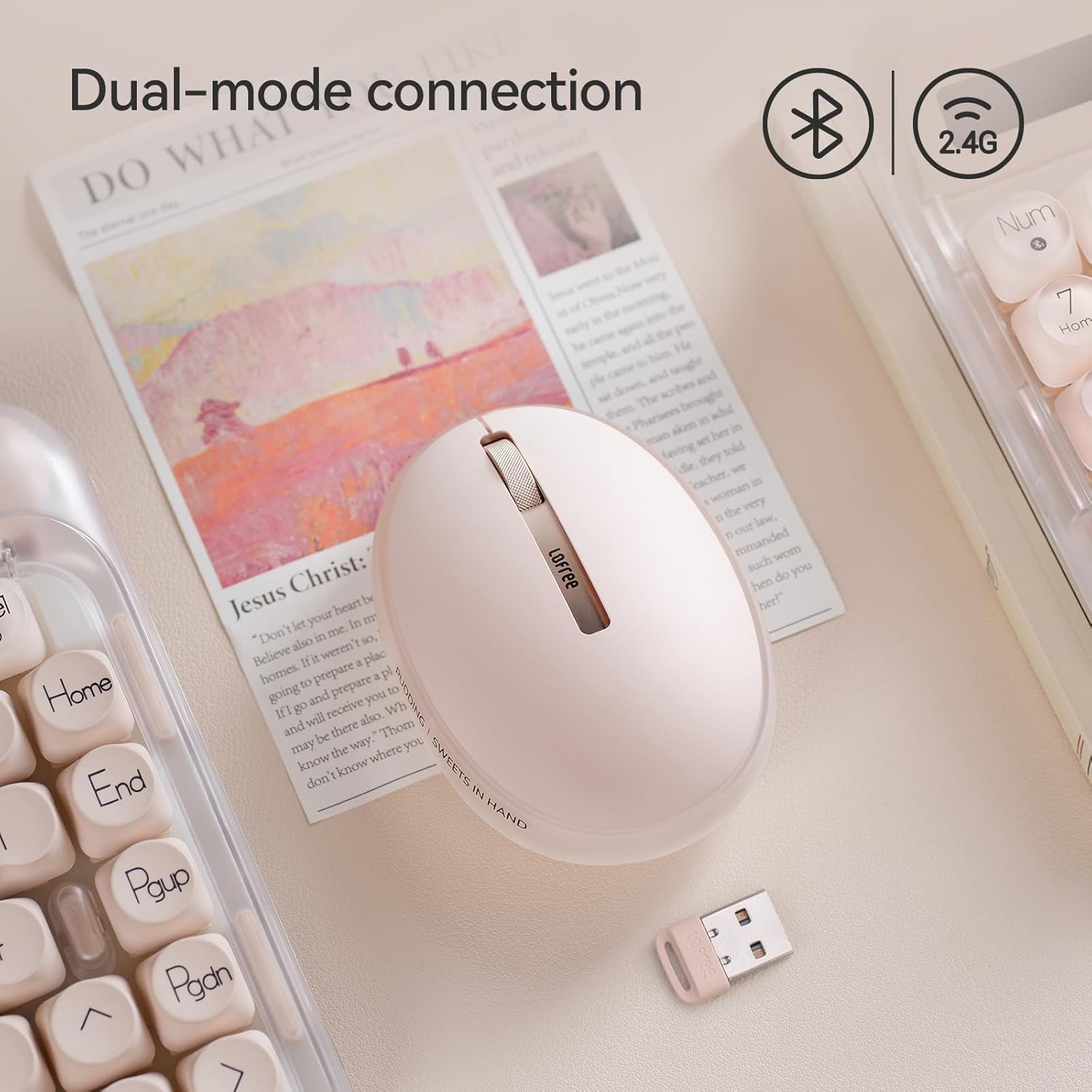
Сүрөт: The LOFREE Pudding mouse demonstrating its dual-mode connection capability, supporting both Bluetooth and 2.4G wireless technologies.
2.1. 2.4G зымсыз туташуу
- Locate the USB receiver, typically stored in a compartment on the mouse or in the packaging.
- USB ресиверди компьютериңиздеги жеткиликтүү USB портуна сайыңыз.
- Turn on the mouse. The computer should automatically detect and install the necessary drivers.
- Эскертүү: For systems below Windows 7, the 2.4G connection is recommended as Bluetooth mode may not be supported.
2.2. Bluetooth туташуусу
- Түзмөгүңүздүн Bluetooth иштетилгенин текшериңиз.
- Switch the mouse to Bluetooth mode (refer to the mouse's bottom switch or button for mode selection).
- On your device, search for Bluetooth devices. The mouse should appear as "LOFREE Pudding Mouse" or similar.
- Select the mouse to pair. Follow any on-screen prompts to complete the pairing process.
3. Шайкештик
The LOFREE Pudding mouse is compatible with a wide range of operating systems and devices, including:
- Windows (Windows 7 and above for Bluetooth)
- macOS
- iOS
- Android
- PC, Mac, Laptop, and other compatible devices.
Иштөө нускамалары
1. Adjusting DPI Levels
The mouse features 5 adjustable DPI levels to suit different tasks and preferences. You can cycle through these settings by pressing the DPI button, usually located near the scroll wheel or on the bottom of the mouse.
- Available DPI settings: 600, 800, 1200, 1600, 3600.
- Press the DPI button to switch between levels. The mouse cursor speed will change accordingly.

Сүрөт: A hand demonstrating the adjustment of DPI levels on the LOFREE Pudding mouse, with available settings of 600, 800, 1200, 1600, and 3600.
2. Ambient Light Modes
The mouse is equipped with an adjustable ambient light feature, offering two modes:
- Constant Always On: The light remains steadily illuminated.
- Дем алуу режими: The light gently pulses on and off.
To switch between these modes, refer to the dedicated light control button or combination of buttons on the mouse. In dormant state, the ambient light will turn off and can be reactivated by clicking any button on the mouse.

Сүрөт: The LOFREE Pudding mouse displaying its adjustable ambient light feature, with options for "Always On" or "Breathing" modes.
3. Электр энергиясын башкаруу
The mouse is designed to conserve battery life. It will enter a dormant state after a period of inactivity, turning off the ambient light. To wake the mouse, simply click any button.
Техникалык тейлөө
1. Тазалоо
- Use a soft, dry, lint-free cloth to clean the mouse surface.
- өжөр кир үчүн, бир аз гampчүпүрөктү суу же жумшак, абразивдүү тазалагыч менен жууп салыңыз.
- Катуу химиялык заттарды, эриткичтерди же абразивдүү материалдарды колдонуудан алыс болуңуз, анткени алар чычкандын сырткы көрүнүшүнө зыян келтириши мүмкүн.
- Чычкандын ички бөлүктөрүнө суюктук кирбесин текшериңиз.
2. Батареяга кам көрүү
- Батареянын иштөө мөөнөтүн сактоо үчүн чычканды үзгүлтүксүз кубаттап туруңуз.
- Батареяны бат-баттан толук кубаттап калуудан алыс болуңуз.
- If storing the mouse for an extended period, charge it to approximately 50% to prevent deep discharge.
Проблемаларды чечүү
Mouse Not Responding / Disconnecting
- Батареяны текшерүү: Ensure the mouse is charged. Connect it to a power source.
- 2.4G туташуу:
- USB кабыл алгычтын иштеген USB портуна бекем сайылганын текшериңиз.
- Башка USB портун колдонуп көрүңүз.
- Ensure the mouse is switched to 2.4G mode.
- Bluetooth байланыш:
- Түзмөгүңүздө Bluetooth иштетилгенин текшериңиз.
- Чычкандын Bluetooth режимине которулганын текшериңиз.
- Unpair and re-pair the mouse from your device's Bluetooth settings.
- Ensure your device's operating system supports Bluetooth for mice (e.g., Windows versions below 7 may have limited support).
- Интерференция: Move the mouse closer to the receiver/device. Avoid using it near other wireless devices that might cause interference.
DPI өзгөрбөйт
- Туура DPI жөндөө баскычын басып жатканыңызды текшериңиз.
- If the mouse is unresponsive, try restarting it (turn off and on).
Ambient Light Not Working
- Check if the mouse is in a dormant state; click a button to wake it.
- Батарея жетиштүү заряддалганын текшериңиз.
- Verify you are using the correct button or combination to cycle through light modes.
Техникалык шарттар
| Өзгөчөлүк | Деталь |
|---|---|
| Модель номери | OE929 |
| Байланыш технологиясы | Bluetooth, 2.4G Radio Frequency |
| Кыймылды аныктоо технологиясы | Оптикалык |
| DPI деңгээли | 600, 800, 1200, 1600, 3600 (Adjustable) |
| Батарея сыйымдуулугу | 500mAh |
| Батареянын иштөө мөөнөтү | Болжол менен 100 саат |
| Өзгөчөлүктөр | LED Lights (Ambient), Lightweight, Rechargeable, Wireless |
| Шайкештик | Windows, macOS, iOS, Android (PC, Mac, Laptop) |
| Элемент Салмагы | 8.9 унция |
| Пакеттин өлчөмдөрү | 5.2 x 4.13 x 2.4 дюйм |
Кепилдик жана колдоо
LOFREE products are manufactured to high-quality standards. For warranty information, technical support, or service inquiries, please refer to the official LOFREE webсайтка же түздөн-түз кардарларды колдоо менен байланышыңыз. Кепилдик дооматтар үчүн сатып алуу дүмүрчөгүңүздү сактаңыз.
Көбүрөөк маалымат алуу үчүн, киргиле Amazon'догу LOFREE дүкөнү.


