1. Киришүү
The FiiO DISC is a portable HiFi music player designed for high-quality audio playback. It features a slim aluminum body, a circular touchscreen, and advanced audio components to deliver an immersive listening experience. This manual provides essential information for setting up, operating, and maintaining your FiiO DISC.

Figure 1.1: FiiO DISC Portable HiFi Music Player in various colors.
2. Орнотуу
2.1. Кутудан чыгаруу жана баштапкы төлөм
Upon unboxing, ensure all components are present: the FiiO DISC player, a USB-C charging cable, and any included stickers. Before first use, fully charge the device using the provided USB-C cable connected to a compatible power adapter (not included).
2.2. MicroSD картасын салуу
The FiiO DISC supports MicroSD cards up to 2TB for expanded music storage. Locate the MicroSD card slot on the side of the device. Gently insert the MicroSD card until it clicks into place. Ensure the card is inserted correctly to avoid damage.

Figure 2.1: MicroSD card slot for storage expansion up to 2TB.
2.3. Күйгүзүү / Өчүрүү
Press and hold the power button (usually located on the side or top) for a few seconds to power on or power off the device. A short press will typically turn the screen on/off or lock/unlock the device.
2.4. Initial Language Selection
Upon first power-on, you may be prompted to select your preferred language. Follow the on-screen instructions to navigate and select English or your desired language.
3. Operating the FiiO DISC
3.1. Сенсордук экран навигациясы
The FiiO DISC features a circular touchscreen for intuitive control. Swipe across the screen to navigate menus and tap icons to select options. The user interface includes customizable lock screens, screen savers, album art, and lyrics display.

Figure 3.1: Dynamic user interface on the FiiO DISC circular touchscreen.
3.2. Музыканы ойнотуу
- Серептөө: Navigate to the 'Music' or 'Folders' section to browse your audio files.
- Ойнотуу/тындыруу: Tap the play/pause icon on the screen or use the dedicated physical buttons.
- Тректерди өткөрүп жиберүү: Use the forward/backward icons on the screen or physical buttons to skip tracks.
- Үндү көзөмөлдөө: Adjust volume using the dedicated volume buttons on the device.
3.3. Bluetooth байланышы
The FiiO DISC supports Bluetooth 5.4 with LDAC for high-quality wireless audio. To pair with Bluetooth headphones or speakers:
- Go to the 'Settings' menu and select 'Bluetooth'.
- Bluetooth'ту күйгүзүп, тышкы түзмөгүңүздү жупташтыруу режимине коюңуз.
- Select your device from the list of available devices to connect.

Figure 3.2: FiiO DISC demonstrating Bluetooth 5.4 with LDAC support.
3.4. Wired Headphone Outputs
The device is equipped with both 3.5mm single-ended and 4.4mm balanced headphone outputs. Connect your preferred wired headphones to the corresponding jack for optimal audio quality.

Figure 3.3: The FiiO DISC features both 3.5mm and 4.4mm headphone outputs.
3.5. USB Modes and Other Connectivity
The FiiO DISC supports various connectivity options:
- USB DAC режими: Connect to a computer to use the FiiO DISC as an external DAC.
- USB аудио чыгаруу: Output audio digitally via USB to compatible devices.
- Коаксиалдык санариптик чыгаруу: For connecting to home audio systems.
- AirPlay: Apple түзмөктөрүнөн зымсыз аудио агымын өткөрүңүз.
4. Негизги өзгөчөлүктөрү
- Premium Aluminum Alloy Body with Circular Touchscreen: The ultra-slim aluminum alloy body provides a refined, lightweight feel. The round touchscreen offers a rich UI with customizable lock screens, screen savers, album art, and lyrics display.
- Dual DAC Design with Dual Headphone Outputs: Equipped with dual CS43131 DACs and a balanced audio architecture, it delivers up to 280mW of output power through both 3.5mm single-ended and 4.4mm balanced headphone outputs.
- Bluetooth 5.4 with LDAC Support: Ensures fast, stable, and low-latency wireless connections with support for high-quality audio codecs like LDAC and SBC.
- Pure Music OS with Up to 2TB Storage Expansion: Powered by a dual-core X2000 controller and FiiO’s self-developed Linux-based pure music system, offering smooth operation and support for up to 2TB MicroSD card expansion.
- Up to 12 Hours of Battery Life: The built-in 1450mAh battery provides up to 12 hours of continuous playback.
- Ар тараптуу байланыш: Supports USB DAC mode, USB Audio output, coaxial digital output, and AirPlay for seamless integration with various audio setups.
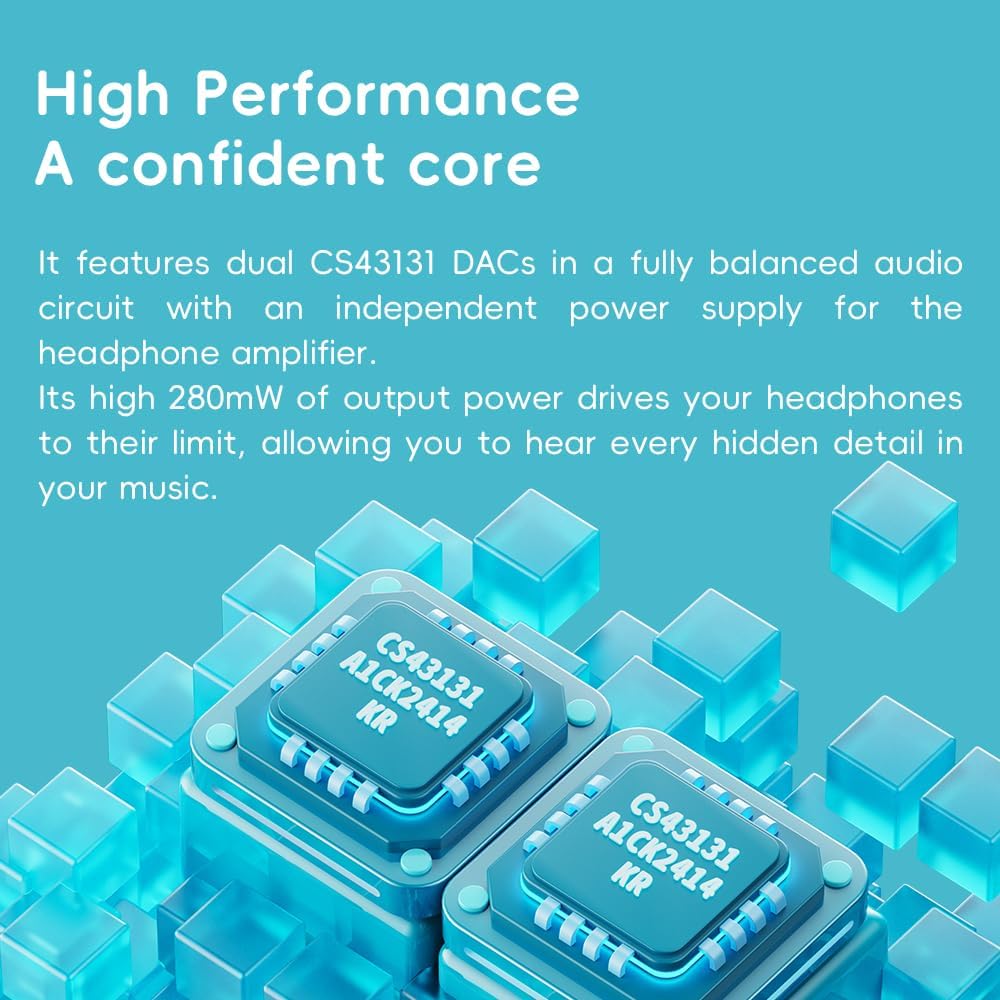
Figure 4.1: The FiiO DISC utilizes dual CS43131 DACs for high-fidelity audio.

Figure 4.2: The Ingenic X2000 dual-core chip powers the FiiO DISC's pure music OS.

Figure 4.3: The FiiO DISC offers up to 12 hours of battery life.
5. Техникалык тейлөө
- Тазалоо: Түзмөктү тазалоо үчүн жумшак, кургак чүпүрөктү колдонуңуз. Катуу химиялык заттарды же абразивдүү материалдарды колдонуудан алыс болуңуз.
- Сактагыч: Store the FiiO DISC in a cool, dry place away from direct sunlight and extreme temperatures.
- Батареяга кам көрүү: Батареянын иштөө мөөнөтүн узартуу үчүн, аппаратты бат-баттан толук кубаттап турбаңыз. Узак мөөнөткө колдонулбаса да, аны үзгүлтүксүз заряддаңыз.
6. Кыйынчылыктарды
6.1. Түзмөк күйбөй жатат
- Түзмөктүн толук заряддалганын текшериңиз. Аны кубат булагына туташтырып, кайра күйгүзүүгө аракет кылуудан мурун бир нече мүнөт күтө туруңуз.
- Try holding the power button for a longer duration (e.g., 10-15 seconds) to perform a hard reset.
6.2. Үн чыгышы жок
- Check the volume level on the device and your connected headphones/speakers.
- Ensure headphones are properly connected to the correct output jack (3.5mm or 4.4mm).
- If using Bluetooth, verify that the device is correctly paired and connected to your audio output.
- Test with different headphones or speakers to rule out an issue with the audio output device.
6.3. Музыка Fileпайда болбой жатат
- MicroSD картасы туура салынганын текшериңиз.
- Музыка экенин текшериңиз files колдоого алынган форматта.
- Perform a music library scan through the device's settings.
6.4. Bluetooth жупташуу маселелери
- Ensure both the FiiO DISC and the target Bluetooth device are in pairing mode.
- Түзмөктөр аралыктын ичинде экенине ынануу үчүн аларды бири-бирине жакындатыңыз.
- Forget previous pairings on both devices and attempt to pair again.
7. Техникалык шарттар
| Өзгөчөлүк | Деталь |
|---|---|
| Бренд | FiiO |
| Модель аты | ДИСК |
| Элемент моделинин номери | F5381D |
| Байланыш технологиясы | Көмөкчү, Bluetooth |
| Өзгөчө өзгөчөлүк | Hi-Res Audio |
| Түс | Blue (other variants available) |
| Screen Size | 1.8 дюйм |
| Шайкеш түзмөктөр | Наушник |
| Батарея | 1450mAh (up to 12 hours playback) |
| Сактагычты кеңейтүү | Up to 2TB MicroSD card |
| DACs | Кош CS43131 |
| Чыгуу күчү | 280 мВт чейин |
| Операция системасы | Linux-based pure music system |
| Элемент Салмагы | 5.9 унция |
| Пакеттин өлчөмдөрү | 11.46 x 4.06 x 1.22 дюйм |
8. Кепилдик жана колдоо
Кепилдик жөнүндө маалымат жана техникалык колдоо алуу үчүн, расмий FiiO сайтына кайрылыңыз webсайтка же кардарларды тейлөөгө кайрылыңыз. Кепилдик дооматтар үчүн сатып алганыңыздын далилин сактаңыз.
Visit the official FiiO Store for more information: FiiO Store