Introduction
This manual provides essential information for the proper setup, operation, and maintenance of your GOBOULT Mustang Racer Smart Watch. Please read these instructions carefully before using your device to ensure optimal performance and longevity.
Кутуда эмне бар
Upon unboxing your GOBOULT Mustang Racer Smart Watch, verify that all the following components are present:
- GOBOULT Mustang Racer Smart Watch (Black Blaze)
- Заряддоо кабели
- Колдонуучунун Колдонмосу (бул документ)
- Кепилдик картасы

Image: The GOBOULT Mustang Racer Smart Watch packaging, showing the watch, charging cable, user manual, and warranty card.
Продукт бүттүview
The GOBOULT Mustang Racer Smart Watch features a robust design with intuitive controls and a vibrant display.
Негизги компоненттер:
- 1.43 дюймдук AMOLED дисплей: Так визуалдык көрүнүш үчүн жогорку чечилиштеги экран.
- Айлануучу алкак: A functional bezel for navigating menus and features.
- Paddle Shifter: A unique side button for quick access to functions.
- Сенсорлор: Located on the rear for health monitoring.
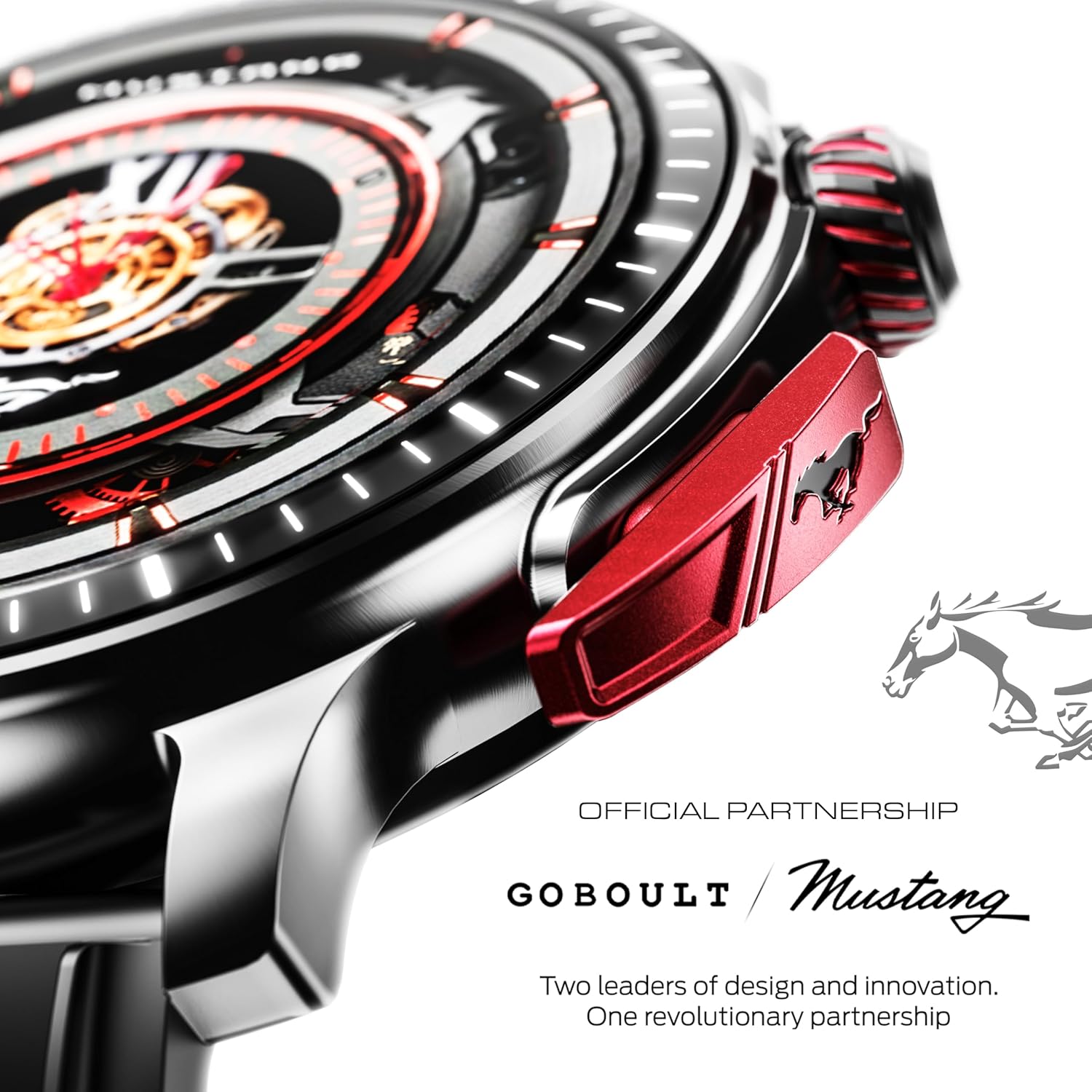
Сүрөт: деталдуу view of the watch's side, highlighting the red paddle shifter and the textured rotating crown.

Image: The watch face, showcasing the 1.43-inch AMOLED display and the functional paddle shifter.
Жайгашуу
1. Аппаратты заряддоо
Before initial use, fully charge your smart watch. Connect the provided charging cable to the charging port on the back of the watch and to a standard USB power adapter (not included). A full charge typically takes approximately 120 minutes.
2. Смартфонуңуз менен жупташуу
- Download the official GOBOULT companion app from your smartphone's app store.
- Смартфонуңузда Bluetooth иштетилгенин текшериңиз.
- Open the GOBOULT app and follow the on-screen instructions to search for and connect to your Mustang Racer Smart Watch. The watch uses Bluetooth V5.3 for stable connectivity.
- Жупташуу өтүнүчүн саатыңызда жана смартфонуңузда ырастаңыз.

Image: The watch on a wet surface, indicating its Bluetooth V5.3 and IP67 water resistance features.
Иштөө нускамалары
Bluetooth чалуу
The integrated speaker and microphone allow you to make and receive calls directly from your wrist. Once paired with your smartphone, access the call function through the watch interface.
Саат жүздөрүн ыңгайлаштыруу
Your Mustang Racer Smart Watch offers over 150 watch faces, including exclusive Mustang-themed designs. You can change watch faces through the watch settings or the companion app to match your style.

Image: Various watch faces displayed on the GOBOULT Mustang Racer Smart Watch, demonstrating customization options.
Спорт режимдери
Track your physical activities with over 120 performance sports modes. Select your desired sport from the watch menu to monitor metrics such as steps, distance, calories burned, and heart rate during your workout.

Image: The watch on a wrist, displaying the sports mode interface.
AI үн жардамчысы
Utilize the integrated AI Voice Assistant for hands-free control. Activate the assistant through the watch interface and issue commands for various functions.
Always On Display (AOD)
The Always On Display feature allows the watch face to remain visible at a low power state, providing continuous time and information without needing to raise your wrist or press a button.

Image: The watch face with Always On Display enabled, showing continuous time display.
Ден соолукту көзөмөлдөө функциялары
The GOBOULT Mustang Racer Smart Watch is equipped with advanced sensors to monitor various health metrics:
- 24x7 жүрөктүн кагышын өлчөгүч: Күн бою жана машыгуу учурунда жүрөктүн кагышын тынымсыз көзөмөлдөйт.
- SpO2 кандын кычкылтек менен каныккандыгын өлчөгүч: Каныңыздагы кычкылтектин деңгээлин өлчөйт.
- Уйкунун мониторинги: Уйку режимиңизди, анын ичинде терең уйку, жеңил уйку жана сергек убакытты талдайт.
- Кан басымынын мониторинги: Provides estimates of your blood pressure levels.
- Стресс мониторинги: Сиздин стресс деңгээлиңизди түшүнүүгө жана башкарууга жардам берет.
Кошумча колдонмо аркылуу ден соолук боюнча толук маалыматтарга жана тенденцияларга кириңиз.

Image: The back of the watch, displaying the health monitoring sensors.
Техникалык шарттар
| Өзгөчөлүк | Спецификация |
|---|---|
| Бренд | GOBOULT |
| Модель номери | GOBOULT Mustang Racer |
| Дисплей өлчөмү | 1.43 дюйм AMOLED |
| Зымсыз түрү | Bluetooth V5.3 |
| Батареяны заряддоо убактысы | 120 мүнөт |
| Батареянын энергия мазмуну | 1.11 Ватт саат |
| Суу каршылык | IP67 |
| Элемент Салмагы | 55 г |
| Камтылган компоненттер | Charging Cable, Smart Watch, User Manual, Warranty Card |
Техникалык тейлөө
Тазалоо
Regularly clean your watch and strap with a soft, dry cloth. For stubborn dirt, lightly dampчүпүрөктү суу менен. Катуу химиялык заттарды же абразивдүү материалдарды колдонуудан алыс болуңуз.
Суу каршылык
The GOBOULT Mustang Racer Smart Watch is IP67 water resistant, meaning it can withstand immersion in up to 1 meter of water for 30 minutes. It is suitable for daily use and can resist splashes and sweat. However, it is not recommended for swimming, diving, or exposure to high-pressure water.
Батареяга кам көрүү
To prolong battery life, avoid fully discharging the watch frequently. Charge it when the battery level is low, and avoid leaving it uncharged for extended periods.
Проблемаларды чечүү
Күтүлбөйт
- Ensure the watch is fully charged. Connect it to the charging cable and allow it to charge for at least 30 minutes.
- Кубат баскычын бир нече секунд басып, кармап туруңуз.
Смартфон менен жупташтырууга мүмкүн эмес
- Verify that Bluetooth is enabled on your smartphone and the watch.
- Ensure the watch is within the Bluetooth range of your smartphone.
- Смартфонуңузду да, акылдуу саатыңызды да өчүрүп күйгүзүңүз.
- Clear the Bluetooth cache on your smartphone and try pairing again.
Туура эмес ден соолук маалыматы
- Саат билегиңизге бекем тагылганын, бирок өтө катуу эмес экенин текшериңиз.
- Сааттын артындагы сенсорлорду тазалаңыз.
- Өлчөө учурунда ашыкча кыймылдан качыңыз.
Маселелерди көрсөтүү
- Саатты кайра иштетиңиз.
- Adjust the brightness settings.
Кепилдик жана колдоо
Your GOBOULT Mustang Racer Smart Watch comes with a warranty. Please refer to the included Warranty Card for details regarding coverage, terms, and conditions.
For further assistance, technical support, or warranty claims, please contact GOBOULT customer service through their official webсайт же Кепилдик картаңызда көрсөтүлгөн байланыш маалыматы.


