


GODIAG 202506 программалоо сыноо платформасы
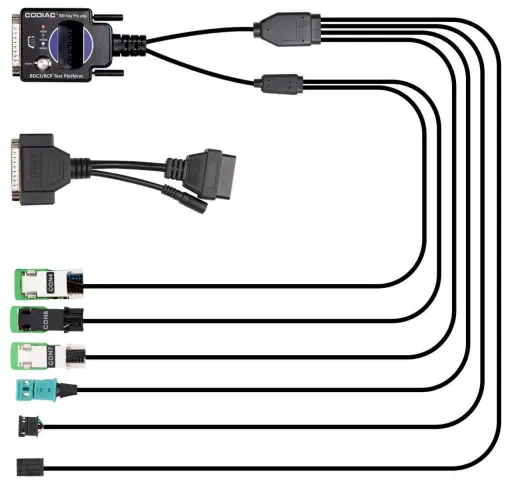
Техникалык шарттар
- Продукт аты: GODIAG BMW BDC3/BCP программалоо сыноо платформасы үчүн
- Модель номери: 202506
- Функциялары: Diagnose and program BMW BDC3/BCP modules
Продукт бүттүview
BMW BDC3/BCP Программалоо Сыноо Платформасы үчүн GODIAG иммобилизатор тутумун башкарууну, ачкыч синхрондоштурууну жана модулдардын диагностикасын теңдешсиз ишенимдүүлүк менен иретке келтирет. Бул күчтүү функциялардын бардыгы аны кесипкөй инженерлер үчүн эң сонун чечимге айлантат. BMW BDC3/BCP программалоо сыноо платформасы үчүн GODIAG – бул сиздин тезирээк, коопсуз жана натыйжалуу диагностикага шлюз. Ачкычтарды синхрондоштуруу, модулдарды программалоо же аспапты тейлөө боюнча иштеп жатасызбы, бул платформа сизди камтыды.
Сиз BMW BDC3/BCP модулдарын диагностикалоонун жана программалоонун ишенимдүү жана натыйжалуу жолун издеп жатасызбы? Мындан ары караба! GODIAG For BMW BDC3/BCP программалоо сыноо платформасы диагностикалык процессиңизди өзгөртүү үчүн бул жерде. Тактык жана колдонуунун жөнөкөйлүгү менен иштелип чыккан бул платформа ар бир BMW инженери жана техниги үчүн милдеттүү курал болуп саналат.
Функциялар
- Used to detect whether the key and module are synchronized.
- After the key and module are synchronized, the corresponding immo indicator light will light up and there will be a sound prompt.
- The module off-vehicle diagnostic programming and coding are convenient for engineers to operate and can avoid the risk of other modules of the car being damaged.
- The key sensor identification light is convenient for detecting the key and module identification.
- The instrument lights up for instrument detection and maintenance.
- Key remote control function and module synchronization test.
- It supports ENET communication and can perform diagnostics, programming and coding on the BDC3 module.
- It supports CAN BUS module communication and can perform diagnostics and programming on the BDC3 module.
- Use Autel IM608 device and Autel BDC3 key with Autel BDC3 key addition authorization to add keys to the BDC3 module.
- Connect to BMW dedicated diagnostic equipment icom, or GT109 for ENET communication.
- Connect to Autel, Launch tablets that supports BMW diagnostics for diagnostics, programming, and other functions.
- Key intelligent recognition test, check whether the intelligent synchronization function of the BDC3 module is normal.
Продукт колдонуу нускамалары
Ачкыч менен модулдун синхрондолгон же жок экенин аныктоо үчүн кадамдар.
- 1-кадам: Connect GODIAG For BMW BDC3/BCP Programming Test Platform to the BDC3 module. Then connect the 12v power supply as shown in the figure.
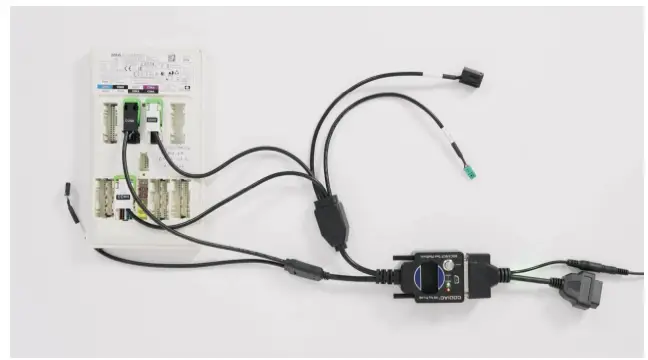 You will find both the red and green indicator lights are on.
- 2-кадам: Place the key in the sensing area. If the key is recognized, the signal light will go out or stay on. After putting the key in, if the green light does not respond, please adjust the position a few more times.
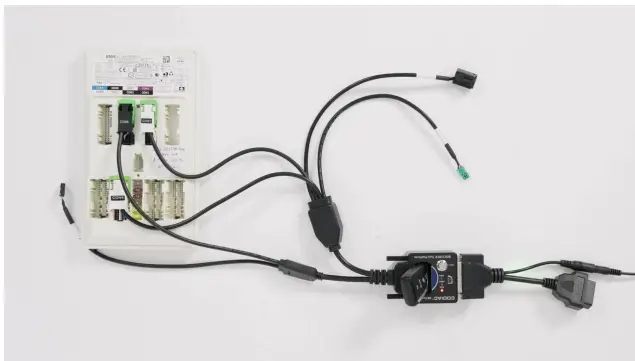
- After putting the key in, the green light goes out immediately, indicating that the key and the BDC3 module are synchronized.
- 3-кадам: Press the START button three times in succession. Please note that the interval is about 0.1S.
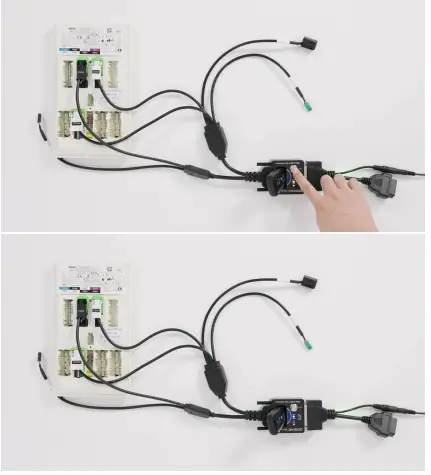
- You will find that the blue IMMO light of the device lights up, which is equivalent to simulating the ignition switch.
- 4-кадам: Press the START button two times in succession. Please note that the interval is about 0.1S. Alternatively, you can also press and hold the START button to turn off the blue IMMO light. This is equivalent to turning off the ignition switch.
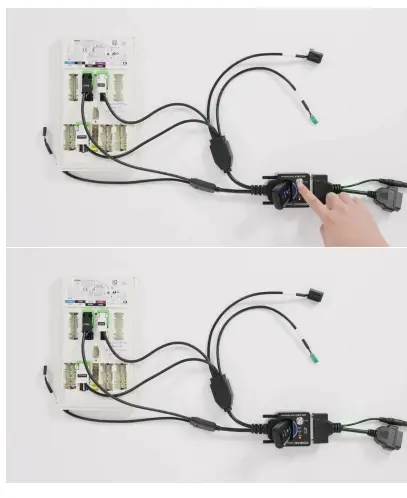 Steps to Detect Whether the Key and the Module are Synchronized with More Modules.
Two ways to test Whether the Remote Key is Responding
- 1-кадам: Connect GODIAG For BMW BDC3/BCP Programming Test Platform to the BDC3 module, dashboard and remote control receiving module as shown in the figure.
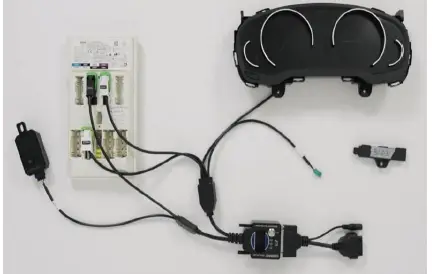
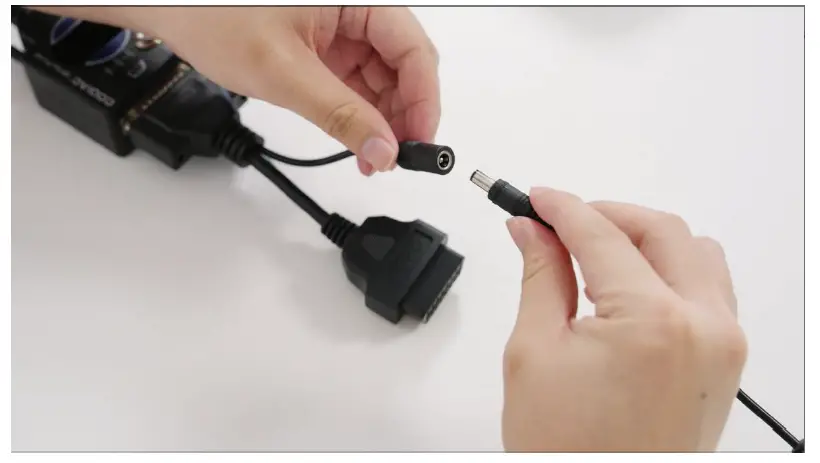
- 2-кадам: Then connect the 12v power supply.
 Алыскы ачкыч жооп береби же жокпу, текшерүүнүн эки жолу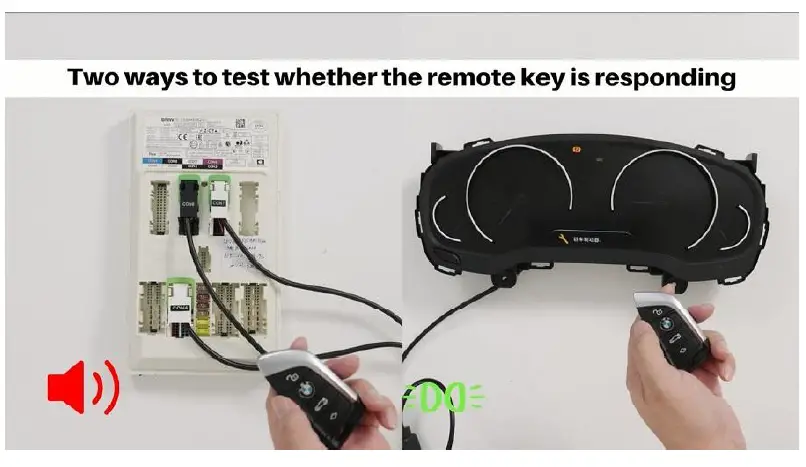
- 3-кадам: After pressing the unlock button on the key, the remote control receiving module makes a clicking sound and the green light on the dashboard lights up. Either of these two methods can test whether the remote control key responds.
Ачкыч менен модулдун синхрондоштурулганын текшериңиз.
- 1-кадам: First, unlock the dashboard with the key by pressing the unlock button.

- 2-кадам: Press the START button once, the green light will come on, and if the key cannot be found within 10 seconds, it will automatically go out.
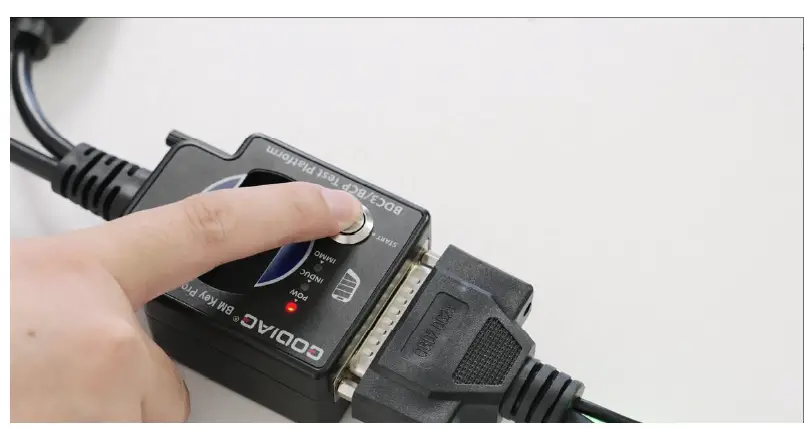
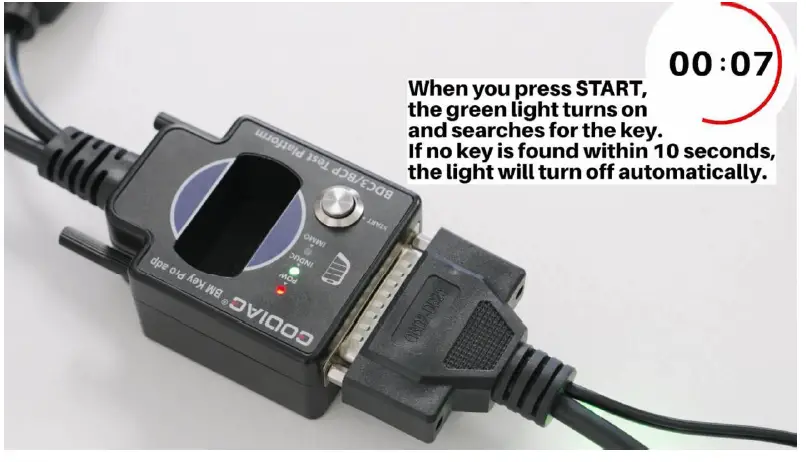 Эскертүү: When you press the START button, the green light turns on and searches for the key. If no key is found within 10 seconds, the green light will turn off automatically.
 - 3-кадам: Press the START button and put the key in the sensing area, the green light will go out immediately indicating that the key and the BDC3 module are synchronized.
Note: When placing the key in the sensing area. If the key is recognized, the signal light will go out or stay on. After putting the key in, if the green light does not respond, please adjust the position a few more times.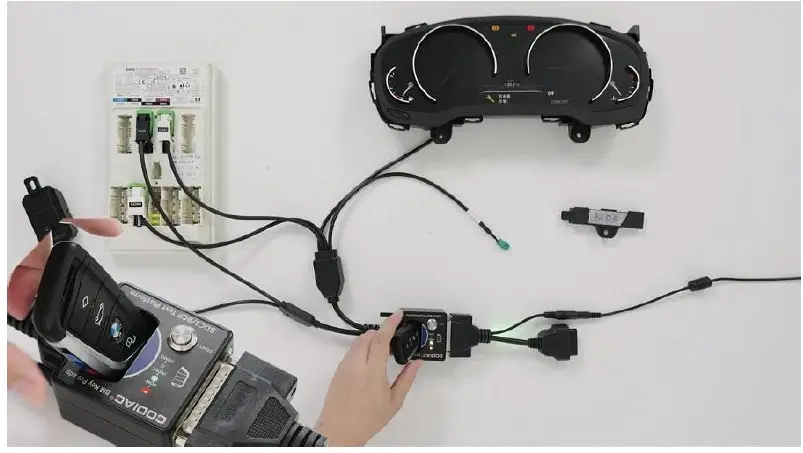
- 4-кадам: Press the START button three times in succession. Please note that the interval is about 0.1S.
You will find that the blue IMMO light of the device lights up and the dashboard is also lit up.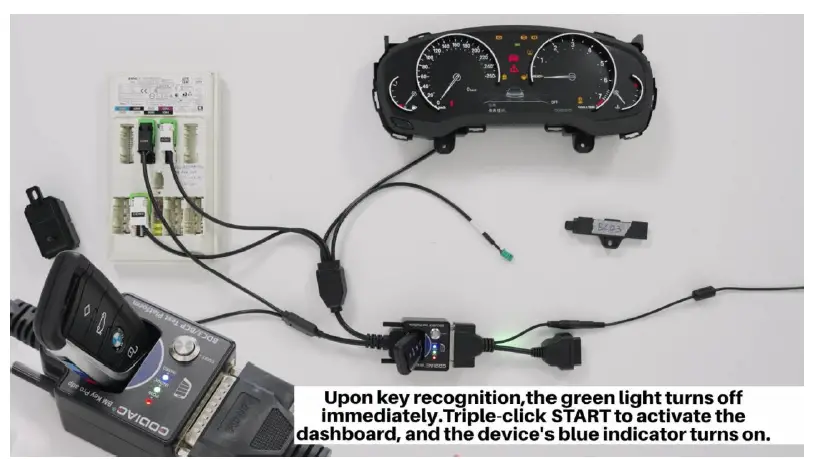
- 5-кадам: Press the START button two times in succession. Please note that the interval is about 0.1S. Alternatively, you can also press and hold the START button to turn off the blue IMMO light and dashboard.
Intelligent Antenna Identification Function Demonstration
- 1-кадам: Plugging in the smart identification antenna.

- 2-кадам: Press the START button and put the key in the sensing area, the green light will go out immediately indicating that the key and the BDC3 module are synchronized.
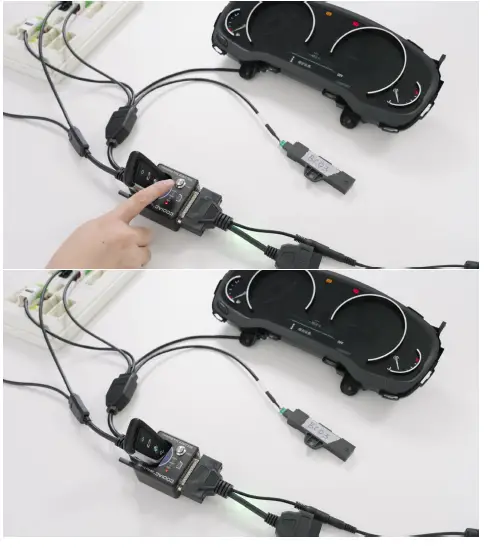
- 3-кадам: After we took away the key, the green light did not light up, which means that the key has been recognized.
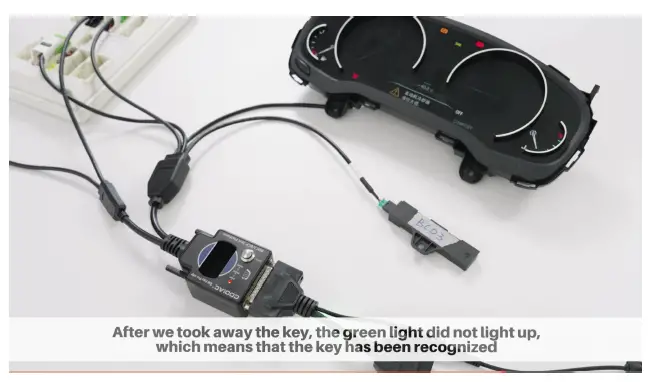
- 4-кадам: Press the START button three times in succession. Please note that the interval is about 0.1S. You will find that the blue IMMO light of the device lights up and the dashboard is also lit up.
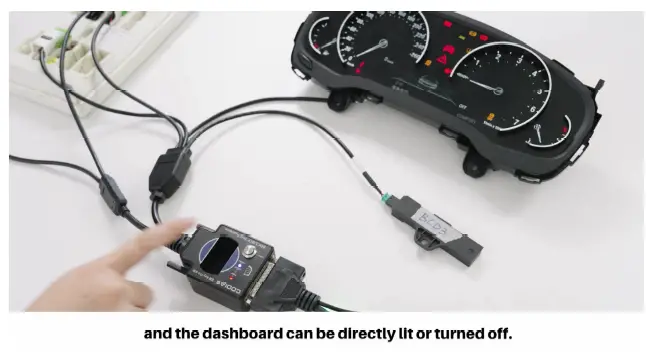
- 5-кадам: Press the START button two times in succession. Please note that the interval is about 0.1S. Alternatively, you can also press and hold the START button to turn off the blue IMMO light and dashboard.

BMW BDC109 модулун диагностикалоо үчүн GT3 жана диагностикалык программа менен колдонуу кадамдары
- 1-кадам: Connect GODIAG BDC3/BCP Test Platform to the GT109, dashboard and BDC3 module and laptop as shown in the figure.

- 2-кадам: Finally, connect the 12v power supply.

- 3-кадам: Then you can use ISTA-D, E-sys, and BMW AiCoder on your computer to read the data.
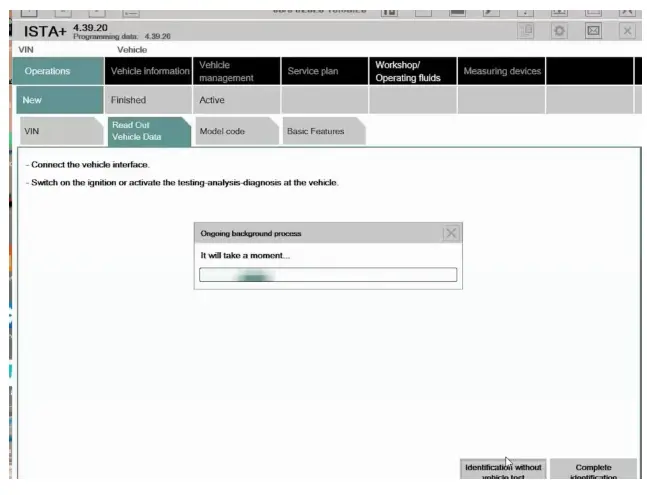

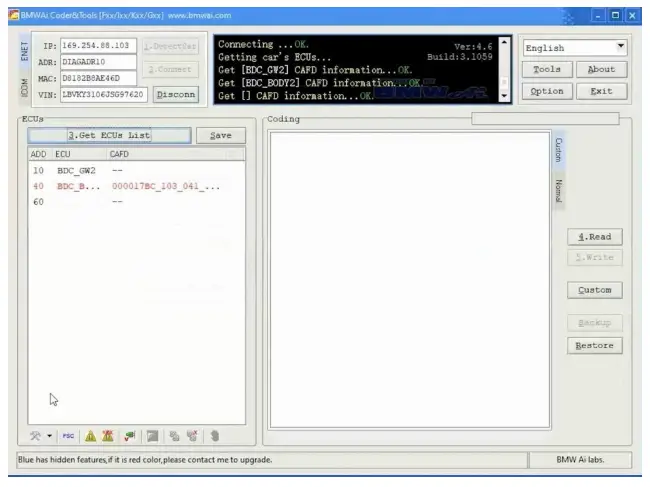
- 4-кадам: End Diagnosis.
ЭСКЕРТҮҮ:
The module is removed from the vehicle and programmed and coded independently. This avoids the risk of damaging other modules when operating on the vehicle.
Аксессуарлар
- 1pc x GODIAG For BMW BDC3/BCP Programming Test Platform
- 1pc x PDF колдонмосу
Shenzhen Sinoy Technology Co.,Ltd Бардык укуктар корголгон
- www.godiag.com
- +86 18813687743
- Sales@GoDiag.com

окуганыңыз үчүн рахмат!
Көп берилүүчү суроолор
- С: Ачкычты сезүүчү аймакка койгондо жашыл жарык жооп бербесе, эмне кылышым керек?
A: If the green light does not respond, adjust the position of the key a few more times until synchronization is achieved. - С: Ачкыч менен модулдун шайкештештирилгенин кантип билем?
A: The green light will go out immediately after placing the key in the sensing area, indicating synchronization between the key and BDC3 module.
Документтер / Ресурстар
 |
GODIAG 202506 программалоо сыноо платформасы [pdf] Колдонуучунун колдонмосу 202506, 202506 Программалоо сыноо платформасы, 202506, программалоо сыноо платформасы, сыноо платформасы |