

TRT-electronics TURTLE Trigger Owner's Manual
Урматтуу TURTLE колдонуучусу,
Thank you for choosing the TRT-electronics TURTLE trigger to achieve perfect TTL or manual control in your underwater photography setup. This product is designed for users who want to utilize TTL, MANUAL, or even HSS functions with their underwater strobes. The i-TURTLE 3 SMART version is compatible with both DSLR and mirrorless (MILC) cameras.
What’s in the box you purchased:
- Nikon камера протоколу үчүн конфигурацияланган батареясы бар 1 триггер бирдиги
- 1 LED адаптер суу астындагы турак терезеңиздин ичине орнотулат
- Программалоо жана кубаттоо үчүн 1 USB-C - USB-C комбо кабели
- 1 USB-C - USB-B адаптер (эгерде сиздин компьютериңизде USB-C порту жок болсо)
- 1 запастык батарейка
- SMD LEDди нымдуулуктан коргоо үчүн 1 силикагель пакети
- 1 protective case for safe transport during your trips
Шайкештик: Учурда төмөнкү системалар боюнча сыналган:
Nikon MILC: Z30, Z50, Z6, Z6 II, Z7, Z7 II, Z8, Z9 Nikon DSLR: D5, D4s, D4, D850, D810, D810A, D800, D750, D600, D500, D300, D300s, D7500, D7200, D7100, D7000, D90
This list may expand–please refer to the product description on our webакыркы жаңыртуулар үчүн сайт.
Жеткиликтүү флеш функциялары:
- Сууга түшүү учурунда камера менюсунан TTL/MANUAL которуштуруу
- Биринчи көшөгө синхрондоштуруу (Сууга түшүү учурунда камера менюсунан TTL / MANUAL)
- Second curtain sync (TTL / MANUAL from camera menu during the dive)0
- In manual mode, HSS (High-Speed Sync) is automatically activated above the maximum flash sync speed.
On cameras where HSS manual mode is available. (Marelux, AOI, HF-1, Retra etc)
Supported strobes in TTL:
- Ikelite DS160, DS230
- Seaflash 60D, 160D
- Inon Z240 / Z330
- Sea&Sea YS-D2J, YS-D3, YS-D3 DUO
- Retra PRO X MILC
- Retra PRO MAX DSLR/MILC
- AOI Intelli Strobe (SONY settings in the strobe)
- Backscatter HF-1(SONY settings in the strobe)
- APOLLO III V2.0, APOLLO S
Баштоо
Software setup If you did not request pre-configuration, please download the Setup program. (For Windows: from the product page | For Mac: from the App Store)
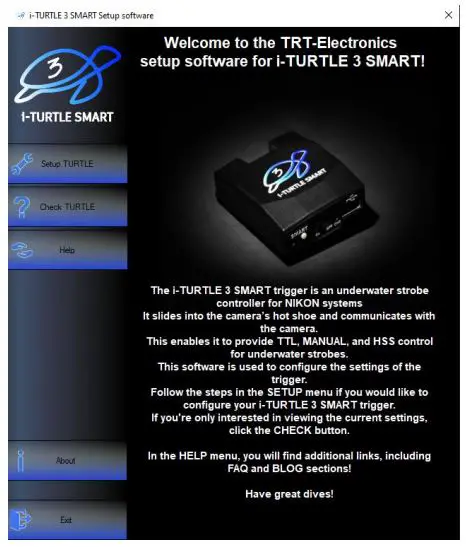
- Setup TURTLE Configure TTL strobe profiles жана кол режими
- Check TURTLE Check current settings and battery level
- Help Guides for configuration and supported strobe types
- About Information about the company and product
Орнотуу видео: https://www.youtube.com/watch?v=UVkscXZP0QU
Программалык камсыздоо менен триггерди орнотуу боюнча кадам-кадам нускамалар
ТАШБАКА ОРНОТУ
- Триггерди өчүрүңүз

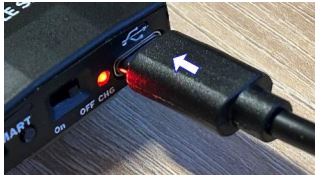
- Берилген USB кабелин колдонуп, аны компьютериңизге туташтырыңыз
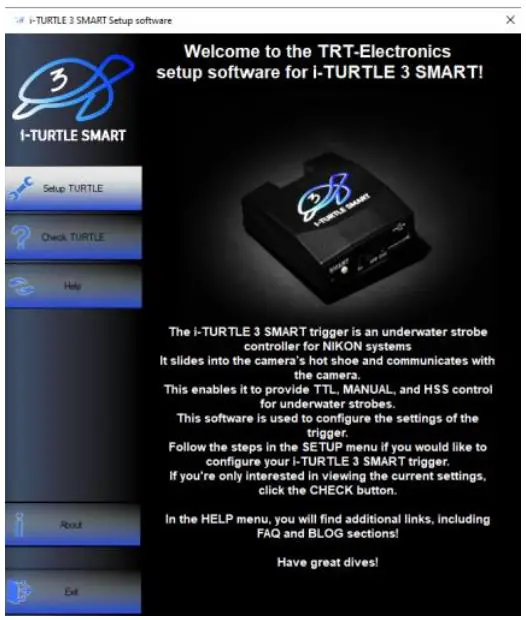
- Launch the software and open the “Setup TURTLE” menu
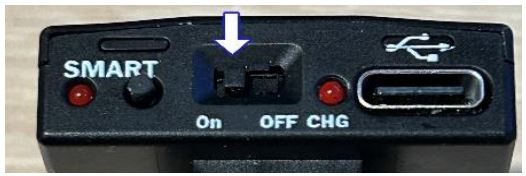
- Туташып турганда триггерди КҮЙГҮЗүңүз.
- "Сериялык портту табуу" баскычын чыкылдатып, ачылуучу тизмеден экинчи COM портун тандаңыз.

Эгерде бир нече түзмөктөр виртуалдык COM портторун колдонсо, керек болсо, башкасын колдонуп көрүңүз - TTL strobe pro тандаңызfile колдонууну каалайсыз

- In the next menu, configure the Manual Mode:

Manual mode offers a basic manual flash option, which can be activated from the camera’s menu. In this mode, the camera will emit a single flash, and the trigger handles it accordingly. However, the TURTLE trigger is capable of much more.
- 1.MANUAL: Trigger forwards either 1st or 2nd curtain flash from the camera.
- 2.STROBOSCOPE: Advanced users can set multiple flashes within a single exposure (1/102s interval).
Stroboscope mode explanation: https://www.youtube.com/watch?v=jPMbL5A6AQg
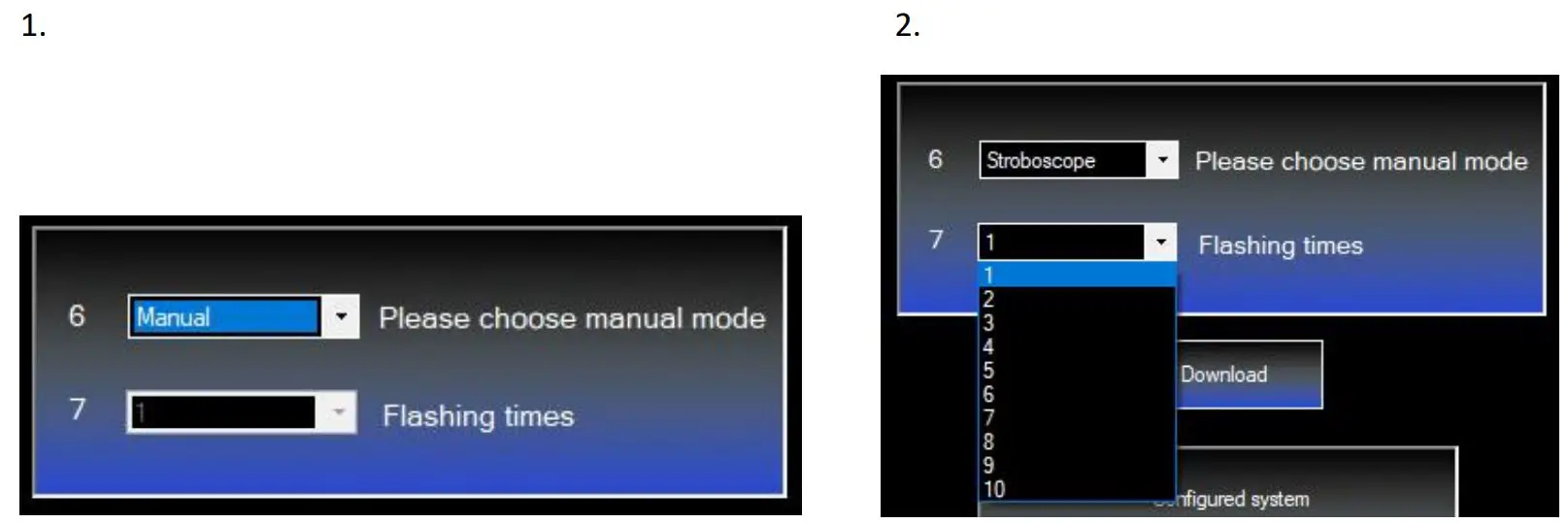
8 . Click “Download” to upload the settings to the trigger. You’ll see confirmation in the lower info window.

ТАШБАКА
If you want to check the battery level, there are two options: You can either press the small button on the back of the trigger a few times until it starts flashing — we’ll cover this in more detail later — or you can check it in the setup software under the CHECK TURTLE menu
Repeat steps 15, then click the “Setup Checking” button. The info window will show the selected strobe and the battery level.

Аппараттык камсыздоо бүттүview
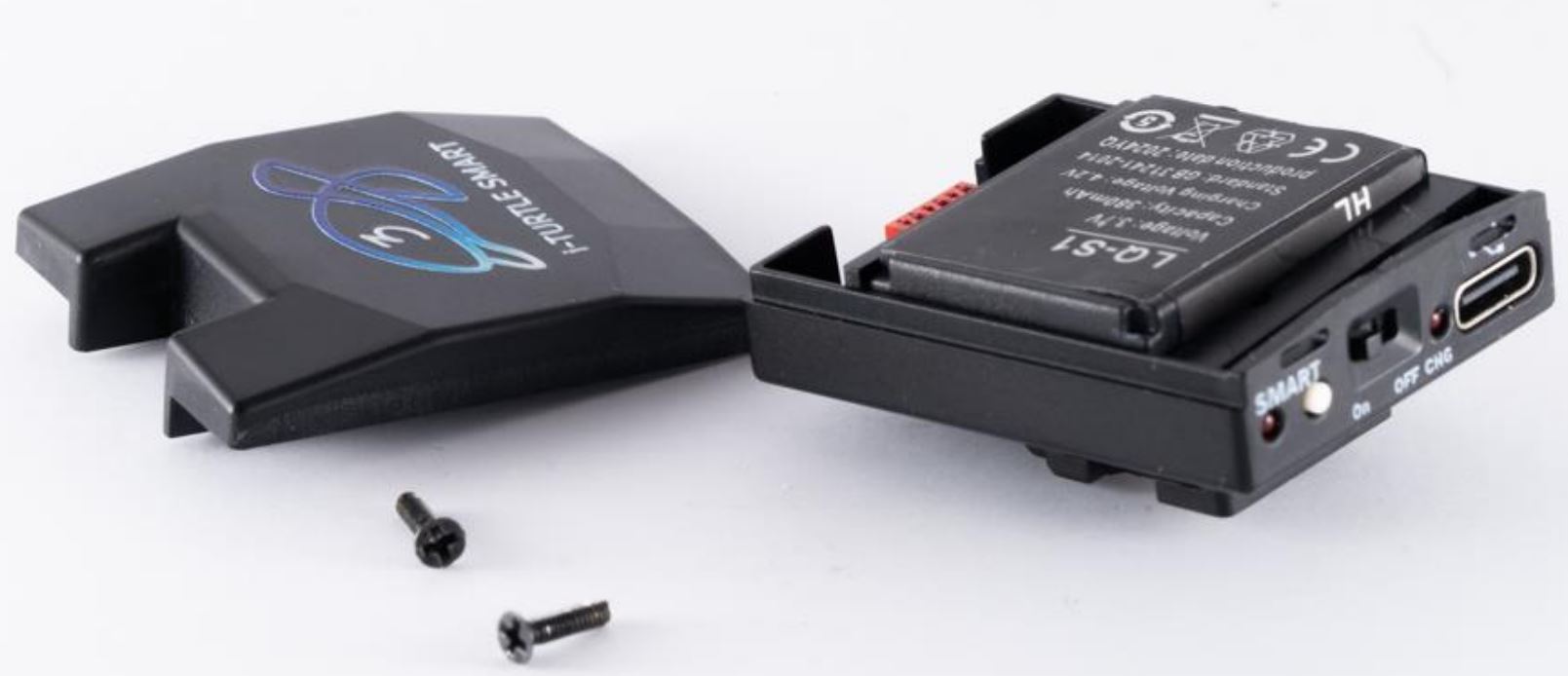
1. Батарея
This is the first TTL trigger on the market with a user-replaceable battery. It uses a standard LQ-S1 battery (commercially available), but only one specific type is compatible–please check connector type before purchasing.

Камеранын уйку режими иштетилген болсо, бул батарея болжол менен 6000 кадрды кубаттай алат.
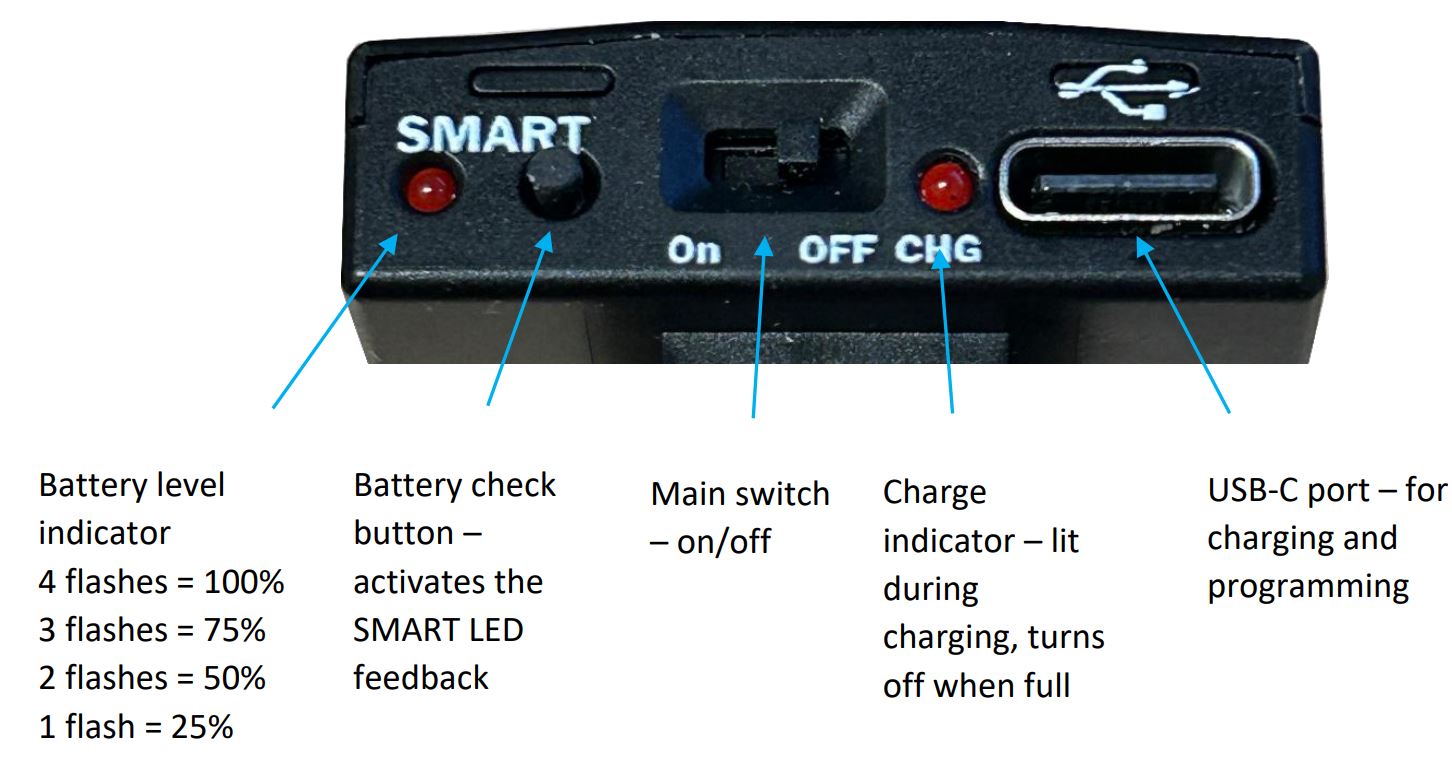
If sleep mode is not enabled and the camera remains active continuously, the battery may discharge within 5 days. Battery capacity and charge level can be checked via the software, but you can also get feedback by pressing the SMART button on the back of the i-TURTLE 3 trigger.
Адегенде камераны өчүрүп, андан кийин TURTLE'ди кубаттоо (өчүрүү жана кайра күйгүзүү) сунушталат. Триггер камерага туташкан бойдон кала берет.
Андан кийин баскычты басып, батарейканын деңгээлин аныктоо үчүн SMART энбелгисинин астындагы LED жаркыраган санын байкаңыз.
Battery replacement video: https://www.youtube.com/watch?v=x1hy1vVInBw
2. Strobe connector:
If you need a wired solution for your underwater setup, we can provide various connector types where the Xtrigger, Quench, and GND lines are exposed.
Демейки боюнча, биз оптикалык чечимдерди сунуштайбыз.
TTL функционалдуулугу биз тарабынан берилген LEDди колдонгондо гана кепилденет.

3. Rear buttons & indicators
Кепилдик:
The product comes with a 2-year manufacturer’s warranty. Shipping costs for returning a faulty product are not covered by the warranty.
Сизге сонун чөмүлтүүнү жана ийгиликтүү сүрөт тартууну каалайбыз!
Документтер / Ресурстар
 | TURTLE Trigger |
Шилтемелер
- youtube.com/watch?v=jPMbL5A6AQgwww.youtube.com
- youtube.com/watch?v=UVkscXZP0QUwww.youtube.com
- youtube.com/watch?v=x1hy1vVInBwwww.youtube.com
- User Manualmanual.tools